Best Planner Apps for Mac and iPhone in 2026
Planner apps that run on both Mac and iPhone, compared on sync, widgets, Siri, day, week and month views, habits and price, and which one fits which way of planning.
The best planner app for Mac and iPhone depends on how you plan. If you want tasks, habits, a daily journal and goals on one page, with tappable widgets on both devices and a web version for everything else, look at Plannedo (I build it). If you want the most polished Apple-only task list and don’t mind paying for each device, Things 3. If you plan your day against your calendar, Fantastical or Structured. If you want free and built in, Apple Reminders with Calendar. TickTick is the all-rounder that runs on every platform.
Below: what a planner has to get right when you use it on two devices, how eleven apps compare, and how to split the work between the Mac and the phone. Prices are from the US App Store and each developer’s site, checked on October 10, 2026. Where sources disagree, I say so.
What a planner has to get right on both devices
A Mac and an iPhone are used for different parts of planning. The Mac is where you sit down and look at the week. The phone is where you add things on the move and tick them off during the day. A planner that’s good on one and merely present on the other will slowly push you back to two apps.
- A real Mac app. Keyboard shortcuts for adding a task and switching views, a Dock badge, and notifications that look like macOS ones. A phone app stretched onto a big screen gets tiring fast.
- The same data everywhere, quickly. Add a task on the phone in a shop, and it should be on the Mac when you sit down.
- Widgets on both, and ones you can tap. Since iOS 17 and macOS 14, widgets can be interactive. Ticking a task off from the Home Screen or the Mac desktop, without opening the app, is the single biggest everyday convenience.
- Fast capture. Siri, a share sheet or a one-tap widget. Ideas arrive away from the desk.
- Day, week and month views. The day for doing, the week for planning, the month for seeing what’s coming. Some apps only really do one of the three.
- One price for both devices. Some apps sell the Mac and iPhone versions separately; others charge one subscription per account. Over a few years the difference adds up.
- A way out of Apple, if you need one. A work PC or an Android phone in the house is common. A web version covers that.
The short list
| App | Also runs on | Widgets you can tick | Habits, journal, goals | Price (US) |
|---|---|---|---|---|
| Plannedo | iPad and any device via the web | Mac and iPhone | All three | Free plan; Pro $7.99/mo or about $79/yr |
| Things 3 | iPad | Mac and iPhone | None | $49.99 Mac + $9.99 iPhone, one-time each |
| Apple Reminders + Calendar | iPad, iCloud.com | Mac and iPhone | None | Free |
| TickTick | iPad, Windows, Android, web | Mac; iPhone reports differ | Habits | Free plan; $49.99/yr |
| Todoist | iPad, Windows, Android, web | Mac and iPhone | None | Free plan; Pro $7/mo or $60/yr |
| OmniFocus 4 | iPad, web | Mac and iPhone | None | $74.99 one-time, or $99.99/yr |
| Fantastical | iPad, Windows | Mac and iPhone | None (it’s a calendar) | Free plan; $6.99/mo or $56.99/yr |
| Structured | iPad, Android, web | iPhone | Habits | Free plan; Pro prices vary |
| Sunsama | Windows, Android, web | iPhone | Daily reflection, goals | No free plan; about $17 to $25/mo |
| Lunatask | iPad, Windows, Android | Not found | All three | Free plan; $8/mo or $72/yr |
| Tiimo | iPad, Android, web | iPhone | Routines, mood check-ins | Free plan; Pro prices vary |
The apps
Plannedo: tasks, habits, journal and goals on one page
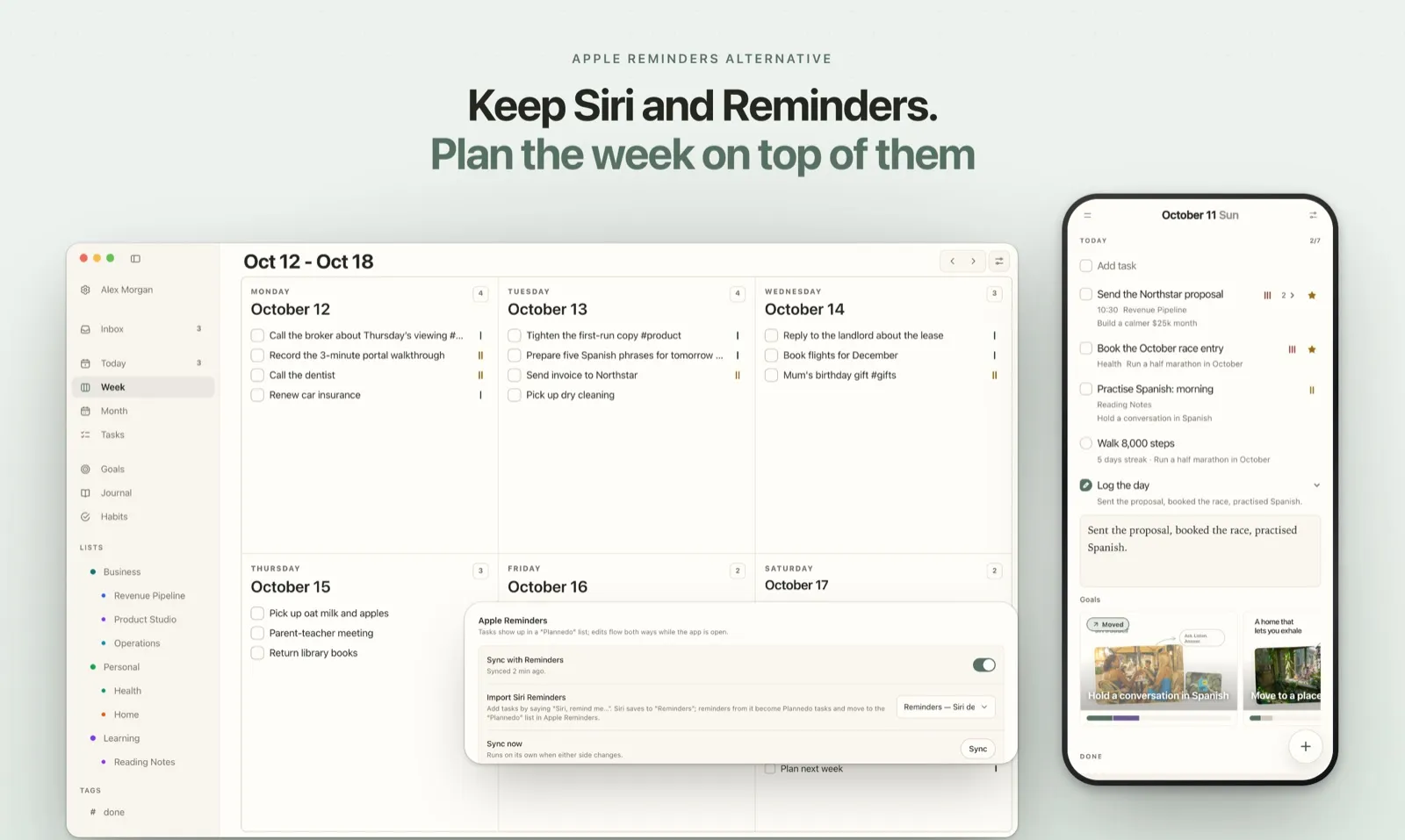
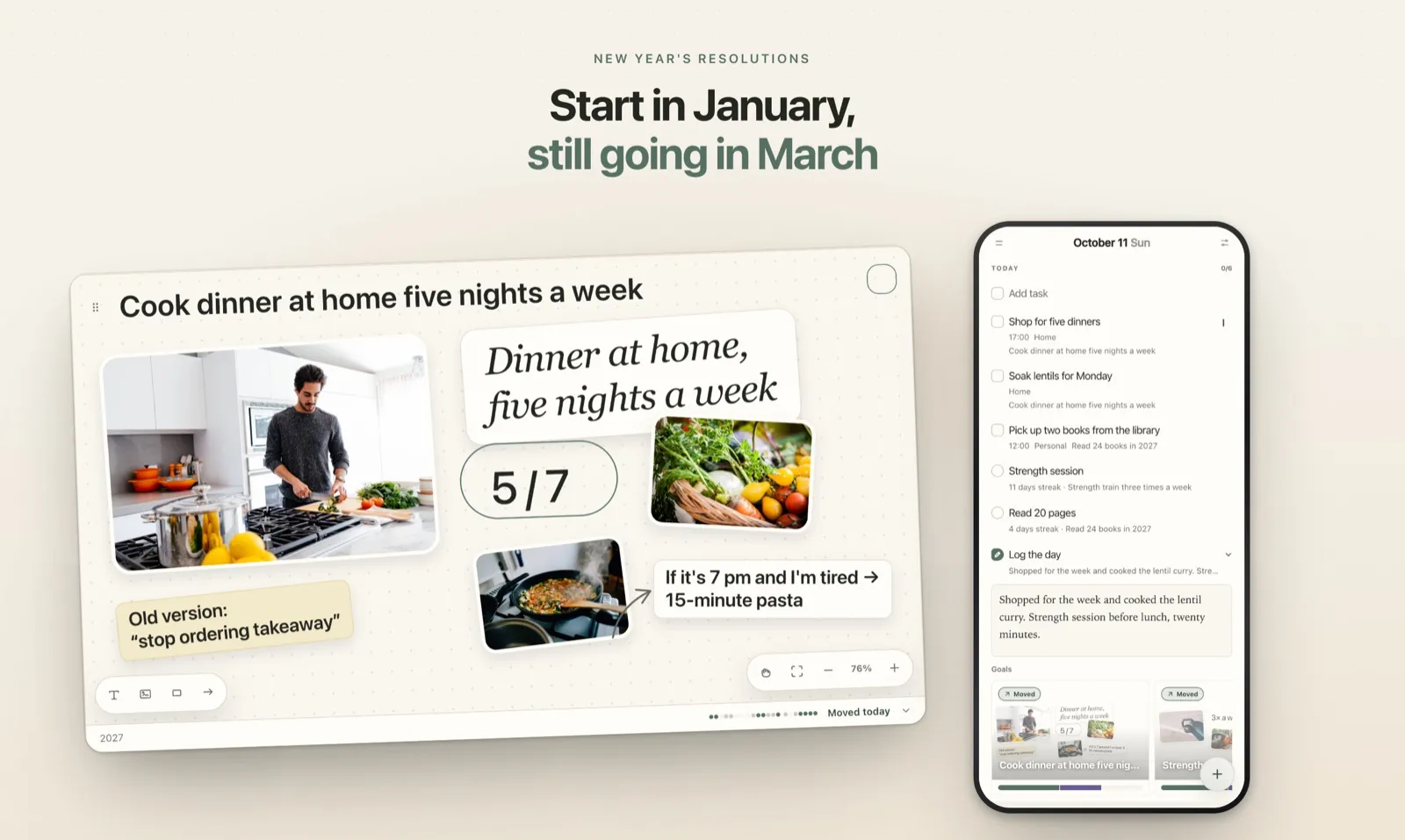
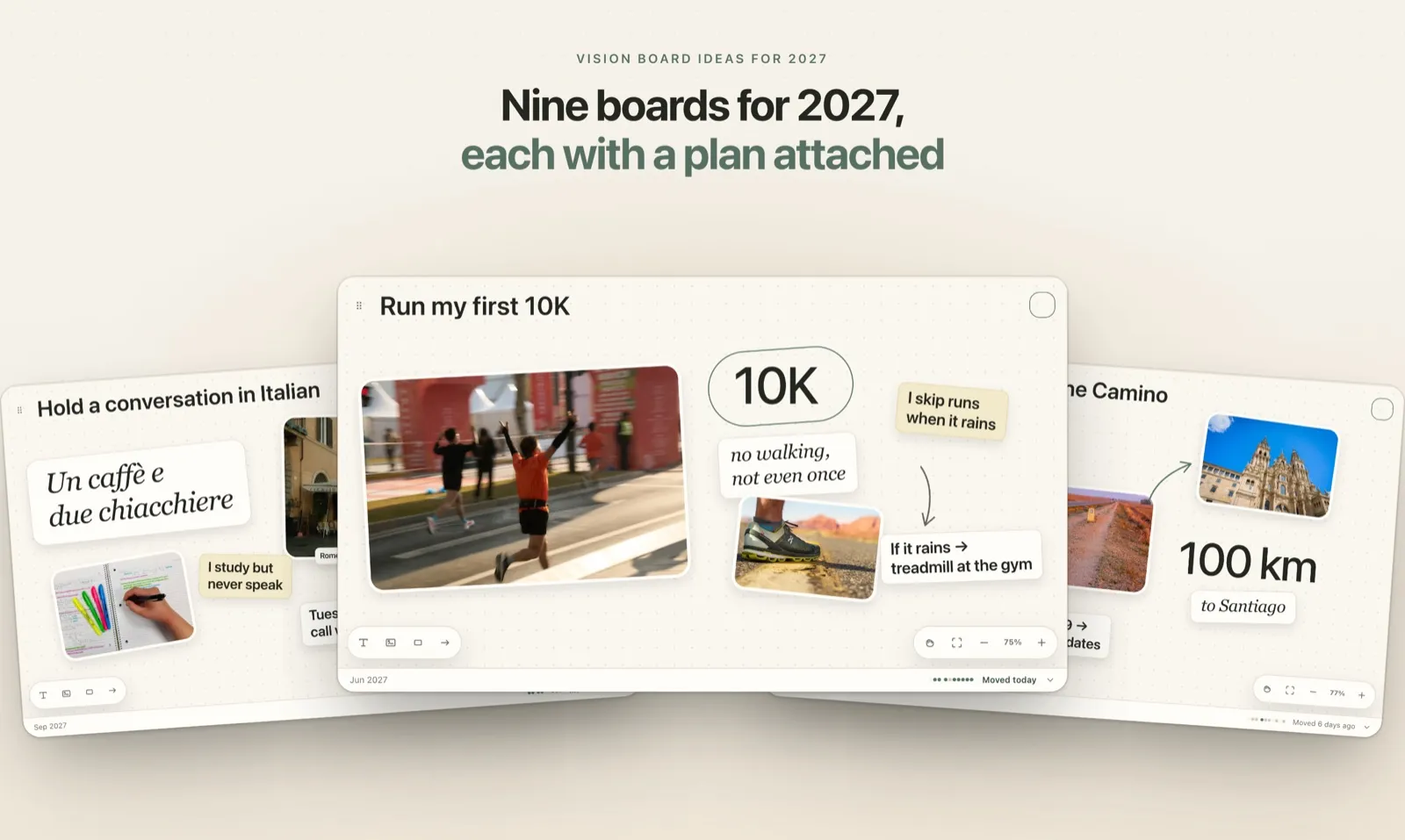
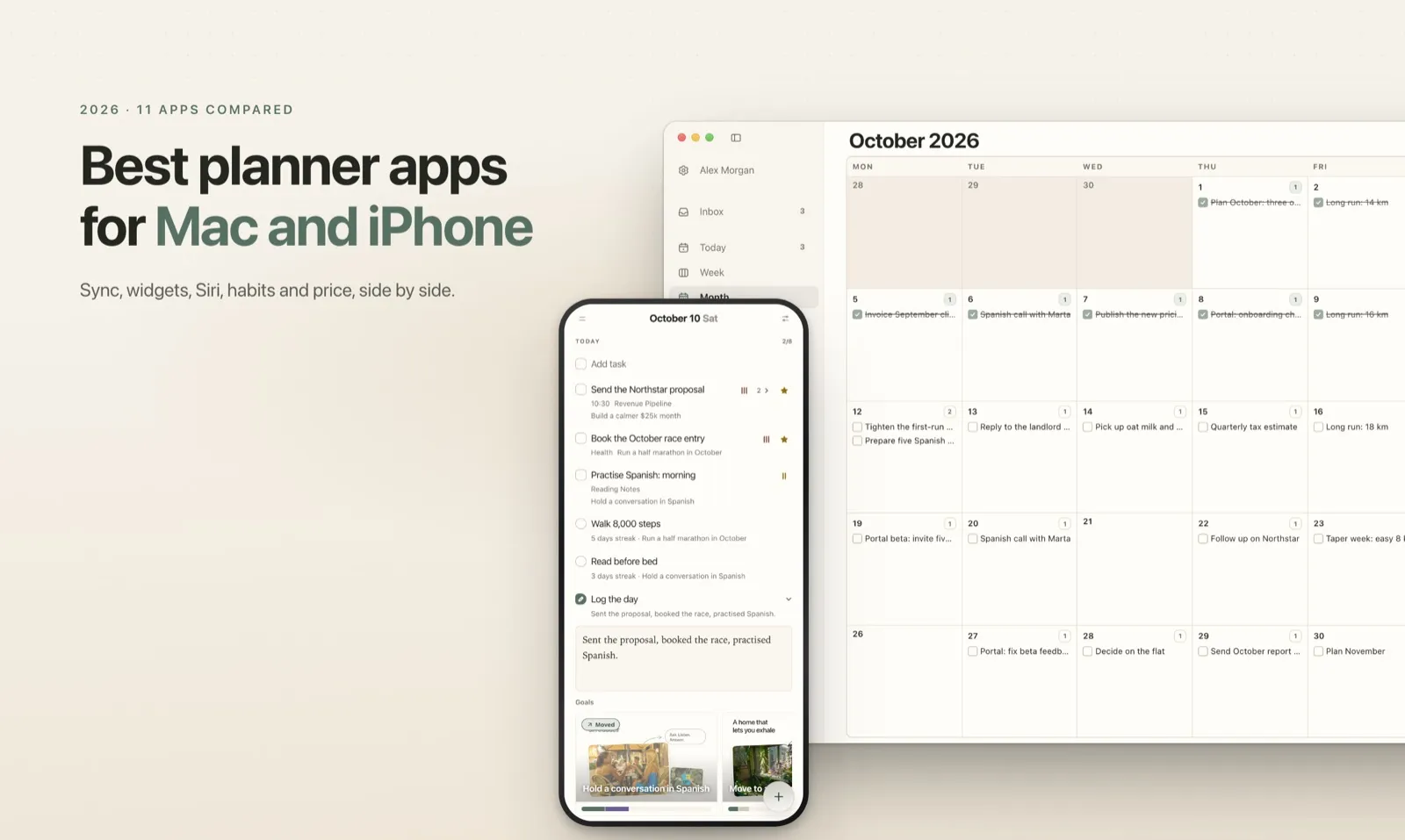
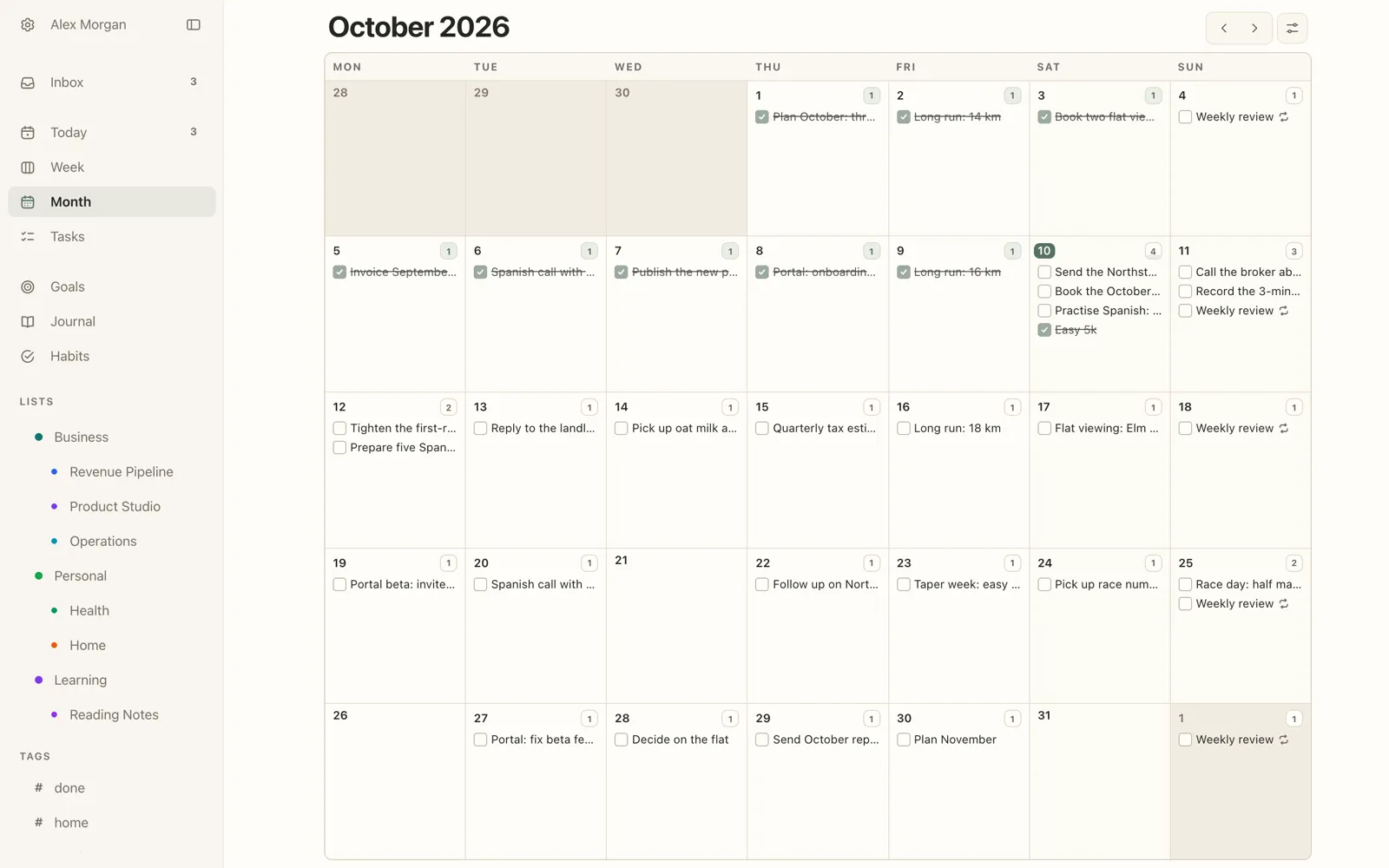
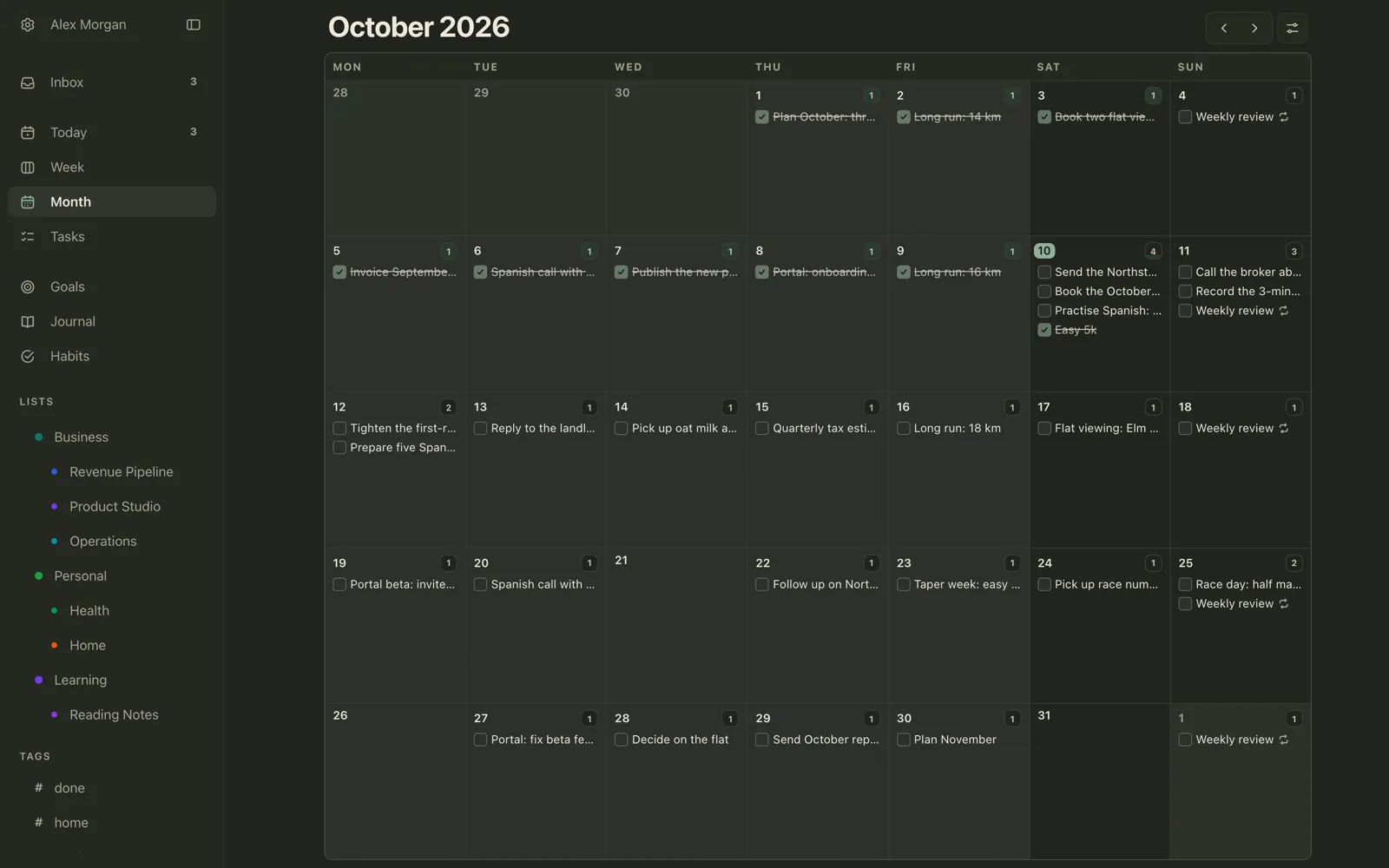
Plannedo has native apps for iPhone and Mac and runs in any browser. Its Today page holds the day’s tasks, habits with streaks, a short journal entry and your goals; Week and Month show the same tasks zoomed out. Widgets on the iPhone Home Screen and the Mac desktop tick off tasks and habits, and the apps sync both ways with Apple Reminders, so Siri capture works. Every goal is a visual board that tasks and habits can belong to. I compared it with other all-in-one apps in A To-Do List, Habit Tracker and Journal in One App. It doesn’t show calendar events, and there’s no separate iPad app. More on how the two devices divide the work below.
Things 3: the polished Apple-only list
Things shows up in most Mac planner roundups. It’s a native, polished task list that shows your Apple Calendar events next to the day’s to-dos, can import from Reminders, and its widgets are interactive. It is Apple-only (no web, Windows or Android), has no habits, journal or goals, and no week or month calendar grid. Pricing is one-time but per device: $49.99 on the Mac, $9.99 on the iPhone and $19.99 on the iPad.
Apple Reminders and Calendar: free and already there
Reminders has grown up: lists, sections, tags, smart lists and tappable widgets, and since iOS 18 and macOS 15 your reminders also show up in Calendar. Siri works out of the box. What it doesn’t have is a planning view built for tasks, or habits, a journal or goals. Apple’s Journal is a separate app. If Reminders is close but not quite enough, I compared the Apple Reminders alternatives that still work with Siri.
TickTick: the all-rounder on every platform
TickTick runs everywhere, connects Google, iCloud and Outlook calendars, and has day, week and month calendar views plus a habit tracker. The free plan allows 9 lists with 99 tasks each; Premium is $49.99 a year (older reviews still quote $35.99). Importing from Apple Reminders is one-way and removes the originals. There’s no daily journal.
Todoist: lists for people on mixed devices
Todoist is a strong choice if your devices aren’t all Apple. Pro, now $7 a month or $60 a year, adds a calendar layout where you drag tasks into time slots, and it connects one Google or Outlook calendar. The free plan has five projects. It has no habit tracker and no journal, and no Apple Reminders sync.
OmniFocus 4: for GTD power users
OmniFocus is built for people who run a full Getting Things Done system: projects, tags, a regular review and a Forecast view that lists each day with your calendar events. It’s deep and has a learning curve to match. The Standard version is $74.99 one-time, Pro is $149.99, or there’s a $99.99 yearly subscription.
Fantastical: a calendar that shows your tasks
Fantastical is a calendar first. It shows Apple Reminders, Todoist and Google Tasks items next to your events, so it pairs well with a task app rather than replacing one. The free plan covers the basics; Premium is $6.99 a month or $56.99 a year.
Structured: your day as a timeline
Structured lays the day out as a vertical timeline where tasks have a start time and a duration, which makes it the most visual option for time blocking. Calendar import and Reminders import are part of Pro. The developer doesn’t publish US prices, and the App Store lists several versions of the subscription and a lifetime option, so check the price inside the app.
Sunsama: a guided planning ritual
Sunsama walks you through planning each morning and closing each day, pulling in tasks from tools like Asana, Gmail and Todoist. Its own FAQ says the desktop app is built on Electron, and the iPhone app is described as a companion. There is no free plan; the price is about $17 to $25 a month depending on billing and which part of its pricing page you read. Its Apple Reminders integration needs the Mac app running.
Lunatask: everything built in, no web
Lunatask has tasks, habits, a PIN-protected journal, goals and mood tracking, all end-to-end encrypted, on Mac, iPhone, Windows and Android. There’s no web version. There’s a free plan; Premium is $8 a month or $72 a year.
Tiimo: a visual planner, App of the Year
Tiimo was Apple’s iPhone App of the Year for 2025. It plans the day visually with routines and mood check-ins. On the Mac it runs as the iPad app on Apple-silicon Macs rather than as a separate Mac app. Prices vary by source, so check in the App Store.
Splitting the work between Mac and iPhone in Plannedo
Plannedo is the planner I build, so here is the concrete version of the checklist above, including what it doesn’t do.
On the Mac: plan the week. The Mac app is the same Plannedo as the web, in its own window, with menu commands and shortcuts: ⌘ N adds a task, ⌘ 2, ⌘ 3 and ⌘ 4 switch between Today, Week and Month. Week shows the days as cards you can drag tasks between, and Month shows the whole month with each day’s tasks and repeats. Moving a task on one view moves it everywhere, because nothing is copied between them. See Week and Month.
On the iPhone: capture and tick. The widgets show what’s left today and let you tick off tasks and habits from the Home Screen; the same widgets work on the Mac desktop. If you capture with Siri, turn on sync with Apple Reminders: “Hey Siri, remind me to call the dentist tomorrow” lands on that day in Plannedo. See Widgets and Sync with Apple Reminders.
In the evening, on whichever is closer: close the day. Log the day takes a line about how it went and one answer per goal. It’s the same entry on both devices.
One account, one price. Pro is $7.99 a month or about $79 a year and covers the web, iPhone and Mac together. The Free plan has unlimited tasks, three lists, three habits and one goal, with no time limit.
What it doesn’t do. Plannedo doesn’t show your calendar events, and a task has a time but no duration, so there’s no hour-by-hour timeline for time blocking. There’s no iPad app yet; on an iPad you use plannedo.com in Safari. If time blocking against your calendar is how you plan, one of the calendar-first apps above will suit you better.
FAQ
What is the best planner app for Mac and iPhone?
It depends on how you plan. Plannedo puts tasks, habits, a journal and goals on one page with widgets on both devices. Things 3 is the most polished Apple-only task list. Fantastical and Structured suit planning around a calendar or timeline. Apple Reminders with Calendar is free and built in.
Is there a free planner app that syncs between Mac and iPhone?
Yes. Apple Reminders and Calendar are free and sync through iCloud. Plannedo’s free plan includes unlimited tasks, three habits, the journal and one goal on web, iPhone and Mac. TickTick and Todoist also have free plans with limits on lists or projects.
Which planner apps have widgets you can tick on the Mac desktop?
Interactive widgets arrived with macOS 14. Plannedo, Things 3, Todoist, OmniFocus, Fantastical, TickTick and Apple Reminders all let you tick off items from a Mac desktop widget.
Is Things 3 a one-time purchase?
Yes, but per device: $49.99 for the Mac, $9.99 for the iPhone and $19.99 for the iPad, with no subscription. It runs only on Apple devices.
Which planner app works on Mac, iPhone and Windows?
TickTick, Todoist, Sunsama and Lunatask have Windows apps. Plannedo runs on Windows in the browser at plannedo.com, alongside its iPhone and Mac apps.
Can I add tasks with Siri?
Siri adds reminders to Apple Reminders. Things 3 and TickTick can import them, and Plannedo syncs both ways with a Reminders list and can pick up the reminders Siri creates, so “remind me to call the dentist tomorrow” lands on tomorrow in Plannedo.