How to make your habit tracker
- Choose a sheet: a month, a week, or a whole year, which is twelve monthly pages in one PDF.
- Type your habits, one per line. Keep each one small and concrete: “Run, even 20 minutes” beats “Get fit”.
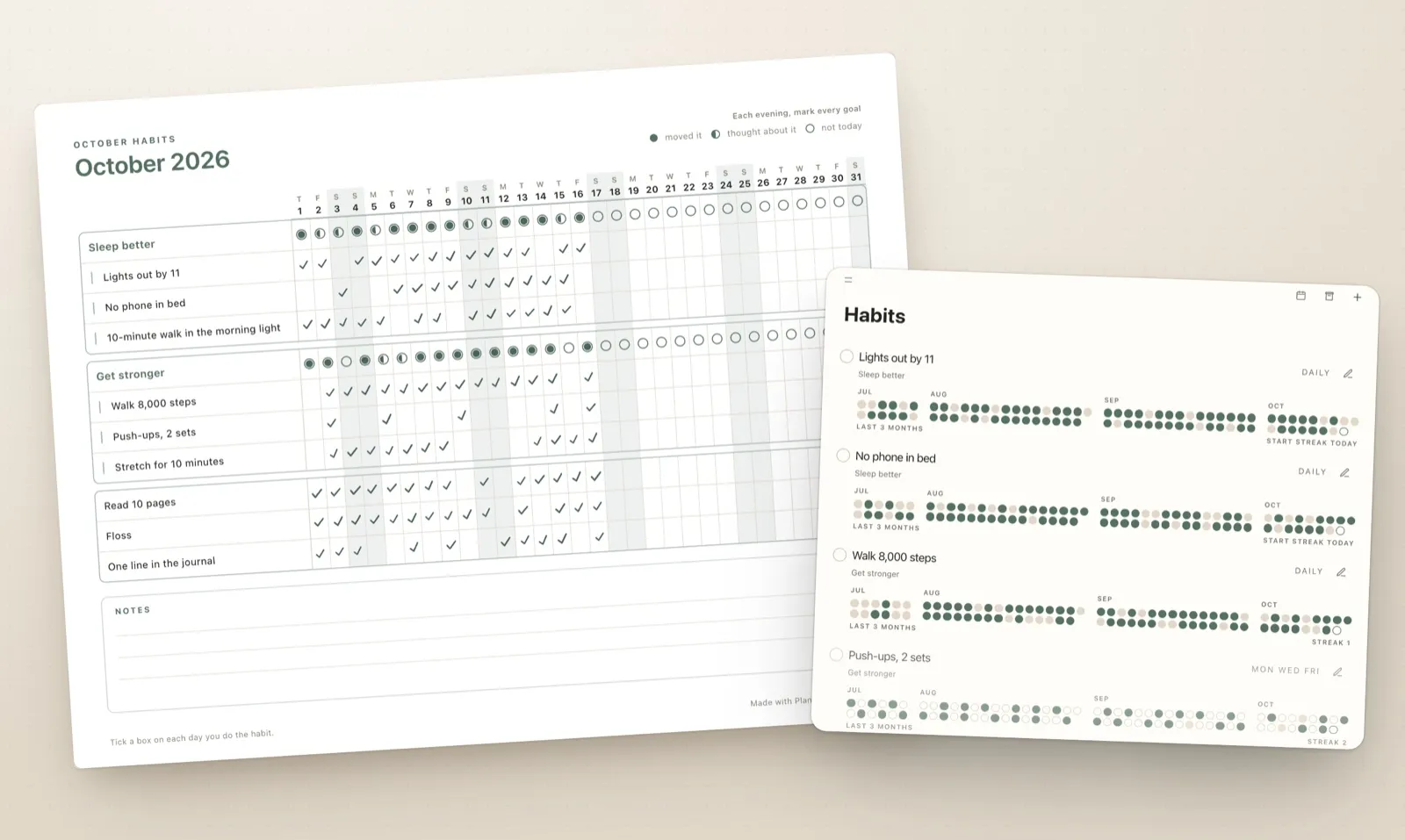
- If habits serve a goal, put them under it. The goal gets a row of circles for the evening check-in, and the habits print as one group.
- Pick the paper and a colour, then print the sheet or download it as a PDF or a PNG.
Monthly, weekly or a whole year?
- Monthly habit tracker. Every day of the month on one landscape page, with the weekday above each date. The classic sheet for the fridge, a desk or a journal.
- Weekly habit tracker. Seven wide columns on a portrait page, with room for notes. Good for the first weeks of a new habit, when you want to look at it every day.
- Yearly habit tracker. The same habits on twelve monthly pages, so January’s list carries all the way to December. Print the set once and keep it in a folder.
Why put habits under a goal
A 2016 meta-analysis of 138 experiments found that monitoring progress made people more likely to reach their goals, mostly because they checked in more often, and the effect was stronger when progress was written down. I went through it in Best Goal Tracker Apps. A habit tracker is that check-in, done every day.
Grouping habits under their goal adds one more question at the end of the day: did today move the goal? Fill the circle if it did, half-fill it if you only thought about it, and leave it empty if not today. These are the same three answers Plannedo asks for every evening, and after a month the row shows which goals you work on and which you only think about.
How long to keep tracking
Longer than a month. In the best-known study of habit formation, a new daily habit took a median of 66 days to feel automatic, anywhere from 18 to 254 days depending on the person and the habit. So print the next month before you judge this one. More on the research inHow Long Does It Take to Form a Habit?
Tips for a tracker you’ll actually fill in
- Track three to five habits. A sheet with fifteen rows turns into a list of what you didn’t do.
- Put the page where the habit happens: the fridge, the bathroom mirror, the desk.
- Tick at the same time every day. The evening works, because the whole day is in.
- A missed day isn’t a reset. The rule many people use is never to miss twice in a row, as explained indoes missing a day reset a habit.
- Look back once a week. A 20-minute weekly review is a good place to read the sheet and adjust next week.
Printing tips
- Print at 100% or “actual size”, not “fit to page”, so the boxes keep their size.
- Monthly and yearly sheets are landscape, weekly sheets are portrait. The tool sets this for you.
- For an iPad planner, download the PNG and import it as a page in GoodNotes or Notability.
FAQ
Is this habit tracker printable free?
Yes. There is no account and no email address to give. Nothing you type leaves your browser. A small “Made with Plannedo” line sits at the bottom of the page, and you can switch it off.
Can I print a habit tracker for the whole year?
Yes. Choose Whole year and download the PDF: twelve monthly pages with your habits and the right dates for every month, ready to print as a set.
Can I use it in GoodNotes or Notability?
Yes. Download the PNG or the PDF and import it into GoodNotes, Notability or any app that takes images or PDFs, then tick the boxes with a pencil.
How many habits fit on one page?
A monthly page holds a couple of dozen lines, and the tool tells you if anything doesn’t fit. Three to five habits is easier to keep up anyway.
What are the circles under a goal for?
They are an evening check-in for the goal. Fill the circle if the day moved the goal, half-fill it if you only thought about it, and leave it empty if not today.
Does the week start on Monday or Sunday?
The weekly sheet starts on the day you choose. The monthly sheet runs from the 1st to the last day of the month, with the weekday letter above every date.
Can I track my habits on my phone instead?
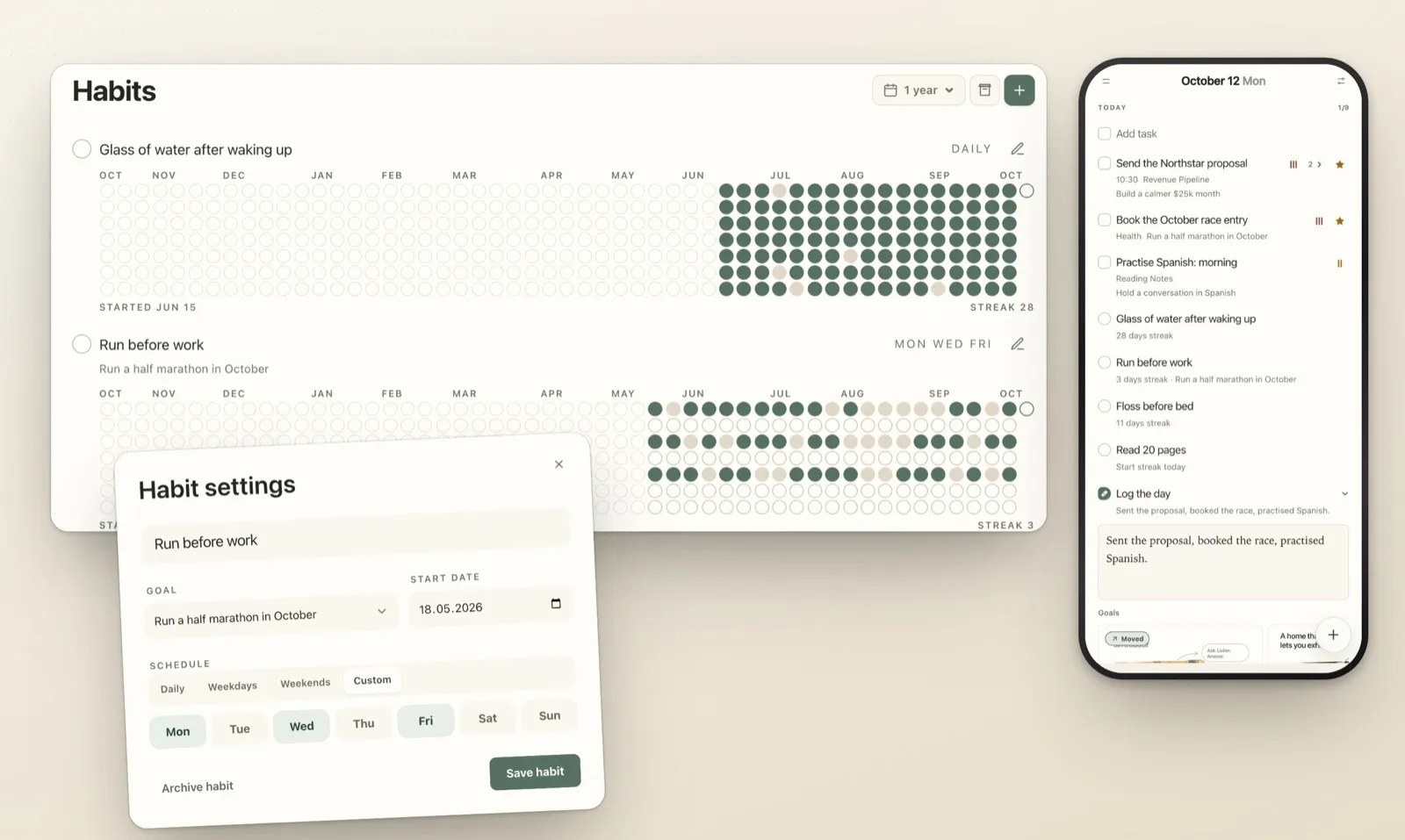
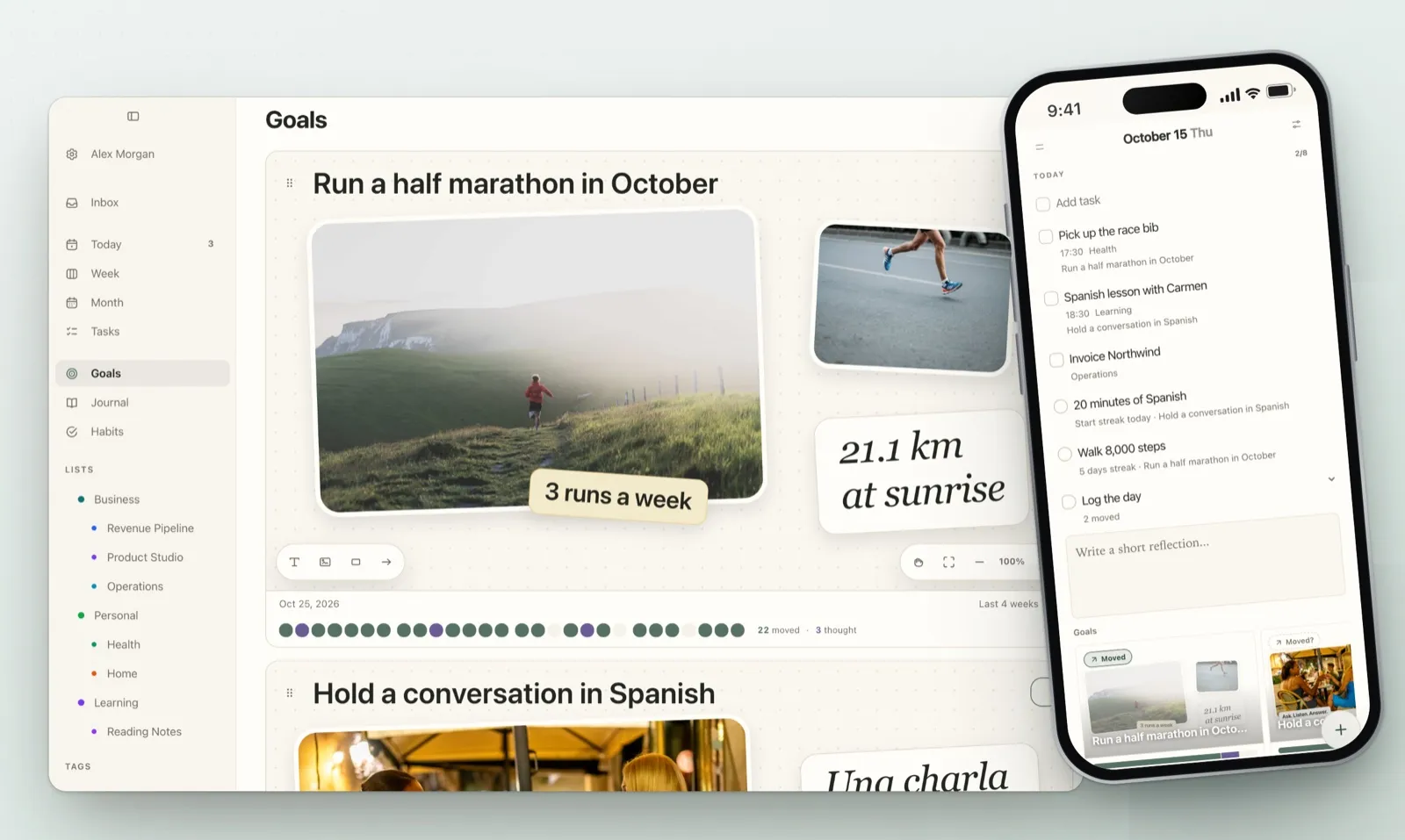
Yes. In Plannedo a habit can belong to a goal, and ticking it marks the goal as moved for the day. It keeps your streak and shows a year at a glance, with widgets on iPhone and Mac. The free plan includes three habits.