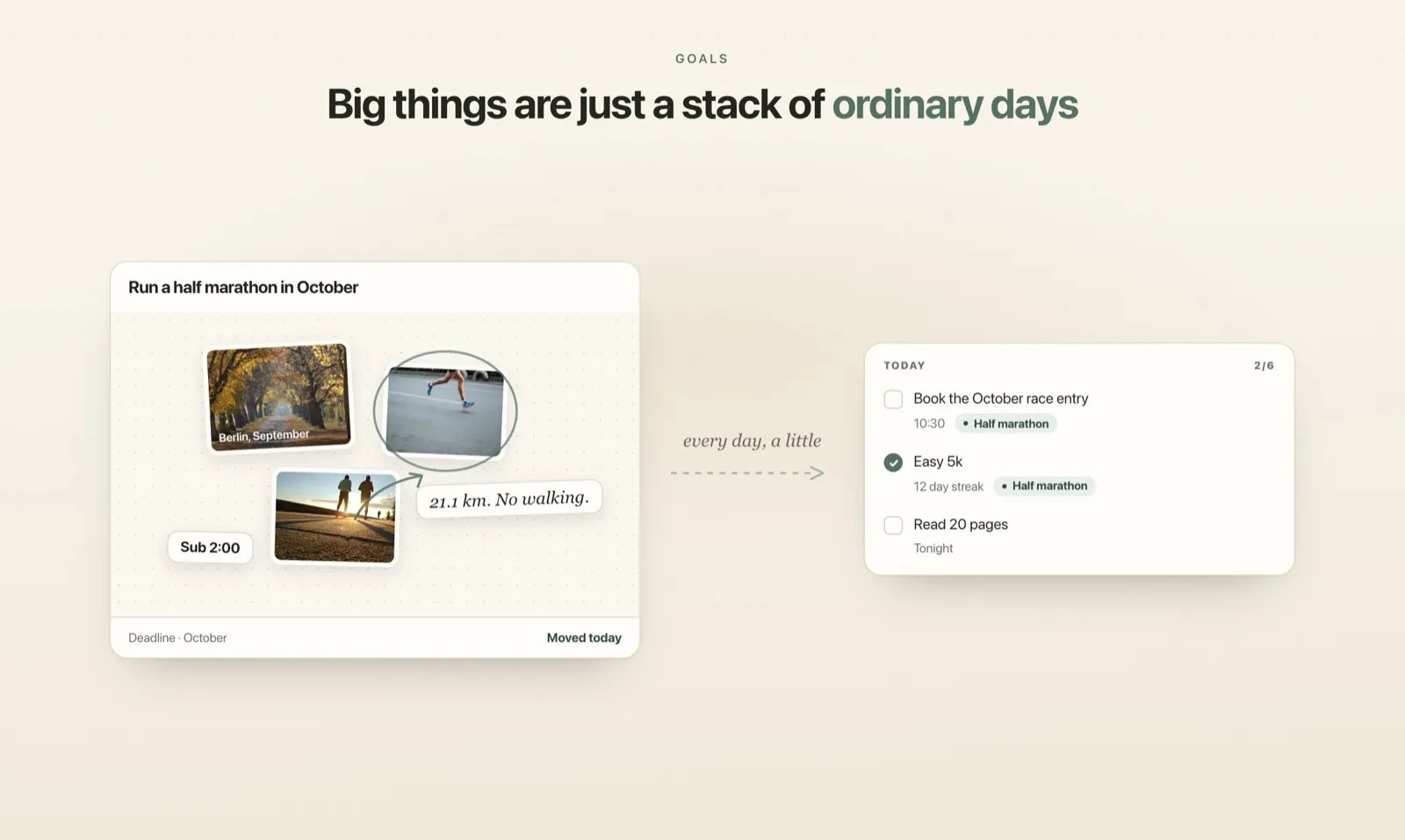
Meet Plannedo: a vision board wired to your day
Plannedo puts each goal on a board of photos and notes, wires it to today's list, and asks one question every evening — did today move it?
Most vision boards end up as wallpaper. You make one in January — a few photos, a few words, maybe a date — and it looks exactly right. By March nothing on it has changed, because nothing connects it to the days in between.
To-do lists have the opposite problem. They move every day, but toward nothing in particular. You can tick off forty things a week and still not know whether any of them got you closer to what you actually want.
Plannedo is built on the idea that these are two halves of the same thing. It starts from one sentence:
Big things are just a stack of ordinary days.
So it keeps both ends in view — the goal you’re chasing, and today’s list that’s supposed to get you there — and once a day it checks whether they touched.
This post covers what Plannedo is, how it works and how to try it in five minutes. I’m Paul: I build it, and I answer the support mail.
A day has four parts
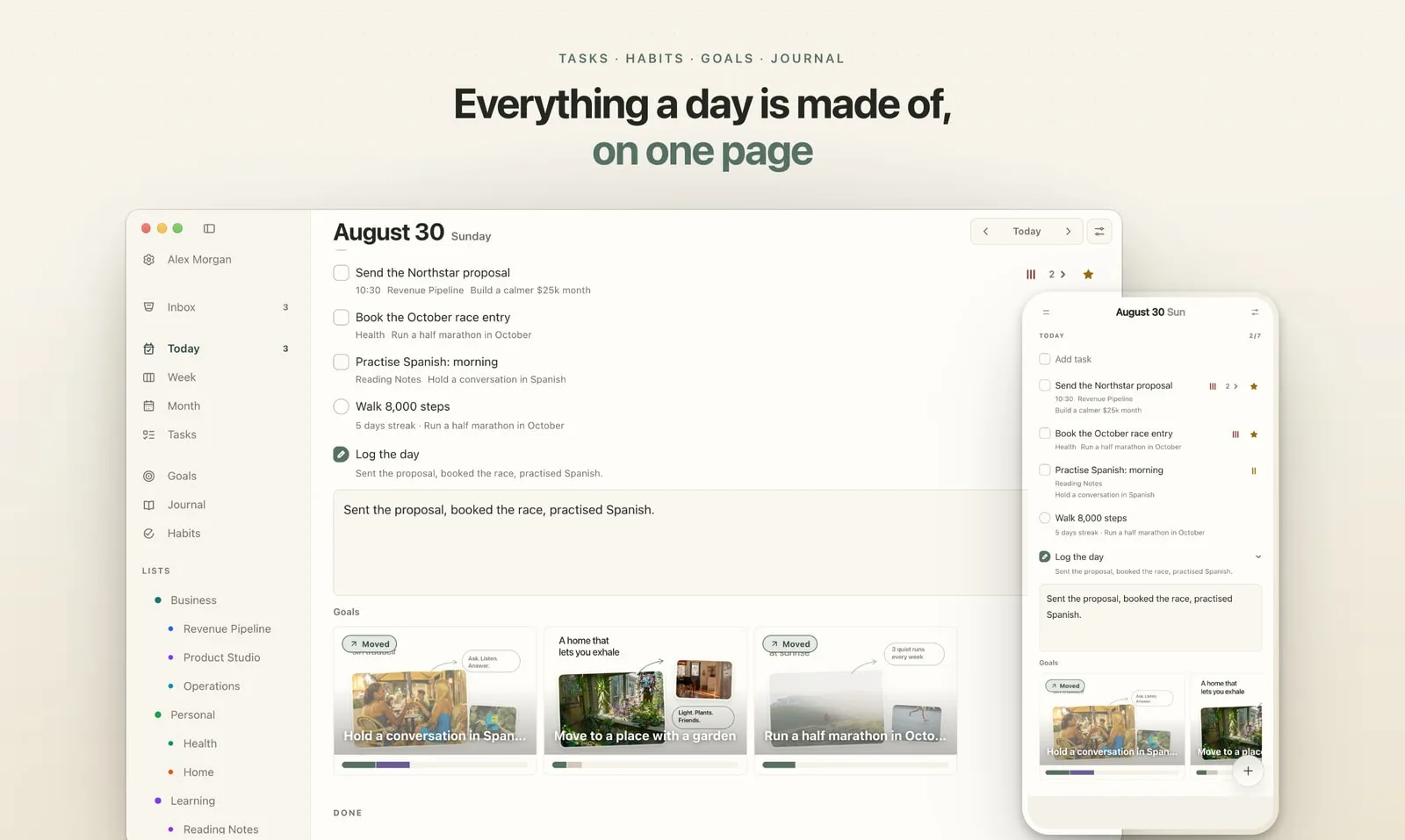
Plannedo treats a day as four things that belong together:
- Tasks — what needs doing, today and ahead.
- Habits — what you repeat, day after day.
- Journal — how each day actually went.
- Goals — what it’s all building toward.
Most of us keep these in four different places: a to-do app, a habit tracker, a notes app and, if we have one, a vision board on the fridge or in a Pinterest folder. None of them knows about the others. The to-do app doesn’t know why a task matters; the vision board doesn’t know what you did on Tuesday.
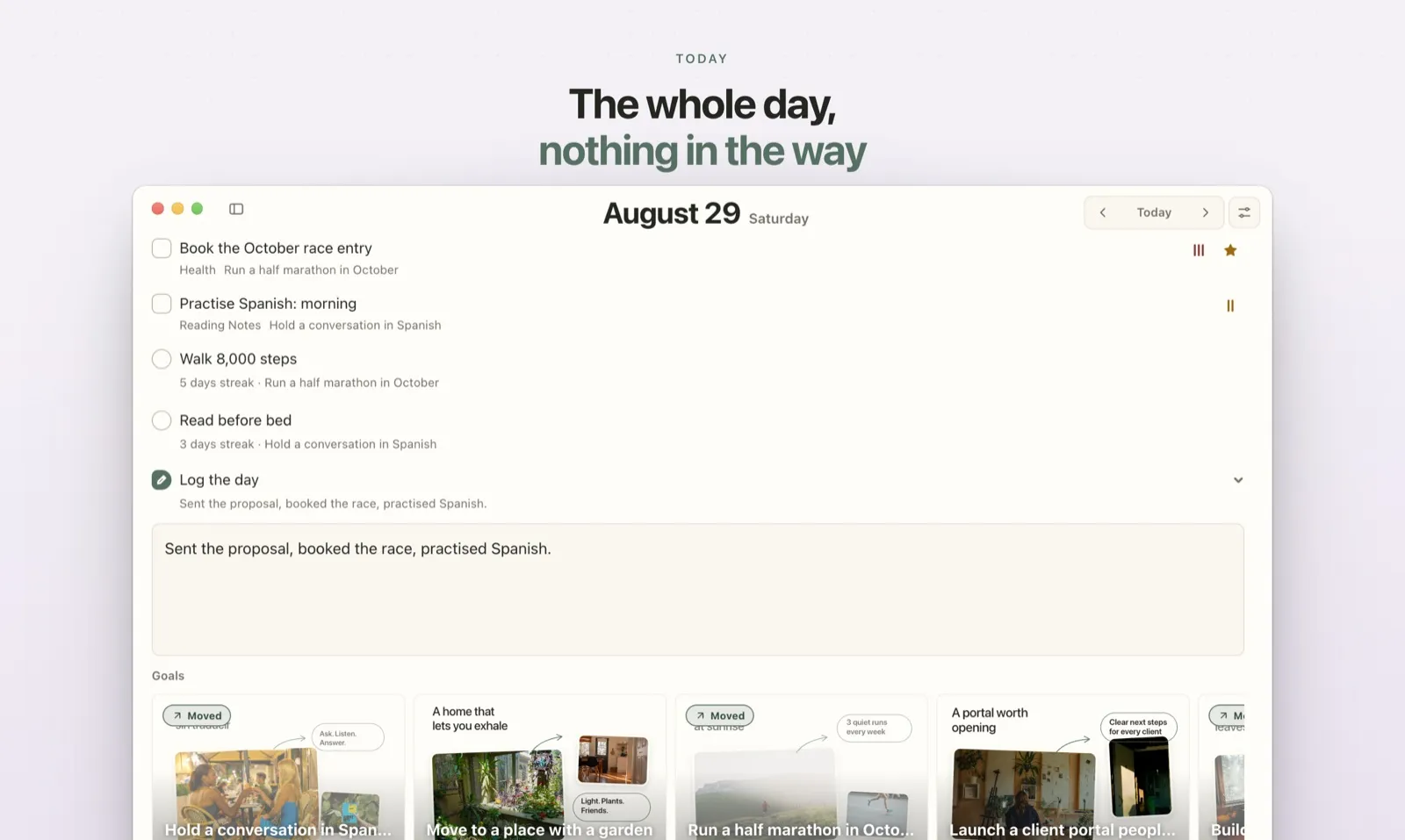
In Plannedo the four share one page, Today, and they’re wired together. That wiring is the whole point, so it’s worth walking through.
Your goal is a board, not a line in a list
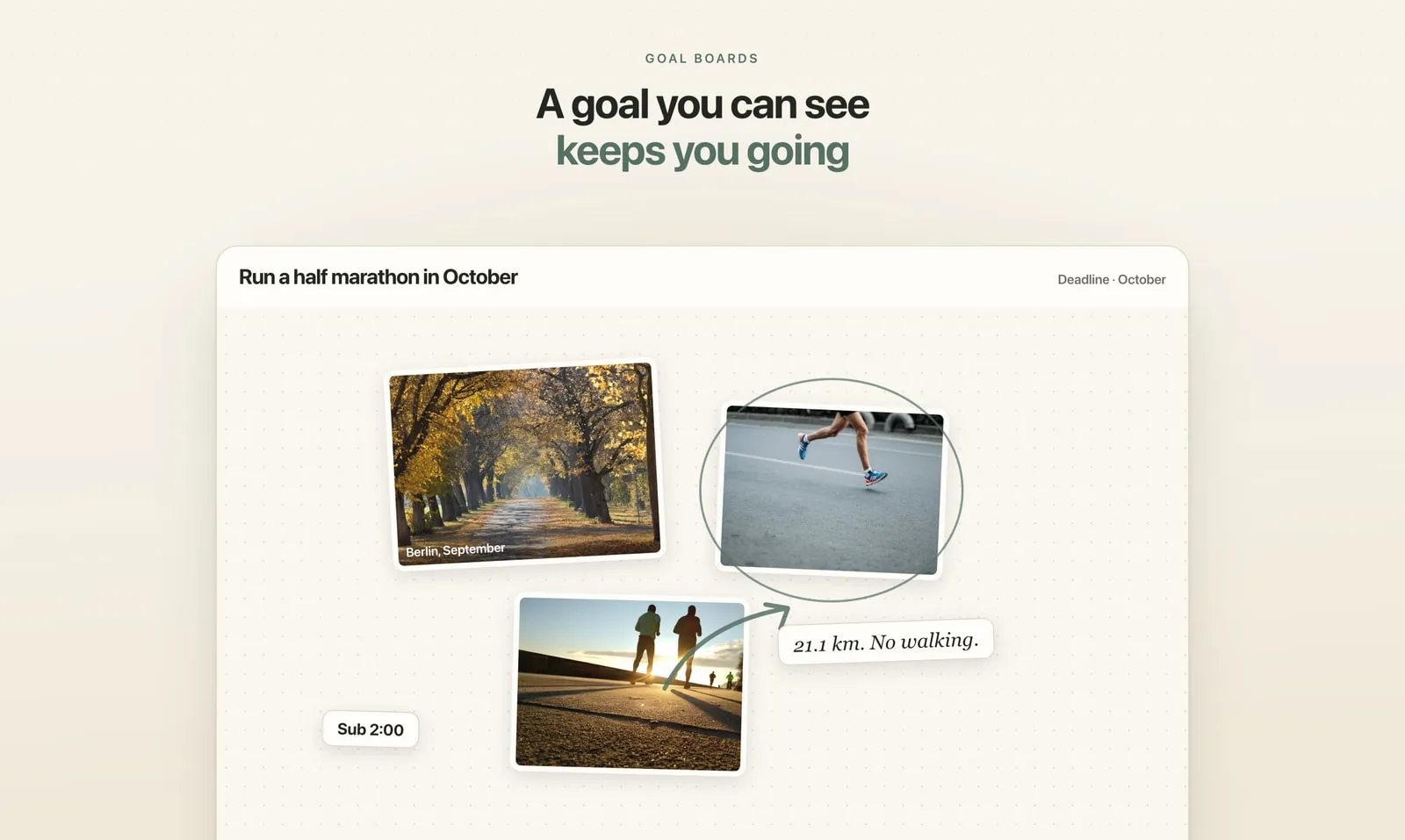
In most planners a goal is a row of text, sometimes with a progress bar. In Plannedo every goal is a canvas. You put photos on it, write on it, draw a circle around what matters and point an arrow at it. Text can be a plain line, a card, a sticky note or something that looks handwritten. It’s a vision board in the plain sense of the word — except it lives next to your calendar instead of on a wall.
Each goal also takes a deadline, and the deadline doesn’t have to be a day. Most real goals aren’t due on the 14th; they’re due “in October”, “this quarter” or “this year”, so you can pick a date, a month, a quarter or a year. There’s one more field that matters more than the deadline: a line about why it matters. That line is for the week you forget why you started.
I built the goal board first, for myself, because I wanted planning to be about more than getting things done. The rest of Plannedo grew around it.
The board is wired to today
A board on its own is still wallpaper. What makes it move is that the day’s work can belong to it.
Any task or habit can be linked to a goal. “Book the October race entry” belongs to Run a half marathon in October; the daily twenty minutes of Spanish belongs to Hold a conversation in Spanish. You set this once, in the task’s or habit’s Goal field, and from then on the goal’s name shows under the task.
Near the bottom of the Today page, your goals appear as small boards, pictures and all. You see them every morning without opening anything else. That’s half of what a vision board is supposed to do — keep the picture in front of you — done in the one place you already look at every day.
Every evening, one question: did today move it?
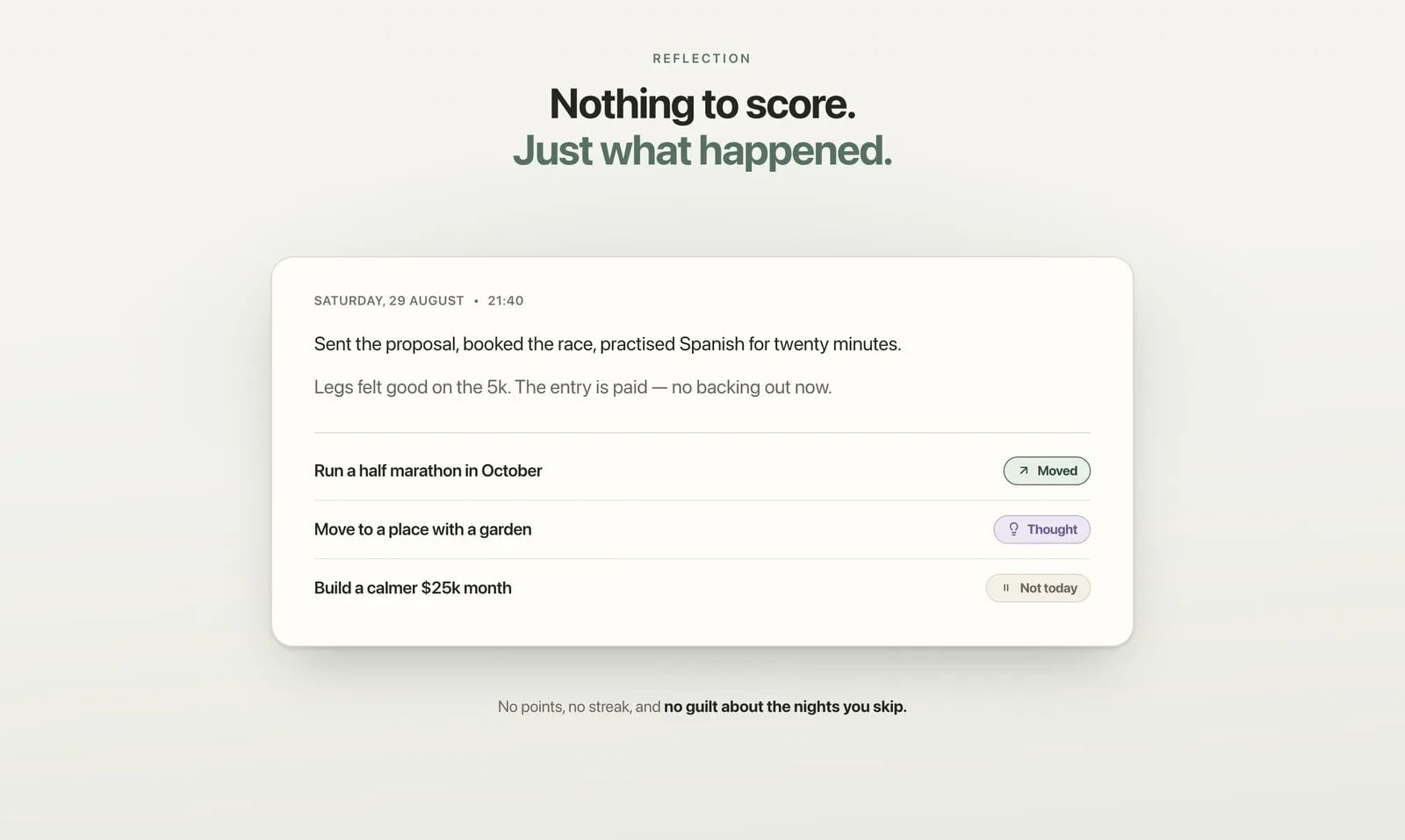
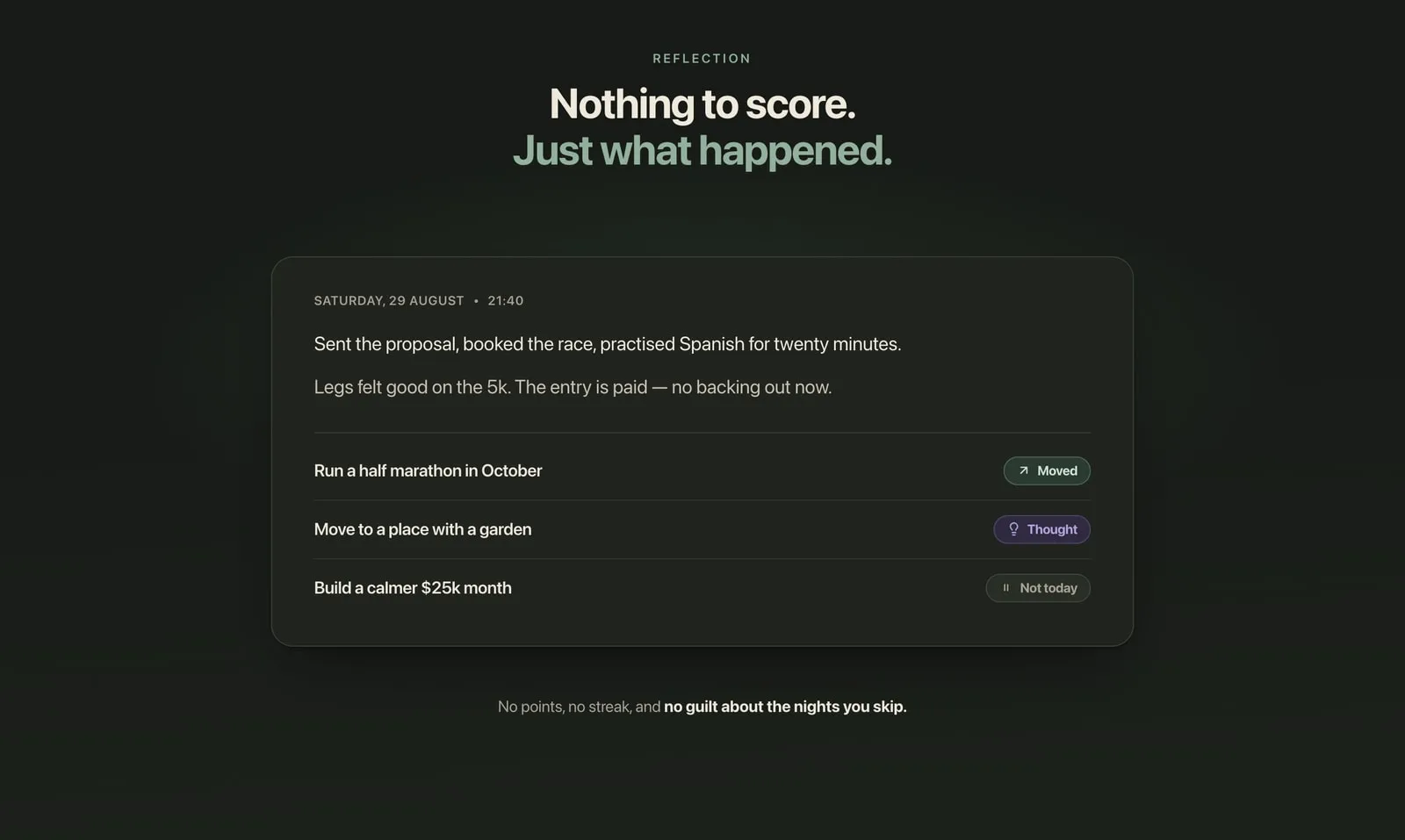
At the end of the day, Today has one more row: Log the day. You write a line or two about how the day went. Then you tap each goal and pick one of three answers:
- Moved — you did something that brought it closer, however small.
- Thought — you didn’t act, but you thought about it or decided something.
- Not today — you consciously left it for today. That’s an answer too.
It takes about thirty seconds, and it’s the only moment of the day when the goal and the day you actually lived are on the same screen.
Most evenings the question answers itself. When you tick off a task or habit linked to a goal, Plannedo marks that goal as moved for the day. If something linked is on the day’s list but not done yet, the goal’s card shows a small Moved? button: one tap and you’re done.
What Plannedo deliberately doesn’t do is keep score. Goals have no streak to break and no points to lose. Skip an evening and nothing happens; the day just stays empty. No points, no streak, and no guilt about the nights you skip — a check-in you’d only do on good days wouldn’t tell you much.
A month later, you can see what’s moving
The answers add up. Under each goal board there’s one line — Moved today, Moved 5 days ago, On your mind 3 days — and, when you tap it, a ribbon of the last four weeks: one square per day, green for moved, purple for thought, grey for not today, empty for nothing.
It’s a small thing, but it tells you something you can never tell from memory: the difference between a goal you’re working on and a goal you only think about. Weeks of purple with no green is a goal that lives in your head and never reaches your calendar. That’s worth seeing. You can add one small task for it tomorrow, or admit it isn’t this season’s goal and archive it.
Look at it once a week, not every day.
And underneath, a planner that behaves itself
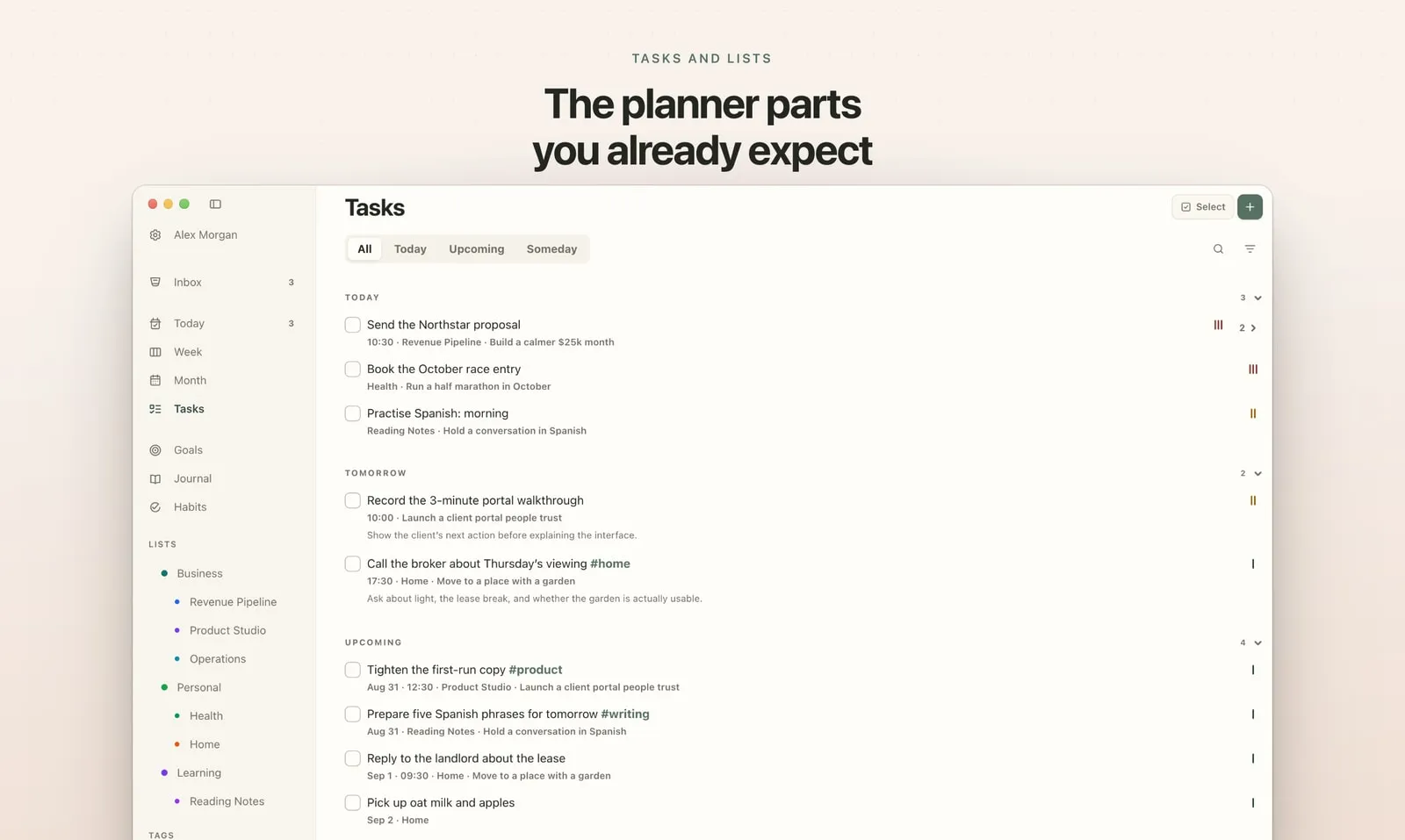
The goal board is the reason Plannedo exists, but you spend most of your time in the ordinary parts, so they have to be good:
- One task, three zoom levels. Today, Week and Month show the same tasks. Drag a task to another day on the Week and it moves everywhere; nothing is ever copied between views.
- The usual task tools. Times, daily, weekly and monthly repeats, subtasks, priorities, lists with colours and icons, #tags, and reminders on Pro.
- An Inbox for half-formed thoughts. Type it now; decide later whether it’s for today, a date or someday.
- Habits with streaks — every day, weekdays, weekends or your own days, with a month or a whole year of history.
- A journal of a few lines a day, with every earlier day a tap away.
- Sections you can switch off. If you don’t use overdue tasks, habits, the journal or goals, turn them off and Today gets shorter. Plenty of people start with a plain daily planner and add the goals later.
- Seven themes, light and dark.
Web, iPhone and Mac
Plannedo runs in any browser at plannedo.com, and there are apps for iPhone and Mac. It’s one account, so a task added on the phone is on the Mac too.
The apps add what a browser can’t do: widgets on the Home Screen and the Mac desktop, where you tick off today’s tasks and habits without opening anything; reminders as notifications; a count of what’s left on the app icon; and two-way sync with Apple Reminders, so even a reminder you dictate to Siri can land in Plannedo.
What it costs
The Free plan isn’t a trial. It doesn’t run out and doesn’t ask for a card: unlimited tasks, one goal with a full board, three lists, three habits and a journal every day, on every device.
Pro is for when you outgrow that: unlimited goals, lists and habits, task reminders with morning and evening nudges, and all seven themes. It’s $7.99 a month, about $79 a year, or a one-time lifetime purchase. If you stop paying, nothing is deleted — you keep reading and editing everything; you just can’t add past the free limits.
Try it in five minutes
You don’t need to move your whole life in to see how it works:
- Create an account at plannedo.com or in the app.
- Make one goal. Add two or three photos, a deadline and one line about why it matters.
- Add the three to five tasks that are really live this week, and link them to the goal.
- Tonight, open Log the day, write a line and answer the goal.
By tonight you’ll know whether you moved it. There’s a step-by-step version in Your first day, and everything about boards is in Goal boards.
FAQ
Is Plannedo a vision board app or a planner?
Both, on purpose. Each goal is a visual board you fill with photos and words, and it’s connected to a full daily planner with tasks, habits and a journal. The connection — linked tasks and the evening question — is what makes the board move.
Is Plannedo free?
Yes. The Free plan has unlimited tasks, one goal with a full board, three lists, three habits and a journal every day, with no time limit and no card. Pro adds unlimited goals, lists and habits, reminders and all seven themes.
Does it work on Android or Windows?
Yes, in the browser — Plannedo runs in any modern browser at plannedo.com. The native apps are for iPhone and Mac.
Do I have to use the goal board?
No. Every section of the Today page can be switched off, and you can use Plannedo as a plain daily planner. The board is there for when something matters longer than a week.
What happens if I miss a few days?
Nothing. Goals have no streak and no score. The days you skipped stay empty in the goal’s history, and you carry on whenever you’re back.
Can I keep using Apple Reminders?
Yes. The iPhone and Mac apps can sync your tasks both ways with a “Plannedo” list in Apple Reminders. See Sync with Apple Reminders.