Microsoft To Do Is Shutting Down: The Best Alternatives for 2027
Microsoft To Do retires on June 30, 2027, for personal and work accounts alike. What happens to your tasks, how to get them out, and the best alternatives, from TickTick and Todoist to Apple Reminders and Plannedo.

Microsoft is shutting down To Do. On November 18, 2026, it announced that the Microsoft To Do apps retire on June 30, 2027: on the web, Windows, Mac, iPhone and Android, for work and personal accounts alike. Work and school accounts move to Microsoft Planner. Personal accounts, including Microsoft 365 Personal and Family, can’t use Planner, and Microsoft’s advice to them is to choose another task app.
There’s no rush, but the sooner you pick, the easier the move: your lists are still right there to copy from. Below is what happens to your tasks and when, how to get them out, and the best Microsoft To Do alternatives, compared on what To Do users rely on most: My Day, starred tasks, steps, shared lists, Windows and price. We checked every price on November 20, 2026. We make Plannedo, one of the apps here, so we say plainly who each app suits best.
The short list
| If you want | Pick | Free plan | Paid |
|---|---|---|---|
| My Day by the same name, on every device | Any.do | Unlimited tasks | $4.99 a month, billed yearly |
| The closest feature set, with an importer for your lists | TickTick | 9 lists | $49.99 a year |
| Today, habits and goals together on iPhone and Mac | Plannedo | Unlimited tasks, 3 lists, 3 habits | $79.99 a year or $119.99 once |
| Lists that work everywhere, Linux included | Todoist | 5 projects | $60 a year |
| Microsoft’s own replacement for a work or school account | Microsoft Planner | Included in eligible Microsoft 365 work plans | Included |
| Free and already on your iPhone | Apple Reminders | Free | Free |
| Free with Gmail and Android | Google Tasks | Free | Free |
| A one-time purchase on Apple devices | Things 3 | 15-day trial | $49.99 on Mac, $9.99 on iPhone |
| To keep To Do in sync while you switch | Superlist | 5 lists | $59 a year |
What’s happening to Microsoft To Do
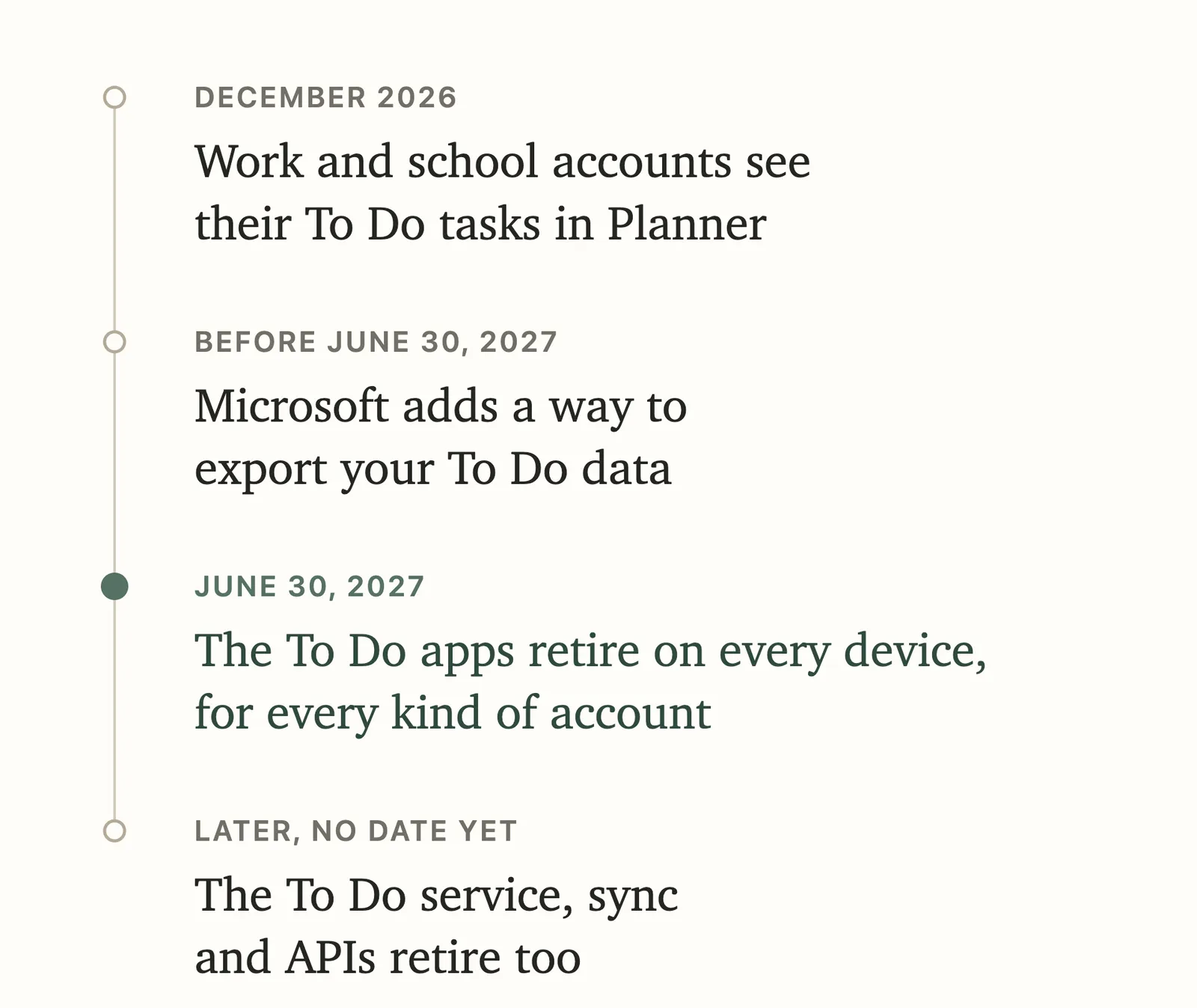
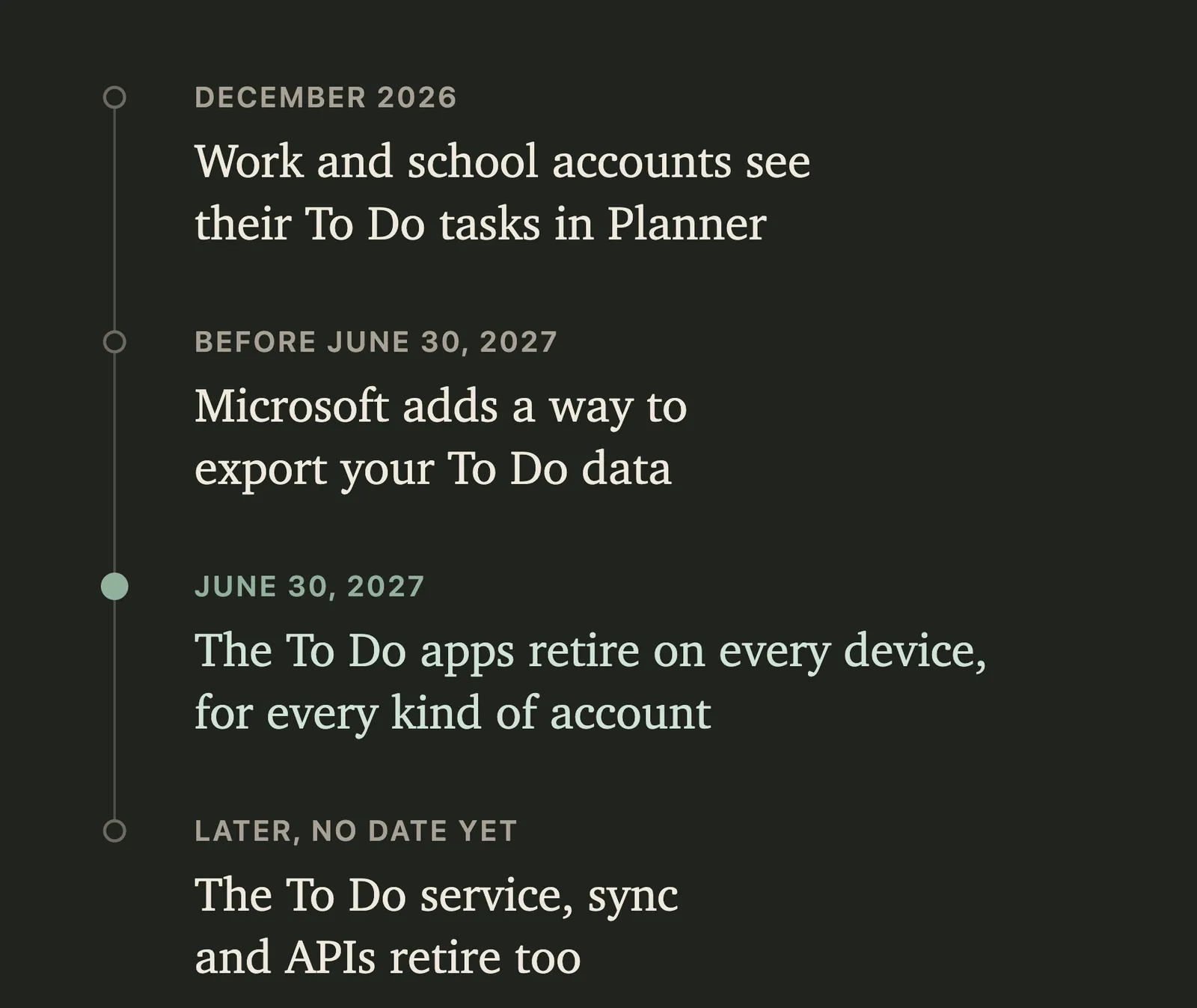
Microsoft laid it out on a support page, Moving from Microsoft To Do to Microsoft Planner, and in a Planner blog post at its Ignite conference:
- June 30, 2027: the To Do apps stop working on every device, for work, school and personal accounts.
- Work and school accounts get Planner instead. Its redesigned My tasks starts rolling out in December 2026. Your existing To Do tasks show up there until June 30, 2027, but they aren’t moved into Planner, and shared lists don’t carry their members over.
- Personal accounts, including Microsoft 365 Personal and Family, can’t use Planner. Microsoft’s own advice: “Choose another task-management application that meets your needs.”
- Your tasks aren’t deleted on June 30. Retiring the apps doesn’t schedule your data for deletion, but you won’t have an app to see it in.
- An export is coming. Microsoft says it will add a way to export your To Do data before the apps retire. There’s no date or format yet, and Microsoft says the export won’t import into Planner or any other app.
- Classic Outlook’s Tasks keep working and keep syncing with Exchange.
- The connections other apps use to reach To Do keep working past June 30, 2027, and Microsoft will give separate notice before they end.
Microsoft hasn’t said what happens to flagged emails, which To Do turns into tasks today.
It’s the second time Microsoft has shut a to-do app. It bought Wunderlist in 2015, launched To Do in 2017 and closed Wunderlist on May 6, 2020, with an importer into To Do. This time, personal users get no successor at all.
Do you need to switch now?
Not this week, but don’t leave it until June:
- Importers read straight from To Do. That’s simplest while everything still works, and Microsoft’s own export doesn’t exist yet.
- Moving is easiest side by side. With To Do still open, you can copy the lists you need and let the rest go.
- A little overlap helps. Plan the next week or two in the new app, and keep To Do as the backup until you trust it.
The best Microsoft To Do alternatives
1. Plannedo: My Day, plus your habits and goals
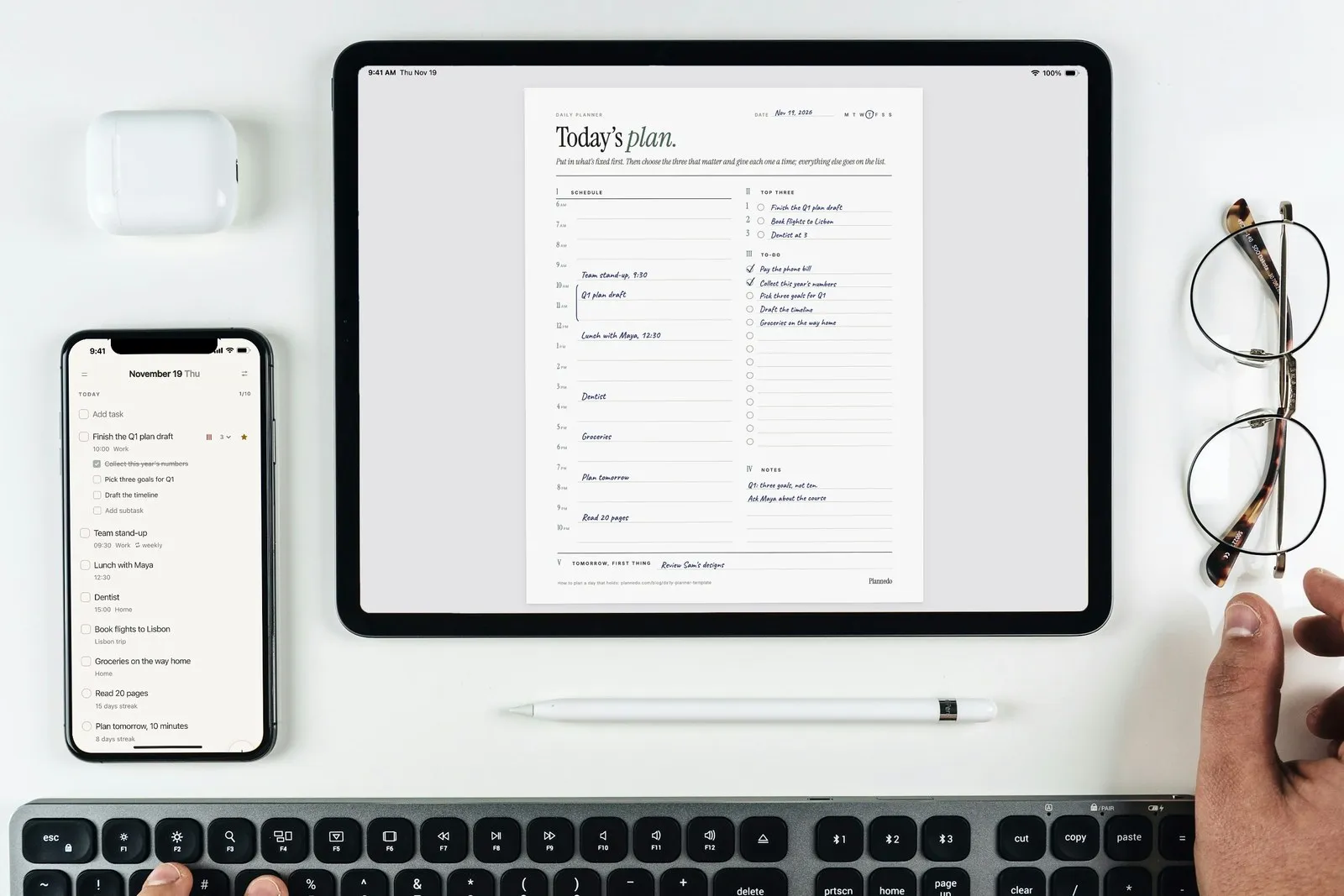
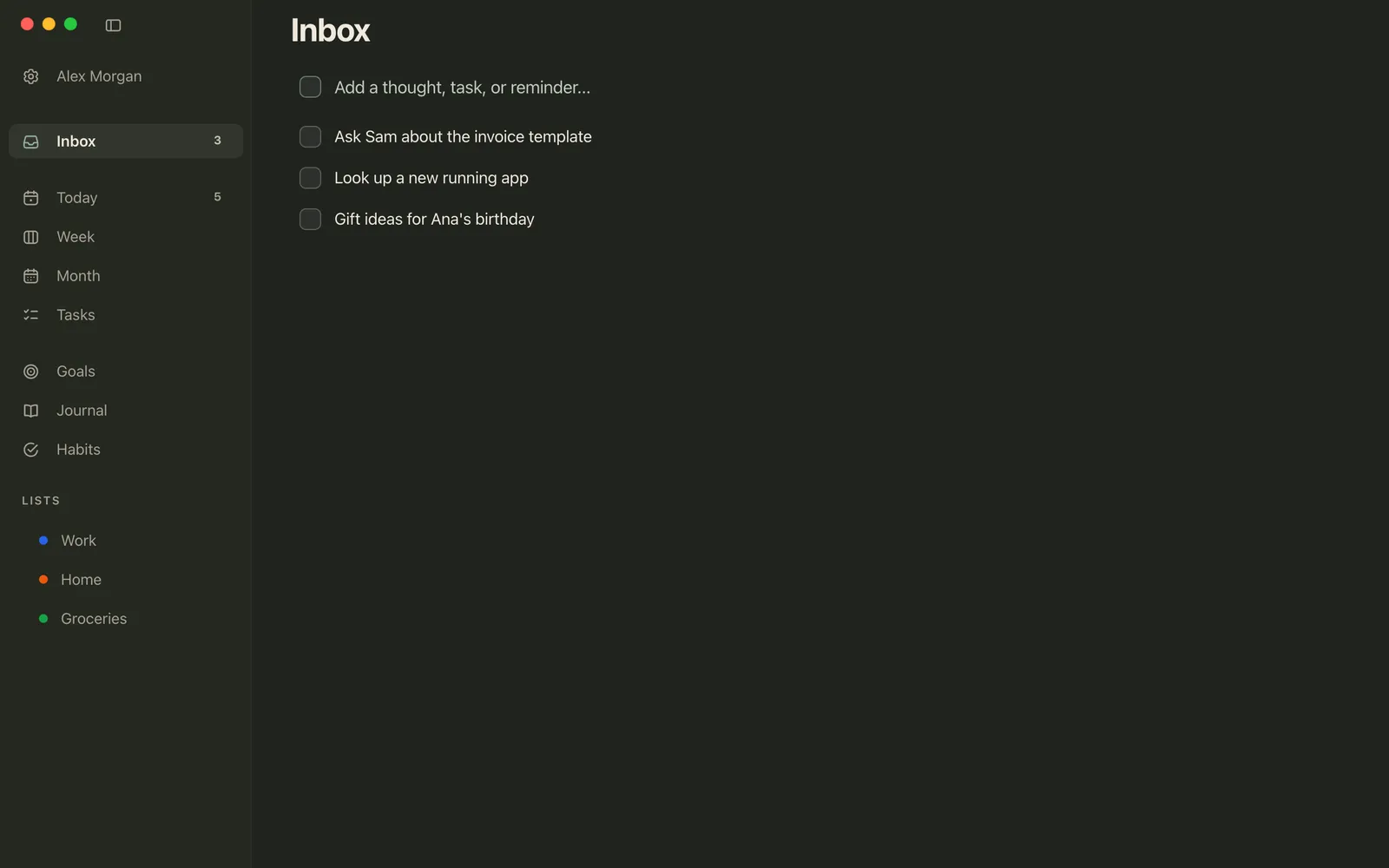
If My Day is the part of To Do you’ll miss, Plannedo is built around the same idea. Today is one page: the tasks you’ve given today’s date, starred ones first, then your habits and a line about how the day went. Anything you don’t finish waits at the top under Overdue the next morning, so it doesn’t slip back into a list and out of sight.
Most of what you use in To Do has a direct counterpart:
| In Microsoft To Do | In Plannedo |
|---|---|
| My Day | Today |
| Important | The star: starred tasks come first within their day |
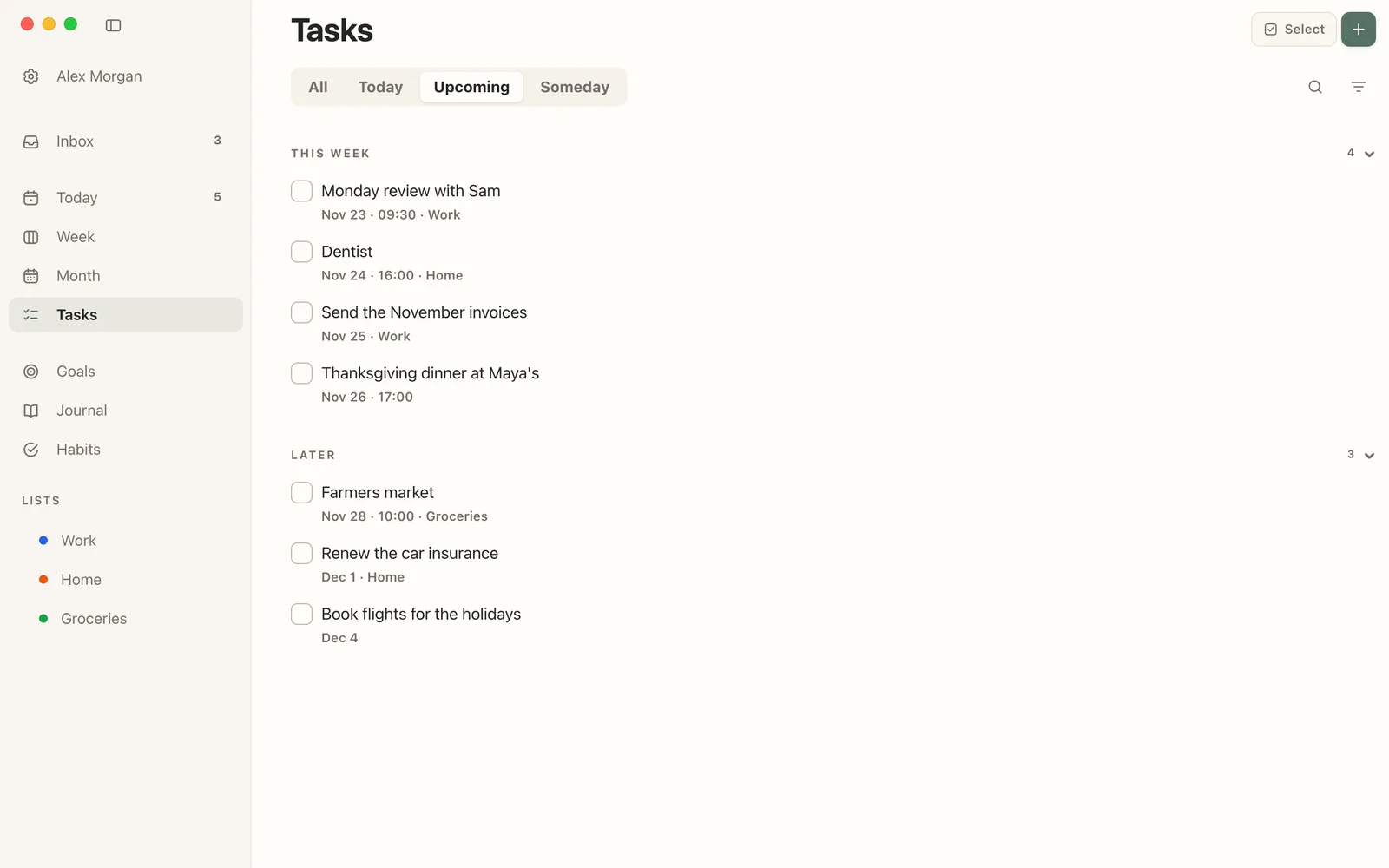
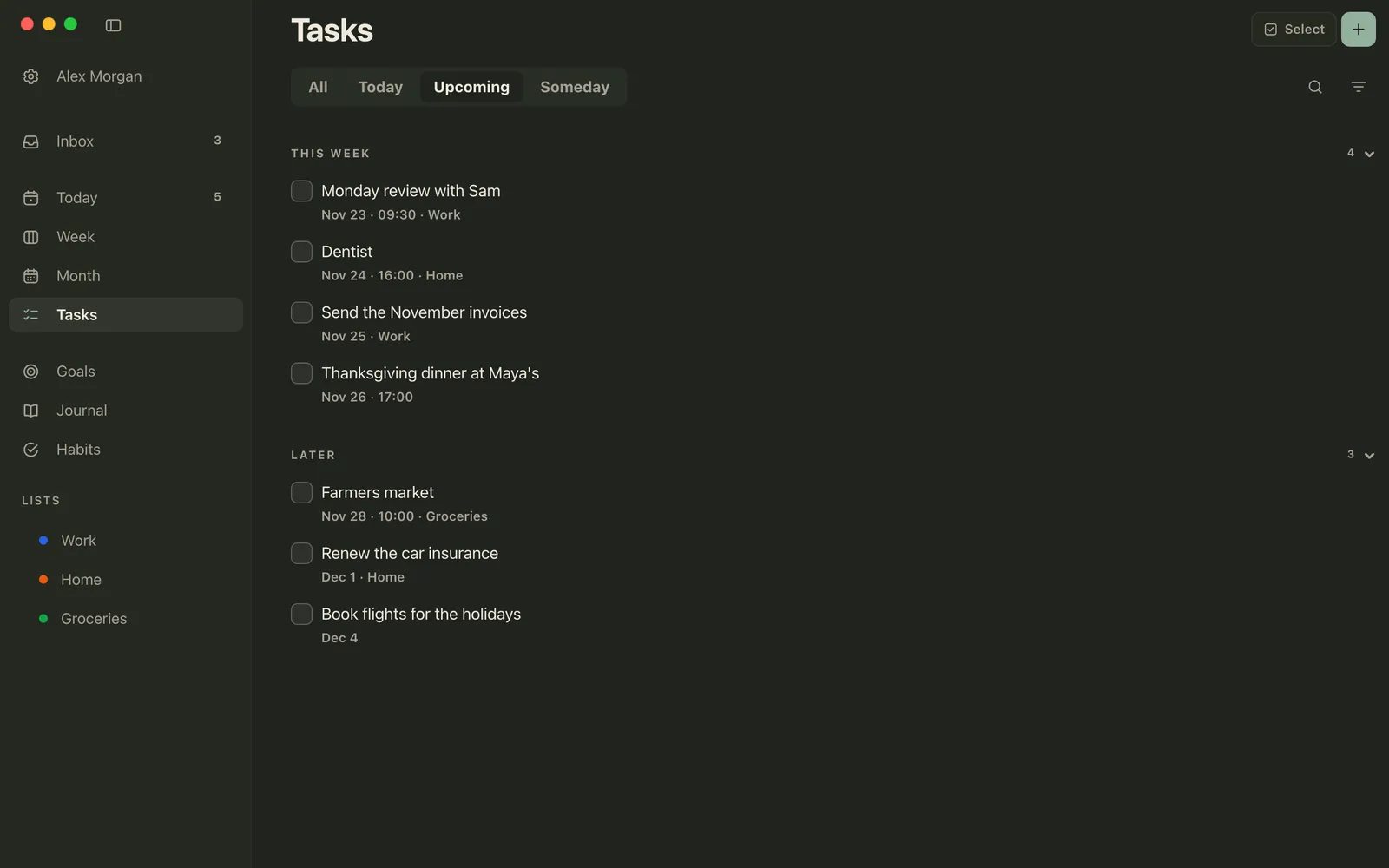
| Planned | Upcoming on the Tasks screen, plus Week and Month |
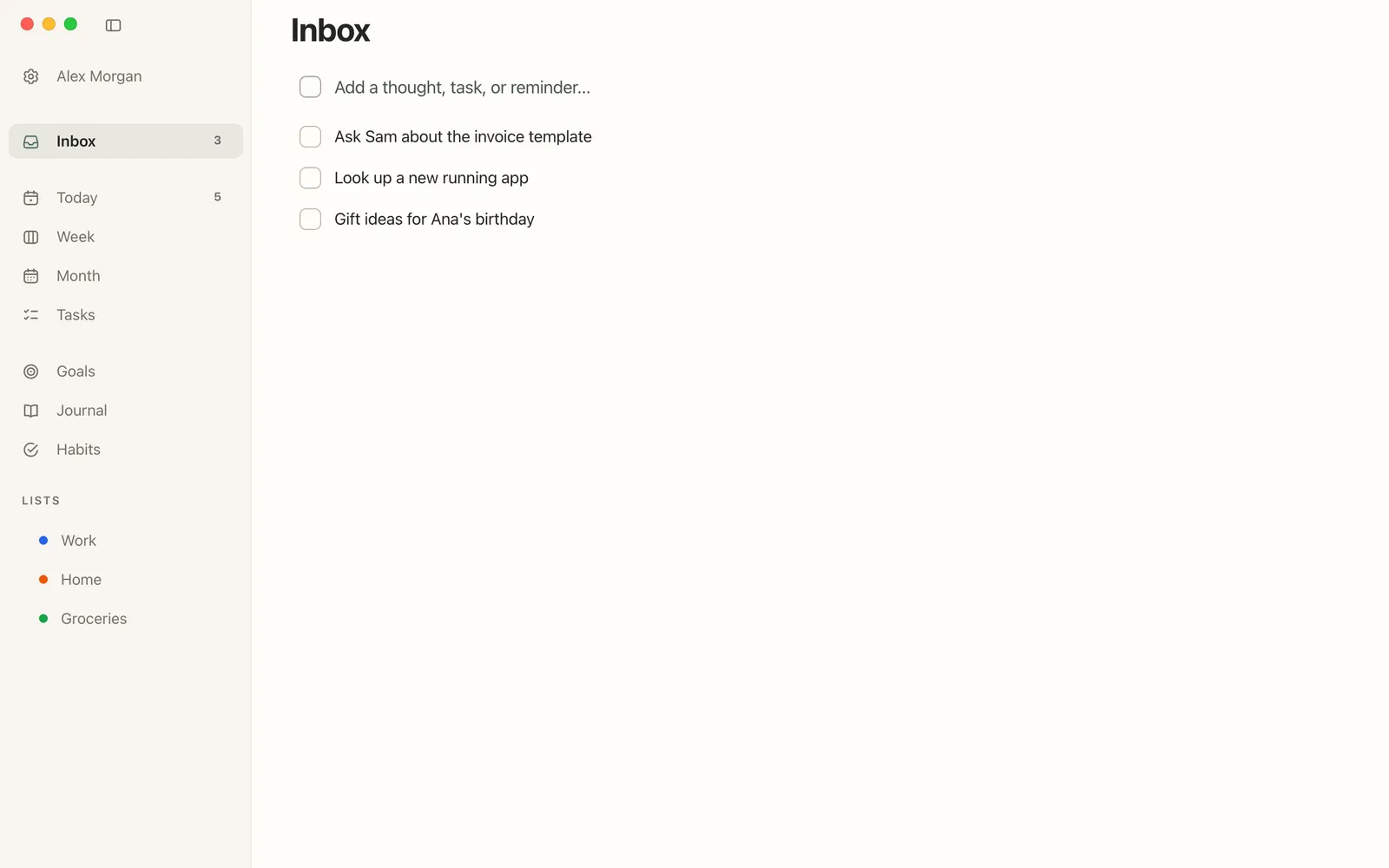
| Tasks | Inbox |
| Lists and list groups | Lists, each with its own sub-lists |
| Steps | Subtasks |
| Due date and reminder | A date, a time and a reminder |
| Repeat | Repeating tasks |
| Notes and #tags | A note on every task, and #tags |
| Daily tasks used as habits | Habits, with streaks |
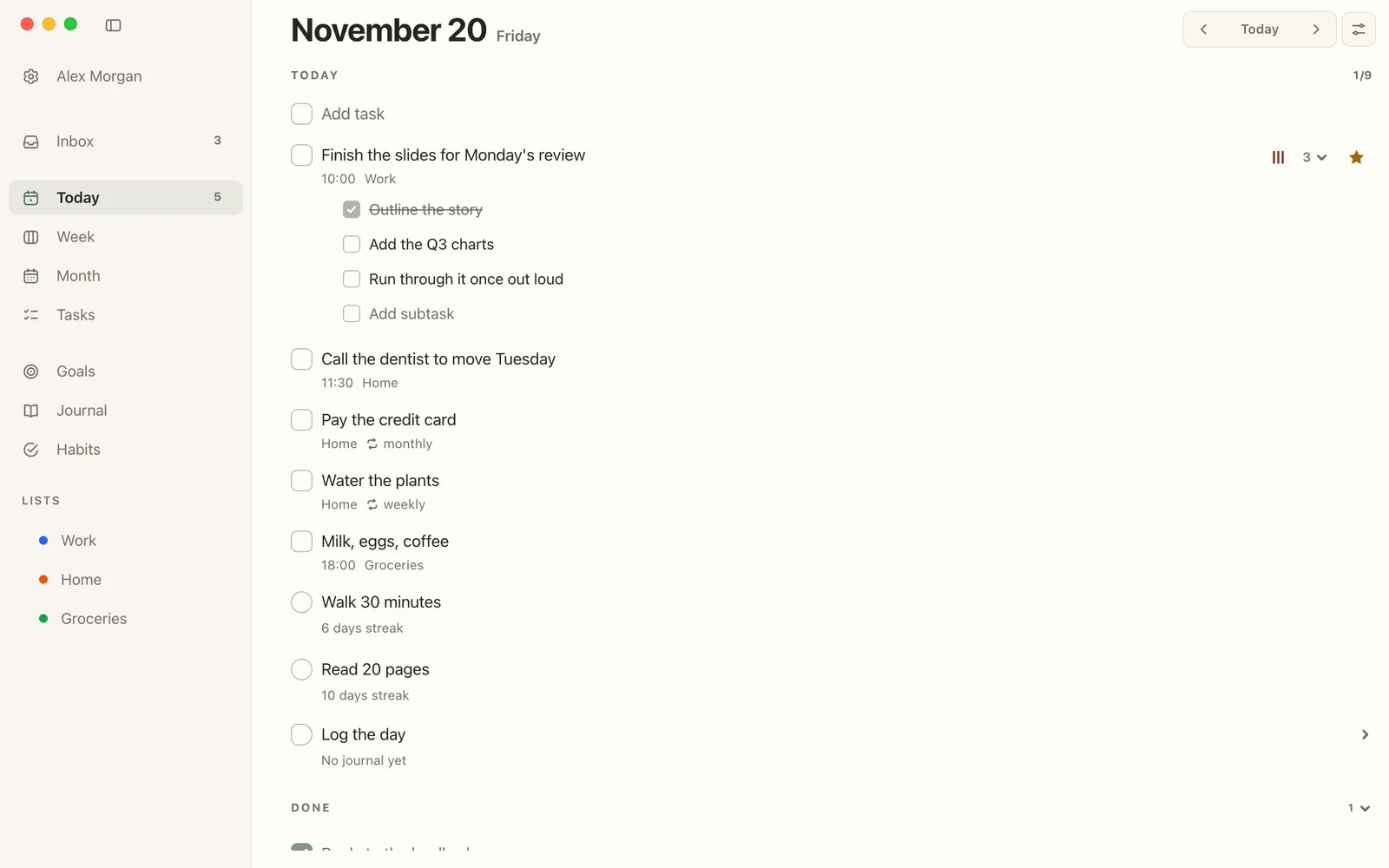
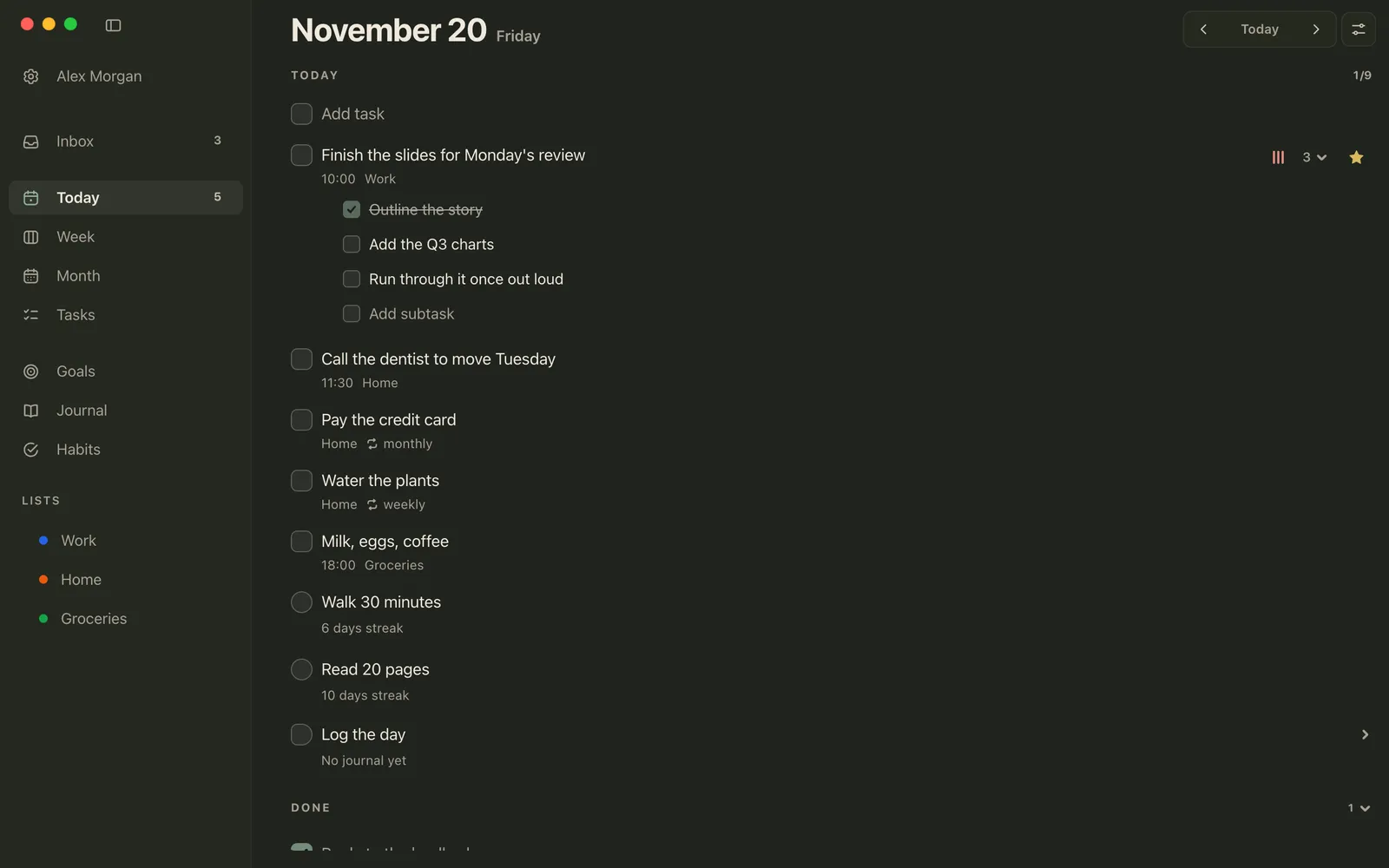
Plannedo has apps for iPhone and Mac with widgets, and the same account opens in any browser, so a Windows PC at work or an Android phone sees the same lists. Turn on sync with Apple Reminders and anything you ask Siri to remind you about lands in Plannedo too.
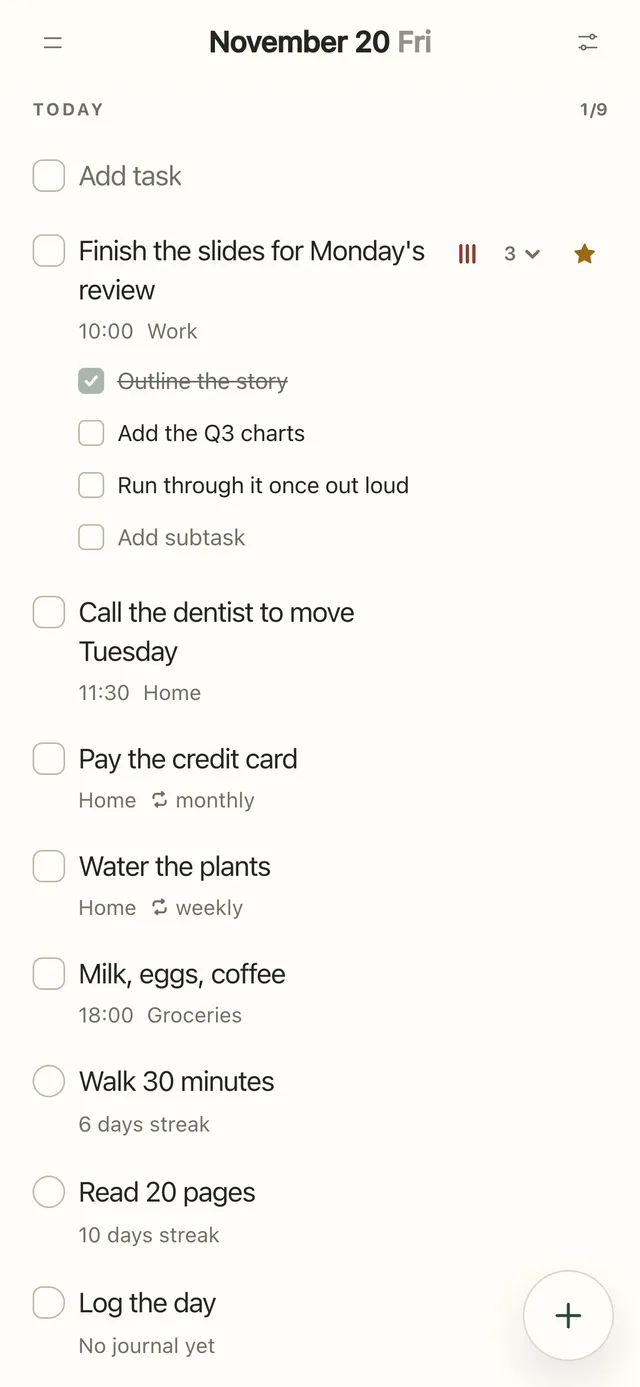
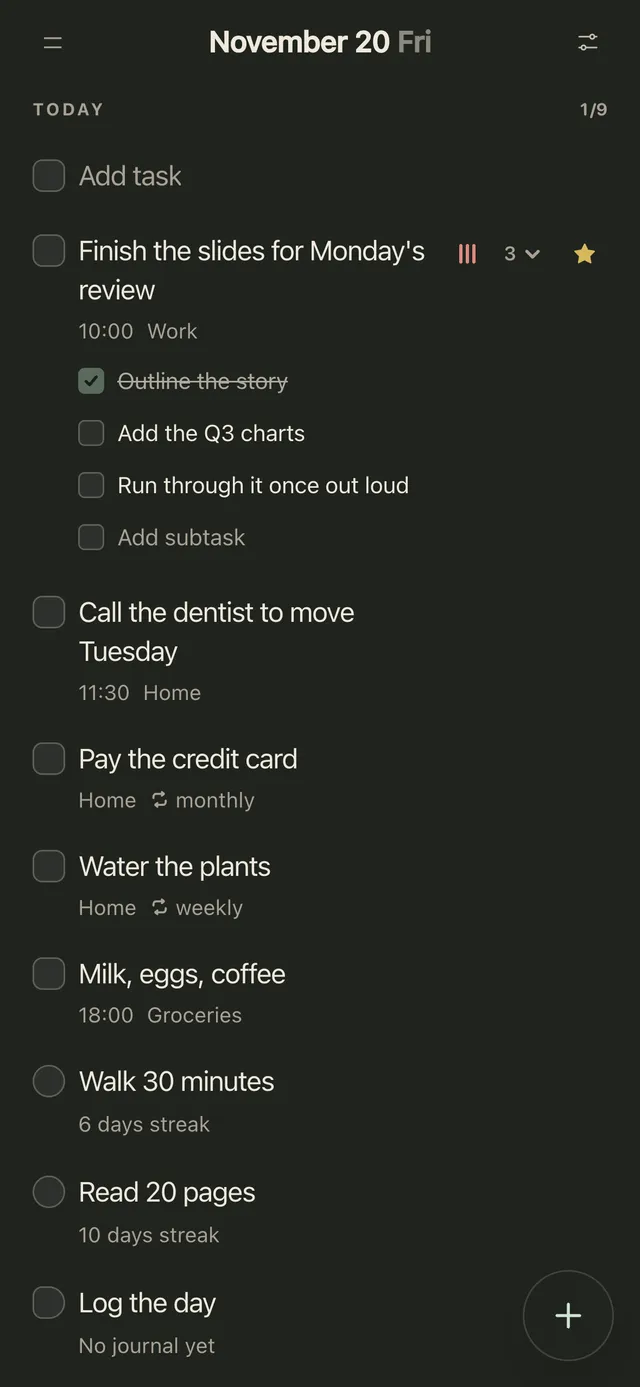
Price: the free plan has unlimited tasks, 3 lists, 3 habits, one goal and a journal every day. Pro adds reminders and lifts the limits: $7.99 a month, $79.99 a year or $119.99 once in the App Store ($79 a year on the website), and one purchase covers the iPhone, the Mac and the web. See Free and Pro.
Best for: people on iPhone and Mac who planned each morning in My Day and want their habits and goals on the same page.
2. TickTick: the closest match, with an importer
TickTick covers almost everything To Do does and adds more: a Today list with a Plan Your Day button that walks you through overdue and today’s tasks one at a time, subtasks, repeating tasks, reminders, shared lists you can assign tasks in, a calendar, habits and a focus timer. It runs on Windows, Mac, iPhone, Android, Linux and the web.
It’s also the only app here with a documented Microsoft To Do importer: on iPhone and Android it’s under Settings → Import & Integration. TickTick doesn’t say which details come over, so open your longest list afterwards and check.
Price: free for 9 lists of up to 99 tasks, 2 reminders per task and shared lists with one other person; Premium is $49.99 a year.
Best for: anyone who wants To Do’s features and more on every platform, with the least retyping.
3. Any.do: My Day by the same name
Any.do even calls it My Day: a daily list that resets each morning, with suggestions to fill it, on every plan. It runs on Windows, Mac, iPhone, Android and the web. There’s no To Do importer; Any.do’s own advice is copy and paste. Shared lists need the Family or Workspace plan.
Price: free with unlimited tasks; Premium is $4.99 a month billed yearly or $7.99 monthly, and Family is $8.33 a month billed yearly for four people.
Best for: people who want to keep the My Day habit exactly as it was, on Windows and Android too.
4. Todoist: every platform, quick to type into
Todoist suits mixed devices: Windows, Mac, Linux, iPhone, Android and the web. Its Today view fills itself with what’s due and overdue, and you can type “pay rent every month” to set a repeat. You can share a project with up to 5 people on the free plan. There’s no To Do importer, only CSV import, with up to 300 tasks per project.
Price: free for 5 projects; Pro is $5 a month billed yearly ($60) or $7 monthly.
Best for: people who switch between Windows, a Mac and an Android phone.
5. Microsoft Planner: for work and school accounts
Planner is Microsoft’s own answer, but only for work and school accounts in eligible Microsoft 365 plans. Its redesigned My tasks arrives in December 2026, with starred tasks and a separate view for what’s assigned to you. Your old To Do tasks are visible there until June 30, 2027, but they aren’t moved in, and Microsoft isn’t planning Planner apps for Windows or Mac.
Price: included in eligible Microsoft 365 work plans; on its own, Planner Plan 1 is $10 per user a month, billed yearly.
Best for: people whose To Do was mostly work tasks in a company account.
6. Apple Reminders: free, and your lists may already be there
If your To Do account is an Outlook.com, Hotmail or Live address, or a work account, add it on your iPhone with Reminders turned on, and your To Do lists show up in Apple Reminders. Reminders is free on iPhone, iPad and Mac, has a Today list, shares lists with other iCloud users and works with Siri. On Windows it’s only iCloud.com in a browser, and there’s no Android app.
Price: free.
Best for: iPhone users who want something free that’s already on the phone.
7. Google Tasks: free, inside Gmail and Calendar
Google Tasks is free on Android, iPhone and the web, and it lives inside Gmail and Google Calendar, with repeating tasks. It’s simple on purpose: no shared lists, and a task with subtasks can’t repeat.
Price: free.
Best for: people who live in Gmail and on Android.
8. Things 3: pay once, Apple only
Things is the polished Apple-only planner: a Today list with a This Evening section, projects and areas. It’s a one-time purchase per device, and there’s no Windows, Android or web version. Things can import your whole Apple Reminders library, and its help explains bringing To Do tasks in through Reminders one at a time; importing a task that way removes it from To Do.
Price: $49.99 on Mac, $9.99 on iPhone and $19.99 on iPad, once each.
Best for: Apple users who’d rather pay once than subscribe.
9. Superlist: keep To Do in sync while you switch
Superlist comes from the people who made Wunderlist, and it syncs both ways with Microsoft To Do: task titles, completion and due dates. That makes it an easy way to try a new app while To Do still works. It runs on iPhone, Android and the web, with no Windows app.
Price: free for 5 lists; Basic is $59 a year or $6 a month.
Best for: people who want a gentle switch, with both apps in step for a while.
How to get your tasks out of Microsoft To Do
Which routes work depends on the kind of Microsoft account you have. To Do keeps your tasks in an Outlook mailbox, so the Outlook and Apple Reminders routes only work for Outlook.com, Hotmail and Live addresses and for work accounts. If you signed up for a Microsoft account with a Gmail or other address, Microsoft says your tasks won’t sync to Outlook at all unless you add an outlook.com alias.
| Route | Works for | What comes over |
|---|---|---|
| TickTick’s importer, in the iPhone or Android app | Not documented; try it with your account | Lists and tasks; TickTick doesn’t list which details |
| Superlist’s two-way sync | Not documented | Titles, completion and due dates |
| Apple Reminders on an iPhone | Outlook.com, Hotmail, Live and work accounts | Your lists, in Reminders; Things can take tasks in from there one at a time |
| Classic Outlook for Windows: export a .pst or CSV file | Outlook.com, Hotmail, Live and work accounts | Your tasks as Outlook Tasks; a CSV may not keep every field |
| Microsoft’s own export | Everyone, before June 30, 2027 | Not announced yet |
| By hand | Everyone | Only what you still need |
Two warnings. Steps, To Do’s subtasks, are reported not to come through the Outlook and Reminders routes, so check your longest lists by hand. And whatever you use, look through the result in the new app before you stop opening To Do.
Moving to Plannedo
Most To Do lists hold fewer open tasks than they look like they do, so moving by hand takes about fifteen minutes, and it’s a good moment to leave behind what you were never going to do.
- Make your lists first: Work, Home, Groceries. A list can hold sub-lists, the way To Do groups lists. See lists and tags.
- Add the open tasks and skip the completed ones. Steps become subtasks.
- Give today’s tasks today’s date. That’s your new My Day: they show on Today.
- Set up the repeating ones once: the weekly chore, the monthly bill. See repeating tasks.
- Put everything undecided in the Inbox, like To Do’s Tasks list, and give it a day later.
FAQ
Is Microsoft To Do being discontinued?
Yes. On November 18, 2026, Microsoft announced that the To Do apps retire on June 30, 2027, on the web, Windows, Mac, iPhone and Android, for work, school and personal accounts.
When will Microsoft To Do stop working?
On June 30, 2027. Until then the apps keep working as usual. Microsoft says the To Do service and the connections other apps use retire later, with separate notice.
What happens to my Microsoft To Do tasks?
Retiring the apps doesn’t delete them, but after June 30, 2027 there’s no To Do app to open them in. Work and school users can see their old To Do tasks in Planner until that date; they aren’t moved into Planner. Microsoft promises a way to export your data before the apps retire.
How do I export my Microsoft To Do tasks?
Microsoft’s own export isn’t out yet. Today you can bring your lists into TickTick with its importer, see them in Apple Reminders on an iPhone if you use an Outlook.com, Hotmail, Live or work account, or export them as Outlook Tasks from classic Outlook on Windows.
What is replacing Microsoft To Do?
For work and school accounts, Microsoft Planner, with a redesigned My tasks from December 2026. For personal accounts, including Microsoft 365 Personal and Family, Microsoft offers no replacement and says to choose another task app.
What is the best alternative to Microsoft To Do?
TickTick is the closest match on every platform and the only one with a To Do importer. Any.do keeps My Day under the same name. On iPhone and Mac, Plannedo turns My Day into Today and adds habits and goals. Apple Reminders and Google Tasks are free and already on your phone.
Is there a free alternative to Microsoft To Do?
Yes. Apple Reminders and Google Tasks are free, and Any.do, TickTick, Todoist and Plannedo all have free plans. Any.do’s and Plannedo’s include unlimited tasks.
Will Outlook tasks still work after To Do retires?
Yes, in classic Outlook: Microsoft says its Tasks keep working and keep syncing with Exchange. Microsoft hasn’t said yet what happens to flagged emails.
Sources
Microsoft:
- Moving from Microsoft To Do to Microsoft Planner (support page, read November 20, 2026)
- Introducing unified tasks and plans for Copilot and Microsoft 365, Microsoft Planner blog, November 18, 2026
- MC1488844: Updated My Task experience in Planner (Message Center, December 2026 rollout)
- My Day and suggestions, creating daily habits, flagged email and using To Do with Outlook Tasks
- Using Apple Watch with Microsoft To Do (To Do lists in Apple Reminders) and why an account isn’t syncing with Outlook
- Export your Outlook.com mailbox and Planner plans and pricing
Wunderlist:
- Microsoft acquires 6Wunderkinder, Microsoft, June 2, 2015
- Microsoft to shut down Wunderlist in favor of its new app, To-Do, TechCrunch, April 19, 2017
- Microsoft to finally shut down to-do list app Wunderlist on May 6, 2020, TechCrunch, December 9, 2019
Apps, checked November 20, 2026:
- TickTick: Premium, data backup and import
- Any.do: pricing, My Day, importing external items
- Todoist: pricing, CSV import and export
- Things: importing data from other apps, adding to-dos via Microsoft To Do, importing from Reminders
- Apple: Reminders accounts on Mac, accounts on iPhone
- Google: repeating tasks in Google Tasks
- Superlist: Microsoft To Do integration, pricing
Photo credits
The cover photo is by Matheus Protzen on Unsplash.