Digital Bullet Journal: How to Set One Up and the Best Apps (2027)
How to keep a digital bullet journal on your iPhone, iPad or Mac: the logs, the key and migration in an app, handwriting versus typing, and the best bullet journal apps for 2027 with prices.
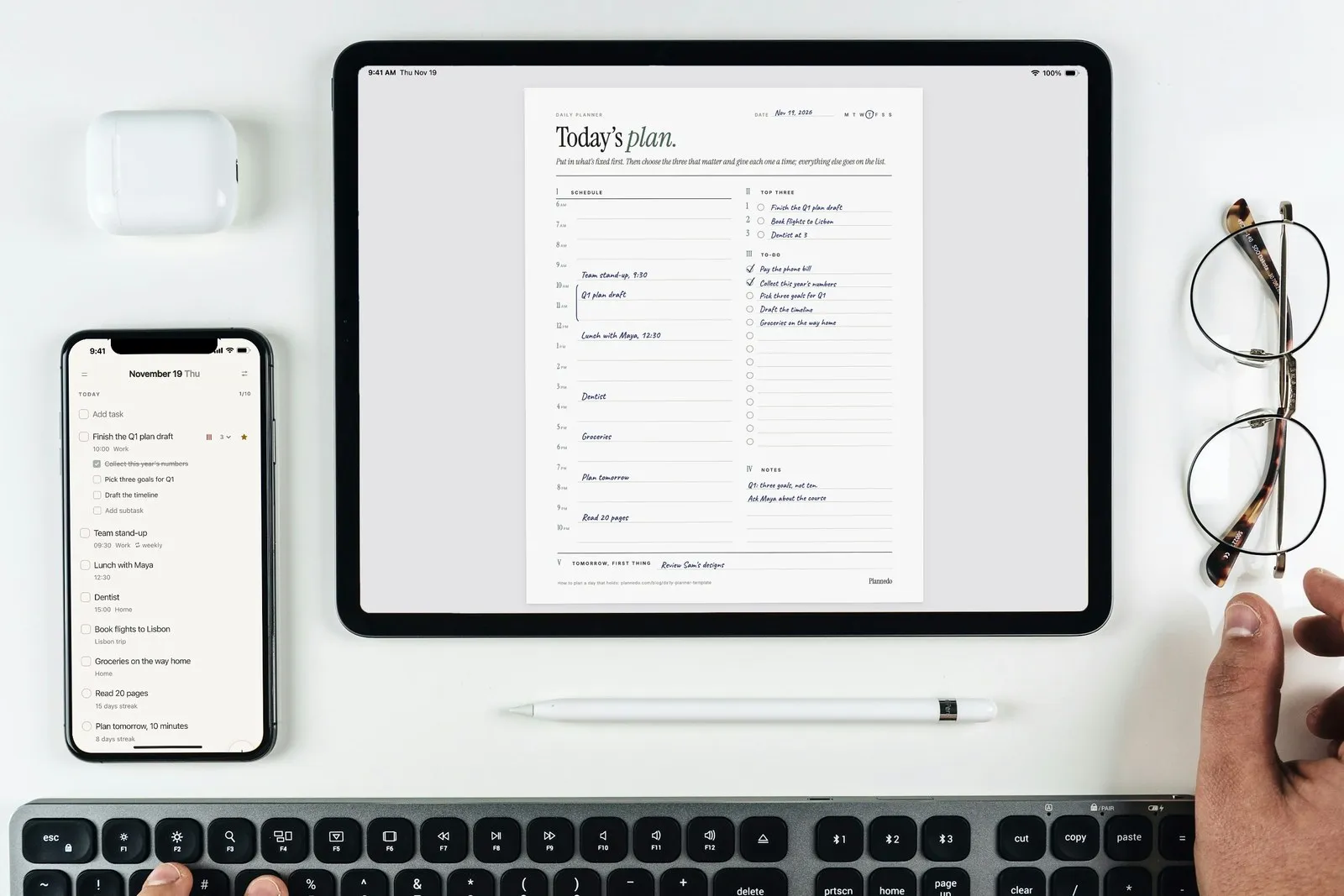
A digital bullet journal is Ryder Carroll’s bullet journal method kept in an app instead of a notebook: the same quick bullets for tasks, events and notes, the same daily, monthly and future logs, and the same habit of carrying unfinished tasks forward. What changes is who does the copying. On paper you rewrite every open task by hand; in an app it waits for you, already dated, and moves with one tap.
There are two ways to do it. You can keep writing by hand on an iPad, in Goodnotes or Notability with a dot-grid template, or you can type into an app that already has a day, a month and a list of what’s overdue, and carry it on your phone. Below is how each part of the method works digitally, how to set one up step by step, what the research says about giving up the pen, and the best bullet journal apps for 2027. We checked every price on November 21, 2026. We make Plannedo, one of the apps here, so we say plainly who each one suits.
The short answer
- To keep handwriting: Goodnotes on an iPad with an Apple Pencil and a hyperlinked dot-grid template. Migration stays a job for your pen.
- To carry it on your phone: a planner app with a Today page, a month view and an overdue list. In Plannedo the method maps almost one to one, and the free plan is enough to start.
- To keep your paper notebook: pair it with a phone app for the two things paper can’t do, reminders and capture on the go.
What a digital bullet journal is
Carroll put the method online on August 8, 2013, and published The Bullet Journal Method in 2018; the book is out in 28 languages. Its official guide still teaches the same parts:
- Rapid logging: short entries, each with a symbol in front that says what it is.
- Daily Log: today’s entries, written as the day goes.
- Monthly Log: a calendar page for the month and a task page beside it.
- Future Log: the months ahead, for anything with a date beyond this month.
- Collections: pages for one topic, like books to read or gift ideas.
- Index: page numbers, so you can find a collection again.
- Migration: once a month, every open task gets a decision: carry it forward, schedule it, or let it go.
The official FAQ calls bullet journaling “primarily an analog organization method”, and in the same answer says you can use digital tools or skip the notebook entirely. A digital bullet journal keeps the parts and the questions behind them. What it drops is the rewriting, the page numbers and the blank pages you have to set up before every month.
The bullet journal key in an app
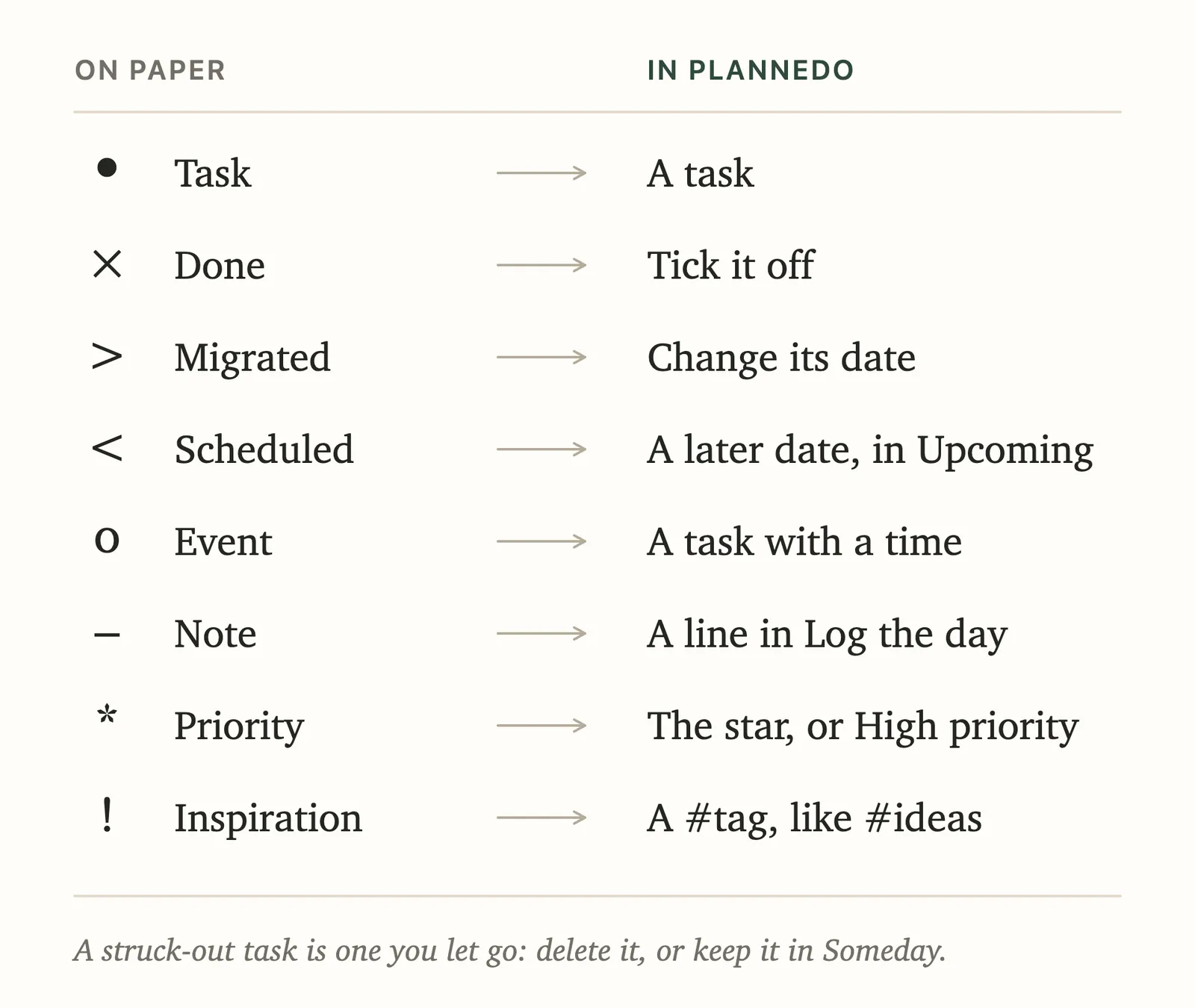
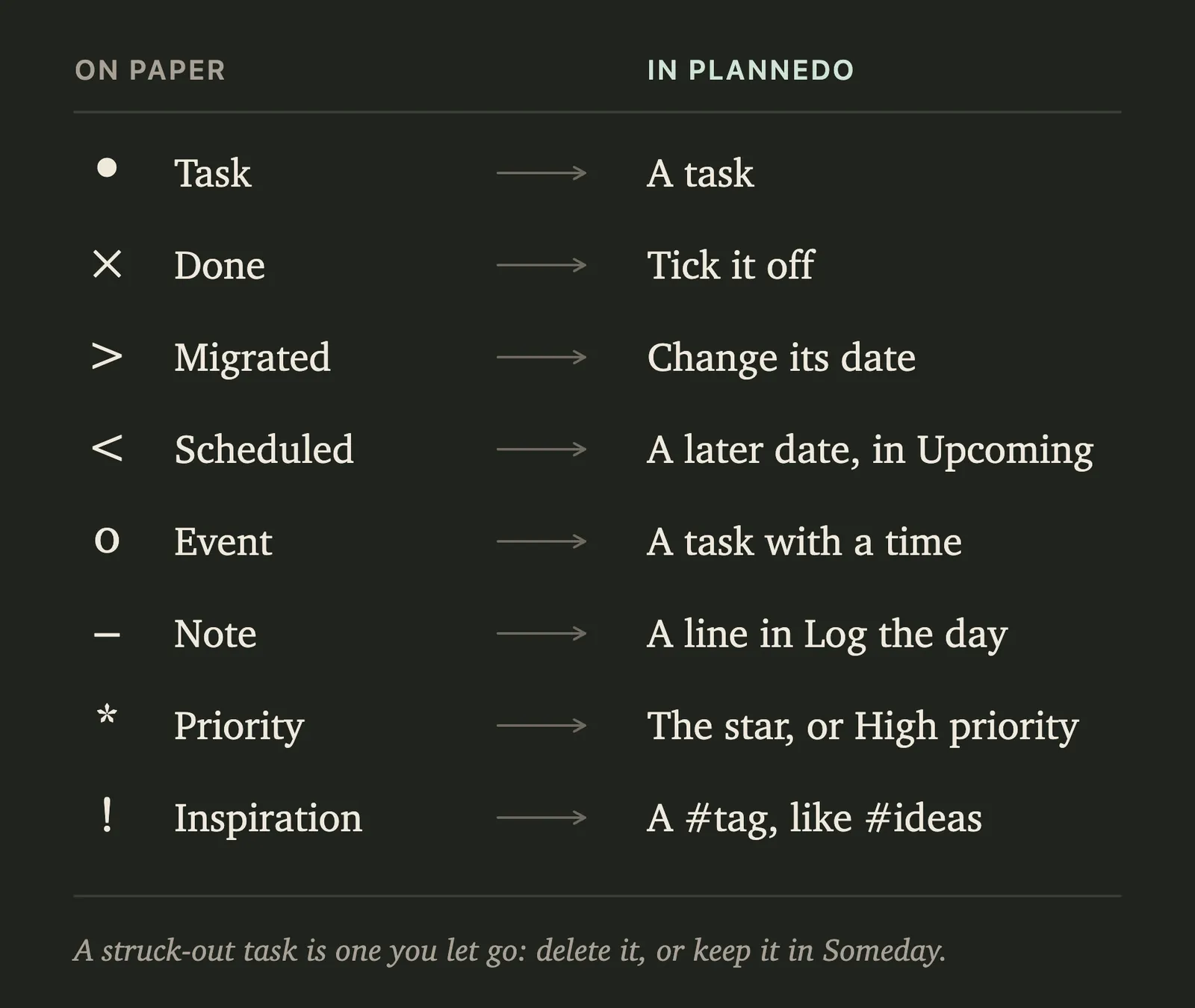
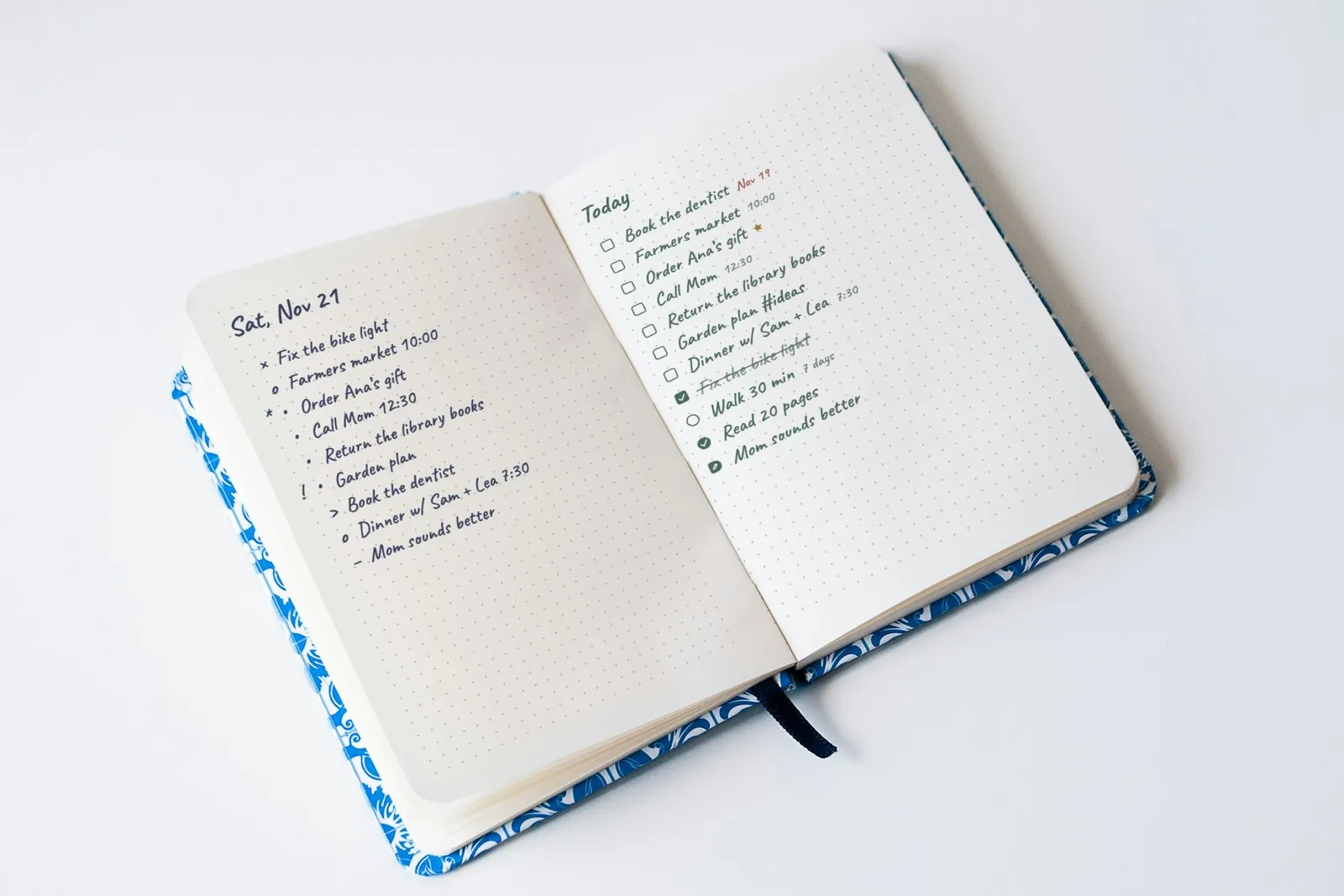
The key is the part people miss most when they move off paper, and it translates more directly than you’d think. A dot becomes a checkbox, an X becomes a tick, and the two arrows become a date change: a task you migrate gets today’s or tomorrow’s date, and a task you schedule gets a later one and waits in Upcoming. An event is a task with a time on it. A note belongs in the day’s journal line, or in the note field of the task it’s about. Signifiers become a star for priority and a #tag for anything you want to find again, like #ideas.
Plannedo’s own key
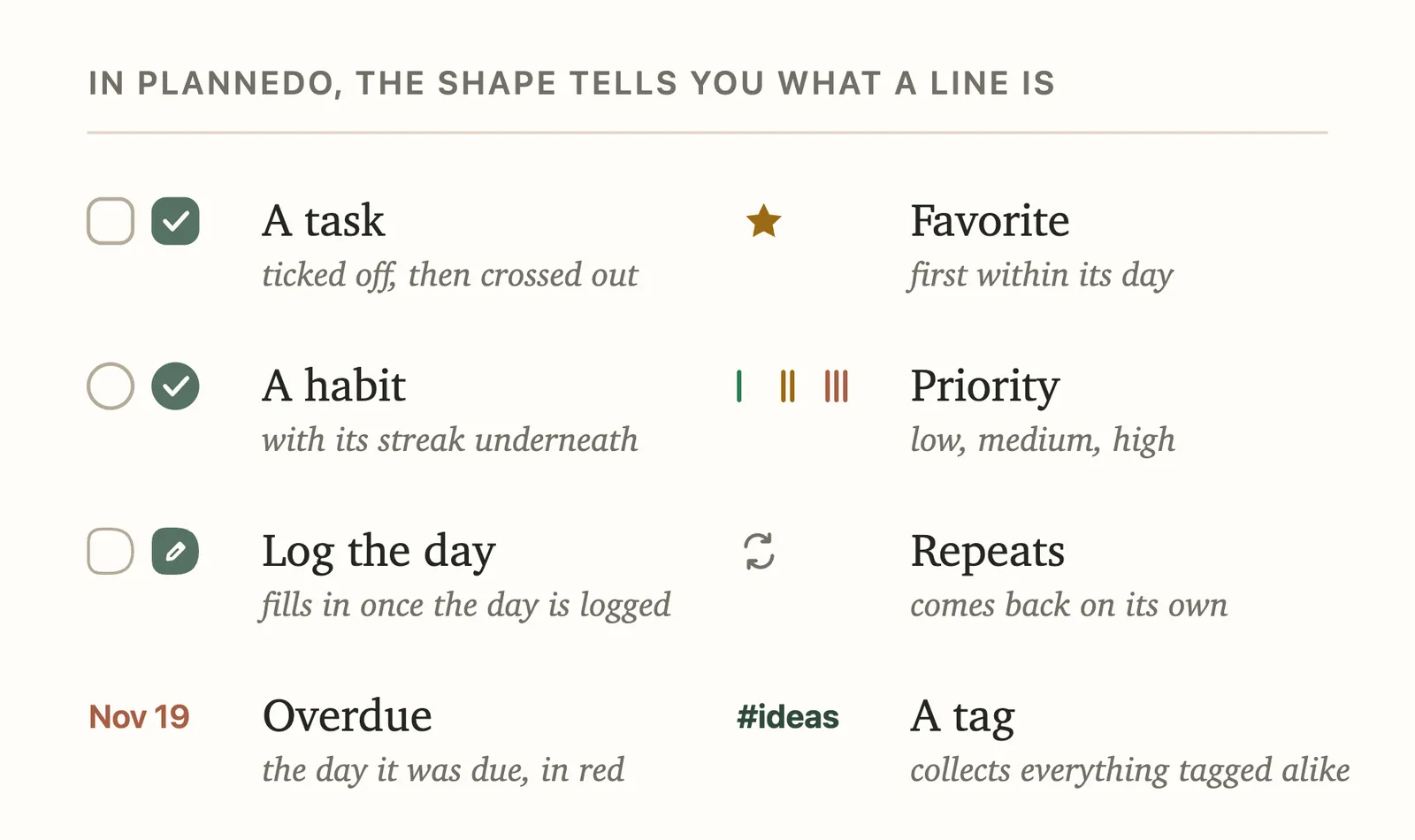
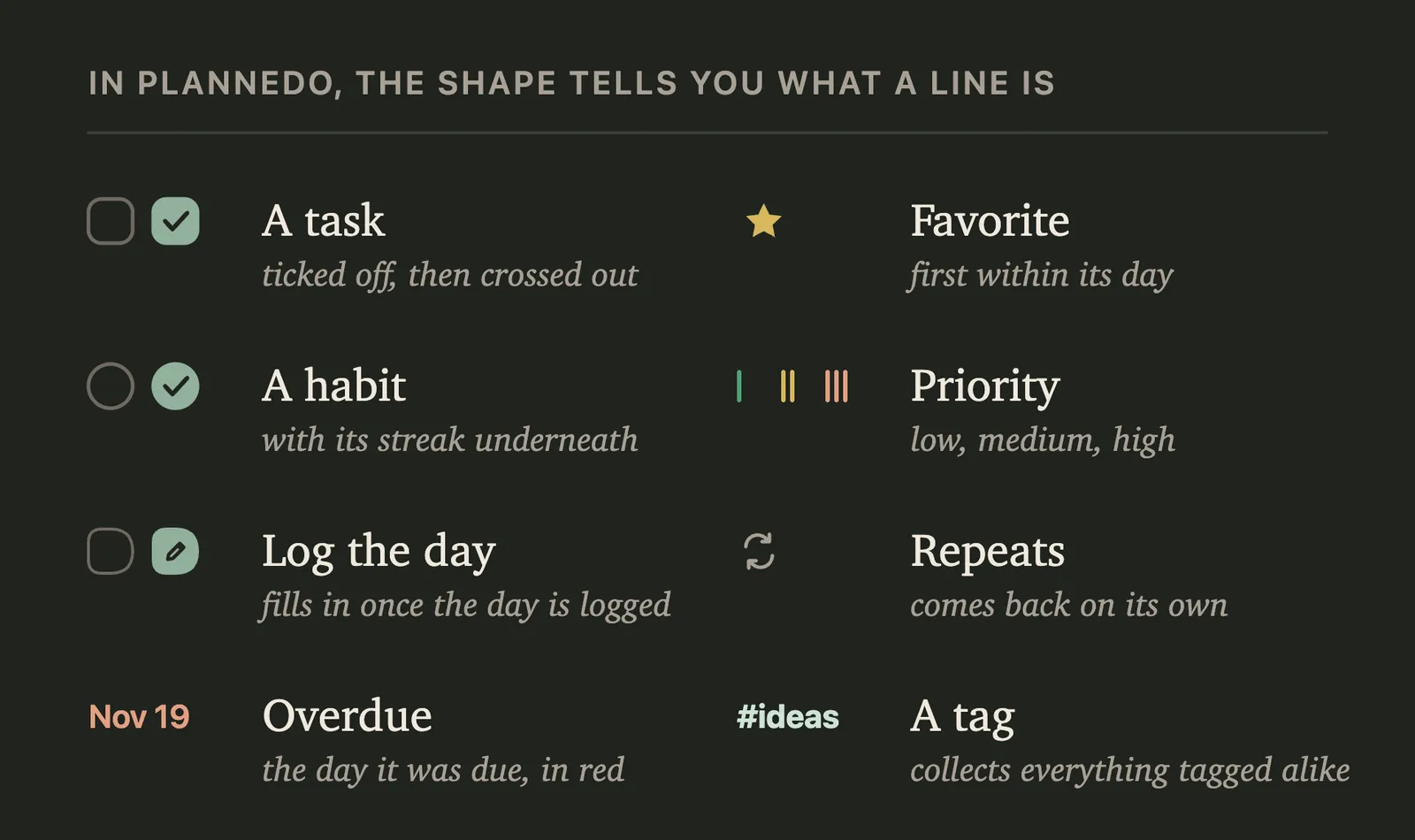
Plannedo has a small key of its own, built on the same idea as rapid logging: the mark in front of a line tells you what kind of line it is. Tasks have a square box and habits a round one, so the day’s to-dos and the things you’re building up never blur into one list. Log the day has a mark of its own too, square on the left and rounded on the right, and it fills in once you’ve written the day’s line, the way a page does. Around the title, a star puts a task first in its day, one to three bars show its priority, a circular arrow means it repeats, a red date means it’s overdue, and a #tag gathers everything you’ve tagged alike.
Three ways to keep one
| Handwritten on an iPad | Typed in an app | Paper plus an app | |
|---|---|---|---|
| What you use | Goodnotes or Notability, an Apple Pencil, a dot-grid PDF | A planner or task app on your phone and computer | Your notebook, and a phone app for dates |
| Rapid logging | By hand, with your own symbols | Typed, from anywhere | In the notebook; on the go, into the app |
| Migration | Rewrite each open task | Change the date, or move many at once | Rewrite in the notebook |
| Reminders | No | Yes | From the app |
| Search | Handwriting search, if the app reads your writing | Everything you typed | Only what’s in the app |
| Best for | People who think with a pen | People who plan on their phone | People who love their notebook too much to leave it |
Handwritten on an iPad. A hyperlinked PDF journal has tabs for the future log, each month and your collections, and you write on its dot grid with a pencil. It keeps everything people love about the paper version, stickers and doodles included, and you can’t run out of pages. Free templates are easy to find: Vertex42’s digital personal planner has 2026 and 2027 editions with dot-grid pages, and World of Printables has a hyperlinked bullet journal for personal use. Migration stays as manual as it is on paper, though, and the journal lives on the iPad. Our guide to digital planners covers PDF planners and the apps that open them in more detail.
Typed in an app. You lose the pen and gain three things the notebook can’t do: tasks come forward on their own, reminders find you, and search finds an idea from March. It also lives on the phone you already carry, which is where most rapid logging happens anyway.
Paper plus an app. Plenty of people keep the notebook for the daily log and reflection, and use an app only for what has a date and a time. Ryder Carroll’s own app works this way, as a companion to the notebook rather than a replacement (more on it below).
Is paper better for your memory?
The study everyone cites is Mueller and Oppenheimer (2014): students who took lecture notes on laptops wrote more, copied the lecturer more word for word, and did worse on conceptual questions. Two later replications found no reliable advantage for longhand. Morehead, Dunlosky and Rawson (2019) called it premature to declare a winner, and Urry and colleagues (2021) found no difference on factual or conceptual questions. A 2024 brain-imaging study by Van der Weel and Van der Meer found wider brain connectivity while people wrote by hand than while they typed, but it didn’t test memory, and the handwriting was done with a digital pen on a touchscreen.
So the research doesn’t say paper keeps your plans better. Carroll’s own reason for the pen is different: “writing teaches you how to think”. If writing by hand is how you think, keep a page for it. For the parts that are bookkeeping, like dates, carrying tasks forward and remembering on time, an app does the copying for you.
How to set up a digital bullet journal in Plannedo
Plannedo is a daily planner for iPhone, Mac and the web, and its pages line up with the method’s parts:
| In a bullet journal | In Plannedo |
|---|---|
| Rapid logging | The Inbox: type a thought, press Enter, and the field is ready for the next |
| Daily Log | Today: the day’s tasks, habits and a line about how it went, on one sheet |
| Monthly Log | Month: a calendar with each day’s tasks in its cell |
| Weekly spread | Week |
| Future Log | Upcoming on the Tasks screen, and Month for the months ahead |
| Migration | Overdue at the top of Today, and moving many tasks at once on the Tasks screen |
| Collections | Lists, each with its own color, icon and sub-lists, plus #tags |
| Habit trackers | Habits, with streaks and up to a year of dots |
| Notes and reflection | Log the day on Today, and the Journal page |
| Index | Search on the Tasks screen, and Tags in the sidebar |
1. Rapid logging goes to the Inbox
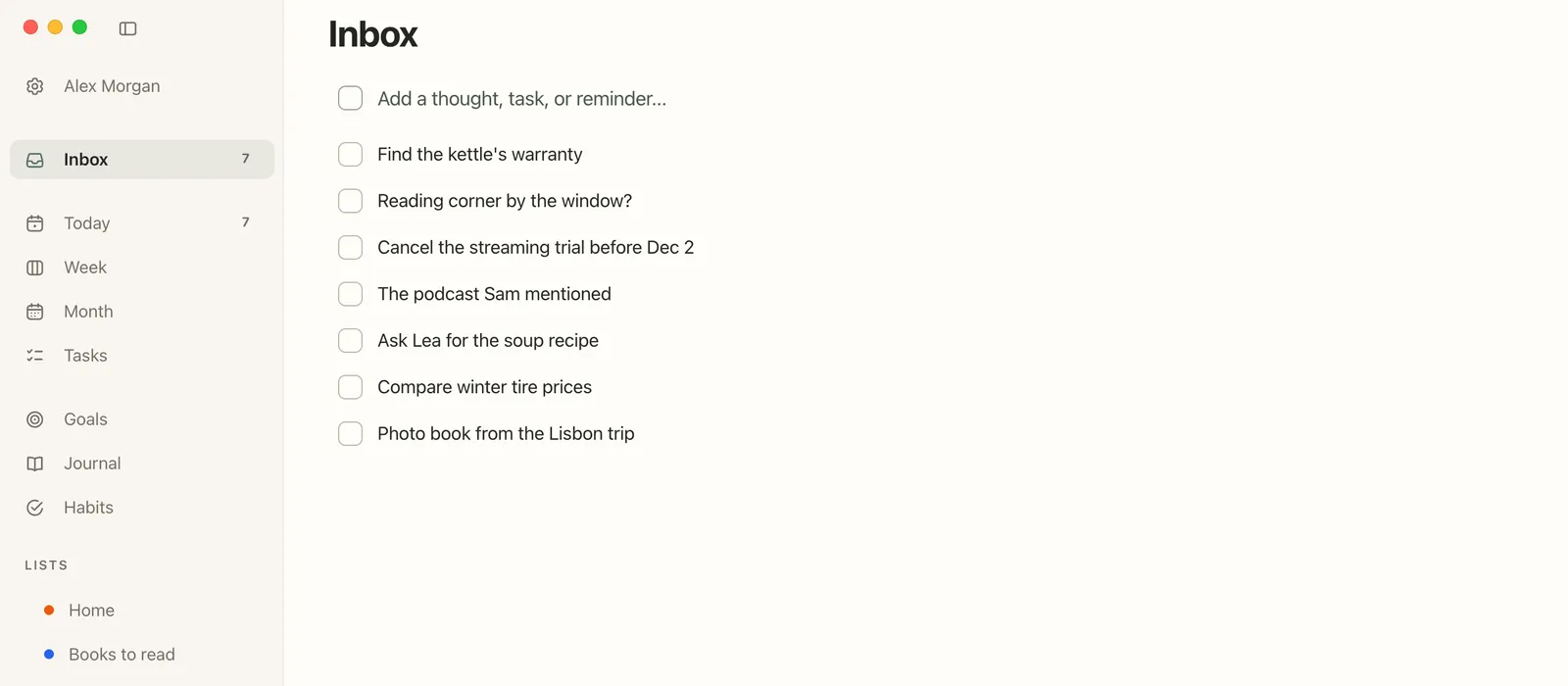
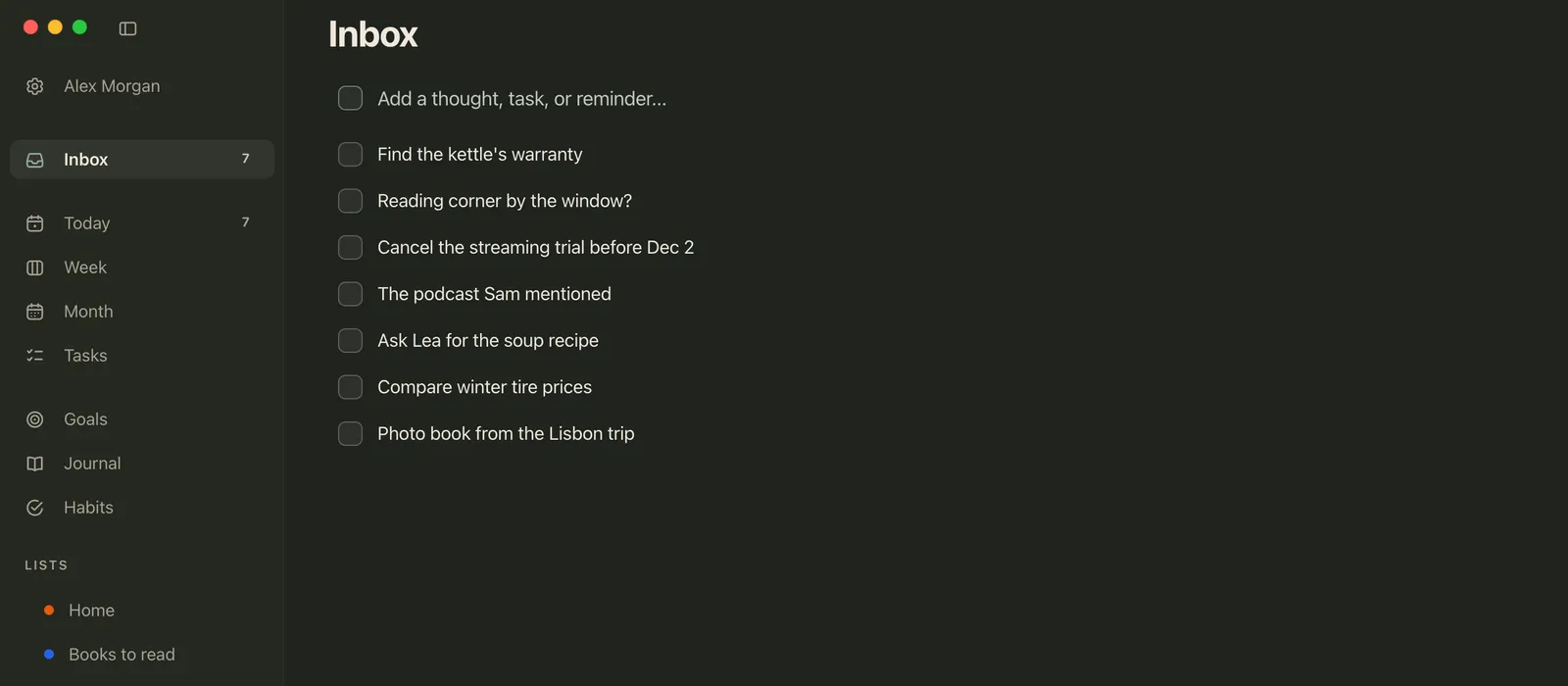
The Inbox is the page for thoughts that don’t have a day yet. Type, press Enter, and the field stays open for the next one, so you can empty your head in one go, the way you would down a fresh page. Later, each entry gets one of the same few answers: Today, Schedule for another day, Someday for “not now”, or a list. A task you add anywhere without a date and without a list lands here too, so nothing gets lost.
2. The Daily Log is Today
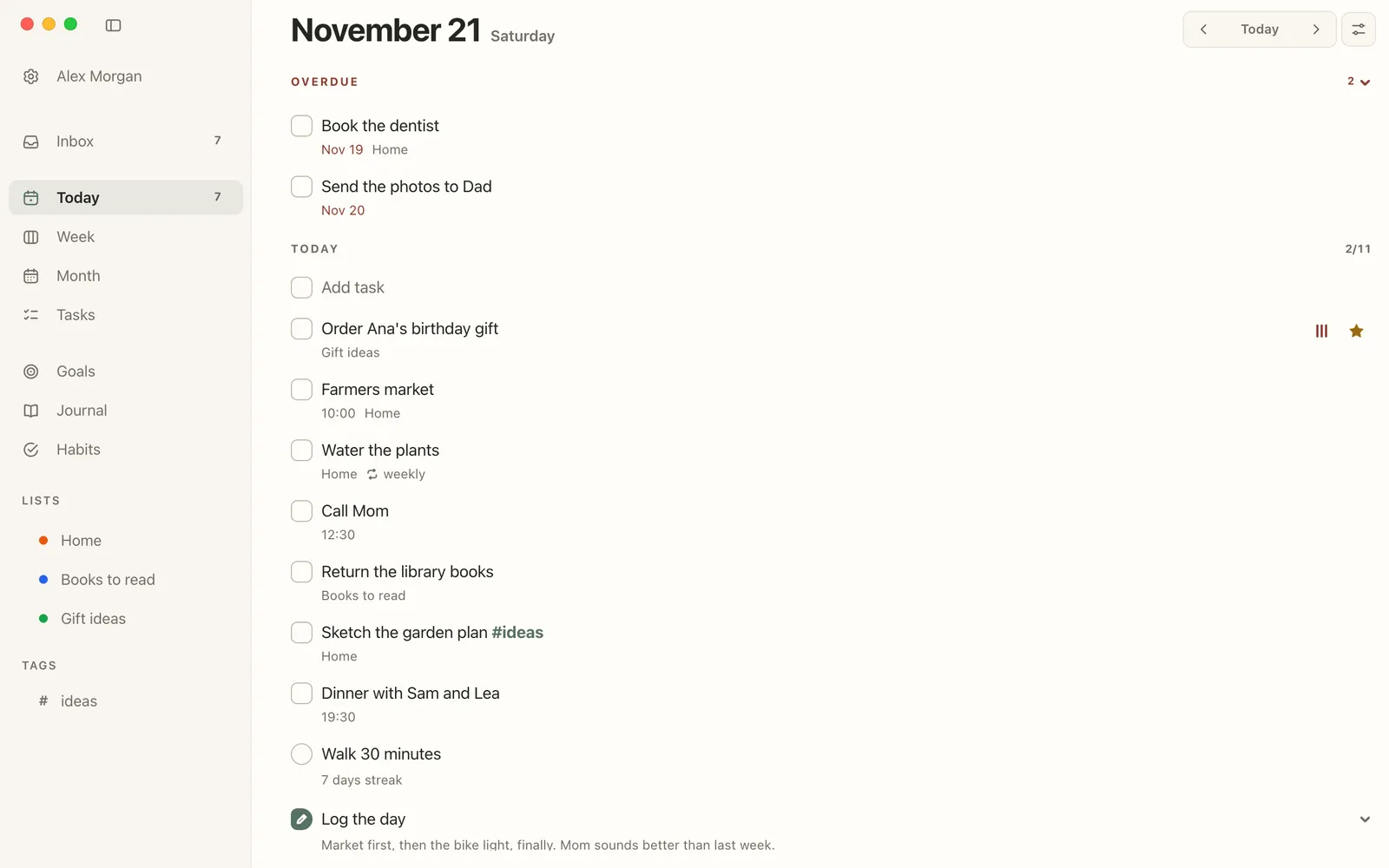
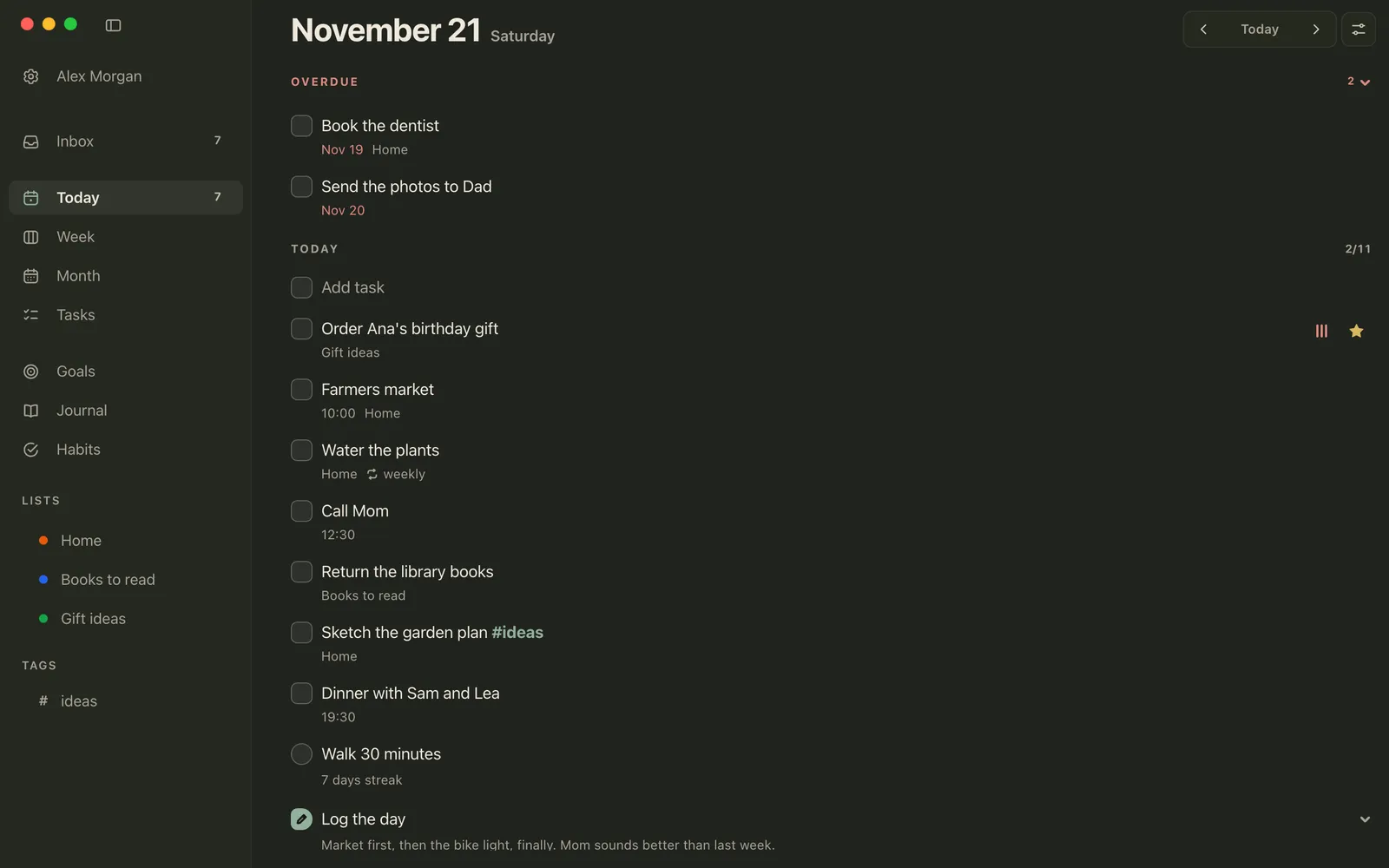
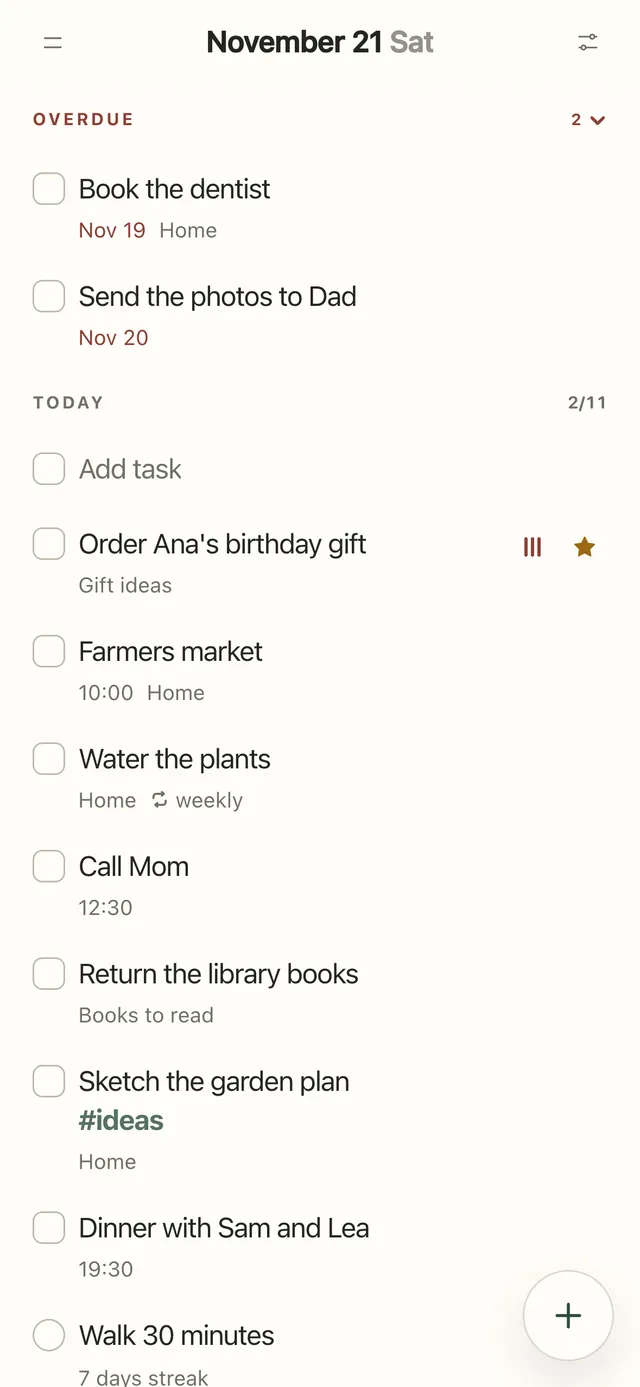
Today is the page Plannedo opens on, and it reads top to bottom like a daily log. Anything left over from earlier days waits under Overdue with its original date in red, so the migration question comes first, before the day fills up. Then come the day’s tasks in your order, the habits due today, and Log the day, a line about how it actually went, which is where your notes go. Ticked tasks move down into Done, so the open part stays short.
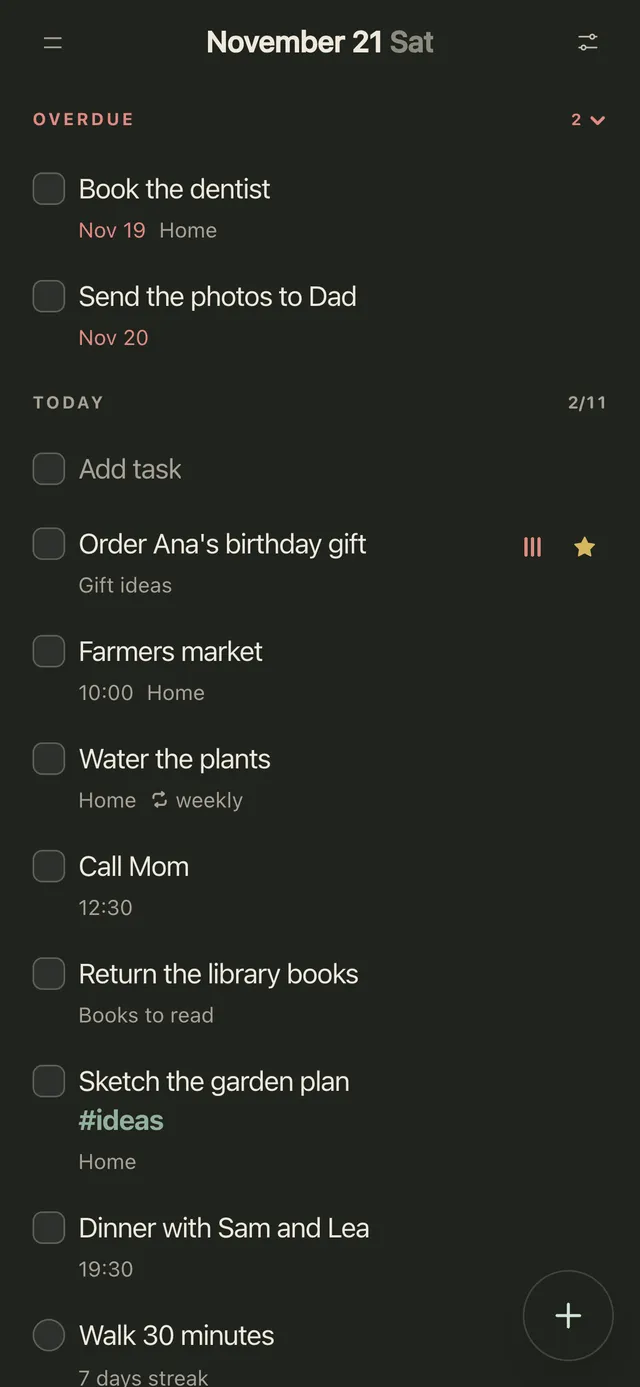
In the picture, “Farmers market” and “Dinner with Sam and Lea” are the day’s events: tasks with a time. “Order Ana’s birthday gift” carries the star, the app’s priority signifier, and “#ideas” is a tag you can open later from the sidebar to see every idea you’ve flagged.
3. The Monthly Log is Month
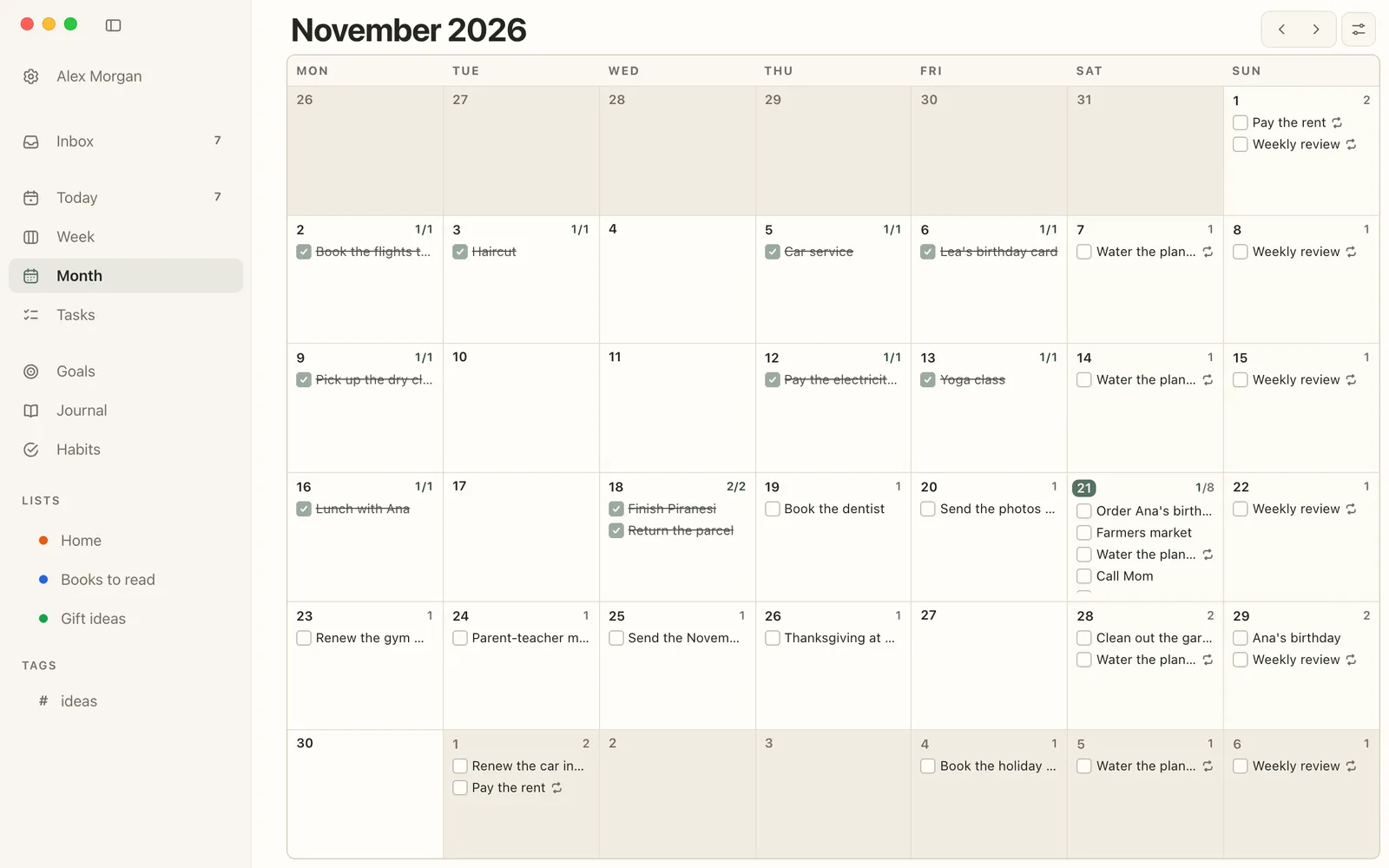
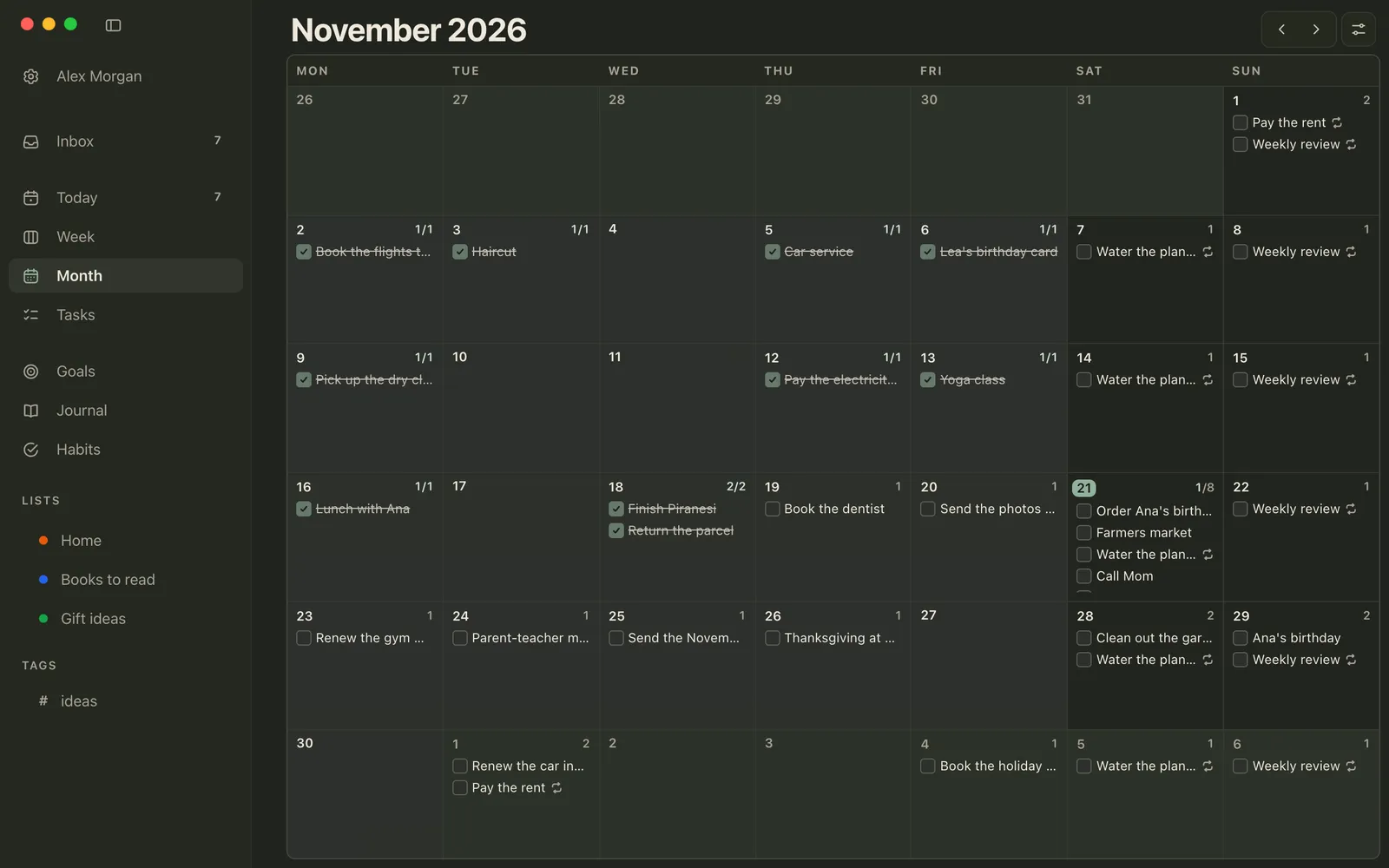
On paper, the monthly log is a calendar page plus a task page you set up by hand on the first. Month is the same calendar, already filled in from your tasks: on a computer you add a task by clicking a day and move one by dragging it to another. Repeating tasks show on every day they’re due, and you can switch habits into the grid too. Week is the same idea for seven days, if you used to draw weekly spreads.
4. The Future Log is Upcoming
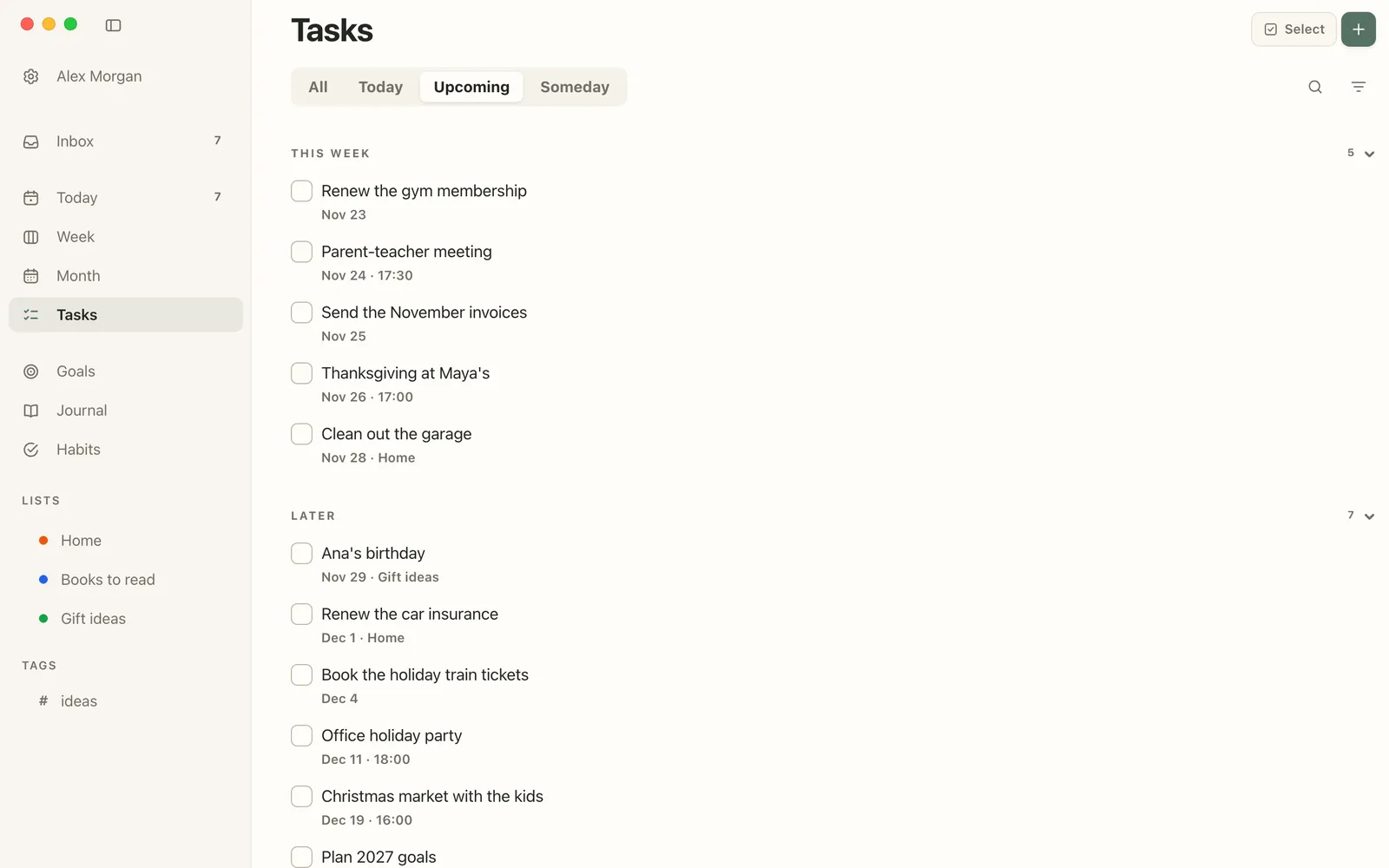
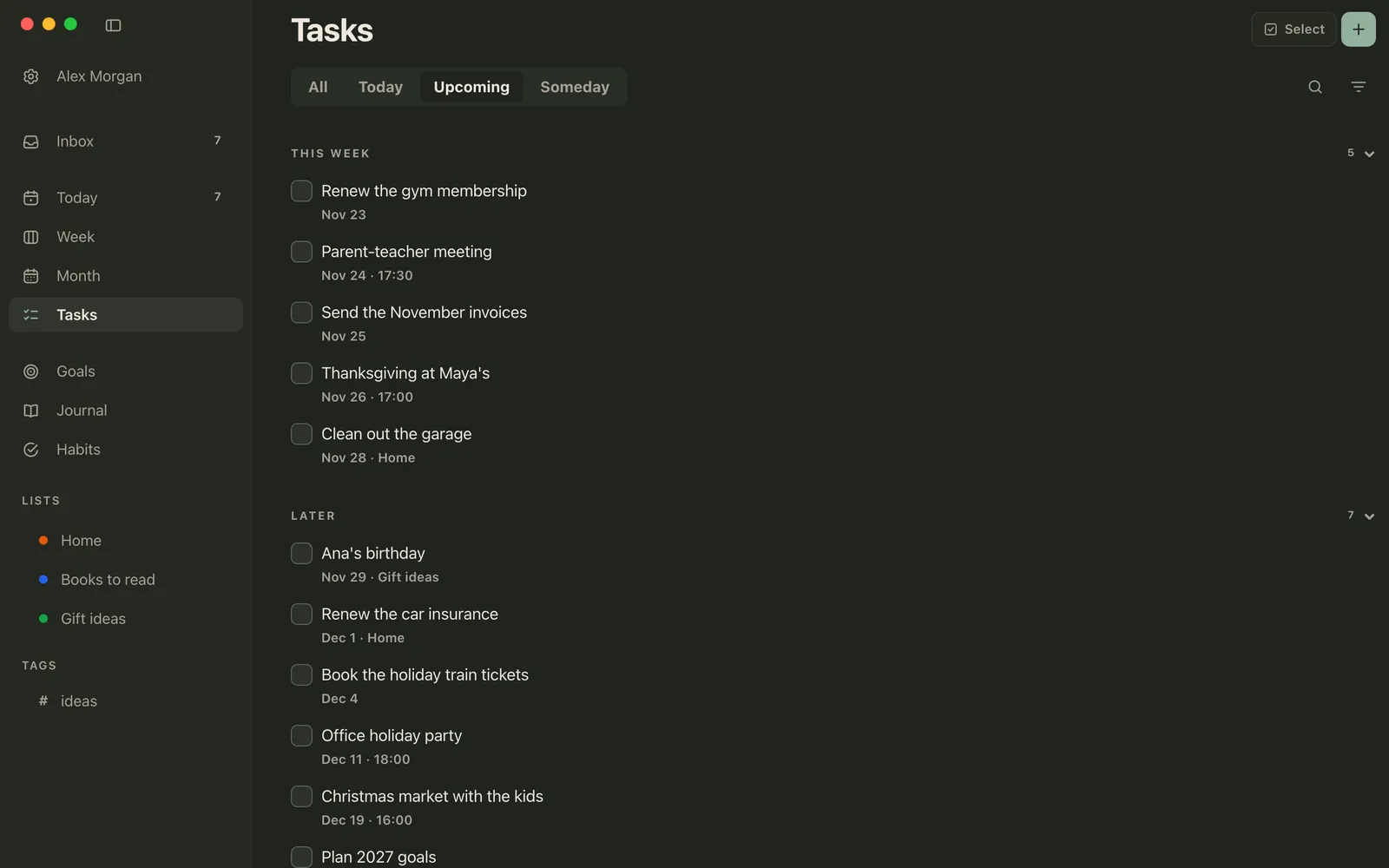
The future log is where the method puts anything dated after this month. In an app you just give the task its date, and it waits. The Tasks screen’s Upcoming tab lists everything dated tomorrow or later, grouped into Tomorrow, This week and Later, and on the day it arrives, the task is on Today. Nothing has to be copied from the future log into a monthly log, which is the step paper journals most often skip.
5. Collections are lists and tags
Books to read, gift ideas, a packing list, the garden: each is a list in Plannedo, with its own color and an emoji icon, and a list can hold one level of sub-lists. Tasks in a list can have a date or not, so “Return the library books” sits in Books to read and shows up on Saturday. For things that cut across lists, add a #tag in the title. The free plan includes 3 lists, and tags are unlimited. See lists and tags.
6. Trackers are habits
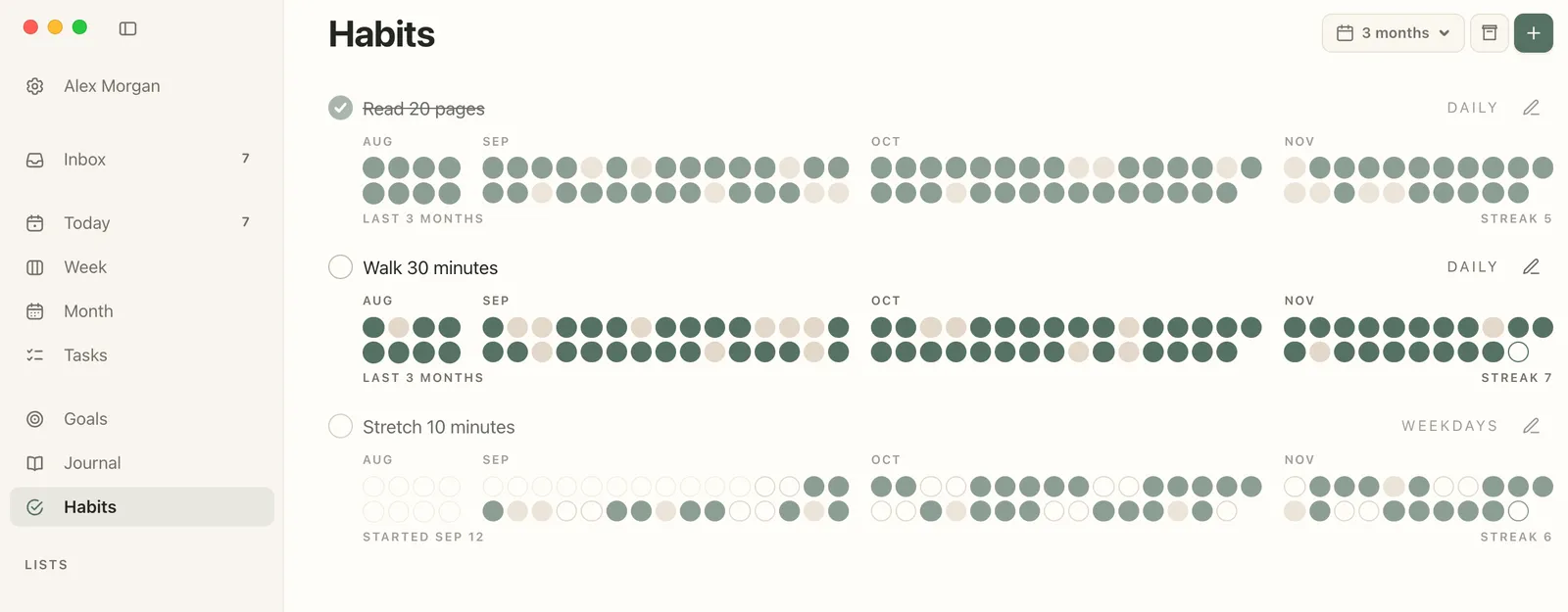
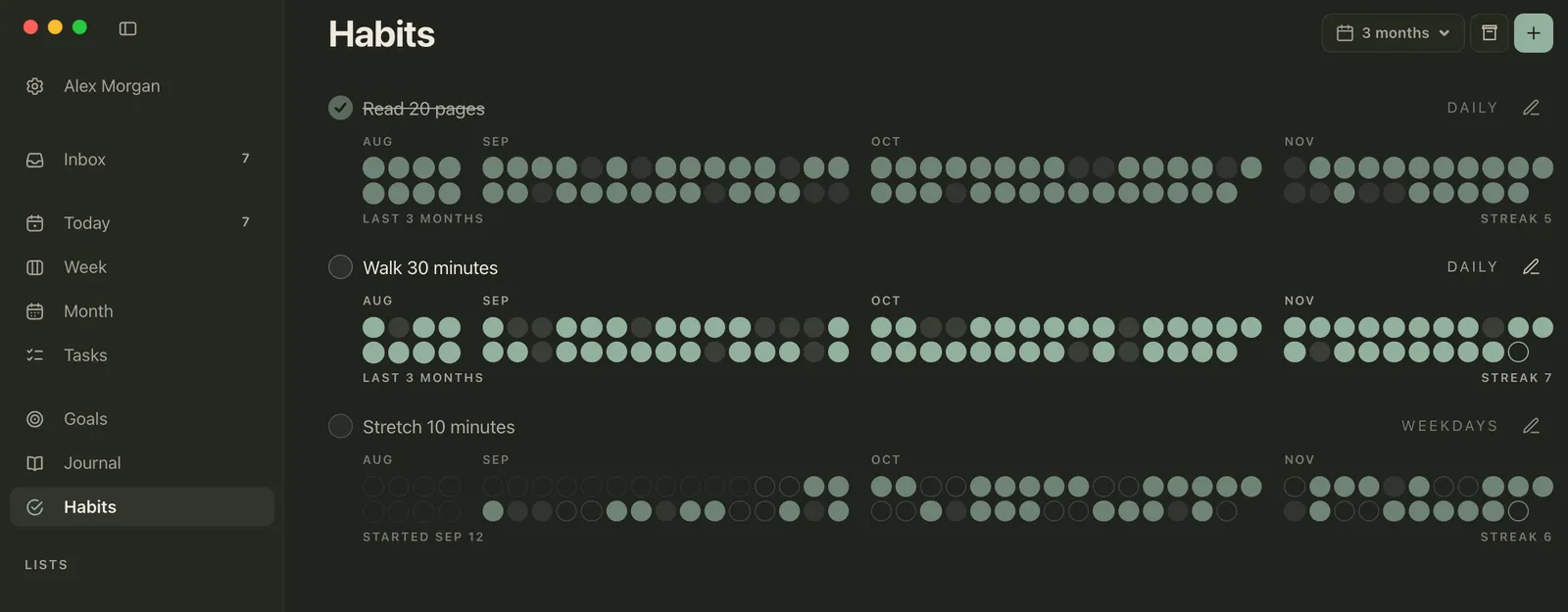
A habit tracker is the most redrawn page in any bullet journal. In Plannedo, habits get a schedule (daily, weekdays, weekends or your own days), show up on Today when they’re due, and fill in a row of dots as you tick them, for four weeks, three months or a whole year. The streak counts days off the schedule as rest, not as a break. The dots have their own key, like a hand-drawn tracker: filled for a day you did it, grey for a day you missed, an outline for a day off the schedule, and a ring around today. For tracker ideas worth keeping, see our list of 100 habit tracker ideas.
7. Migration happens in Overdue
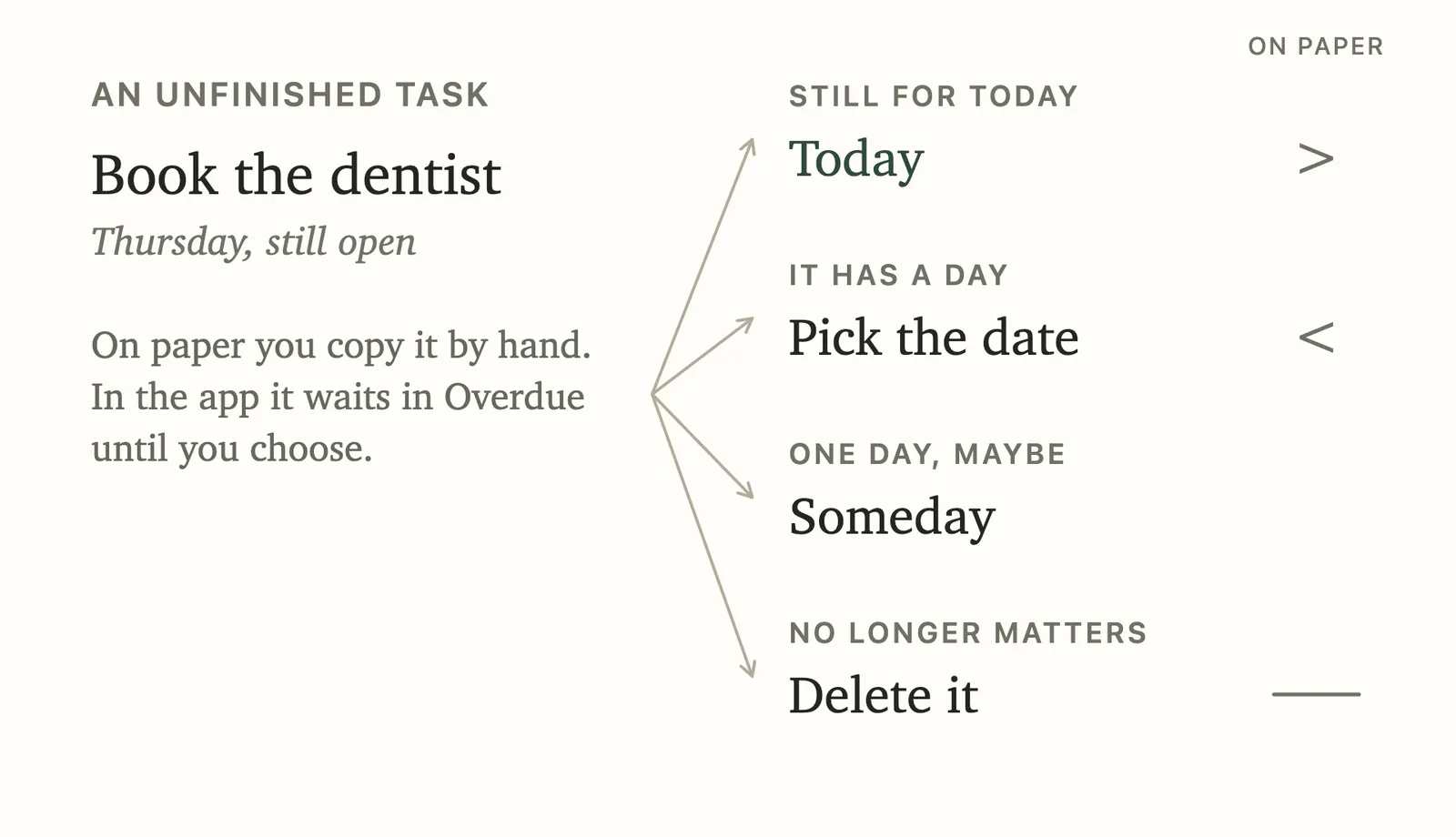
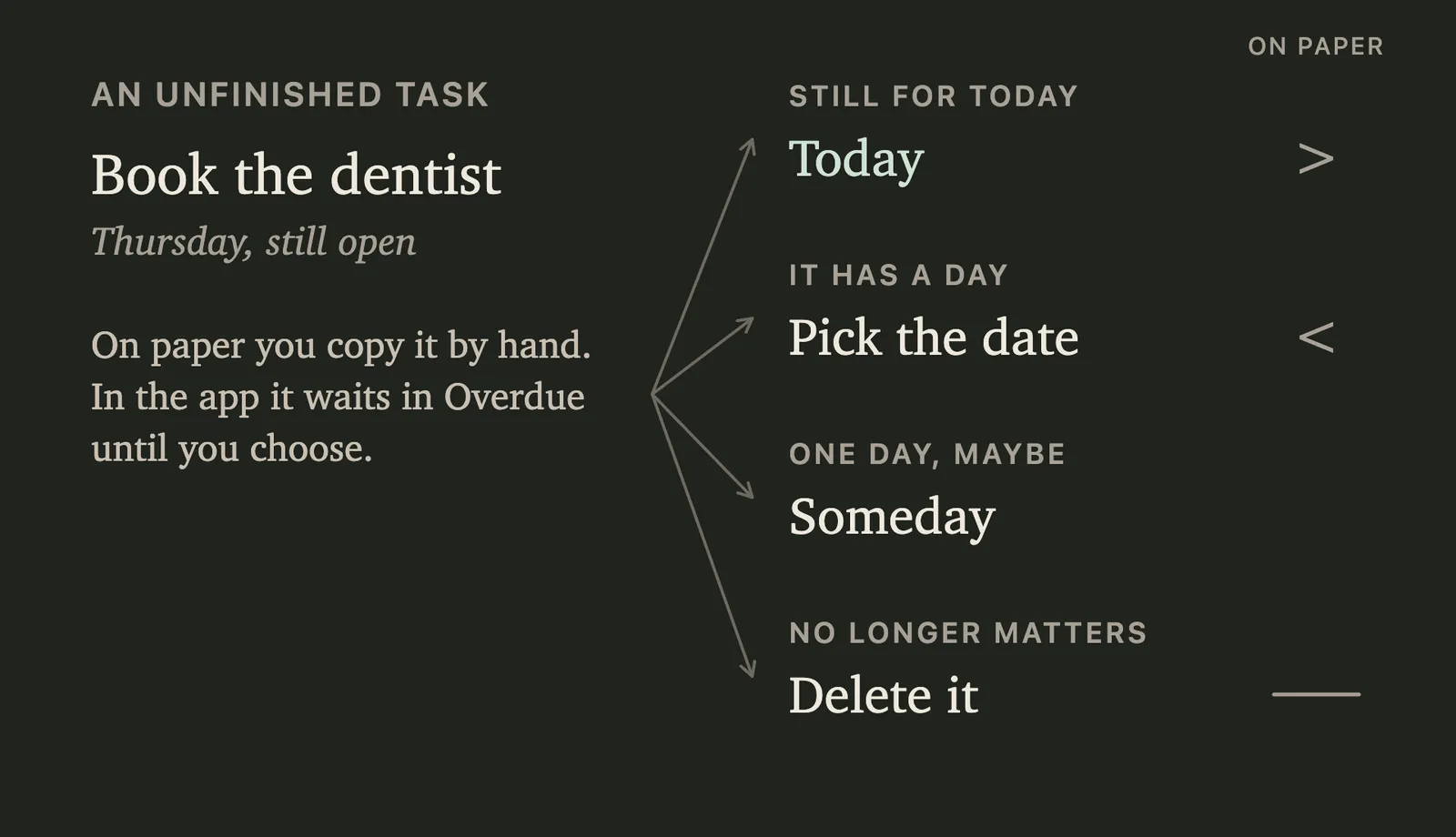
Carroll’s point about migration is that rewriting a task makes you ask whether it’s worth the ink. An app takes the ink away, so keep the question: when an overdue task shows up, give it a real answer instead of dragging it forward forever.
- One at a time: open the task on Today and set its date to Today, Tomorrow or another day.
- All at once: on the Tasks screen, choose Select, tick the tasks and pick Today, Schedule, Someday or Delete. Delete takes effect at once, so it’s the one to use last.
A short monthly migration still pays off. On the first of the month, open Tasks, look at everything that’s overdue or sitting in Someday, and decide on each one, then look at the new month in Month. It takes about ten minutes, and it’s the part that keeps the journal honest. A weekly review does the same on a smaller scale.
8. Notes and reflection go in the journal
Log the day at the bottom of Today is one entry per day: what you did, what worked, what to repeat. It saves as you type, takes simple formatting, and the Journal page lets you scroll back through earlier days and see what each one held. If you’ve kept a one-line-a-day journal, this is that line. Our guide to starting a journal has ideas for what to write.
On your iPhone
The point of going digital is that the journal is with you when the thought arrives. Plannedo has apps for iPhone and Mac with widgets for the Home Screen and the desktop, and the same account opens in any browser, so a work PC sees the same day.
Price: the free plan has unlimited tasks, 3 lists, 3 habits, one goal and a journal every day, which covers a full bullet journal for most people. Pro adds reminders and lifts the limits: $7.99 a month, $79.99 a year or $119.99 once in the App Store ($79 a year on the website), and one purchase covers the iPhone, the Mac and the web. See Free and Pro.
The best bullet journal apps in 2027
| App | Best for | Free plan | Paid | Platforms |
|---|---|---|---|---|
| Plannedo | The method on your phone: daily, monthly and future logs, migration, habits, journal | Unlimited tasks, 3 lists, 3 habits | $79.99 a year or $119.99 once | iPhone, Mac, web |
| Goodnotes | Writing by hand on an iPad | 3 files | $11.99 a year; $35.99 once on Apple devices | iPad, iPhone, Mac, Windows, Android, web |
| Notability | Handwriting plus audio notes | 5 notes | $14.99 a year; $39.99 once on its website | iPad, iPhone, Mac, Android, web |
| Notion | Building your own layout from a template | Free for one person | $10 a month (Plus) | Every platform |
| Obsidian | Daily notes in plain files you own | Free | Sync is $4 a month, billed yearly | Mac, Windows, Linux, iPhone, Android |
| Apple Notes and Reminders | Free, already on your iPhone | Free | Free | Apple devices |
| Bullet Journal Companion | Pairing with a paper notebook | None | $4.99 once | iPhone |
1. Plannedo: the method on your phone
Everything in the walkthrough above: an Inbox for rapid logging, Today as the daily log with Overdue at the top, Week and Month, Upcoming as the future log, lists and tags as collections, habits as trackers, and a journal line every day. It’s a planner rather than a notebook, so the bullets are typed, and the copying, carrying forward and reminding are done for you.
Pick something else if you think best with a pen in your hand (Goodnotes), or want to design every page yourself (Notion).
2. Goodnotes: a dot-grid notebook on an iPad
The closest thing to paper. Goodnotes has dotted paper built in, opens hyperlinked journal templates with working tabs, and runs on iPad, iPhone, Mac, Windows, Android and the web. Writing is best on an iPad with a pencil; on a phone it’s more for reading than writing. The free plan holds 3 files, which one journal and its templates use up, so most people end up on Essential at $11.99 a year, or the $35.99 one-time Special Edition if they only use Apple devices. Like paper, it leaves migration to you.
3. Notability: handwriting with audio
Notability also takes PDF templates and handwriting, and it can record audio while you write, which suits a journal that doubles as meeting or class notes. The free Starter plan allows 5 notes; Lite is $14.99 a year, and Classic is a one-time purchase again, $39.99 on notability.com or $49.99 in the App Store.
4. Notion: a journal you build yourself
Notion’s template gallery has bullet journals made by creators, from a free one by Matt Ragland to paid ones around $7 to $15, and you can rebuild the daily, monthly and future logs as linked pages and databases. It’s free for one person and runs everywhere. Two things to know: there’s no handwriting, and offline it only keeps pages you’ve marked for offline use, with large databases trimmed to their first rows. Building the system can also turn into the hobby.
5. Obsidian: daily notes you own
Obsidian keeps your notes as plain text files on your own device. Its Daily Notes plugin opens a dated page from a template each morning, and community plugins add weekly and monthly notes and tasks that carry forward. It’s free, with optional sync at $4 a month billed yearly. It suits people who enjoy setting up their tools; out of the box it’s a blank notebook.
6. Apple Notes and Reminders: the free setup
Already on your iPhone, and free. A note per day or per month works as the log, with checklists, and on an iPad you can write with a pencil on lined or squared paper. Reminders handles anything with a date or a time. The catch is that the two don’t talk to each other, so unfinished checklist items stay where they are until you copy them. If you go this way, Plannedo can sync with Apple Reminders later without retyping.
7. Bullet Journal Companion: the official app, for paper users
The official app by Ryder Carroll costs $4.99 and runs on the iPhone. It’s built to go with a notebook, and its listing says so in capitals: “This app is NOT designed to replace your notebook.” It has a capture log for when you’re away from your journal (entries expire after 72 hours, so you move them to paper), a library for photos of your pages, the method’s lessons and a reflection practice. It was last updated in November 2023.
Also worth a look: small apps built around the method’s vocabulary, like Bullet and Bujo (Bullet Journal & Planner), have daily, monthly and future logs, migration and habits, free with a subscription for more. If you’d rather have a classic task app, Things 3, Todoist and TickTick all handle dates well; see our comparison of Things 3 alternatives.
Tips for a digital bullet journal that lasts
- Open it at the same two moments every day. Morning for Overdue and today’s list, evening for Log the day and the habits. A journal you open twice a day doesn’t need decorating to be useful.
- Log first, sort later. Rapid logging works because it’s fast. Put the thought in the Inbox now, and give it a day when you sort the Inbox.
- Keep collections few. Three lists cover most lives: one for home, one for something you’re reading or making, one for gifts or plans. More lists means more places to forget.
- Migrate on purpose. Moving a task forward should be a decision. If something has been moved three times, schedule it for a real day, put it in Someday or delete it.
- Keep the pen where it helps. If writing by hand is how you think, keep a paper page for brainstorms and a brain dump, and let the app hold what has a date.
FAQ
What is a digital bullet journal?
A digital bullet journal is the bullet journal method kept on a device instead of in a notebook. You still log tasks, events and notes in short bullets, keep a daily, monthly and future log, collect topics in their own pages and migrate unfinished tasks. Some people write by hand on an iPad in apps like Goodnotes; others type into a planner app that keeps the logs and moves tasks forward for them.
Can you bullet journal on an iPhone?
Yes. A planner app that has a daily page, a month view and a list of overdue tasks covers the whole method on a phone: you type entries as they come, and tasks you don’t finish wait for a decision instead of being rewritten. In Plannedo, the Inbox is for rapid logging, Today is the daily log, Month is the monthly log, Upcoming is the future log and Habits are your trackers.
What is the best app for a digital bullet journal?
It depends on whether you want to write or type. To write by hand, Goodnotes on an iPad with a dot-grid template is the closest thing to paper. To keep the journal on your phone, Plannedo maps the method’s logs, migration, collections and trackers onto its pages, with a free plan. Notion suits people who want to design every page themselves, and Apple Notes with Reminders is the free option already on an iPhone.
Is there an official Bullet Journal app?
Yes: Bullet Journal Companion, made with Ryder Carroll, for the iPhone at $4.99. It’s designed to go with a paper notebook rather than replace it, with a short-term capture log, a library for photos of your pages, and lessons on the method.
Is a digital bullet journal as good as a paper one?
For planning, it can do more: tasks carry forward, reminders find you and search finds old notes. On memory, the research is mixed. A 2014 study found laptop note-takers did worse on conceptual questions, but two larger replications in 2019 and 2021 found no reliable advantage for handwriting. If writing by hand helps you think, keep a page for it and let an app hold the dates.
How do you migrate tasks in a digital bullet journal?
You ask the same question as on paper, whether each unfinished task still deserves a place, and then change its date instead of rewriting it. In Plannedo, unfinished tasks wait under Overdue on Today; you can move one by opening it, or select several on the Tasks screen and send them to Today, a date, Someday or delete them. Doing it once a month, on the first, keeps the list honest.
Do you need an iPad for a digital bullet journal?
Only if you want to write by hand. Handwritten digital journals in Goodnotes or Notability work best on an iPad with a pencil. A typed bullet journal works on an iPhone and a computer, and that’s where most people log during the day anyway.
Is Plannedo free?
Yes. The free plan has unlimited tasks, 3 lists, 3 habits, one goal and a journal every day. Pro adds reminders and removes the limits, at $7.99 a month, $79.99 a year or $119.99 once in the App Store.
Sources
The method:
- How to Bullet Journal and the story, bulletjournal.com
- What is rapid logging: bullets and signifiers, migration and how to start a bullet journal, Bullet Journal FAQ
- The Bullet Journal Method, bulletjournal.com, and the publisher’s page, Portfolio, 2018
- Interview with Ryder Carroll, WorkFlowy blog
Research:
- Mueller, P. A., & Oppenheimer, D. M. (2014). The pen is mightier than the keyboard: Advantages of longhand over laptop note taking. Psychological Science, 25(6), 1159-1168.
- Morehead, K., Dunlosky, J., & Rawson, K. A. (2019). How much mightier is the pen than the keyboard for note-taking? A replication and extension of Mueller and Oppenheimer (2014). Educational Psychology Review, 31, 753-780.
- Urry, H. L., et al. (2021). Don’t ditch the laptop just yet: A direct replication of Mueller and Oppenheimer’s (2014) Study 1 plus mini meta-analyses across similar studies. Psychological Science, 32(3), 326-339.
- Van der Weel, F. R., & Van der Meer, A. L. H. (2024). Handwriting but not typewriting leads to widespread brain connectivity: a high-density EEG study with implications for the classroom. Frontiers in Psychology, 14, 1219945.
Apps, checked November 21, 2026:
- Bullet Journal Companion, App Store
- Goodnotes: pricing, digital bullet journal
- Notability: pricing
- Notion: pricing, bullet journal templates, offline pages
- Obsidian: pricing, Daily Notes
- Apple: change the Notes view
- Templates: Vertex42 digital personal planner, World of Printables digital bullet journal
Photo credits
The cover photo is by Martha Dominguez de Gouveia on Unsplash.