Best Vision Board Apps in 2026 (iPhone, Mac, Web)
Ten vision board apps compared on what they do, what they cost and where they run, and which of them connect the board to what you do each day.
The best vision board app depends on what you want the board to do. If you want it tied to your daily plan, so that the work toward a goal shows up on today’s list, pick a planner with boards built in, such as Plannedo. If you want affirmations and a slideshow to watch each morning, Perfectly Happy and Vision Board ++ are built for that. If you want a free board you design yourself, use Canva or Apple Freeform.
One pattern holds across almost every app below: the board has no link to tasks, habits or a calendar. That gap matters more than any feature on the list, because a board you only look at tends to get looked at less every week. I wrote about the research behind that in Do Vision Boards Work?.
A note on bias: I build Plannedo, so it comes first and you should weigh that. For every other app, the prices, platforms and features come from its US App Store listing and the developer’s own site, checked on October 7, 2026. Where two sources disagree on a price, I say so or leave the price out.
The short list
| App | Runs on | Price (US) | Linked to tasks or habits |
|---|---|---|---|
| Plannedo | Web, iPhone, Mac | Free plan; Pro $7.99/mo or about $79/yr | Yes: tasks, habits, evening check-in |
| Perfectly Happy | iPhone, iPad, Apple Watch, Android | $10.99/mo or $58.99/yr | No |
| Vision Board ++ | iPhone, iPad | One board free; $4.99/mo or $18.99/yr | No |
| Horizons | iPhone, iPad | $3.99/mo or $12.99/yr | Per-goal actions and journal |
| Visuapp | iPhone, iPad | Free; one-time extras $0.99 to $4.99 | No |
| Canva | Web, iPhone, Android, desktop | Free; Pro is paid | No |
| Apple Freeform | iPhone, iPad, Mac | Free | No |
| Web, iPhone, Android | Free, with ads | No | |
| Milanote | Web, iPhone, iPad, desktop | Free up to 100 cards; Pro $9.99/mo billed yearly | To-do lists on boards, no repeats |
| Notion | Web, iPhone, Android, desktop | Free; Plus $10/mo billed yearly | Yes, if you build it |
How to choose
Three questions sort the list faster than any feature comparison.
Do you want to look at the board, or act on it? Apps built for looking (slideshows, affirmations, wallpapers) are good at keeping a picture in front of you. Apps built for acting put the board next to the things you’ll do this week. Very few do both.
Which devices do you use? Several popular vision board apps are iPhone and iPad only. If you plan on a Windows laptop or an Android phone, that rules them out.
Do you want to pay a subscription for a picture? Many dedicated apps lock most features behind a weekly, monthly or yearly plan. Free tools like Canva and Freeform make a perfectly good board. Paying makes sense when the app does something with the board afterwards.
The apps
1. Plannedo: a vision board wired to your day
- Best for: people who want the board to drive what they do this week.
- Runs on: any browser, plus apps for iPhone and Mac.
- Price: Free plan with one goal and a full board, unlimited tasks and three habits. Pro is $7.99 a month or about $79 a year for unlimited goals.
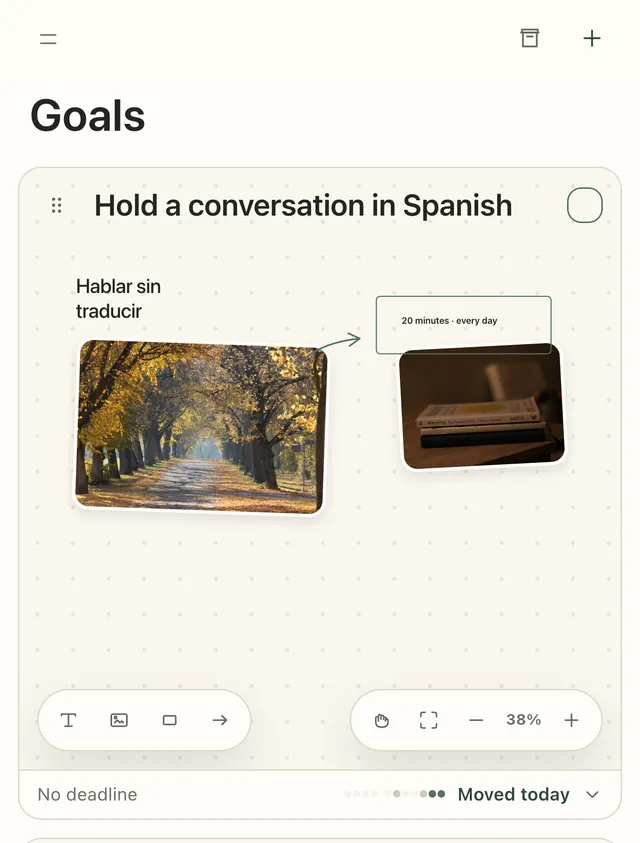
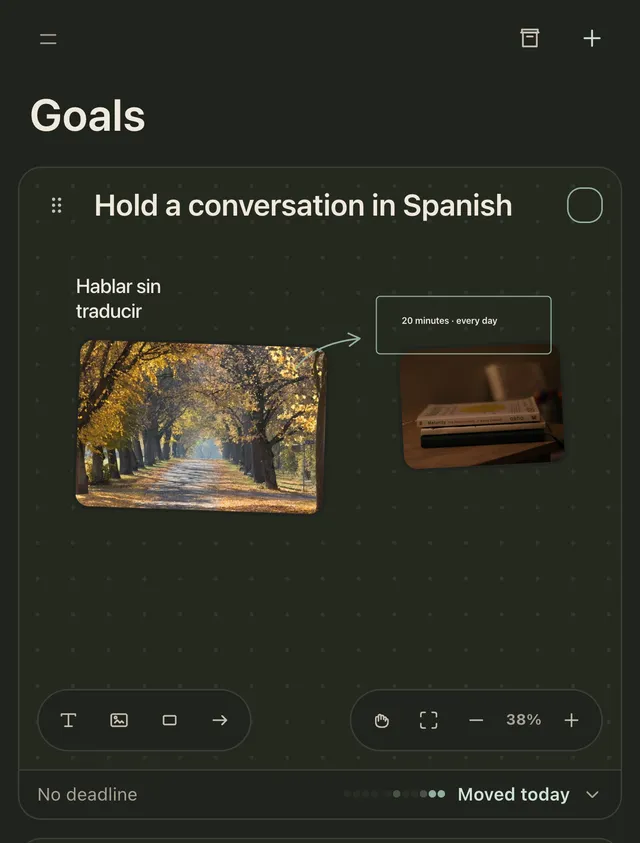
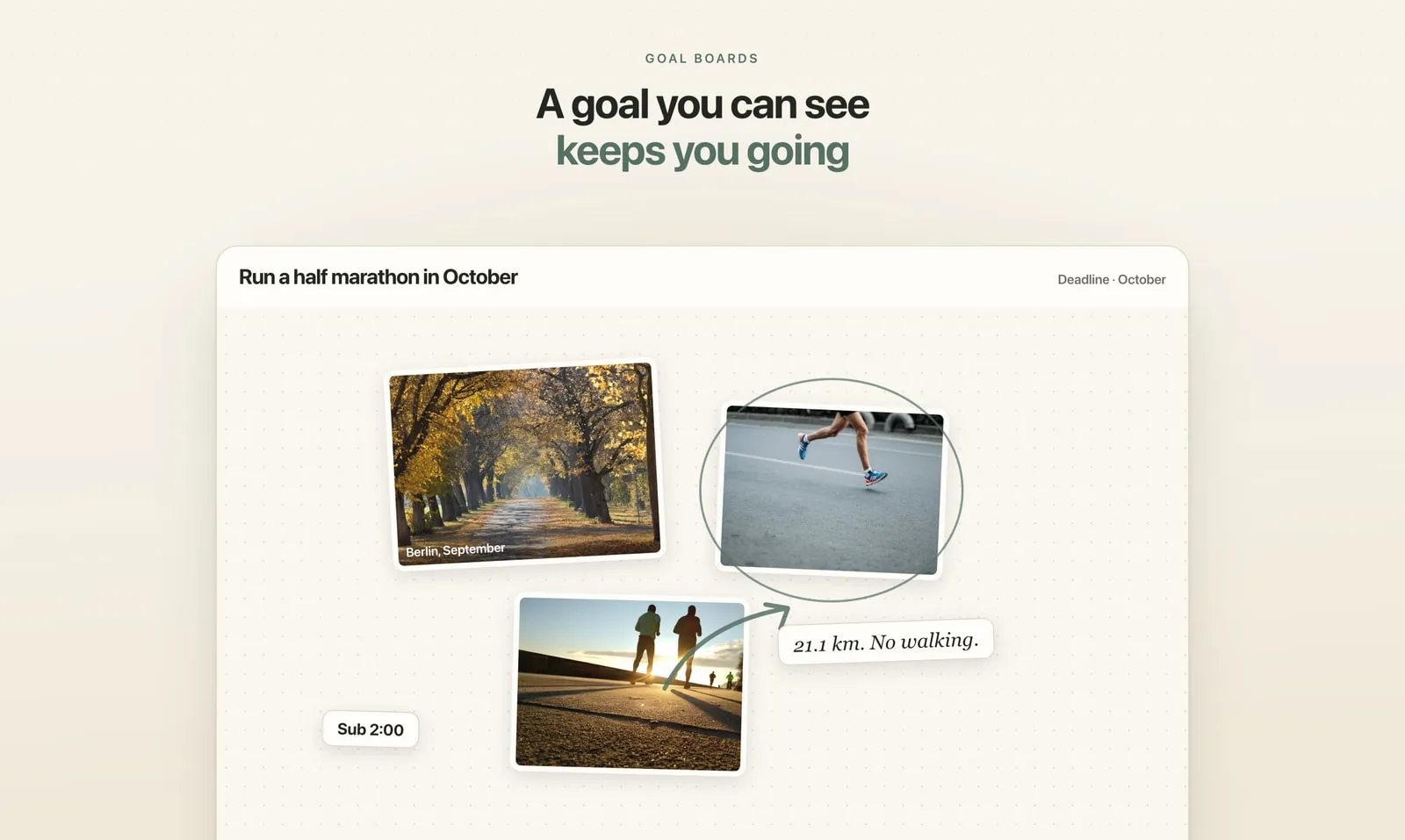
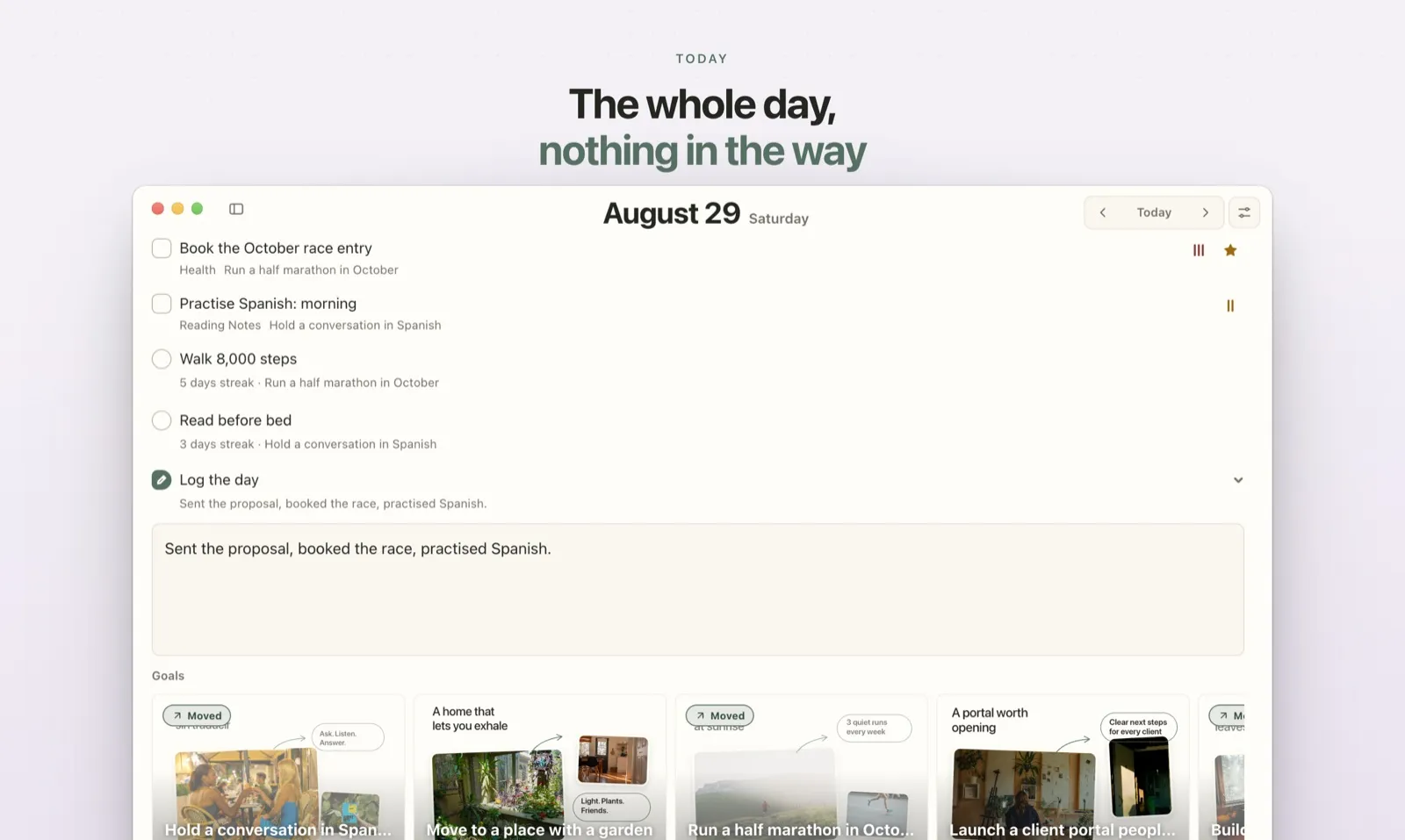
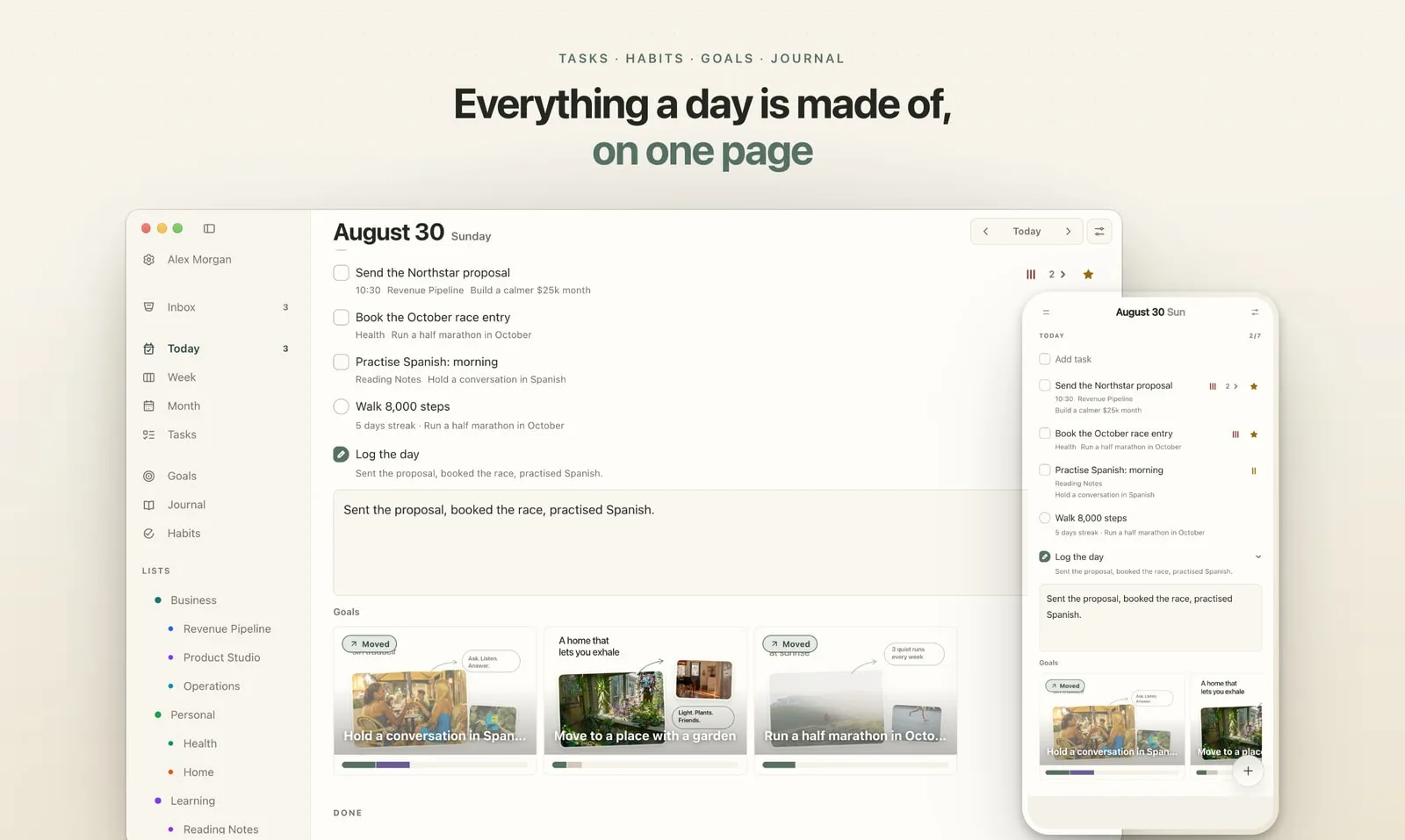
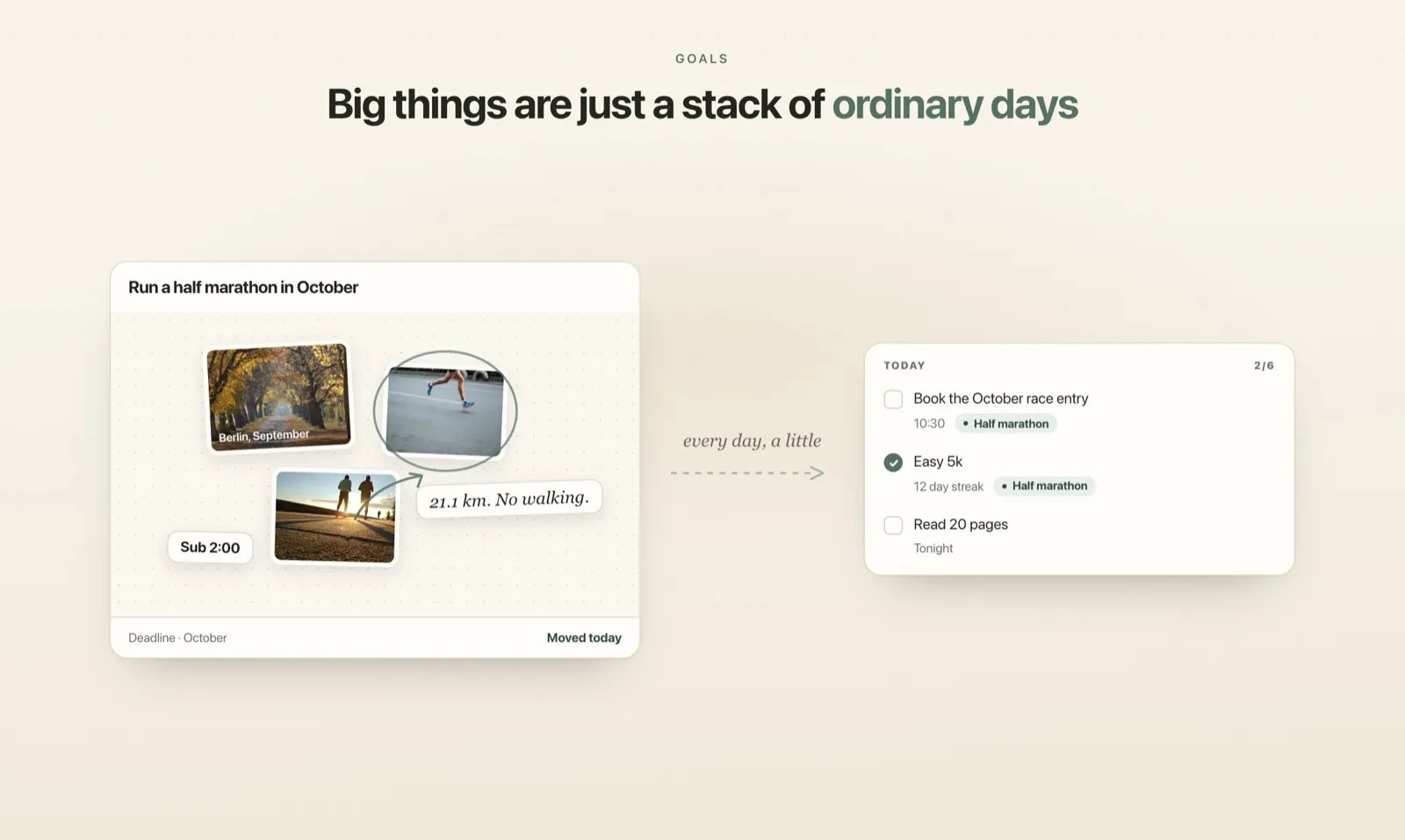
Plannedo is a daily planner where every goal is a canvas: photos, text, sticky notes, shapes and arrows, a deadline that can be a month or a quarter, and a line about why it matters. What makes it different from the rest of this list is that tasks and habits can belong to a goal. Tick off “Book the race entry” and the half-marathon goal is marked as moved for the day. In the evening, Log the day asks one question per goal (Moved, Thought or Not today), and a 28-day ribbon under each board shows which goals you work on and which you only think about.
It has no affirmations, music or slideshows, and the iPad uses the web version for now. See Goal boards for how the canvas works.
2. Perfectly Happy: slideshows with affirmations
- Best for: a guided morning ritual with images, affirmations and music.
- Runs on: iPhone, iPad, Apple Watch and Android.
- Price: $10.99 a month or $58.99 a year. Its own site mentions one free board, while several reviews describe it as trial only.
Perfectly Happy turns your images into a video slideshow with affirmations, music and voice, and adds a library of over 6,000 affirmations, widgets, daily reminders, a mood tracker, a gratitude journal and meditations. It has no goals, tasks or calendar. A few App Store reviews make the same point in their own words: it feels more like slides than a board.
3. Vision Board ++: affirmations and lock-screen widgets
- Best for: affirmations, with your board on the lock screen.
- Runs on: iPhone and iPad. Android has a waitlist only.
- Price: one board free; $4.99 a month or $18.99 a year (the App Store also lists other price points).
It offers AI-written affirmations, voice recordings, music slideshows, a gratitude journal, lock-screen widgets and iCloud sync. The streaks are for affirmations; there is no link to tasks or goals in a planning sense.
4. Horizons: goals with actions attached
- Best for: iPhone users who want a small action tracker under each goal.
- Runs on: iPhone and iPad.
- Price: $3.99 a month or $12.99 a year, with lifetime options.
Horizons gives each goal a board, a list of one-off and repeating actions, check-ins and a journal. It’s a goal app rather than a planner for the whole day, so the rest of your to-do list lives elsewhere. Its last update on the App Store was in November 2024.
5. Visuapp: free and simple
- Best for: a free, simple board with a visualization timer.
- Runs on: iPhone and iPad.
- Price: free, with one-time purchases from $0.99 to $4.99.
A plain board-maker with a timer for daily visualization. No goals and no tasks, and reviewers point out there is no backup. Last updated in September 2023.
6. Canva: design it yourself
- Best for: a printable board or a phone wallpaper.
- Runs on: web, iPhone, Android and desktop.
- Price: free; the free plan is enough for a vision board.
Canva isn’t a vision board app, but it shows up in nearly every roundup because its templates make a good-looking board in minutes. You design at phone-screen size and set it as your wallpaper, or print it. After that, it’s a picture.
7. Apple Freeform: free on every Apple device
- Best for: Apple users who want a free, flexible canvas.
- Runs on: iPhone, iPad, Mac and Vision Pro.
- Price: free. An optional Apple subscription adds stock content and AI images.
Freeform is Apple’s infinite whiteboard. Drop in photos, sticky notes, shapes and text, and it syncs through iCloud. It’s a strong free canvas with nothing attached to it: no goals, no reminders, no tasks.
8. Pinterest: collecting, not committing
- Best for: gathering images before you build a board elsewhere.
- Runs on: web, iPhone and Android.
- Price: free, with ads.
A Pinterest board is where many vision boards start. It’s an endless source of images, and also the place where boards are easiest to forget, because the feed pulls you toward new pins rather than back to your own.
9. Milanote: a visual workspace with to-dos
- Best for: creative people who already plan projects on visual boards.
- Runs on: web, iPhone, iPad and desktop.
- Price: free up to 100 cards; Pro is $9.99 a month billed yearly or $12.50 billed monthly.
Milanote boards can hold to-do lists with due dates and reminders, which puts it closer to action than most. It has no repeating tasks or habits, and it’s built for projects more than for personal goals.
10. Notion: build exactly what you want
- Best for: people who enjoy building their own system.
- Runs on: web, iPhone, Android and desktop.
- Price: free; Plus is $10 a month per member billed yearly on Notion’s site.
With one of Notion’s vision board templates, you can link a board to task databases, a calendar and a habit table. Everything is possible and nothing is set up for you, so it suits builders more than people who want to open an app and start.
Others I looked at
Several more apps carry names like “Vision Board 2027”, “Vision Board Maker” or “Why Vision Board”. Most lock their core features behind a subscription, and their App Store reviews repeat the same complaints: charged for a full year when a trial ended, boards lost after an update or a new phone. Dreamfora, which still appears in older roundups, is no longer available on the US App Store or Google Play.
What the reviews keep saying
Across the App Store reviews of these apps, four complaints come up again and again.
- Not really free. One free board, locked categories, or a paywall on the first screen.
- Trial billing. A free trial that quietly became a yearly charge.
- Lost work. Boards that disappeared after an update, a sync problem or a new phone.
- Nothing happens after the board. One 2026 review put it plainly: “No link between Vision Board and goal.” The reviewer went back to tracking goals in a spreadsheet.
The last complaint is the one that decides whether a board gets used. Images and affirmations keep a goal in view. Connecting it to dated tasks and a quick evening check keeps it moving.
FAQ
What is the best free vision board app?
Canva and Apple Freeform make a full board for free, and Pinterest is free for collecting images. Plannedo’s free plan includes one goal with a full board, linked to unlimited tasks and three habits. Visuapp is free with small optional purchases.
What is the best vision board app for iPhone?
For affirmations and slideshows, Perfectly Happy or Vision Board ++. For a board tied to your daily tasks and habits, Plannedo. For a free canvas that syncs with your Mac and iPad, Apple Freeform.
Is there a vision board app for Mac?
Yes. Plannedo has a Mac app with desktop widgets, Apple Freeform is free on the Mac, and Milanote, Canva and Notion have desktop apps. Most dedicated vision board apps are iPhone and iPad only.
Is there a vision board app for Android?
Perfectly Happy, Canva, Pinterest, Milanote and Notion all run on Android. Plannedo works on Android in the browser at plannedo.com.
Can I make my vision board my phone wallpaper?
Yes. Design the board in Canva at your phone’s screen size and set it as the wallpaper, or use an app with a lock-screen widget, such as Vision Board ++.
Do vision board apps actually work?
A board on its own, in an app or on paper, does little. Research on positive fantasy found that picturing only the finished goal can lower the energy you put into it. Boards work better when they include the main obstacle, an if-then plan and tasks on real days. The details are in Do Vision Boards Work?.