Best Things 3 Alternatives for iPhone and Mac in 2027
The best Things 3 alternatives for iPhone and Mac, compared on price, free plans, habits, goals and web access, plus how to move your tasks over.
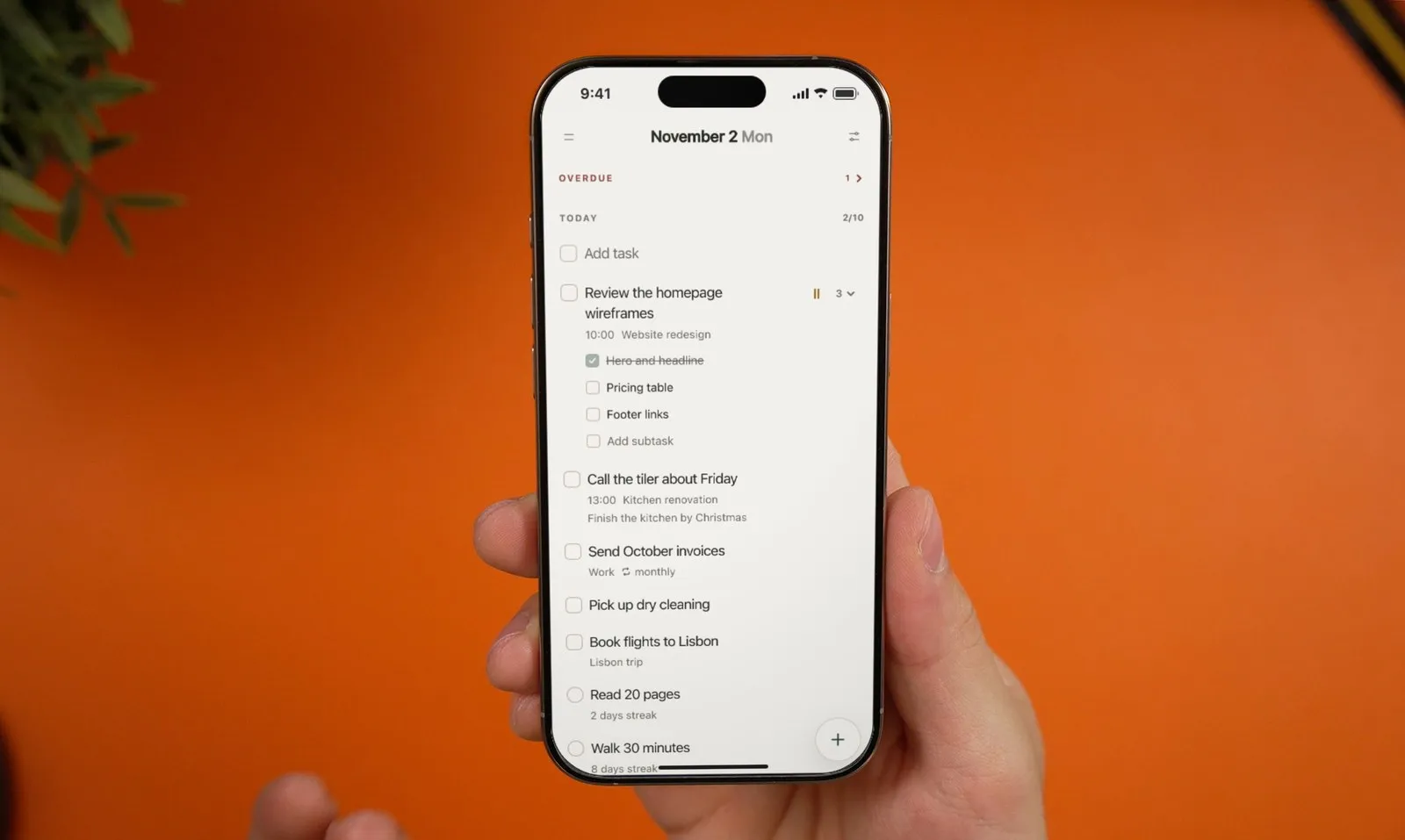
The best Things 3 alternative depends on why you’re leaving. If you want habits, a daily journal and goals next to your tasks, with a free plan and a web version for your work computer, try Plannedo (we build it). For a deeper Getting Things Done system on Apple devices, OmniFocus. For every platform, Windows and Android included, Todoist or TickTick. For free and already on your iPhone, Apple Reminders.
Things 3 is still the most polished to-do app on the Mac and iPhone, and it’s actively developed: version 3.23 in August 2026 reworked repeating to-dos, and 3.24 in September added support for iOS and macOS 27. So this isn’t a list of reasons Things is bad. It’s a guide to what to use when Things doesn’t do the job you need. Prices and features below were checked on November 2, 2026, against the US App Store and each developer’s own site.
Why people look for a Things 3 alternative
Things does a few things better than anyone: Quick Entry from anywhere on the Mac, a Today list with a This Evening section, your calendar events shown next to your to-dos, areas and projects with headings, and free sync through Things Cloud. People leave for reasons outside that core:
- It’s only a to-do list. There’s no habit tracker, no journal and no goals. If you track habits in one app and goals in another, you have three places to look every morning.
- You pay per device, with no free version. Things costs $49.99 on the Mac, $9.99 on the iPhone, $19.99 on the iPad and $29.99 on Apple Vision Pro, each a one-time purchase. The only trial is 15 days on the Mac.
- It’s Apple-only. Cultured Code lists where Things doesn’t run: Windows, Android, Linux and the web. If your work computer is a Windows PC, your tasks stay at home.
- There’s no sharing. Things doesn’t support shared to-dos or lists.
- Upcoming is a list, not a calendar. There’s no week or month grid to see where your days are full.
Things 3 alternatives at a glance
| App | Best for | Runs on | Price (US) | Free plan |
|---|---|---|---|---|
| Plannedo | Tasks, habits, journal and goals in one app | iPhone, Mac, web (any browser) | Pro $7.99/mo, $79.99/yr or $119.99 once | Yes: unlimited tasks, 3 lists, 3 habits, 1 goal |
| OmniFocus 4 | A full GTD system | iPhone, iPad, Mac, Watch, Vision Pro, web | $74.99 or $149.99 once, or $99.99/yr | 2-week trial |
| Todoist | Every platform, simple and fast | iPhone, iPad, Mac, Windows, Android, Linux, web | $5/mo billed yearly on its site; $59.99/yr in the App Store | Yes: 5 projects |
| TickTick | Tasks, habits and calendar everywhere | iPhone, iPad, Mac, Windows, Android, Linux, web | $49.99/yr or $4.99/mo | Yes: 9 lists, 99 tasks each, 5 habits |
| Apple Reminders | Free, built in, shareable | iPhone, iPad, Mac, Watch, iCloud.com in a browser | Free | Free |
| Structured | A visual timeline of your day | iPhone, iPad, Mac, Android, web | Varies by region; $99.99 lifetime in the US App Store | Yes |
| Microsoft To Do | Free on every platform | iPhone, iPad, Mac, Windows, Android, web | Free | Free |
| Superlist | Shared lists with others | iPhone, iPad, Mac, Android, web | $59/yr | Yes: 5 lists |
| Things 3, for comparison | Polished task lists on Apple devices | iPhone, iPad, Mac, Watch, Vision Pro | $49.99 Mac, $9.99 iPhone, $19.99 iPad, once each | 15-day trial on Mac |
1. Plannedo: tasks, habits, a journal and goals in one place
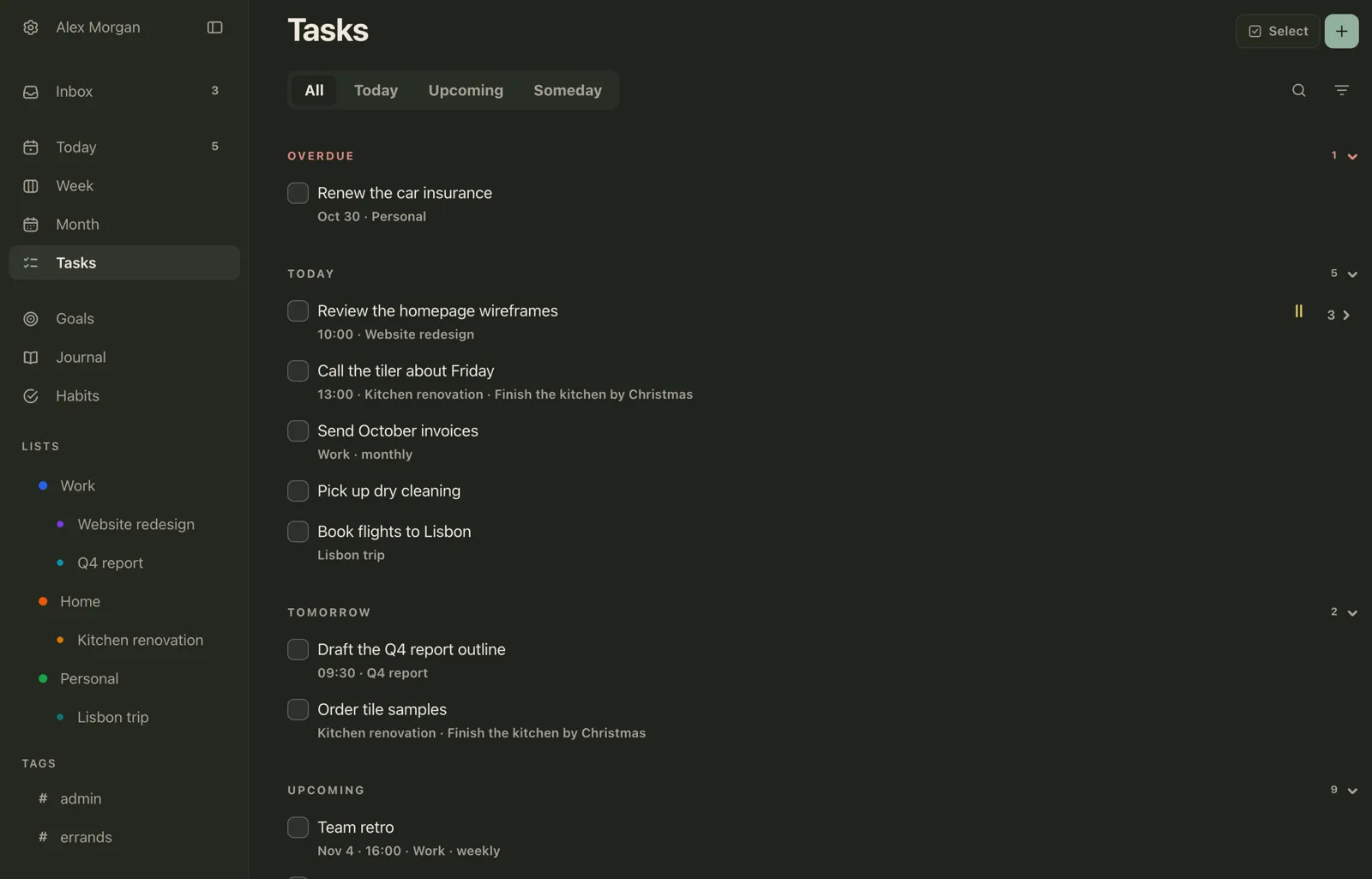
Plannedo is a planner for people who like Things’ calm, but want the rest of their day in the same app. Tasks, habits, a one-line journal and goals with photo boards live together, and the day is one page, Today: the tasks first, then the habits, then a line about how the day went. It’s on the iPhone and Mac, and the same account opens in any browser, so a Windows PC at work or an iPad in Safari sees the same list.
The Things shapes you know carry over:
| In Things | In Plannedo |
|---|---|
| Inbox | Inbox, with Today, Schedule and Someday buttons on each item |
| Today | Today, with a time on any task |
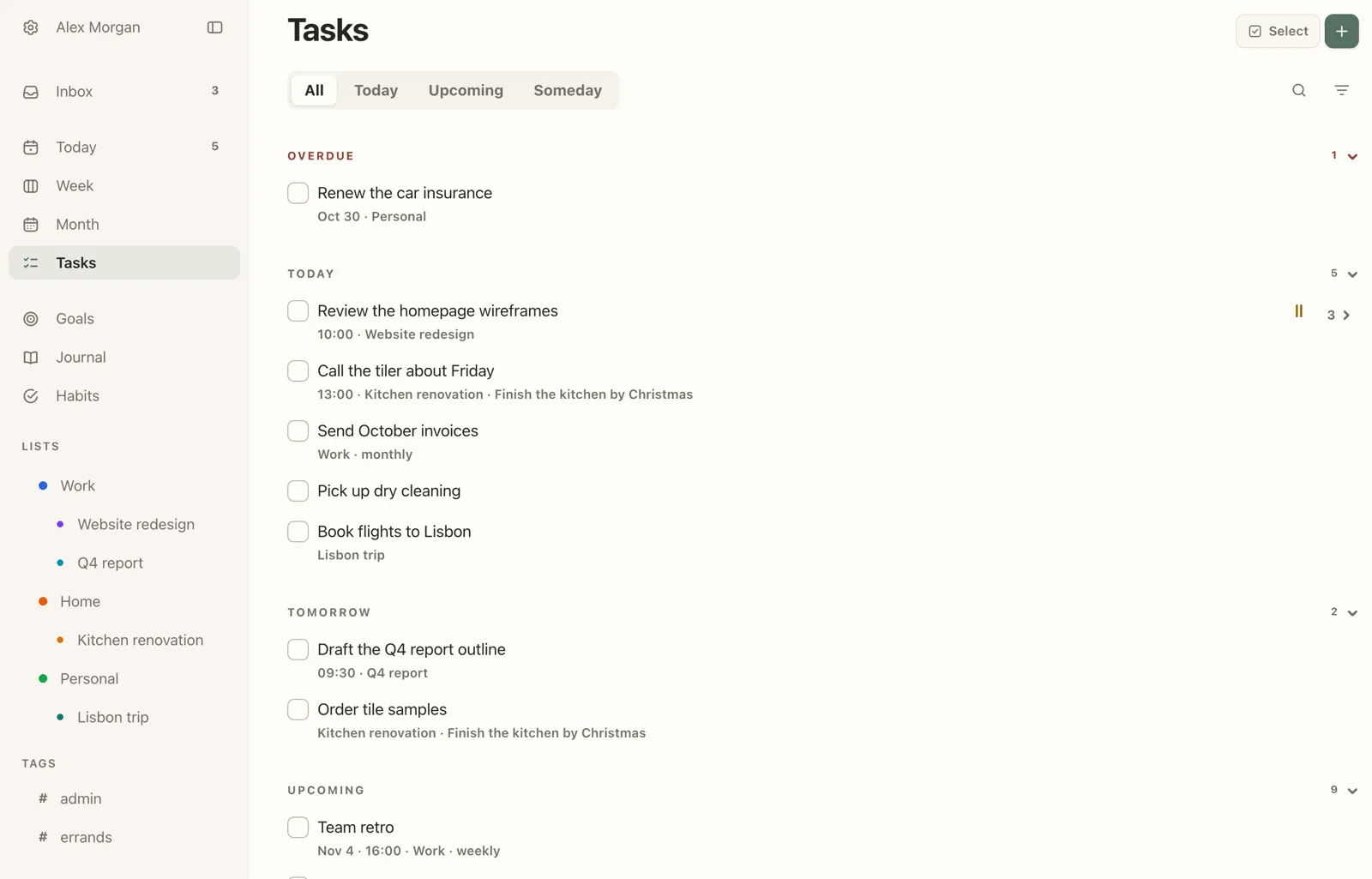
| Upcoming | Upcoming on the Tasks screen, plus Week and Month grids |
| Someday | Someday on the Tasks screen |
| Areas and projects | Lists, each with one level of sub-lists |
| Checklists | Subtasks |
| Tags | #tags |
| Repeating to-dos | Repeating tasks |
| Quick Entry | ⌘N in the Mac app, or Siri through Apple Reminders sync |
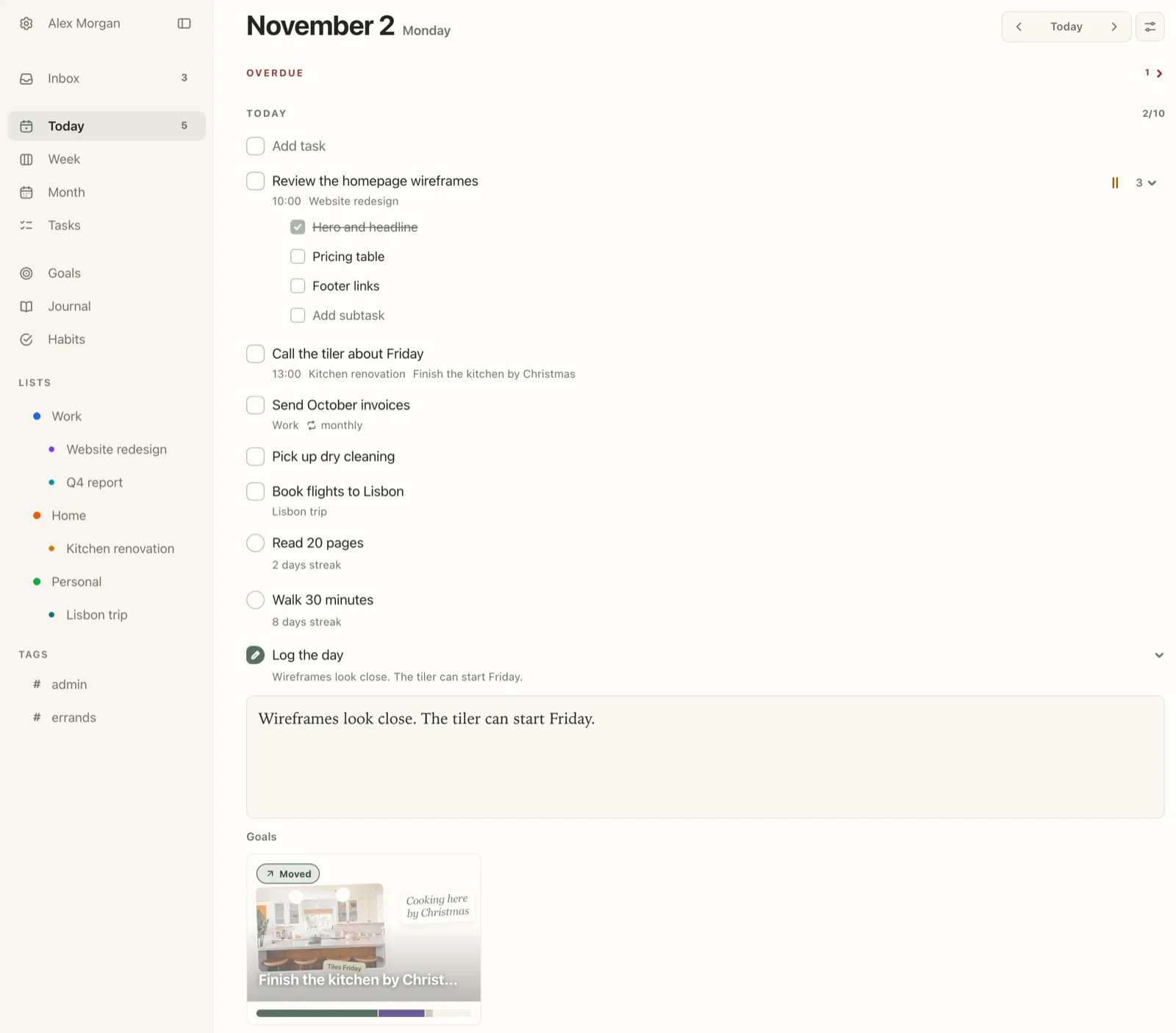
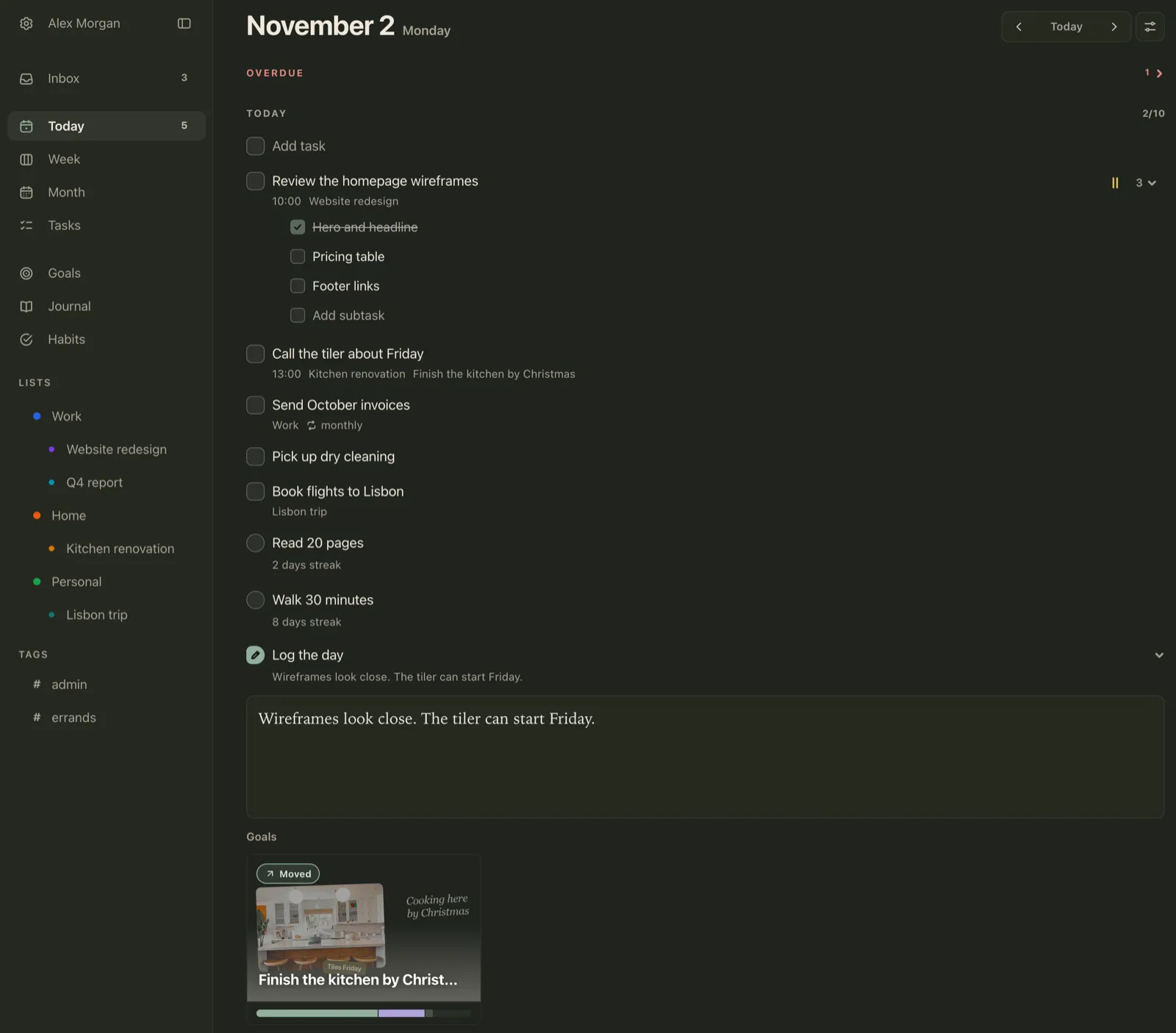
What it adds over Things: a habit tracker, a daily journal with an evening check-in for each goal, goals with photo boards, Week and Month calendar grids, a web version and a free plan. Sync with Apple Reminders brings tasks you dictate to Siri into Plannedo.
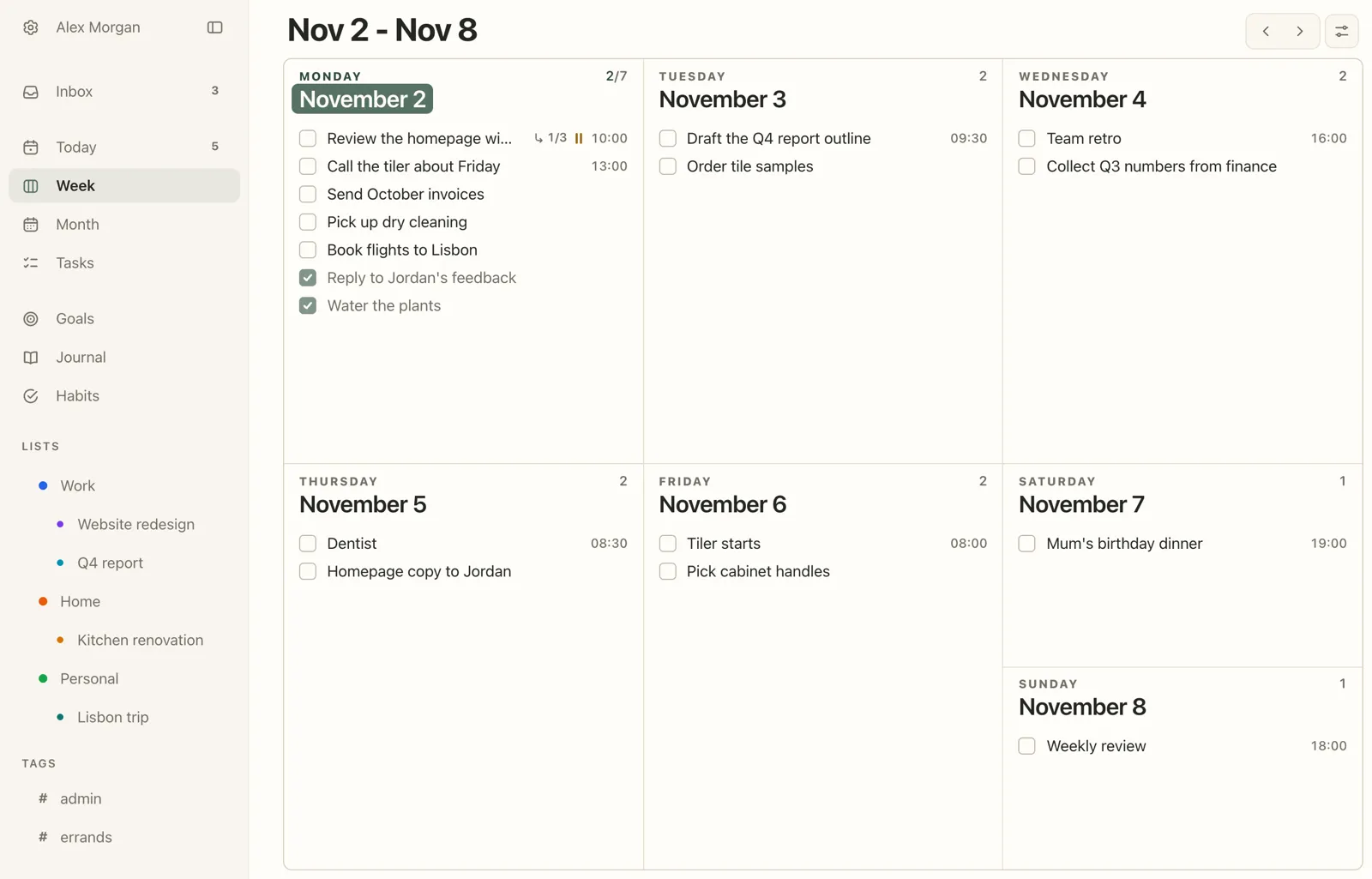
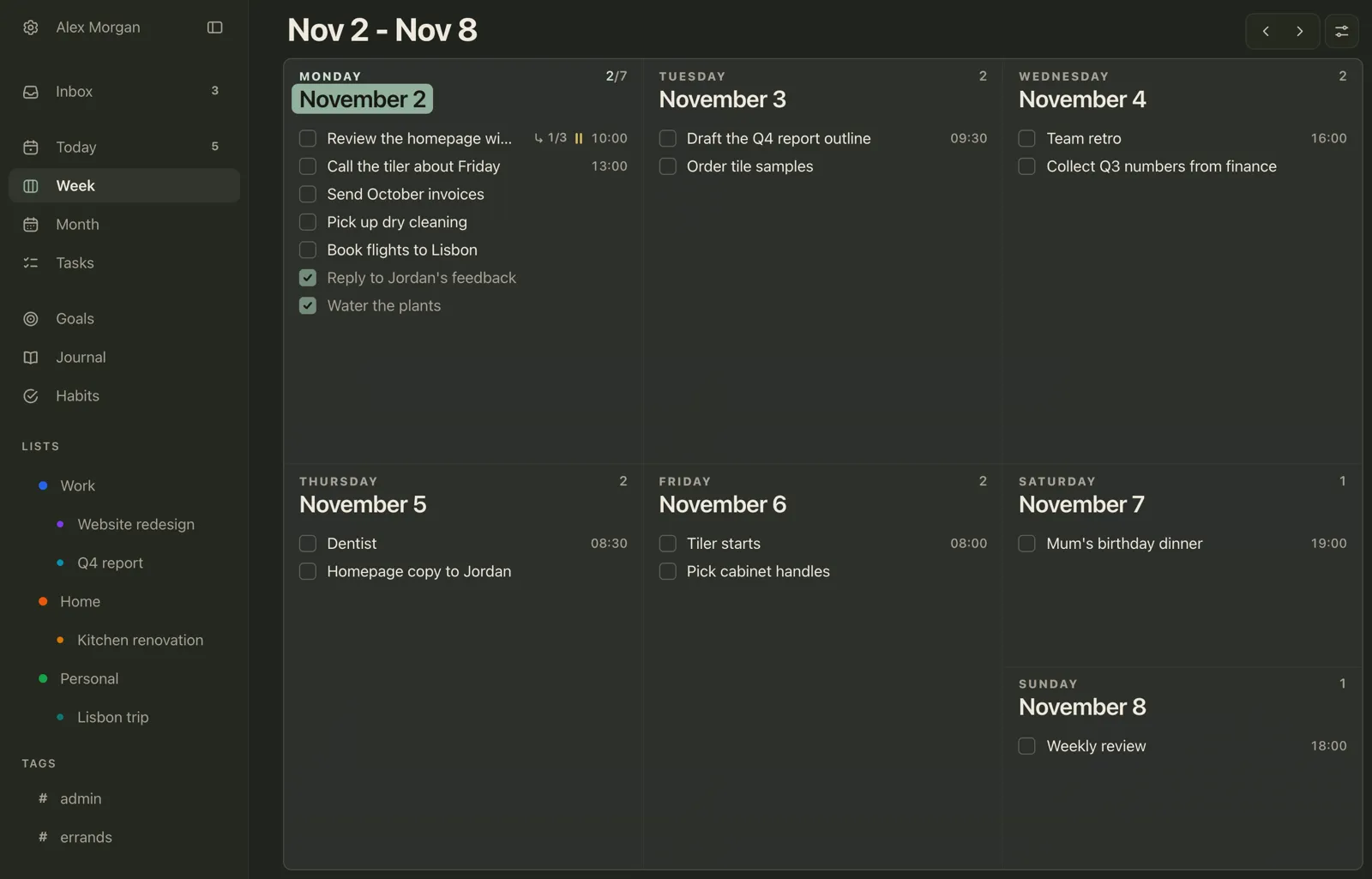
Price: the free plan has unlimited tasks, 3 lists, 3 habits, a journal every day and one goal. In the App Store, Pro is $7.99 a month, $79.99 a year or $119.99 once, for unlimited lists, habits and goals plus reminders. It works on your iPhone, Mac and the web from one purchase. On an iPad, Plannedo runs in Safari.
More in the help centre: the Inbox, lists and tags, Plannedo on the Mac and sync with Apple Reminders.
2. OmniFocus 4: the full GTD system
OmniFocus is where people go when Things feels too simple. It’s built for David Allen’s Getting Things Done: projects that can be sequential or parallel, tags, a Review mode that walks you through every project on a schedule, and a Forecast view that lays your due dates next to your calendar. It runs on the iPhone, iPad, Mac, Apple Watch and Vision Pro, and on the web.
The catch is the learning curve and the price. Standard is $74.99 once and Pro is $149.99 once, both universal across Apple devices, or there’s a $99.99 yearly subscription. The web version comes with the subscription; with a one-time license it’s an extra $4.99 a month or $49.99 a year. There’s a two-week trial.
3. Todoist: every platform, simple and fast
Todoist is the most common pick for people who need their tasks on Windows or Android too. It’s as quick to type into as Things, understands dates in plain English (“every other Monday at 9”), and runs on the iPhone, iPad, Mac, Windows, Android, Linux and the web. Projects can be shared with other people.
The free plan has 5 personal projects and 3 filter views. Pro is $5 a month billed yearly or $7 month to month on Todoist’s site, and $6.99 a month or $59.99 a year in the App Store. There’s no habit tracker or journal, and no direct import from Things.
4. TickTick: tasks, habits and a calendar everywhere
TickTick packs the most into one app: tasks with lists and tags, day, week and month calendar views, a habit tracker and a Pomodoro timer. It runs on every platform, including Windows, Android and Linux, plus the web.
The free plan allows 9 lists with 99 tasks each and 5 habits. Premium is $49.99 a year, or $4.99 a month in the App Store. The trade-off for having everything is a busier screen than Things, and there’s no journal or goal board.
5. Apple Reminders: free and already on your iPhone
Reminders has grown into a capable task app. It has lists with sections that can show as columns, Smart Lists filtered by tags, dates, location, flags and priority, subtasks, early reminders, and grocery lists that sort themselves into categories. Lists can be shared with other people, which Things can’t do, and Siri adds to it from anywhere.
It’s free on the iPhone, iPad, Mac and Apple Watch, and on iCloud.com in a browser on Windows. What it lacks is Things’ sense of a planned day: there’s no Today with an evening, no projects with headings. Our Apple Reminders alternatives guide covers the apps that sync with it.
6. Structured: a visual timeline of your day
Structured lays out the day as a timeline of blocks, with tasks and calendar events side by side, which suits people who think in hours rather than lists. It runs on the iPhone, iPad, Mac, Apple Watch, Android and the web.
The free version is generous, with recurring tasks, calendar import and some other features on Pro. Pro prices vary by region; in the US App Store, lifetime Pro is $99.99, and monthly and yearly options are listed at several prices.
7. Microsoft To Do: free on every platform
Microsoft To Do is a clean, free list app with My Day, steps inside tasks, due dates, reminders and shared lists. It runs on the iPhone, iPad, Mac, Windows, Android and the web, and connects to Outlook tasks. It’s the simplest free answer if you need a Things-like list on a Windows PC. Microsoft still updates it, though its newer work goes into Planner and Outlook.
8. Superlist: lists you share with other people
Superlist is a modern list app built around sharing: invite people to a list and work through it together. It runs on the iPhone, iPad, Mac, Android and the web; on Windows you use the web app. The free plan includes 5 lists, private or shared, with up to 5 people. Basic is $59 a year.
Things 3 alternatives by what you need
- For the Mac and iPhone only: Plannedo if you want habits, a journal and goals too; OmniFocus if you want more structure; Apple Reminders if you want free. Planners with calendar views are compared in best planner apps for Mac and iPhone.
- Free: Apple Reminders and Microsoft To Do are free outright. Plannedo, Todoist and TickTick have free plans.
- For Windows and Android: Things doesn’t run there. Todoist and TickTick have native apps on both, and Microsoft To Do is free on both. Plannedo, Superlist and Structured open in a browser on a Windows PC.
- With a habit tracker: Plannedo, TickTick and Structured. Dedicated trackers are in best habit tracker apps.
- One-time price: OmniFocus, and Plannedo’s lifetime Pro in the App Store.
- For sharing: Todoist, Superlist, Apple Reminders and Microsoft To Do.
How to move from Things 3
Things has no export to CSV or JSON. Cultured Code’s own options are printing a list to PDF on the Mac, Shortcuts, AppleScript, or a copy of its database. None of the apps above imports from Things directly; Things itself only imports, from Reminders, Todoist and OmniFocus. So most people move by hand, and that turns out to be a good moment to clean up.
- Print what you have. On the Mac, print your areas and projects to PDF, so you have the full list in front of you.
- Recreate areas and projects first. In Plannedo, an area becomes a list and each project a sub-list.
- Move only what’s open. Start with Today and the next two weeks, then each project’s open to-dos. Leave the Logbook in Things.
- Set up repeats again. Bills, reviews and chores: give each its repeat in the new app as you move it.
- Use the Inbox for the rest. Type every loose item into the Inbox in one go, and sort it the next morning.
- Keep Things for a week. Don’t delete it until you’ve gone a week without opening it.
FAQ
What is the best alternative to Things 3?
It depends on why you’re leaving. For tasks plus habits, a journal and goals in one app on the iPhone, Mac and the web, Plannedo, which has a free plan with unlimited tasks. For a deeper GTD system on Apple devices, OmniFocus. For Windows and Android as well, Todoist or TickTick. For free and built in, Apple Reminders.
Is there a free alternative to Things 3?
Yes. Apple Reminders and Microsoft To Do are free, and Plannedo, Todoist and TickTick have free plans. Things itself has no free version, only a 15-day trial on the Mac.
Is Things 3 available on Windows or Android?
No. Things runs only on the Mac, iPhone, iPad, Apple Watch and Apple Vision Pro. For Windows and Android, Todoist and TickTick have native apps, and Microsoft To Do is free on both.
Does Things 3 have a web version?
No. Cultured Code doesn’t offer Things in a browser. Plannedo, Todoist, TickTick, Microsoft To Do and OmniFocus (with its subscription) all have web versions.
Is Things 3 a one-time purchase?
Yes, per device: $49.99 on the Mac, $9.99 on the iPhone (the Apple Watch app is included), $19.99 on the iPad and $29.99 on Apple Vision Pro, in US dollars. There’s no subscription, and Things Cloud sync is free.
Can you export tasks from Things 3?
Not to CSV or JSON. On the Mac you can print a list to PDF, and you can get at your data with Shortcuts or AppleScript. Other task apps don’t import from Things directly, so most people move their open tasks by hand.
Which Things 3 alternative has a habit tracker?
Plannedo and TickTick both track habits next to your tasks. Plannedo also has a daily journal and goals with photo boards, and its free plan includes three habits.
Is Things 3 still being updated?
Yes. Version 3.23 in August 2026 reworked repeating to-dos, 3.24 in September added support for iOS and macOS 27, and 3.25 followed in October.
Sources
Prices and features were checked on November 2, 2026, on the US App Store pages for Things 3 for Mac, Plannedo, TickTick, Todoist and Structured, and on the developers’ sites: Cultured Code’s support articles on buying Things, the trial and exporting data; TickTick Premium; Todoist pricing; OmniFocus pricing; Apple’s Reminders User Guide and iCloud.com browser requirements; and Superlist pricing.
Photo credits
The cover photo is by Daniel Romero on Unsplash. The photo on the goal board is by roam in color on Unsplash.