ADHD Planner: How to Set One Up That Sticks (Free Printable)
How to set up an ADHD planner you keep using: one place for everything, three things a day with a first step and a time, a weekly plan, and a free printable.
An ADHD planner is any planner set up around the parts of planning that ADHD makes hard: holding everything in your head, getting started, judging time, and coming back after a day you skipped. It doesn’t have to be a special product. What helps is the method. The skills programs for adults with ADHD that did well in randomized trials teach a similar set: one place for tasks and appointments, priorities, big tasks broken into steps, awareness of time, and reminders. A planner is where those skills live.
Below is that method in six steps, a five-minute daily routine, a five-minute Sunday set-up, how to choose between paper and an app, and a free printable with a day on one side and the week on the other. It’s planning advice, not medical advice: a planner works alongside treatment, not instead of it.
What is an ADHD planner?
An ADHD planner is a planner, paper or digital, set up to do the remembering, choosing and timekeeping that ADHD makes hard. Planners sold for ADHD mostly differ from ordinary ones in layout: fewer things per day, a column for time, room to empty your head, undated pages. You can get the same layout from a printable or from an app you already use.
ADHD isn’t rare in adults. A 2021 global meta-analysis estimated that about 2.6% of adults have ADHD that began in childhood, and about 6.8% have significant ADHD symptoms whenever they began. It affects executive functions, the skills that turn an intention into action: planning, starting, keeping track of time, holding a task in mind while you do it.
Russell Barkley, one of the best-known ADHD researchers, describes ADHD less as a problem of knowing what to do than of doing it at the moment it’s needed. His advice follows from that: put the help at the point of performance, the time and place where the task should happen, and make information, time and motivation visible there. A planner open on the desk, a reminder that goes off at 10:00 and a first step written next to the task all do exactly that.
Time is part of it too. In lab studies, people with ADHD judge short intervals less accurately and less consistently than their peers, on average: a 2022 meta-analysis of 27 studies in children and teens found moderate differences, and a 2024 meta-analysis across all ages reached the same conclusion. Nobody has measured directly how that turns into running late in everyday life, but it’s one more reason to put time on paper instead of keeping it in your head.
Do planners help with ADHD?
No study has tested a planner on its own. Planners show up in the research as one tool inside coached skills programs, and those programs have done well:
- Adults on medication. In a trial with 86 adults who still had symptoms despite medication, 12 sessions of cognitive behavioral therapy beat relaxation training with education (Safren and colleagues, 2010). The first module trained a calendar and task-list system and breaking overwhelming tasks into steps. 53% of the CBT group improved clearly on a clinician’s rating, against 23%, and people who responded mostly kept their gains at follow-up up to a year from the start.
- Adults in a group. In a trial with 88 adults, a 12-week group program that started with how to use a planner, then moved on to time awareness, scheduling, prioritizing and breaking tasks into parts, clearly helped 42% of participants, against 12% with supportive therapy (Solanto and colleagues, 2010). Those who did the exercises between sessions improved more.
- Children and teens. Programs built around an assignment record, calendars and binders, with a teacher or counselor checking the planner and small rewards for using it, produced large gains in parent-rated organization (Abikoff and colleagues, 2013; Langberg and colleagues, 2018). The larger school trial found no difference in grades, though.
Two cautions. A 2018 Cochrane review rated the evidence for CBT in adults with ADHD as low quality and mostly short term, and a 2017 meta-analysis found a small-to-medium effect against control conditions, smaller still against active treatments. And none of these trials can say how much of the benefit came from the planner itself. What we do know is that adults with ADHD, across 35 qualitative studies, describe leaning on fixed routines, to-do lists and reminder apps to create structure (Ginapp and colleagues, 2022).
So the honest answer: a planner helps as part of a method. The six steps below copy that method from the programs.
How to set up an ADHD planner in 6 steps
1. Keep one place for everything
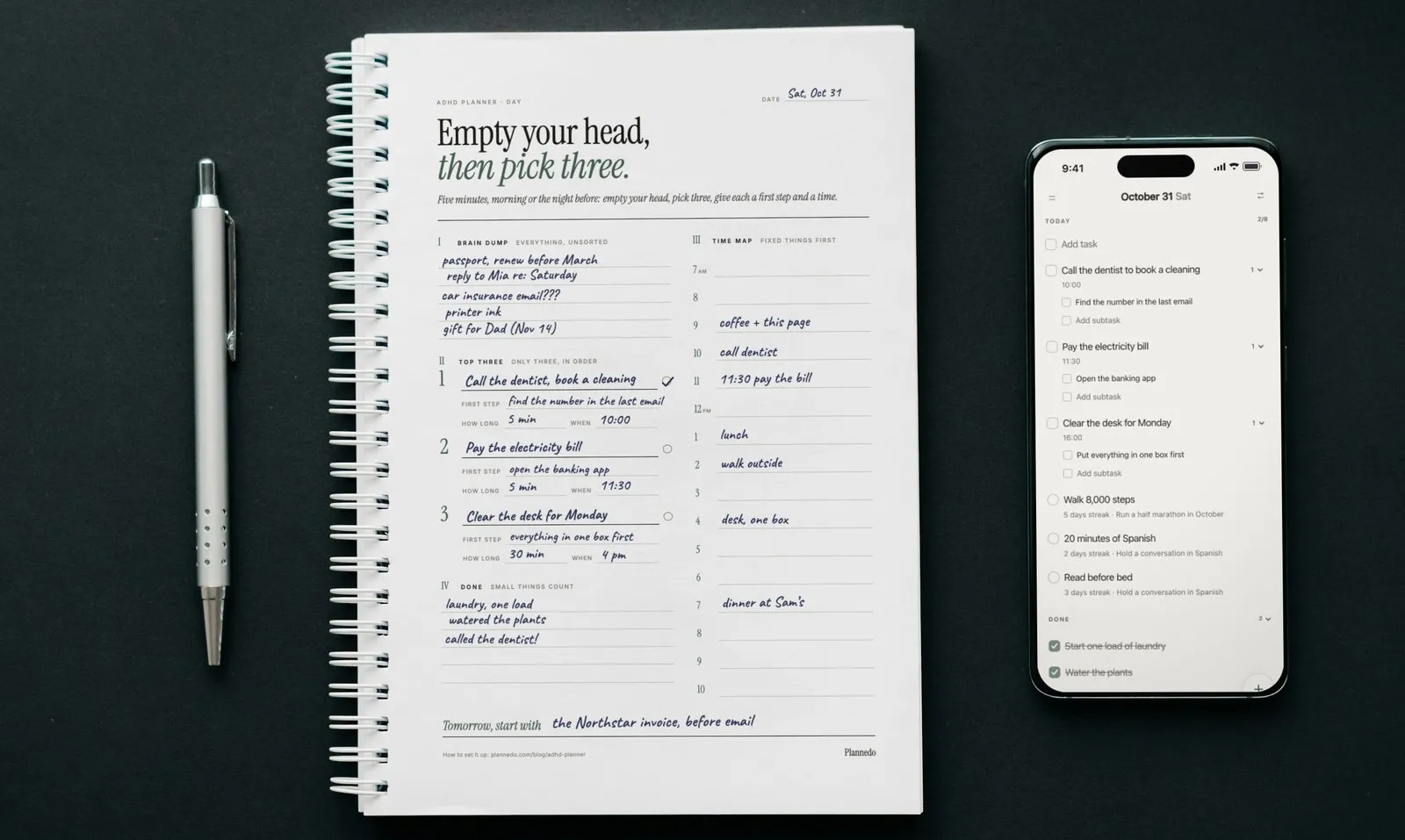
Write every task, appointment and stray thought in one place: one planner or one app, not a notebook, three sticky notes and a calendar. The program in the 2010 JAMA trial taught a single calendar and task-list system, and a later module taught writing a distraction down instead of acting on it. With one place, you never have to remember where you wrote something. On the printable this is the brain dump: everything, unsorted. Our brain dump guide covers how to do one and how to sort it.
2. Pick three things for the day
From the dump, choose up to three things that matter today and number them. Everything else stays in the dump or goes to another day. Three is our rule of thumb rather than a number from a study. The programs teach prioritizing, and a short list you finish makes tomorrow’s planning easier to face than a long list you don’t.
3. Give each one a first step
Write the first physical action, small enough to start in two minutes: “find the number in the last email”, not “call the dentist”. Solanto’s program repeated short cue phrases through the sessions, and one of them sums up this step: “if I can’t get started, the first step is too big.”
4. Give each one a length and a time
Estimate how long each thing takes, then give it a slot on the day’s time map, after the fixed things like appointments and calls. Afterwards, check the estimate against what happened. Tracking how long tasks take was part of the children’s program in the 2013 trial, and a Swedish trial with children aged 9 to 15 found that time training with visual timers and day schedules improved parents’ ratings of their daily time management, though not the children’s own ratings (Wennberg and colleagues, 2018). Leave gaps between slots: a day planned to the minute breaks on the first surprise.
5. Put the cue where the task happens
A plan you have to remember to look at isn’t working for you yet. Put the cue at the point of performance: a reminder at the task’s time, the planner open on the desk, the bag for the post office by the door. An if-then plan does the same in words: “If it’s 10:00, then I call the dentist.” In lab experiments, children with ADHD who added an if-then plan to a goal were better at stopping a response and at waiting for a bigger reward (Gawrilow and Gollwitzer, 2008; Gawrilow and colleagues, 2011). That’s a promising result, not yet tested in everyday life.
6. Look at the planner at the same time every day
Pick a fixed moment, with the first coffee or before you close the laptop, and spend five minutes: tick off what’s done, move what isn’t, choose tomorrow’s three. Regular checks were part of the children’s programs: in the school program, the counselor looked at the student’s planner at every session. For an adult, a fixed moment and a daily reminder do that job.
When you miss a day, or a week
Don’t fill in the gaps. Start from today: move what still matters, drop what doesn’t, and write down a few things you did get done, which is the quickest way back in (that’s the idea behind a ta-da list). It’s also why the printable is undated. A skipped day leaves no empty page to feel bad about.
An ADHD daily planner: the five-minute routine
The front of the printable is one day. Fill it in the morning, or the night before if mornings are rushed; our post on planning your day the night before explains why the evening often works better.
| Part | What to write | Time |
|---|---|---|
| I. Brain dump | Everything on your mind, unsorted: tasks, errands, worries, ideas | 2 minutes |
| II. Top three | Up to three things for today, in order, each with a first step, how long and when | 1 to 2 minutes |
| III. Time map | Fixed things first, then a slot for each of the three, with gaps | 1 minute |
| IV. Done | Everything you finish during the day, small things included | as you go |
| Tomorrow, start with | The first thing for tomorrow, written before you stop | 30 seconds |
Keep the page where you’ll see it: open on the desk, not in a bag. Tick the ring next to each of the three when it’s done.
An ADHD weekly planner: the five-minute Sunday set-up
The back of the printable is the week. It’s deliberately thin, because a week planned in detail tends to fall apart by Tuesday.
- What matters most this week. One line: the thing that would make the week a good one.
- Fixed things. Appointments, deadlines, calls, for each day. They decide how much room is left.
- One thing a day. One main thing for each day, small enough to fit around the fixed things. On the day itself, it becomes one of your three.
- Brain dump for later this week. Things you don’t want to forget but don’t need to place yet.
- Look back on Sunday. Three questions: What worked? What got in the way? One change for next week.
The page itself says it plainly: missed a few days? Don’t fill in the gaps, start again from today’s row. For a longer weekly routine, see how to plan your week and our weekly review template.
Paper or app: which is better for ADHD?
Neither wins on its own. They’re good at different things:
| Paper planner | Planner app | |
|---|---|---|
| Always in view | Yes, if it stays open on the desk | Only when you open it, or through a widget |
| Reminder at the right moment | No | Yes |
| With you everywhere | Easy to leave at home | On your phone |
| Distractions | None | The phone is full of them |
| Moving a task to another day | Rewrite it | One tap |
| Repeating tasks | Rewrite them | Set once |
Many people with ADHD do best with both: paper for today, open on the desk, and an app for reminders, repeating tasks and everything further out. If you pick one, pick the one you’ll open again tomorrow.
What to look for in an ADHD planner
If you’re choosing a planner, paper or digital, these features matter more than the design:
- Undated pages or easy restarts, so a missed day doesn’t leave a hole.
- Little room per day. Space for three priorities, not twenty.
- Time on the page: an hour column or a time map, not only a list.
- A brain dump area, so stray thoughts have somewhere to go.
- A weekly view with room for fixed things.
- Reminders and a widget, if it’s an app, so the plan finds you.
- The same list on your phone and computer, if you work on both.
- Less on screen. A way to fold or hide what you don’t need today, so the day isn’t buried under everything else.
- No penalties. Streaks and red overdue counts that shame you into quitting do more harm than good.
ADHD planners for kids and teens
For children, a planner works when an adult is part of the system. In the trials above, a teacher initialled the daily assignment record, a parent or counselor checked the planner regularly, and children earned small rewards for using it. Start with one thing to record, usually homework and due dates, look at it together every day, and hand over the checking gradually as the habit takes hold.
Common ADHD planner mistakes
- Buying a new planner instead of using the one you have. The setup matters more than the paper.
- Planning the day you wish you had. Twelve tasks when you usually finish four.
- Tasks without a time. A list with no slots slides to “later”.
- Keeping it closed. A planner in a bag can’t remind you of anything.
- Several places for tasks. Every extra place is one more thing to check.
- Starting over after a bad week. Skip the gaps and carry on from today.
An ADHD planner in Plannedo
We think Plannedo suits ADHD unusually well, and not because of a special ADHD mode. It’s because it’s simple. Tasks, habits, a journal and goals live in one app, so there’s one place to look. The day is one page, Today, in the order you live it: tasks first, then habits, then a line about how the day went. There are no points, levels or confetti, nothing to configure before your first task, and whatever you don’t use, you switch off. That’s the six steps above without the setup cost.
This is how we’d set it up.
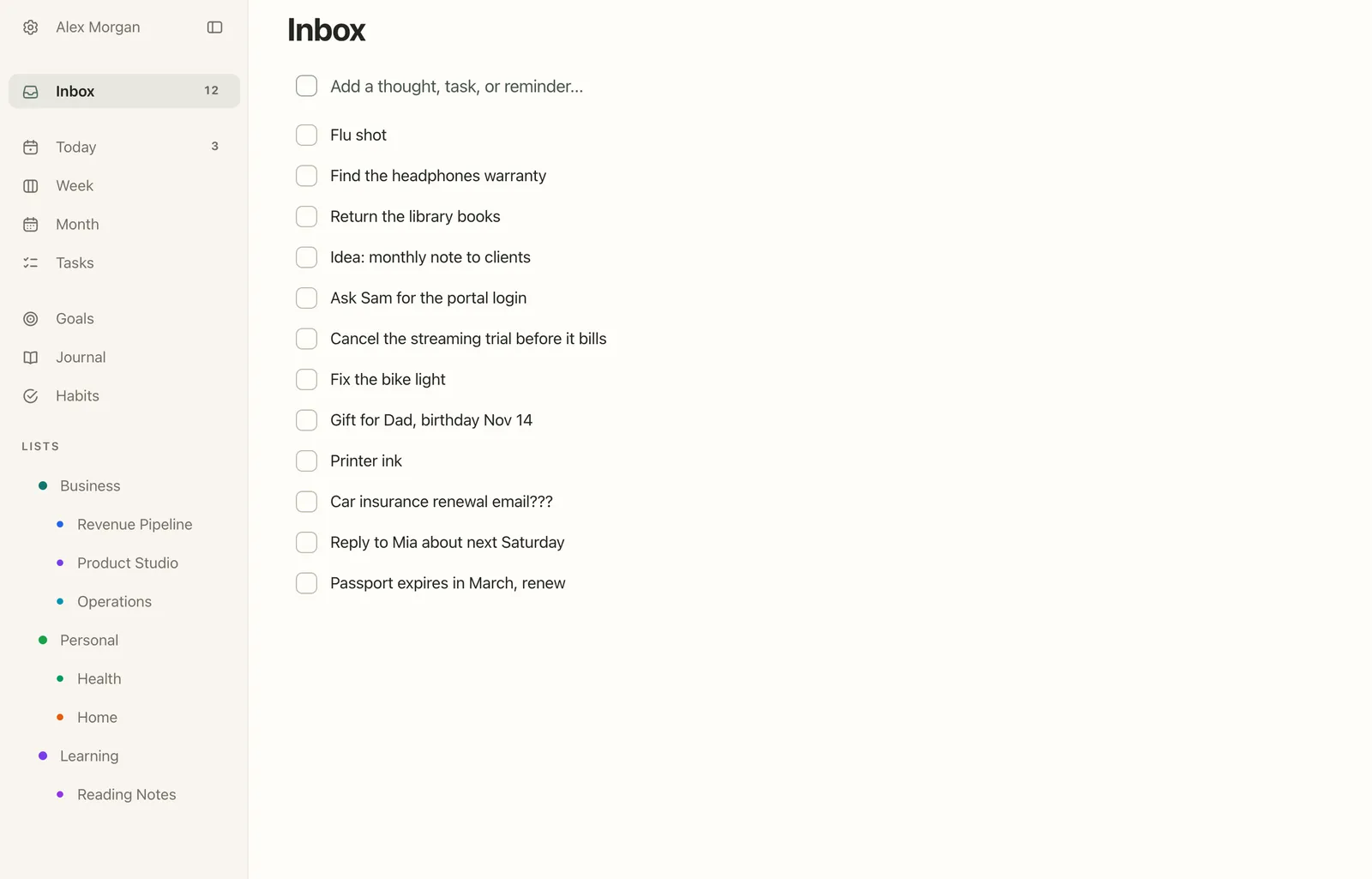
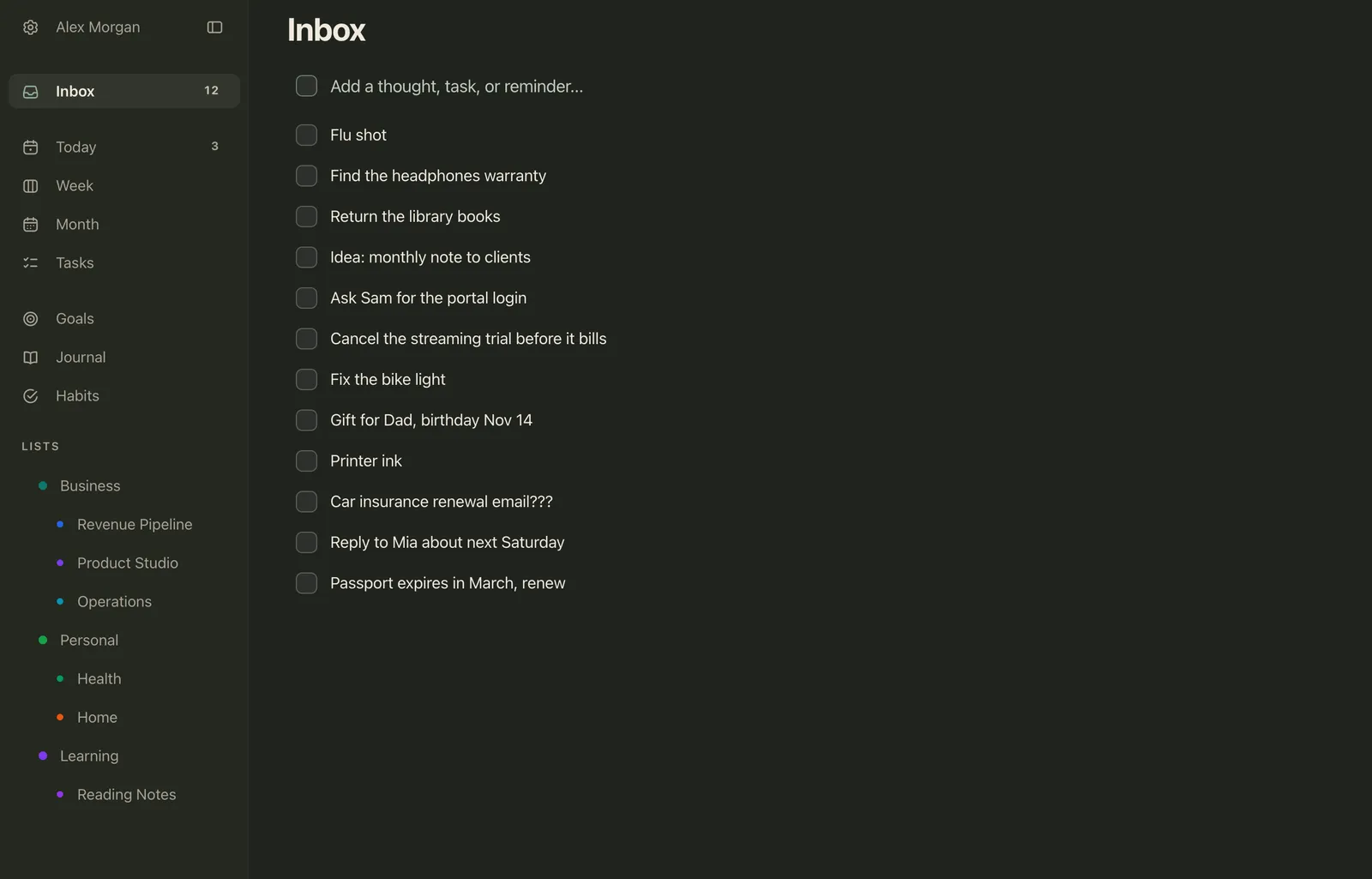
One place for everything: the Inbox. Type a line and press Enter, and the field stays ready for the next one, so you can empty your head in one go and sort later with Today, Schedule or Someday. See Inbox.
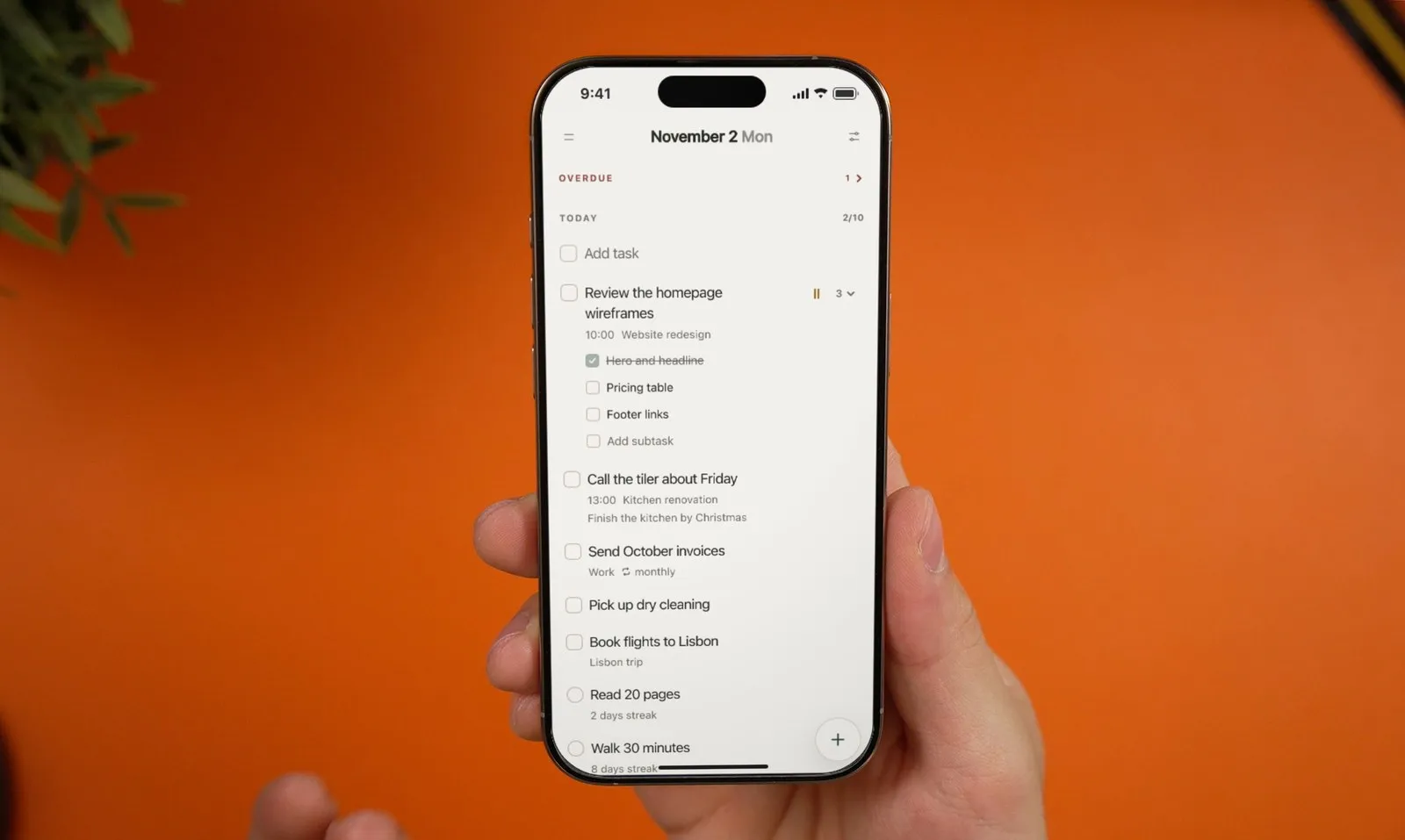
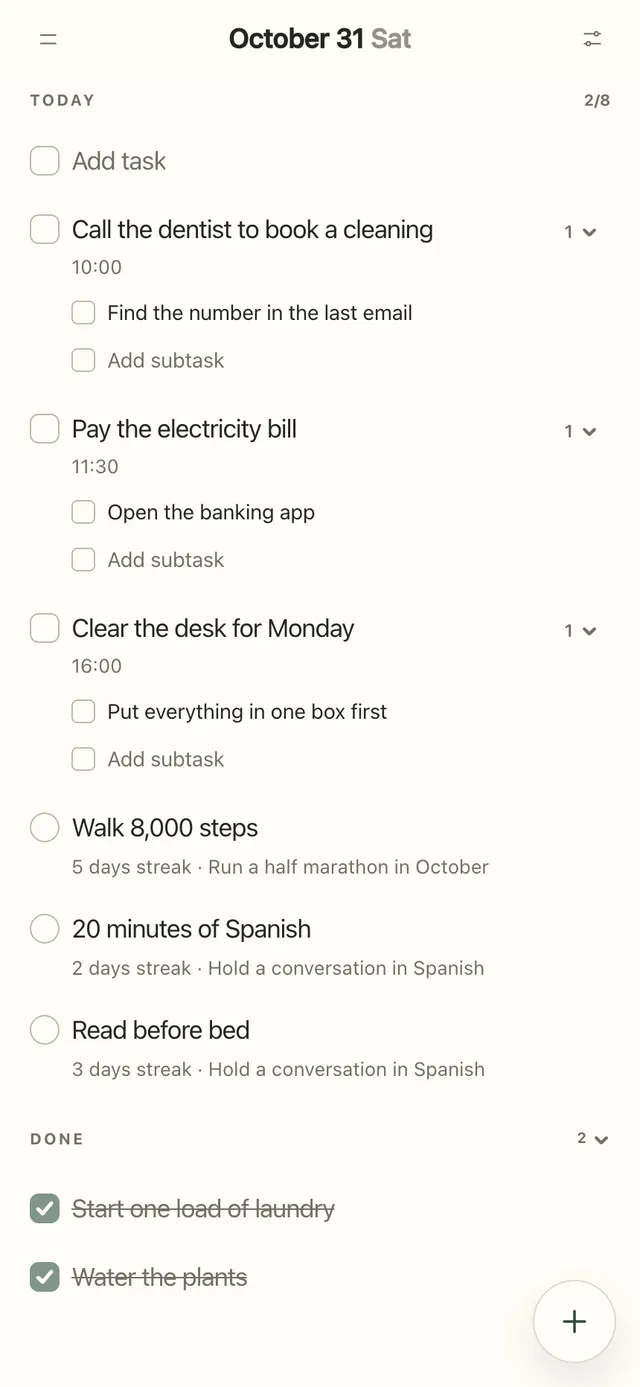
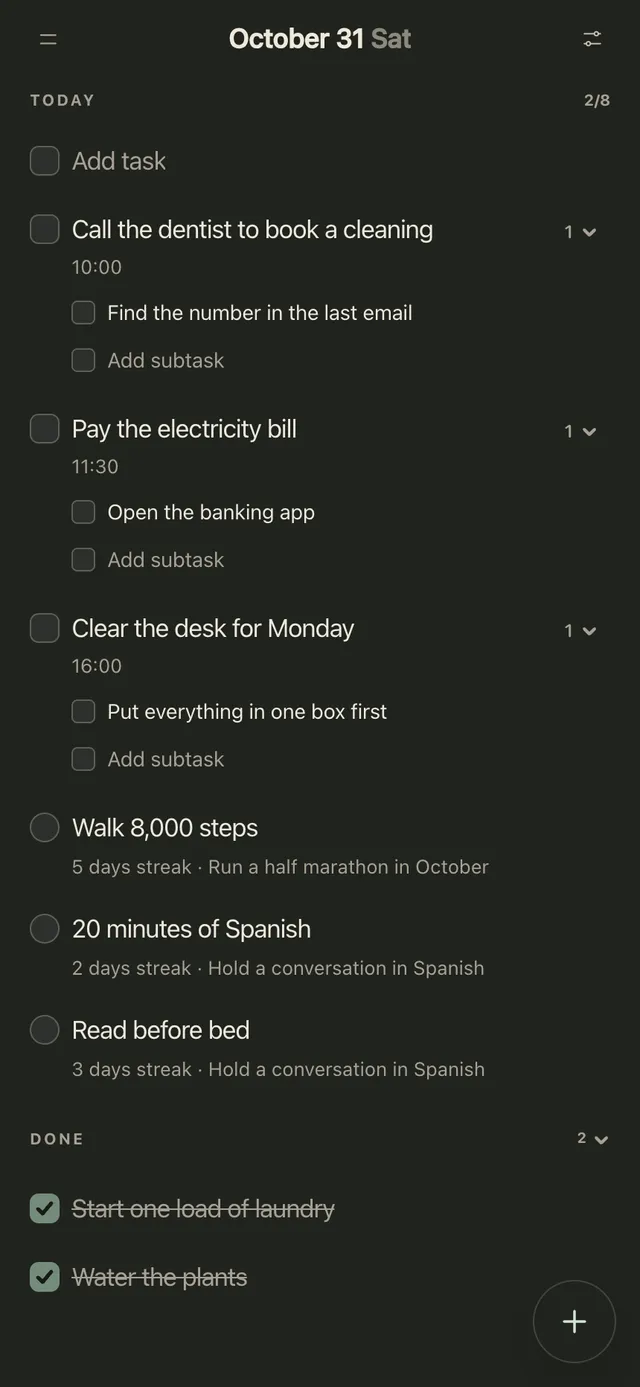
Three things with a time and a first step: Today. Give each task a time, add its first step as a subtask, and turn on a reminder at the time or 5 or 15 minutes before (reminders are part of Pro and arrive from the iPhone and Mac apps). In the sliders menu on Today you can switch off Goals and Journal, so the page becomes a plain list of tasks and habits. See The Today page and Reminders.
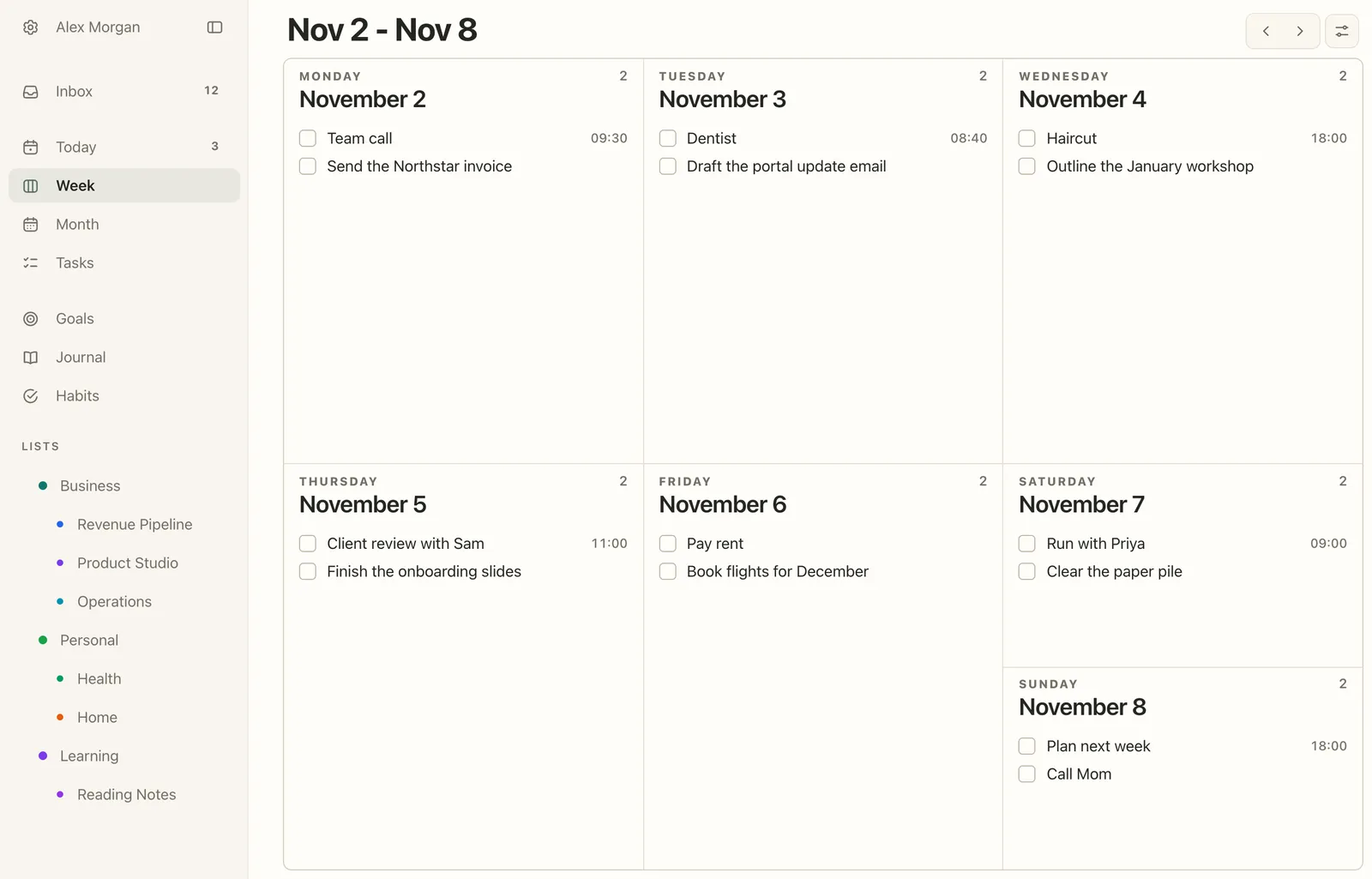
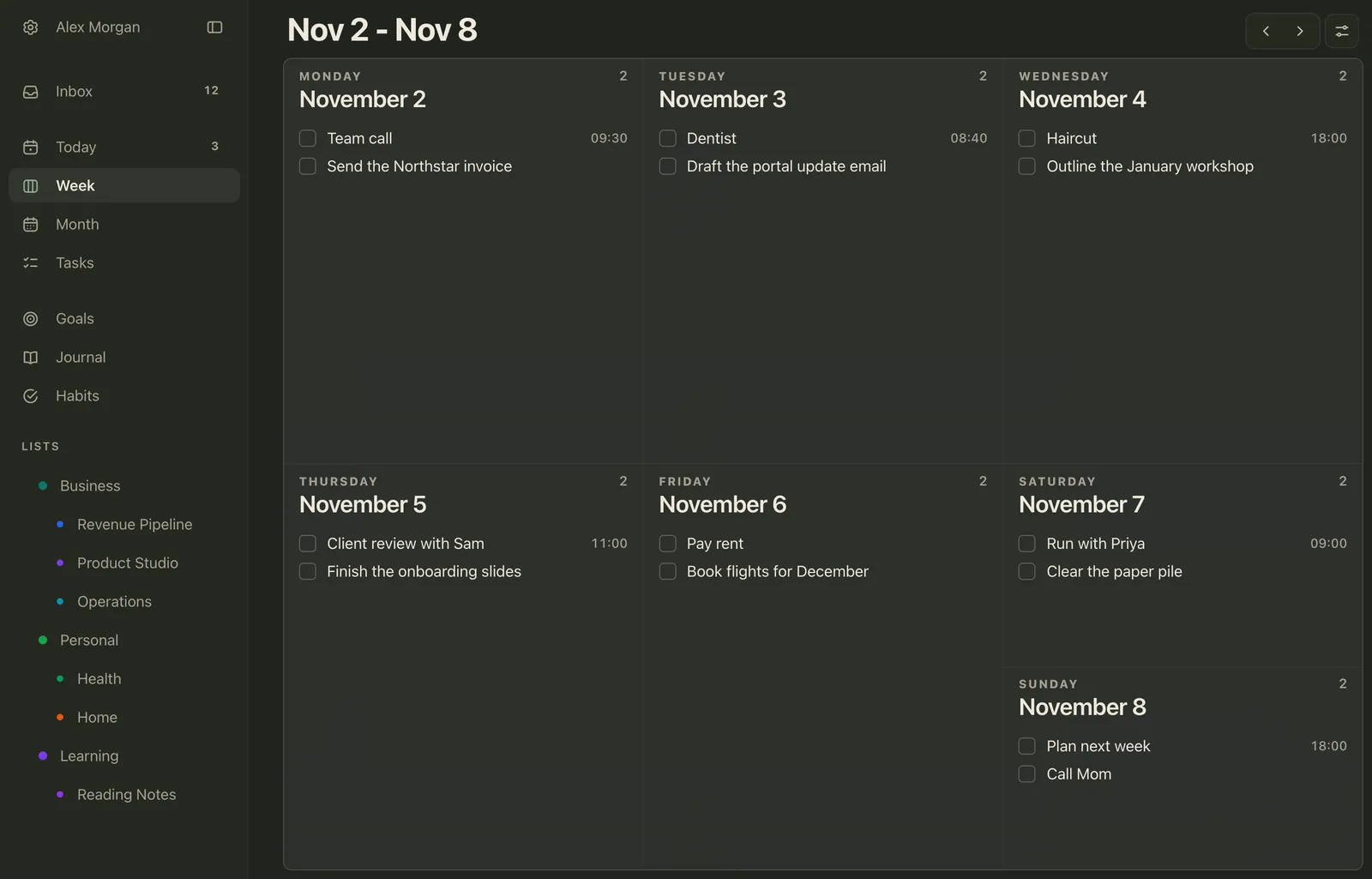
The week: one fixed thing and one main thing a day. The Week page shows all seven days, so the Sunday set-up from the printable fits on one screen. See Week and Month.
The daily check: a morning reminder. In Settings → Daily reminders (Pro), the Morning reminder says Plan your day at the time you choose and opens Today. A widget on your iPhone Home Screen or Mac desktop keeps today’s list in view and lets you tick things off without opening the app; widgets are free on every plan.
FAQ
What is an ADHD planner?
A paper or digital planner set up for the parts of planning that ADHD makes hard: one place for everything, a few priorities a day with a first step and a time, a visible time column, room for a brain dump, and undated pages, so a missed day doesn’t break it. It can be a product sold for ADHD, a printable or an ordinary planner app set up this way.
Do planners actually help with ADHD?
No study has tested a planner on its own, but skills programs that teach planner use have done well in trials. In one with 86 adults on medication, CBT that trained a calendar and task-list system helped 53% clearly, against 23% with relaxation training. A planner is a tool to use alongside treatment, not a replacement for it.
What is the best planner for ADHD?
The one you’ll open every day. Look for undated pages, little room per day, a time column, space for a brain dump and a weekly view; in an app, add reminders and a widget. If you want an app, Plannedo is a simple planner that keeps tasks, habits, a journal and goals in one place, with the whole day on one page, on iPhone, Mac and the web, and its free plan has unlimited tasks. A printable is a cheap way to try a layout before you buy anything.
Is a paper or digital planner better for ADHD?
Each covers what the other misses. Paper stays in view on the desk and comes without notifications; an app reminds you at the right moment, carries repeating tasks and is always on your phone. Many people with ADHD use paper for today and an app for reminders and everything further out.
How do I stick with a planner if I have ADHD?
Look at it at the same time every day, for five minutes. Keep it visible, plan three things instead of ten, give each one a first step and a time, and when you miss days, start again from today without filling in the gaps.
What should an ADHD daily planner include?
A brain dump, up to three priorities with a first step, an estimated length and a time each, an hour-by-hour time map with the fixed things on it, a done list and one line for tomorrow’s first thing. The printable in this post has exactly those parts.
How do I use a weekly planner with ADHD?
Spend five minutes on Sunday: write the one thing that matters most this week, add the fixed appointments and deadlines for each day, then choose one main thing per day. Note everything else in a brain dump, and end the week with three questions: what worked, what got in the way, and one change for next week.
Is there a free ADHD planner printable?
Yes. The printable in this post has a day page on the front and a week page on the back, both undated. It comes in US Letter and A4, and the PDF is fillable, so you can type into it on an iPad or a computer instead of printing.
Studies mentioned
- Barkley, R. A. (n.d.). The important role of executive functioning and self-regulation in ADHD. Fact sheet, russellbarkley.org.
- Song, P., Zha, M., Yang, Q., Zhang, Y., Li, X., & Rudan, I. (2021). The prevalence of adult attention-deficit hyperactivity disorder: A global systematic review and meta-analysis. Journal of Global Health, 11, 04009.
- Zheng, Q., Wang, X., Chiu, K. Y., & Shum, K. K. (2022). Time perception deficits in children and adolescents with ADHD: A meta-analysis. Journal of Attention Disorders, 26(2), 267-281.
- Metcalfe, K. B., McFeaters, C. D., & Voyer, D. (2024). Time-perception deficits in attention-deficit/hyperactivity disorder: A systematic review and meta-analysis. Developmental Neuropsychology, 49(1), 1-24.
- Safren, S. A., Sprich, S., Mimiaga, M. J., Surman, C., Knouse, L., Groves, M., & Otto, M. W. (2010). Cognitive behavioral therapy vs relaxation with educational support for medication-treated adults with ADHD and persistent symptoms: A randomized controlled trial. JAMA, 304(8), 875-880.
- Solanto, M. V., Marks, D. J., Wasserstein, J., Mitchell, K., Abikoff, H., Alvir, J. M. J., & Kofman, M. D. (2010). Efficacy of meta-cognitive therapy for adult ADHD. American Journal of Psychiatry, 167(8), 958-968.
- Abikoff, H., Gallagher, R., Wells, K. C., Murray, D. W., Huang, L., Lu, F., & Petkova, E. (2013). Remediating organizational functioning in children with ADHD: Immediate and long-term effects from a randomized controlled trial. Journal of Consulting and Clinical Psychology, 81(1), 113-128.
- Langberg, J. M., Dvorsky, M. R., Molitor, S. J., Bourchtein, E., Eddy, L. D., Smith, Z. R., Oddo, L. E., & Eadeh, H. M. (2018). Overcoming the research-to-practice gap: A randomized trial with two brief homework and organization interventions for students with ADHD as implemented by school mental health providers. Journal of Consulting and Clinical Psychology, 86(1), 39-55.
- Lopez, P. L., Torrente, F. M., Ciapponi, A., Lischinsky, A. G., Cetkovich-Bakmas, M., Rojas, J. I., Romano, M., & Manes, F. F. (2018). Cognitive-behavioural interventions for attention deficit hyperactivity disorder (ADHD) in adults. Cochrane Database of Systematic Reviews, 3, CD010840.
- Knouse, L. E., Teller, J., & Brooks, M. A. (2017). Meta-analysis of cognitive-behavioral treatments for adult ADHD. Journal of Consulting and Clinical Psychology, 85(7), 737-750.
- Ginapp, C. M., Macdonald-Gagnon, G., Angarita, G. A., Bold, K. W., & Potenza, M. N. (2022). The lived experiences of adults with attention-deficit/hyperactivity disorder: A rapid review of qualitative evidence. Frontiers in Psychiatry, 13, 949321.
- Wennberg, B., Janeslätt, G., Kjellberg, A., & Gustafsson, P. A. (2018). Effectiveness of time-related interventions in children with ADHD aged 9-15 years: A randomized controlled study. European Child & Adolescent Psychiatry, 27(3), 329-342.
- Gawrilow, C., & Gollwitzer, P. M. (2008). Implementation intentions facilitate response inhibition in children with ADHD. Cognitive Therapy and Research, 32(2), 261-280.
- Gawrilow, C., Gollwitzer, P. M., & Oettingen, G. (2011). If-then plans benefit delay of gratification performance in children with and without ADHD. Cognitive Therapy and Research, 35(5), 442-455.
Photo credits
The cover photo is by dlxmedia.hu on Unsplash.