Daily Planner Template: Free Printable PDF (Hourly, Undated)
A free daily planner template to print or fill in (PDF, A4 and US Letter, undated): an hourly schedule with a top three, a to-do list and notes, a half-hour schedule with a column for what actually happened, a work day page, and the order to fill it in.
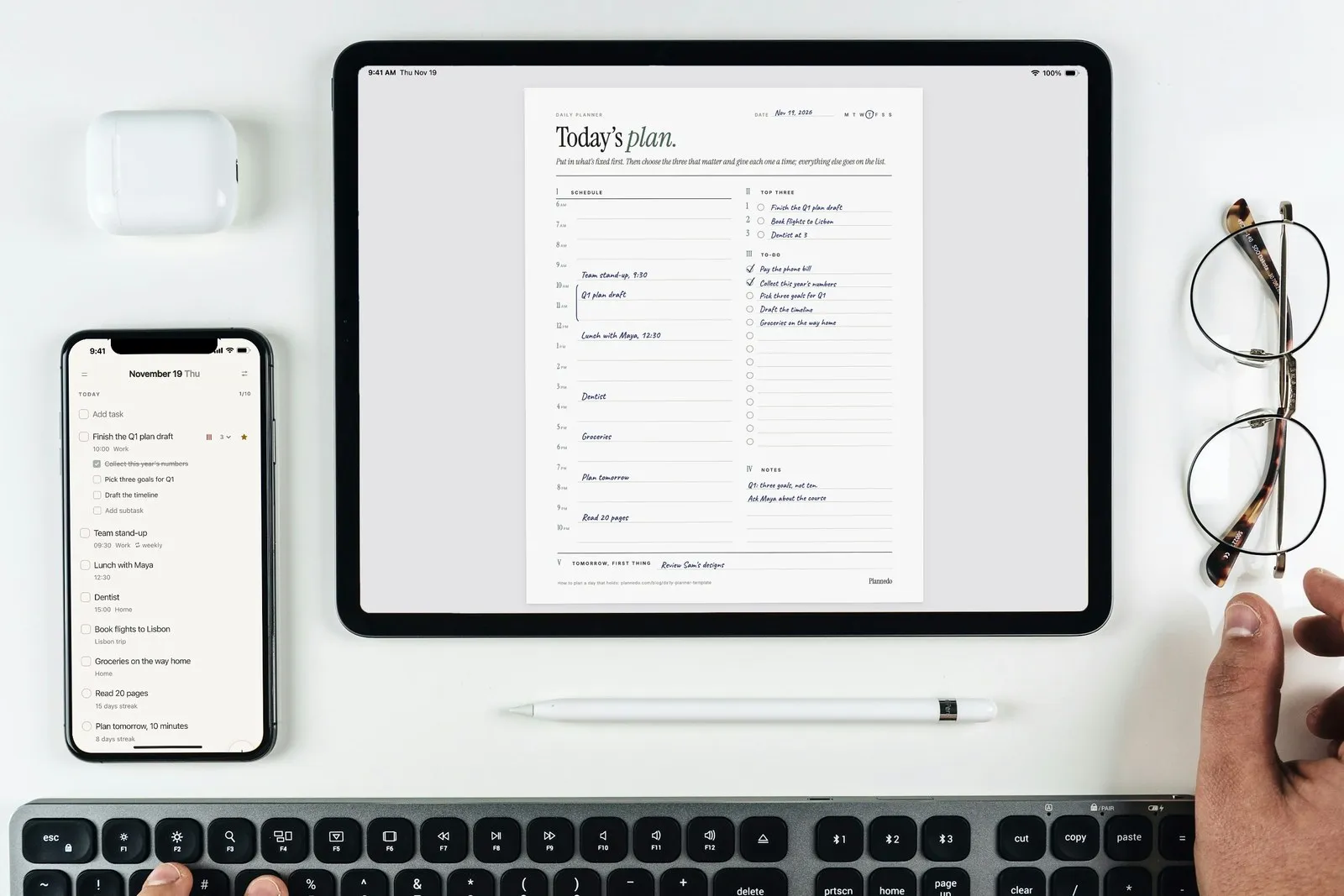
This free daily planner template is one page for one day: the hours from 6 a.m. to 10 p.m. on the left, and on the right the three things that matter, a to-do list and notes. At the bottom is a line for tomorrow’s first task, so the next day starts already decided. It’s undated, so you can print it for any day, and it comes as a fillable PDF in A4 and US Letter. No email, no sign-up.
Two more pages cover the days one page doesn’t: a half-hour schedule with a second column for what actually happened, which is the quickest way to learn how long your tasks really take, and a work day built around meetings. Below the download: what goes on a daily planner, the order to fill it in, and what research says about daily plans, including when they backfire.
Free daily planner template (PDF)
The template has four pages. Most days, page 1 is all you need.
- Page 1, the daily planner: the date and the day of the week to circle; a schedule by the hour from 6 a.m. to 10 p.m.; a top three; a to-do list; notes; and Tomorrow, first thing.
- Page 2, the daily schedule: half hours from 6 a.m. to 10 p.m., the plan on the left and What happened on the right, filled in at night; then a line for what took longer than planned and one for what to plan next time.
- Page 3, the work day: meetings and calls with their times, one focus block for the task that matters most, tasks with minutes against your free time, and what you’re waiting on.
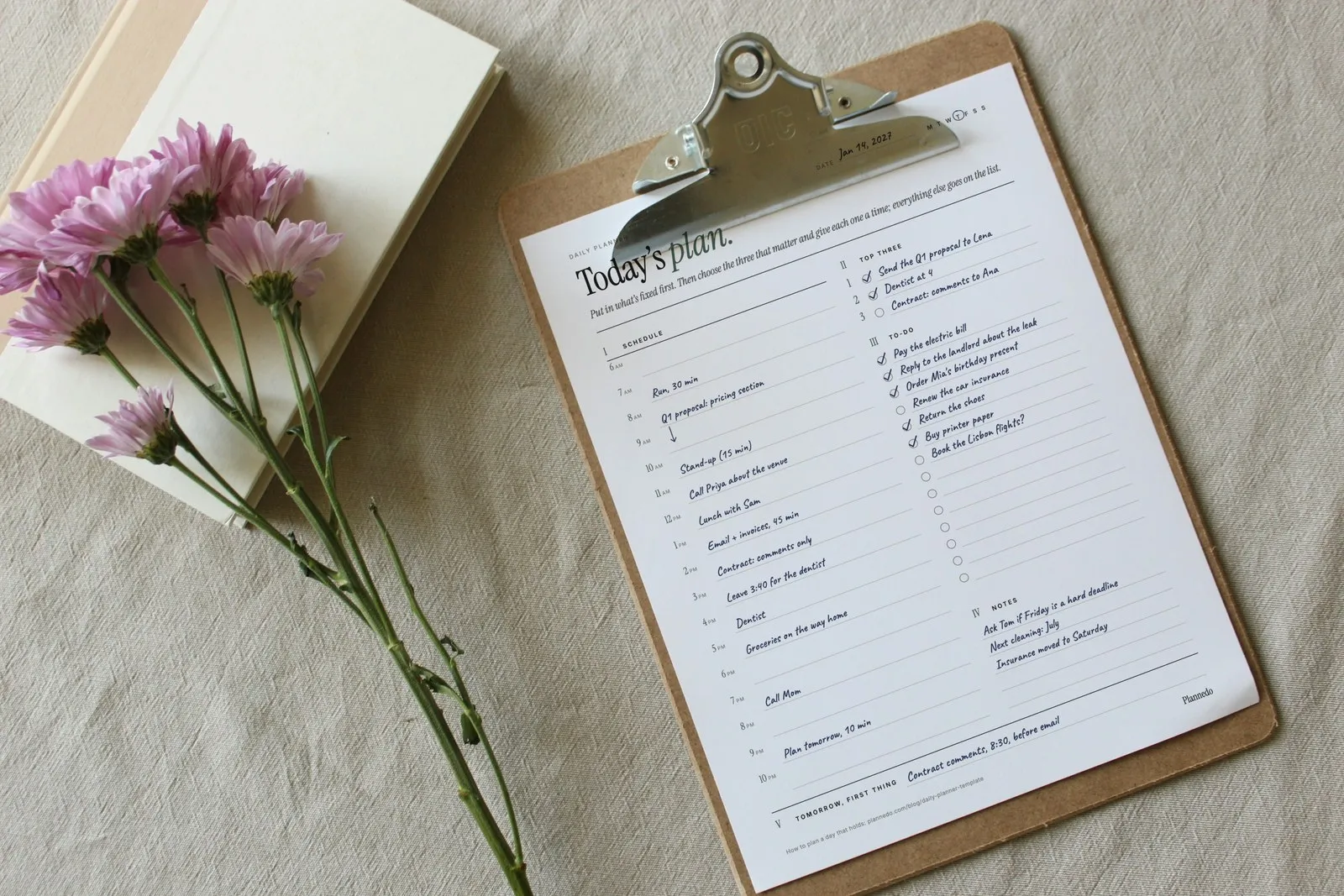
- Page 4, an example: page 1 filled in by hand for a Thursday in January.
Every line is a form field, so you can type into it on an iPad or a computer, or print it and use a pen. For a smaller planner, print two pages per sheet: A4 pages printed two to a sheet come out at A5 size.
What to put on a daily planner
A daily planner is a schedule and a to-do list on the same page. The schedule holds what happens at a set time; the list holds what just has to happen at some point today. Page 1 has six parts, and each one is there for a reason.
| Part | What it’s for |
|---|---|
| Date | Undated, so a skipped day doesn’t waste a page. Circle the day of the week. |
| Schedule | Everything with a fixed time, plus a slot for each of the top three. |
| Top three | The tasks that would make the day count even if nothing else got done. |
| To-do | Short tasks that don’t need a time. They get done in the gaps. |
| Notes | What comes up during the day, so it doesn’t land on the plan. |
| Tomorrow, first thing | One task and a time, written before you stop for the day. |
We left some things out on purpose: water trackers, meal boxes, mood scales and affirmations. They’re popular, but each one is another box to fill every morning, and in our experience the page that asks for ten things a day is the one that ends up in a drawer. If one of them matters to you, give it a line under Notes, or track it as a habit.
How to fill in a daily planner
The order matters more than the page. Fill it in from the things you can’t move to the things you can, the night before or first thing in the morning; it takes five to ten minutes.
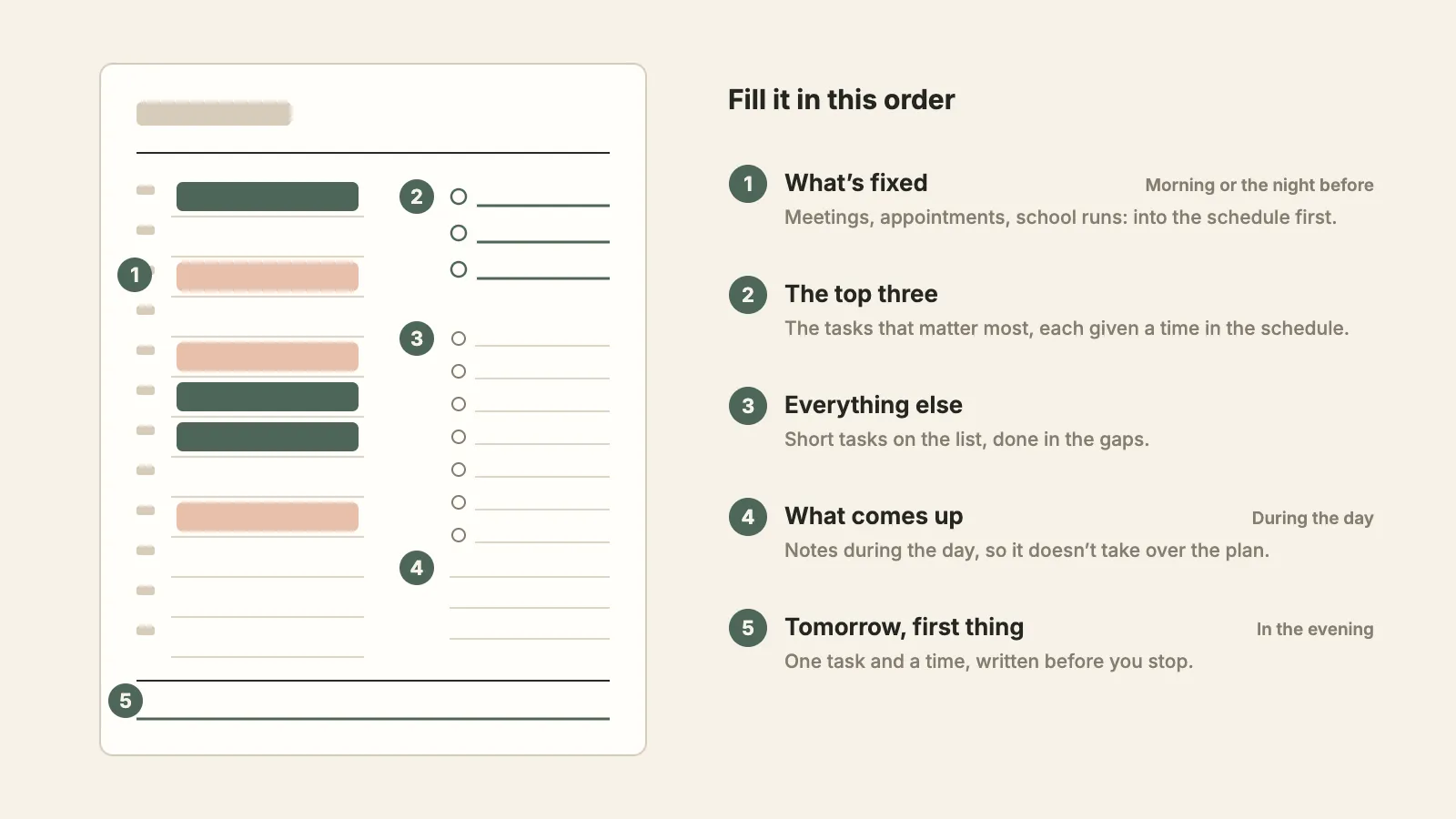
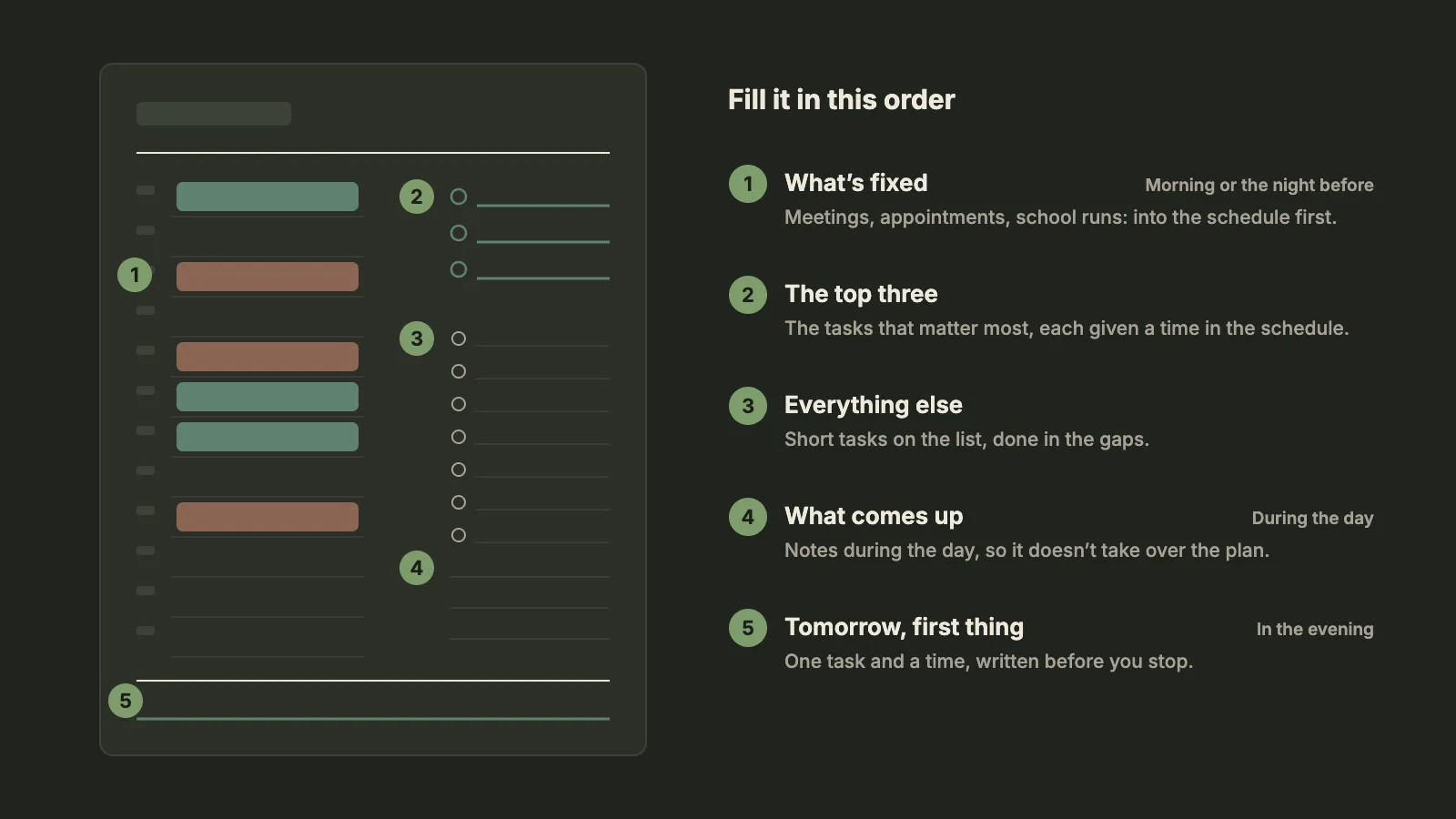
1. Put in what’s fixed
Meetings, appointments, the school run, the train, the gym class you’ve paid for. Write them into the schedule first. They decide how much of the day is actually yours, and on a lot of days the honest answer is three or four hours.
2. Choose the top three and give each one a time
Ask which three tasks would make the day count, write them in the top three, and then give each one a slot in the schedule, the hardest one in your best hours. A time turns a task into an appointment with yourself, and the top three is where that matters most.
There’s some evidence that the marking itself helps. In a diary study by Brigitte Claessens and colleagues, 29 engineers recorded 878 tasks they had planned for their workdays. The tasks they had marked as a priority, and the urgent ones, were the likeliest to get done; how much planning someone did in general wasn’t related to it. What seems to count is less how much you plan than deciding what comes first.
3. Put everything else on the list, and leave room
Short tasks without a time go on the to-do list: pay the bill, reply to the landlord, order the present. Do them in the gaps between the schedule’s blocks.
Then look at the free time against what you’ve written down. Most of us underestimate how long our own tasks take, and the to-do list template post has the numbers. Plan about three quarters of your free time and leave the rest empty. It isn’t wasted; it’s where the overruns and the surprises go.
4. During the day, write what comes up under Notes
A call to return, an idea, something to buy. Write it down the moment it shows up, but under Notes, not on the plan. The list you made in the morning was a decision; adding to it every hour turns it back into a pile.
It also helps to plan for the interruption you know is coming. In a two-week study of employees, Michael Parke and colleagues found that ordinary daily planning (listing tasks, ordering them, deciding when to do them) raised engagement and performance, but those benefits faded on days with many interruptions. On days when employees also planned for interruptions, deciding in advance how they’d handle them, they stayed engaged and performed well however many interruptions came. On paper, that’s one line under Notes: “If Priya’s call runs long, email waits until 4.”
5. In the evening, write tomorrow’s first thing
Tick what’s done. Give everything that isn’t a new day, a smaller version or a line through it. Then write one task and a time on the last line: “Contract comments, 8:30, before email.” The next morning starts with a decision already made.
It helps you put the day down, too. In Bonnie Smit’s studies of employees and their work goals, people had a harder time switching off after work from goals they hadn’t finished than from ones they had, and making a plan for how to finish them helped the people who usually find it hardest to switch off. And in a 2018 sleep-lab study, people who spent five minutes writing a to-do list for the coming days fell asleep about nine minutes faster than people who wrote about what they’d already done. More on that in how to plan your day the night before.
Plan vs what happened: the daily schedule page
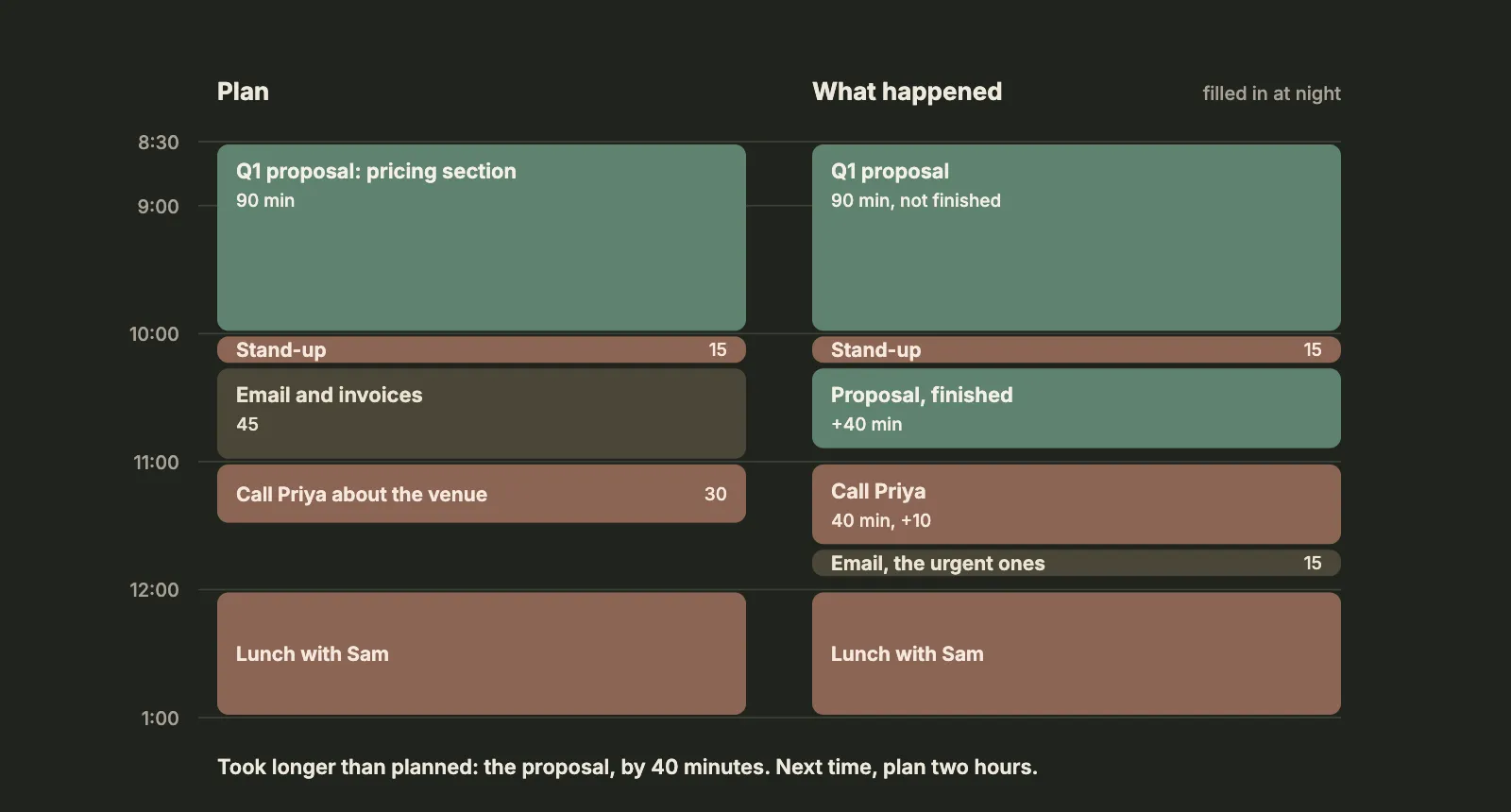
Page 2 is for learning, not just planning. Write the plan in the left column in half hours. In the evening, fill in the right column with what really happened, then write down what took longer than you thought and how long to plan for it next time.
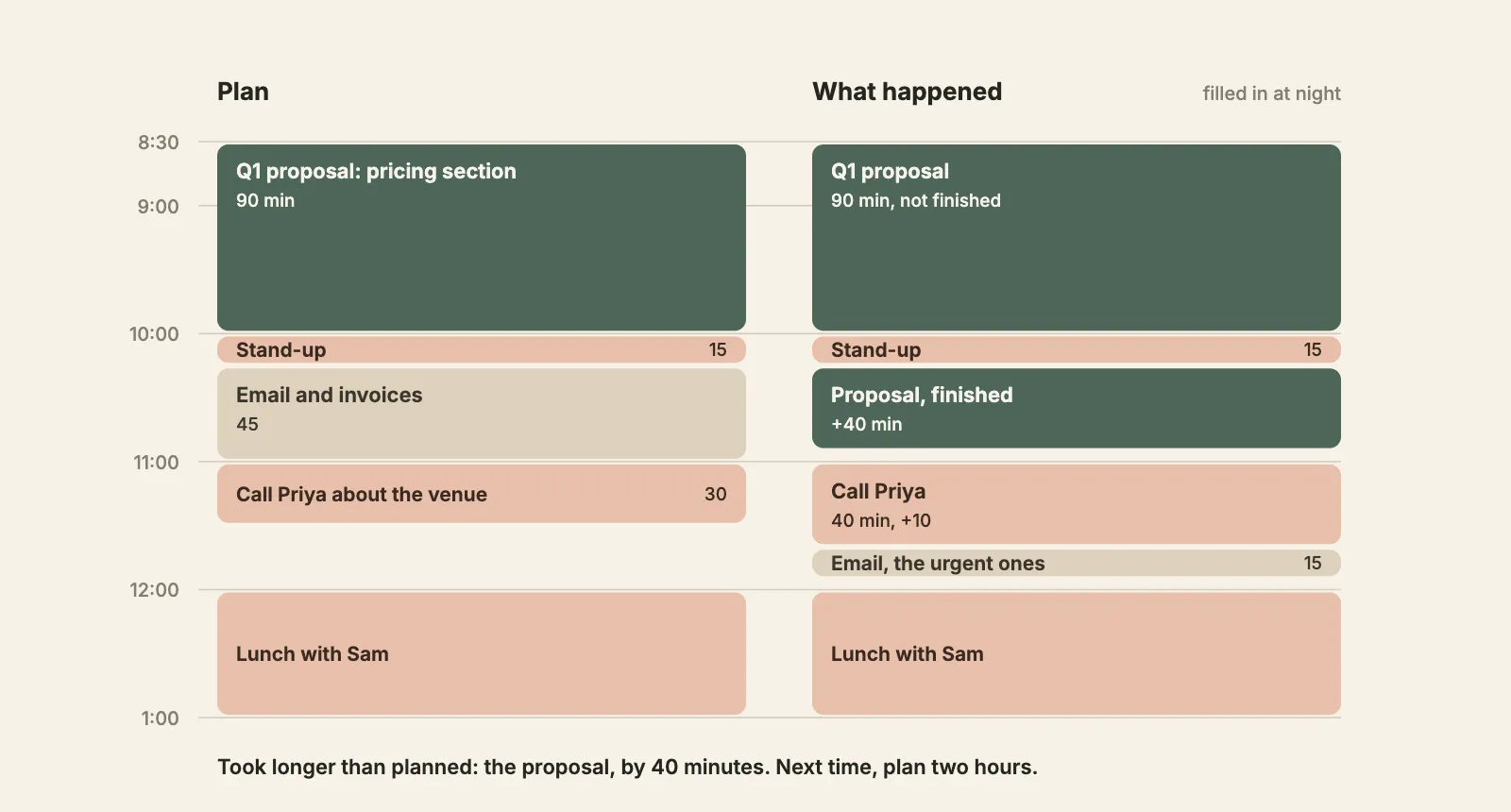
Why bother? The planning fallacy, our habit of underestimating our own tasks, doesn’t go away because you know about it. In Roger Buehler, Dale Griffin and Michael Ross’s experiments, people thought about how the task would go this time rather than how similar tasks had gone before, and their predictions came out too optimistic. What removed the bias in one of their studies was asking people to connect their past experiences to the new prediction. The right-hand column gives you exactly that: after a week of it, you know how long a proposal, a report or your inbox takes you, and the plan on page 1 starts to fit the day.
You don’t need page 2 every day. A week of it, once or twice a year, recalibrates your estimates.
Does a daily planner help?
Mostly, yes, though not always in the way people expect.
- More calm than output. A 2021 meta-analysis by Brad Aeon, Aïda Faber and Alexandra Panaccio pulled together 158 studies. Time management was related to job performance (r = .26) and academic achievement (.26), but more strongly to well-being (.31) and life satisfaction (.43), and to less distress. Most of those studies are correlational, so they show a link, not a cause.
- A sense of control. In a randomized trial, Alexandra Häfner and Armin Stock gave 71 employees time management training or a place on a waiting list. The trained group felt more in control of their time and less stressed afterwards; their performance measures didn’t change.
- Habits that last. In a study of 90 college students, Bruce Britton and Abraham Tesser found that their time management habits predicted their grades four years later better than their SAT scores did. Again, that’s a correlation.
And one warning. In a 1981 study-skills program, Daniel Kirschenbaum and colleagues asked students to make either detailed daily plans, broader monthly plans, or no plans. The monthly planners increased their study time and improved their study habits compared with students who made no plans; the daily planners didn’t, contrary to what the researchers expected. The samples were small, but the lesson matches the interruptions study: a plan for every hour breaks at the first change and then gets abandoned. Plan the day, not every minute of it, and leave room.
Daily or weekly planner?
A weekly planner decides which day things happen; a daily planner decides how the day goes. Most people need both: plan the week once (our guide to planning your week takes 30 minutes, and there’s a free weekly planner printable), then fill in each day’s page from it.
Which page to use depends on your days.
| If your days are… | Use |
|---|---|
| Full of meetings and appointments | Page 3, the work day |
| Mostly yours to structure (studying, working from home, looking after kids) | Page 1, and page 2 now and then |
| Light, with a few errands | A plain to-do list template |
| Already planned to the hour | A time blocking template |
| Different every day of the week | A weekly planner, plus page 1 on the busy days |
If you have ADHD, page 1 covers the basics that ADHD skills programs teach, a few priorities with a time for each; our ADHD planner guide covers the rest of the setup.
An example day
Page 4 of the template is page 1 filled in for a Thursday in January.
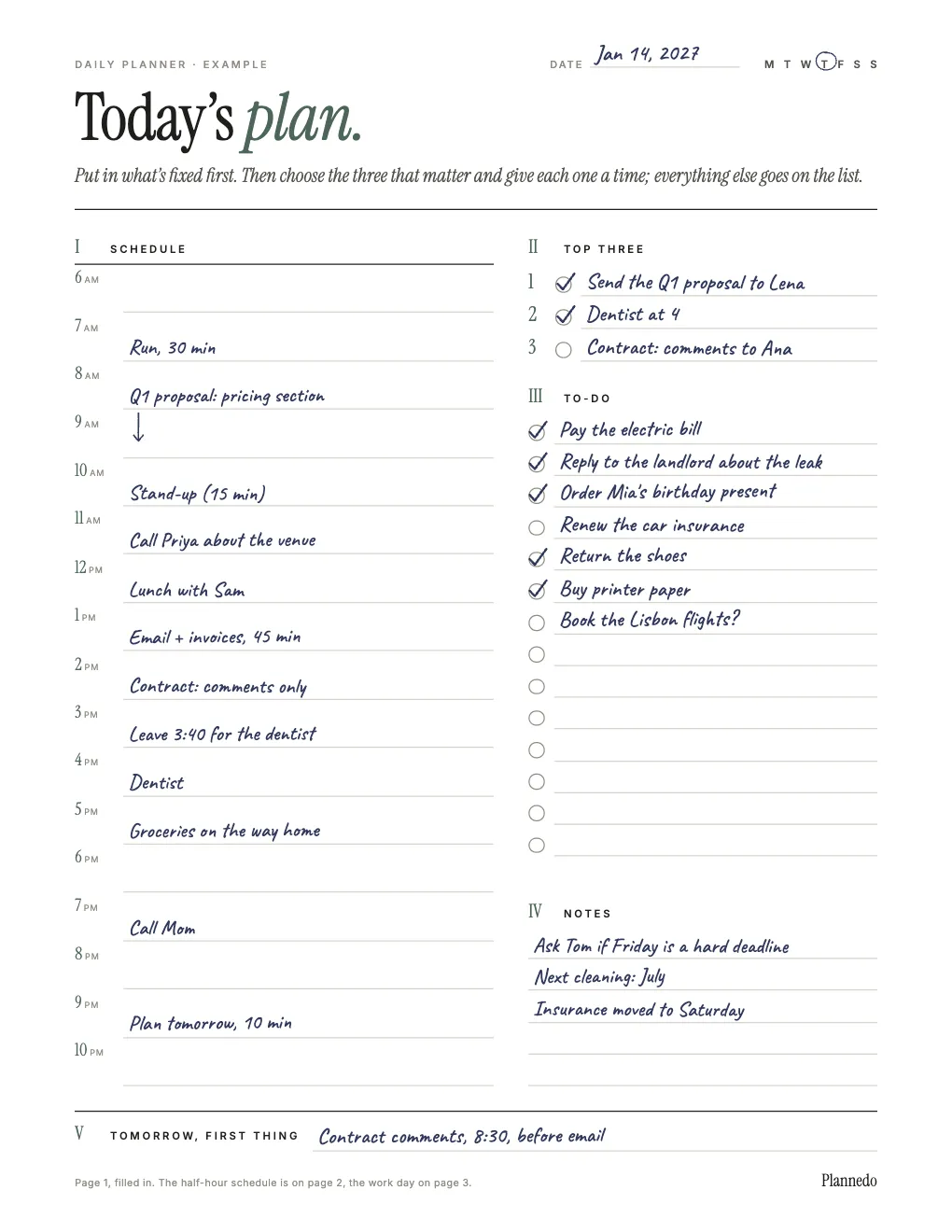
The fixed things went in first: the stand-up, lunch with Sam, the dentist at four, and a note to leave at 3:40. The proposal got the best hours of the morning, 8 to 10, before email. The contract review had a slot at 2 p.m. and didn’t happen, so instead of rolling over by default it became tomorrow’s first thing, with a time. The car insurance went under Notes with a day, Saturday; the flights still have a question mark.
A daily planner in Plannedo
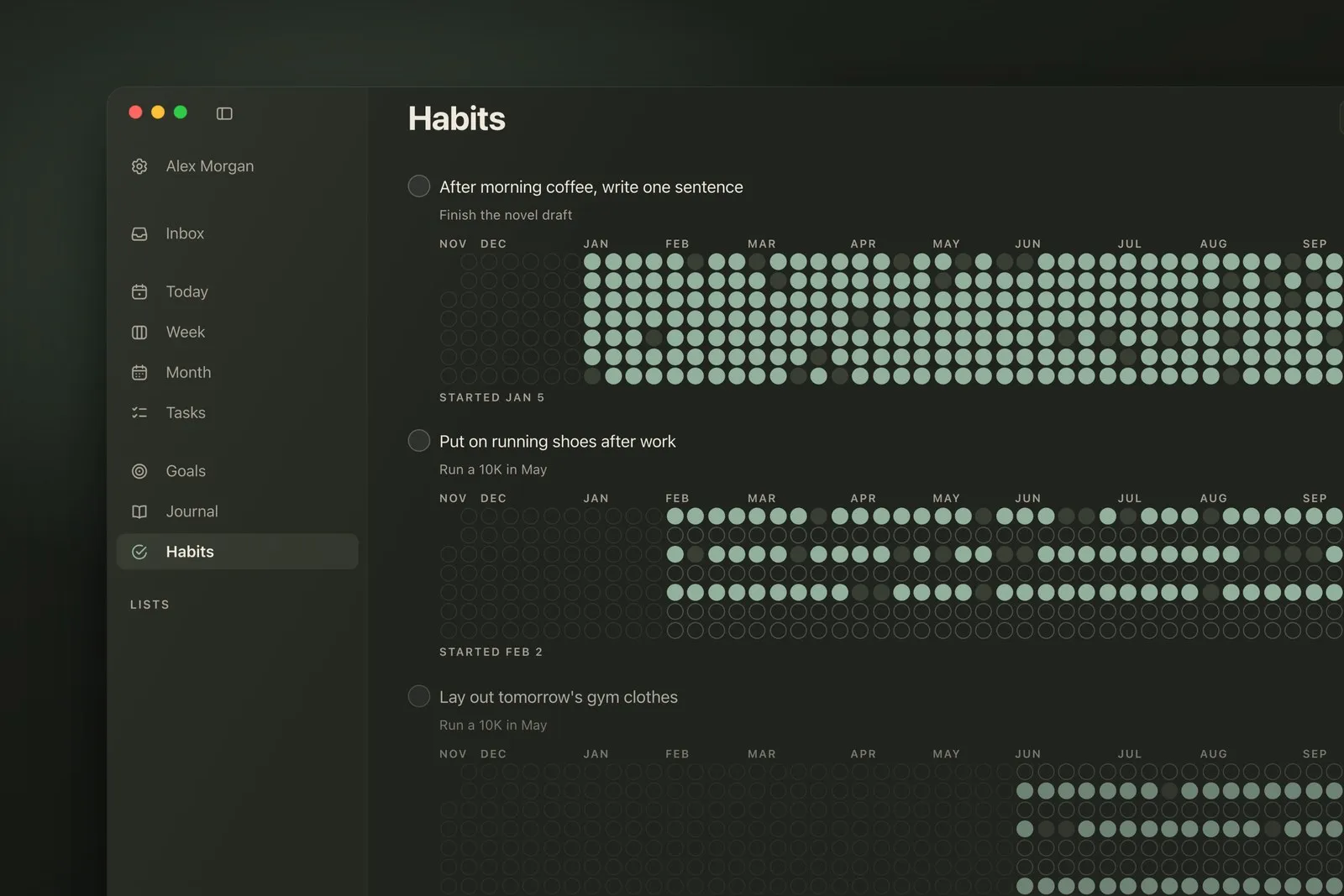
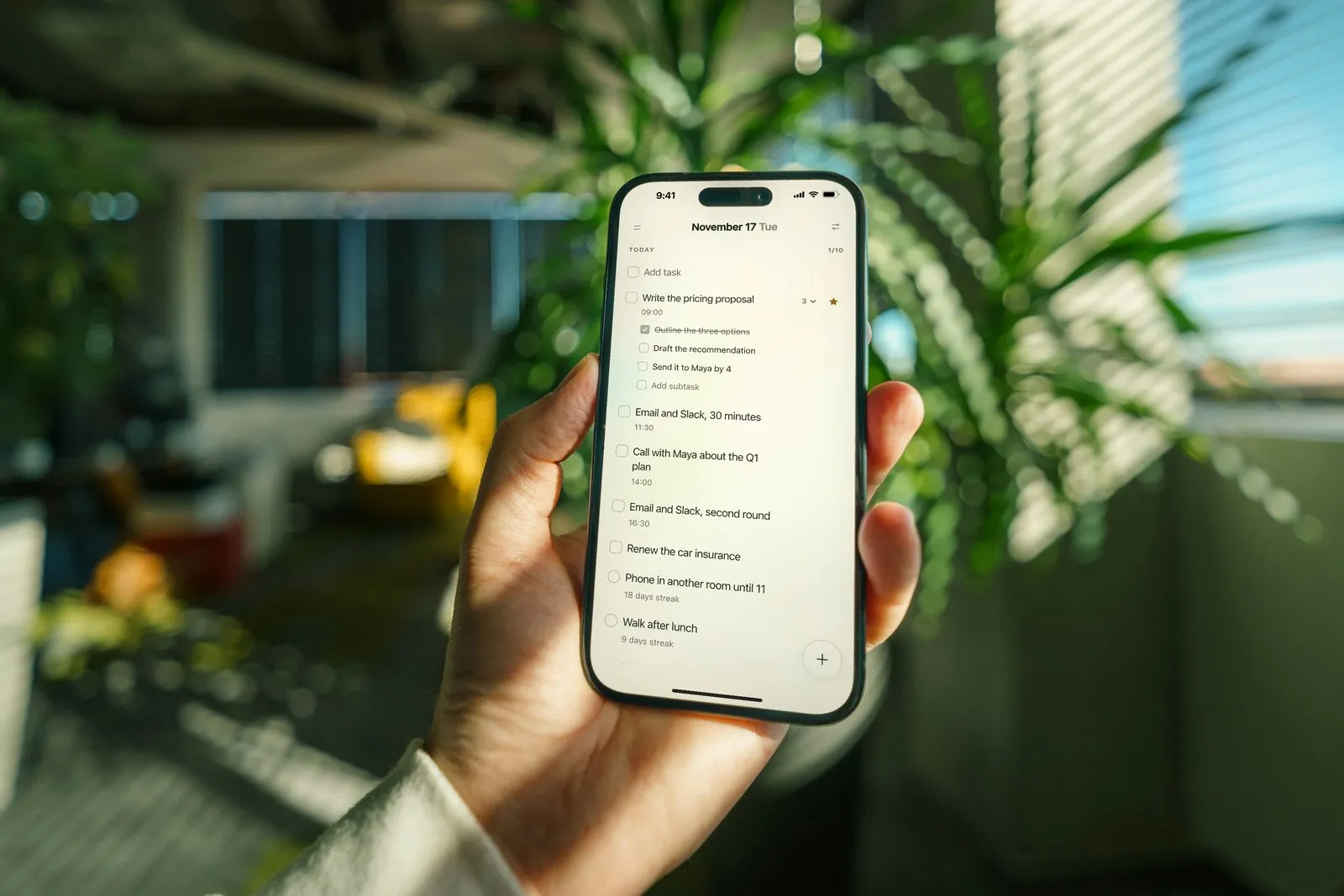
If you’d rather keep the day on your phone and computer, Plannedo’s Today page is a daily planner that works the same way. Give a task a time and it shows under the title; star the one that matters most and it goes first; mark the top three with a priority, which shows as bars on the right. Your habits for the day sit under the tasks, each with its streak, and Log the day at the bottom holds a line about how the day went.
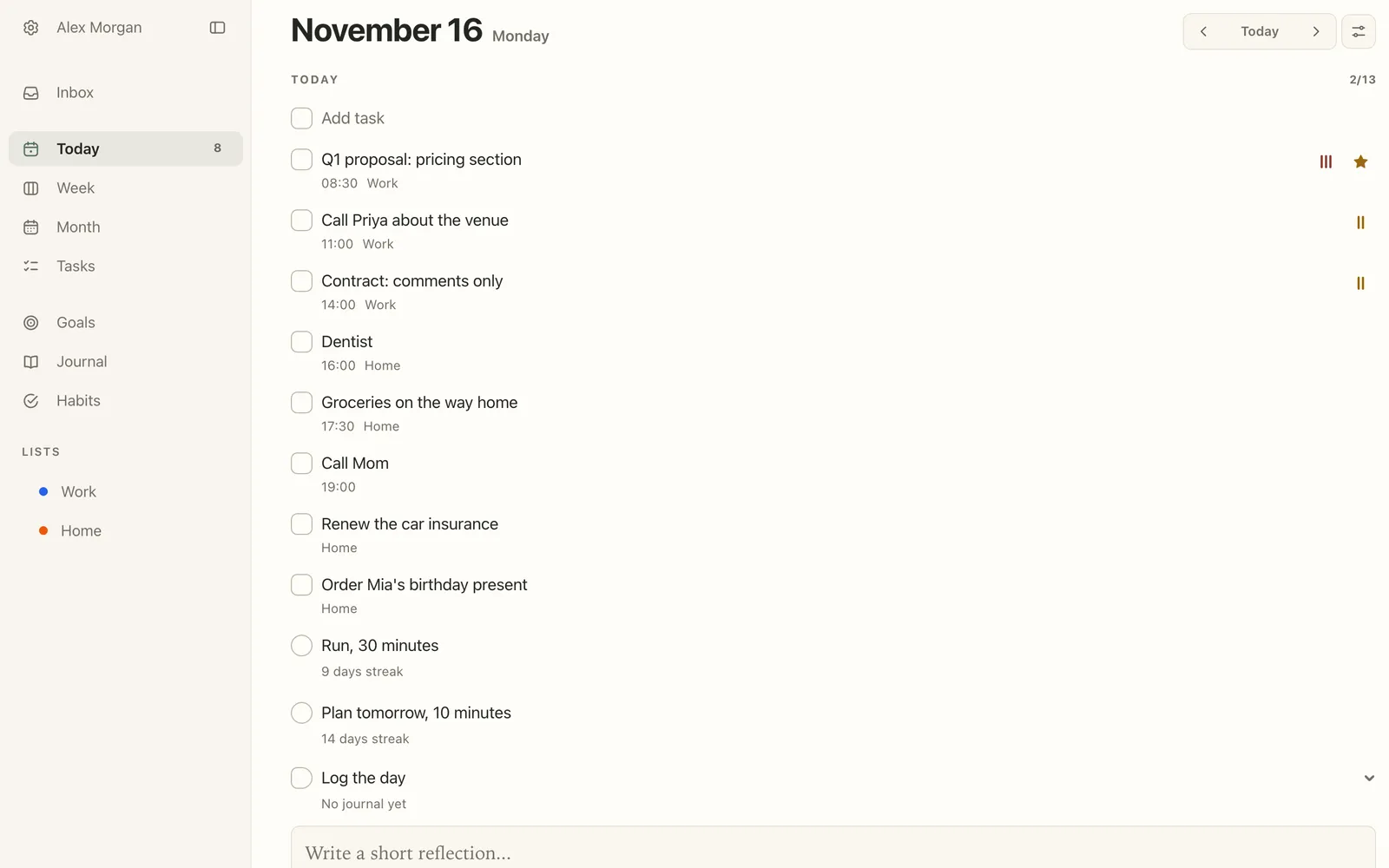
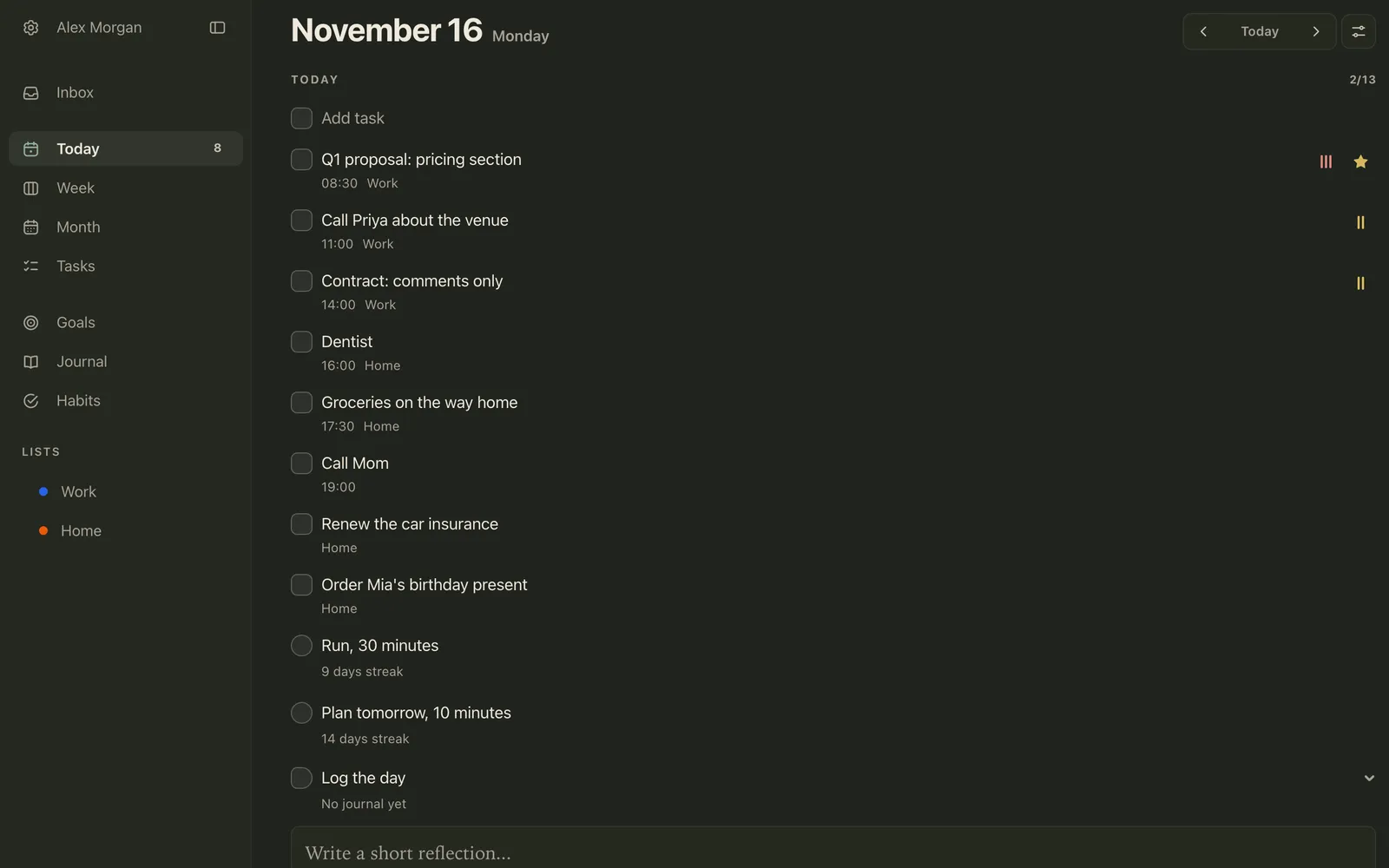
In the evening, the open part of the list is short, and Log the day is where tomorrow’s first thing goes. To move the task itself, open it and set its date to tomorrow and its time to 08:30.
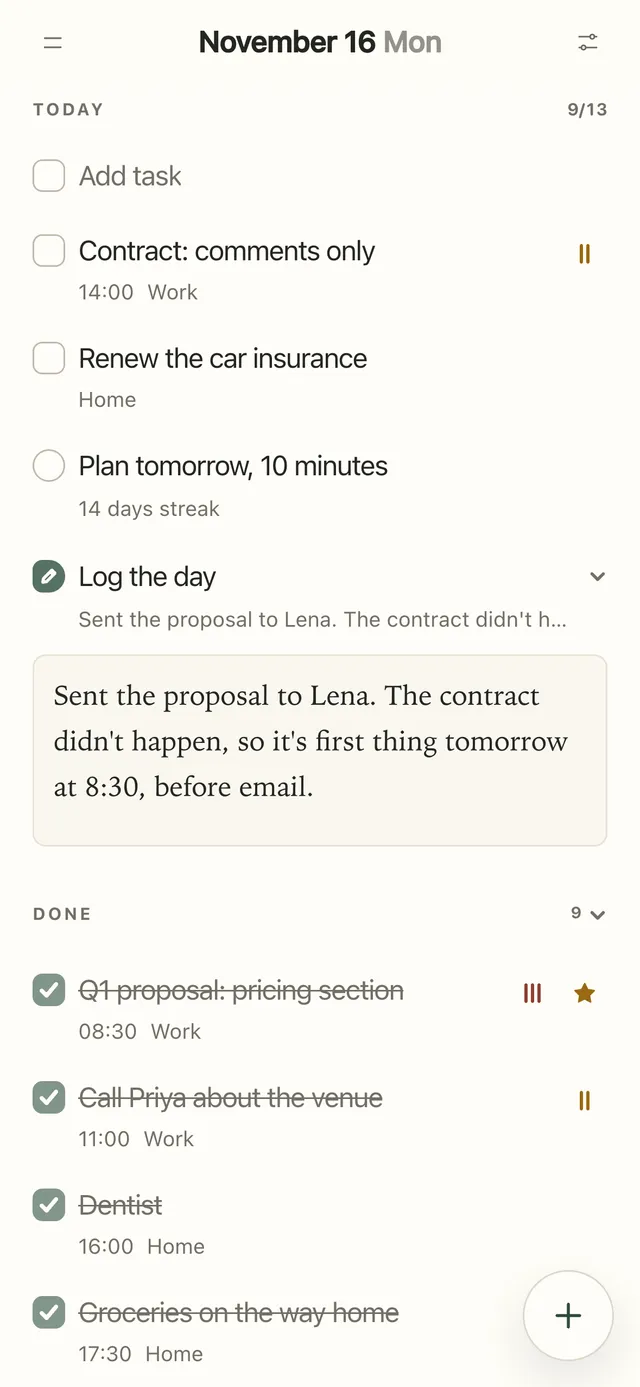
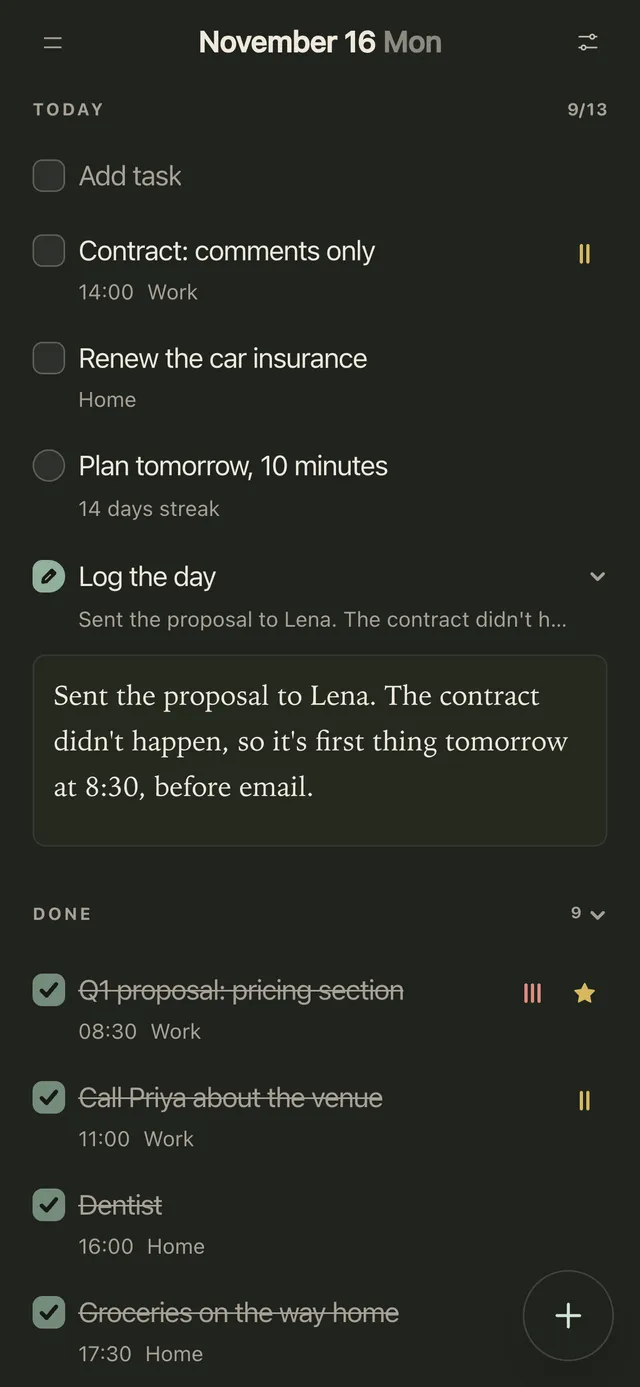
Tasks are unlimited on the Free plan, and the Today widget puts the day on your iPhone Home Screen or Mac desktop for free. With Pro, a task with a time can remind you (at the time, or 5 minutes, 15 minutes, an hour or a day before), and two daily reminders, at 8:00 and 21:00 by default, ask you to plan the day and to close it. More in the help centre: the Today page, reminders and widgets.
FAQ
What should a daily planner include?
A schedule for anything with a fixed time, a top three (the tasks that would make the day count), a to-do list for short tasks without a time, a place for notes, and one line for tomorrow’s first task. Extras such as water, meals or mood are optional; add them only if you’ll really fill them in every day.
How do I use a daily planner?
Fill it in the night before or first thing in the morning, in this order: what’s fixed goes into the schedule, then the top three, each with a time, then everything else on the list. Leave about a quarter of your free time empty. During the day, write what comes up under Notes; in the evening, tick what’s done, move the rest and write tomorrow’s first thing.
What’s the difference between a daily planner and a daily schedule?
A daily schedule is just time slots: what happens at 9, at 10, at 11. A daily planner adds what a schedule can’t hold: the priorities, the to-do list for tasks without a time, and notes. Page 1 of the template is a daily planner; page 2 is a daily schedule with a second column for what actually happened.
Is a daily or weekly planner better?
They do different jobs. A weekly planner decides which day each thing happens; a daily planner decides how a single day goes. If your week is predictable, a weekly page may be enough. If your days are busy or full of fixed times, plan the week once, then use a daily page on the days that need it.
How many tasks should I plan for one day?
No study gives a magic number. Three that matter, each with a time, plus a list of short tasks is a sensible shape. The better test is time: add up how long the tasks will take and keep the total to about three quarters of your free time, after meetings, commuting and meals.
Should I schedule every hour of my day?
Usually not. In a 1981 study, students who made broad monthly plans improved their study habits, while students who made detailed daily plans didn’t do better than students who made no plans at all. Plans for every hour also break first on days full of interruptions. Schedule the fixed things and the top three, and leave the rest of the day open.
Can I fill in the daily planner on my iPad or computer?
Yes. Every line in the PDF is a form field, so you can type into it in a PDF app on an iPad or a computer, then save or print it. The planner is undated, so you can reuse it every day. It comes in A4 and US Letter; to get A5 pages, print the A4 version two pages per sheet.
Is a paper or digital daily planner better?
Use the one you’ll look at. Paper has one small edge in research: in a 2021 study in Japan, 48 students wrote 14 appointments into a calendar, and those using a paper notebook finished faster than those using a tablet or a phone, though how much they remembered an hour later was about the same overall. An app has reminders and is always in your pocket. Plenty of people use both: paper to think the day through, an app to be reminded. If you go digital, our guide to the best digital planners compares PDF planners you write on with planner apps.
Studies and sources
- Claessens, B. J. C., Eerde, W. van, Rutte, C. G., & Roe, R. A. (2010). Things to do today…: A daily diary study on task completion at work. Applied Psychology, 59(2), 273-295.
- Parke, M. R., Weinhardt, J. M., Brodsky, A., Tangirala, S., & DeVoe, S. E. (2018). When daily planning improves employee performance: The importance of planning type, engagement, and interruptions. Journal of Applied Psychology, 103(3), 300-312.
- Smit, B. W. (2016). Successfully leaving work at work: The self-regulatory underpinnings of psychological detachment. Journal of Occupational and Organizational Psychology, 89(3), 493-514.
- Scullin, M. K., Krueger, M. L., Ballard, H. K., Pruett, N., & Bliwise, D. L. (2018). The effects of bedtime writing on difficulty falling asleep: A polysomnographic study comparing to-do lists and completed activity lists. Journal of Experimental Psychology: General, 147(1), 139-146.
- Buehler, R., Griffin, D., & Ross, M. (1994). Exploring the “planning fallacy”: Why people underestimate their task completion times. Journal of Personality and Social Psychology, 67(3), 366-381.
- Aeon, B., Faber, A., & Panaccio, A. (2021). Does time management work? A meta-analysis. PLOS ONE, 16(1), e0245066.
- Häfner, A., & Stock, A. (2010). Time management training and perceived control of time at work. The Journal of Psychology, 144(5), 429-447.
- Britton, B. K., & Tesser, A. (1991). Effects of time-management practices on college grades. Journal of Educational Psychology, 83(3), 405-410.
- Kirschenbaum, D. S., Humphrey, L. L., & Malett, S. D. (1981). Specificity of planning in adult self-control: An applied investigation. Journal of Personality and Social Psychology, 40(5), 941-950.
- Umejima, K., Ibaraki, T., Yamazaki, T., & Sakai, K. L. (2021). Paper notebooks vs. mobile devices: Brain activation differences during memory retrieval. Frontiers in Behavioral Neuroscience, 15, 634158.
Photo credits
The cover photo is by Bethany Fidanzo on Unsplash.