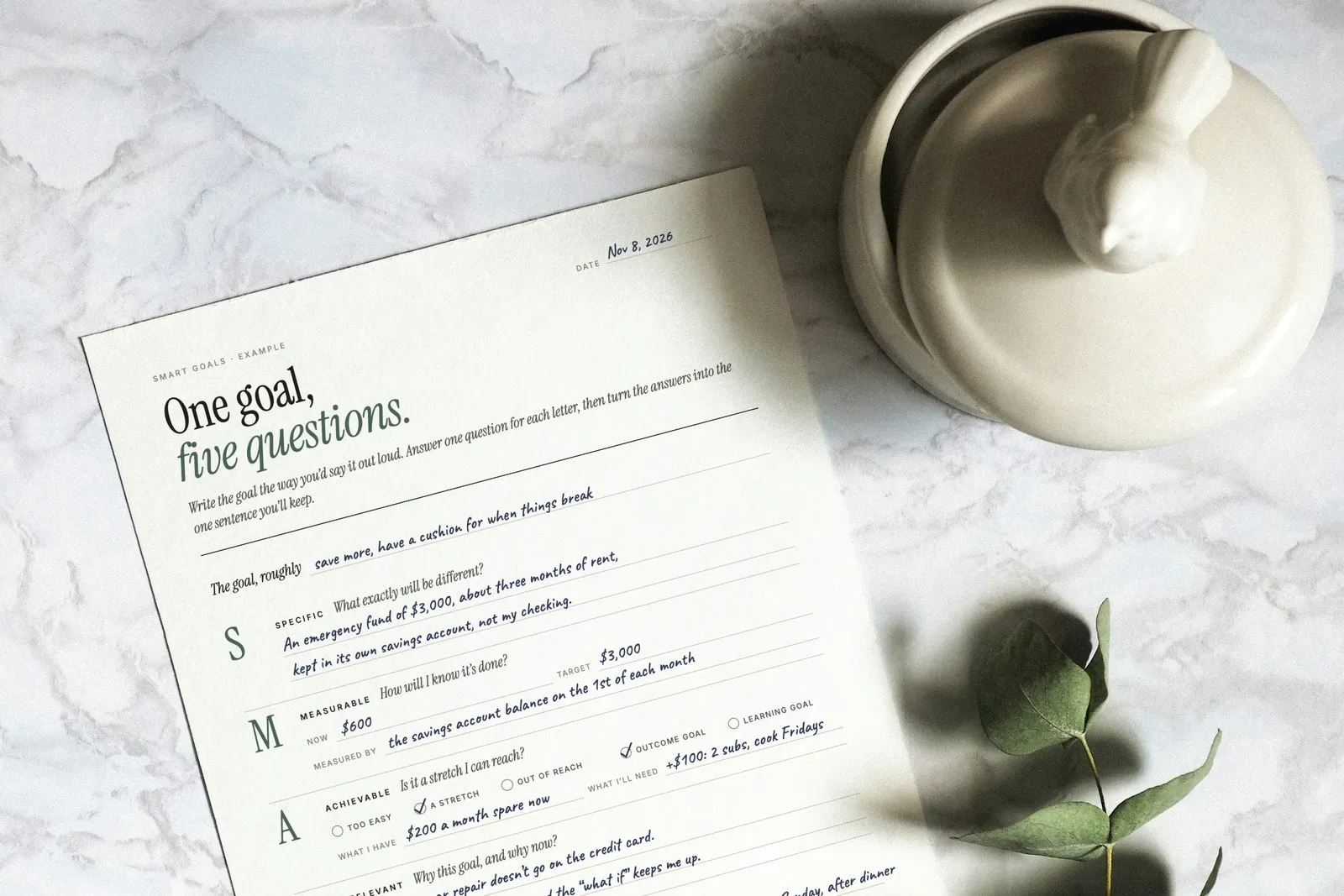
Time Blocking Template: Free Daily and Weekly Planner (+ Example)
A free time blocking template, daily and weekly, with a filled-in example day, how to time block in seven steps, and what to do when the plan breaks.
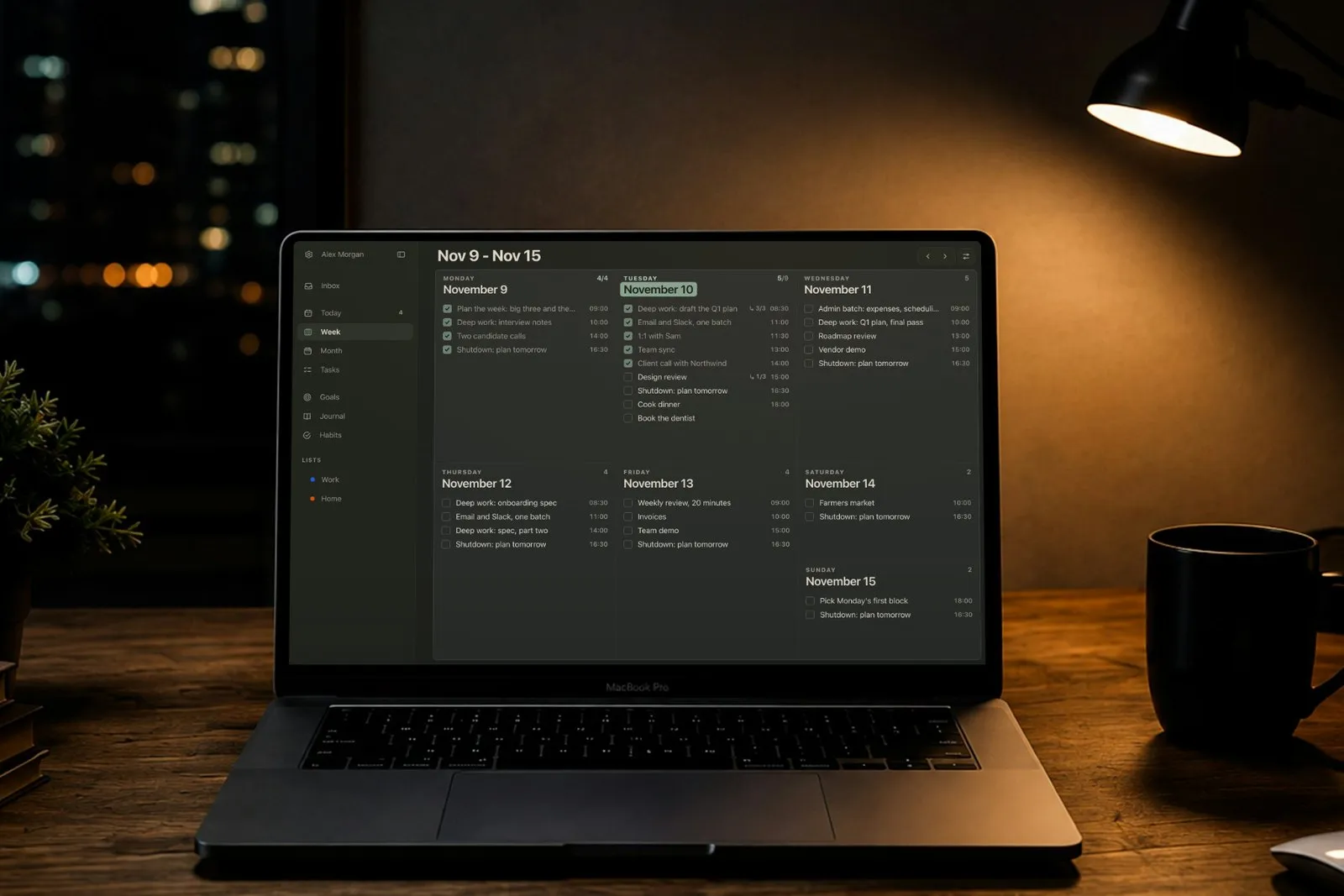
Time blocking means planning your day as a series of blocks on a timeline: before the day starts, you decide what you’ll work on and when, instead of picking the next thing from a to-do list as you go. Below is a free time blocking template you can print or fill in on a screen, daily and weekly, with a filled-in example day, seven steps to start, and what to do when the plan breaks, because it will.
The point isn’t to control every minute. It’s to make the decision about what matters once, calmly, the evening before, so the day doesn’t make it for you one notification at a time.
What is time blocking?
Time blocking is a way of planning in which every part of the workday gets a job. Deep work, email, meetings, lunch, errands: each goes into a block with a start and an end. The method is closely tied to the computer scientist and author Cal Newport, who has written about it since at least 2013 and plans his own days this way, on paper, the evening before.
It has three close relatives that people often mix up with it:
| Method | What it means |
|---|---|
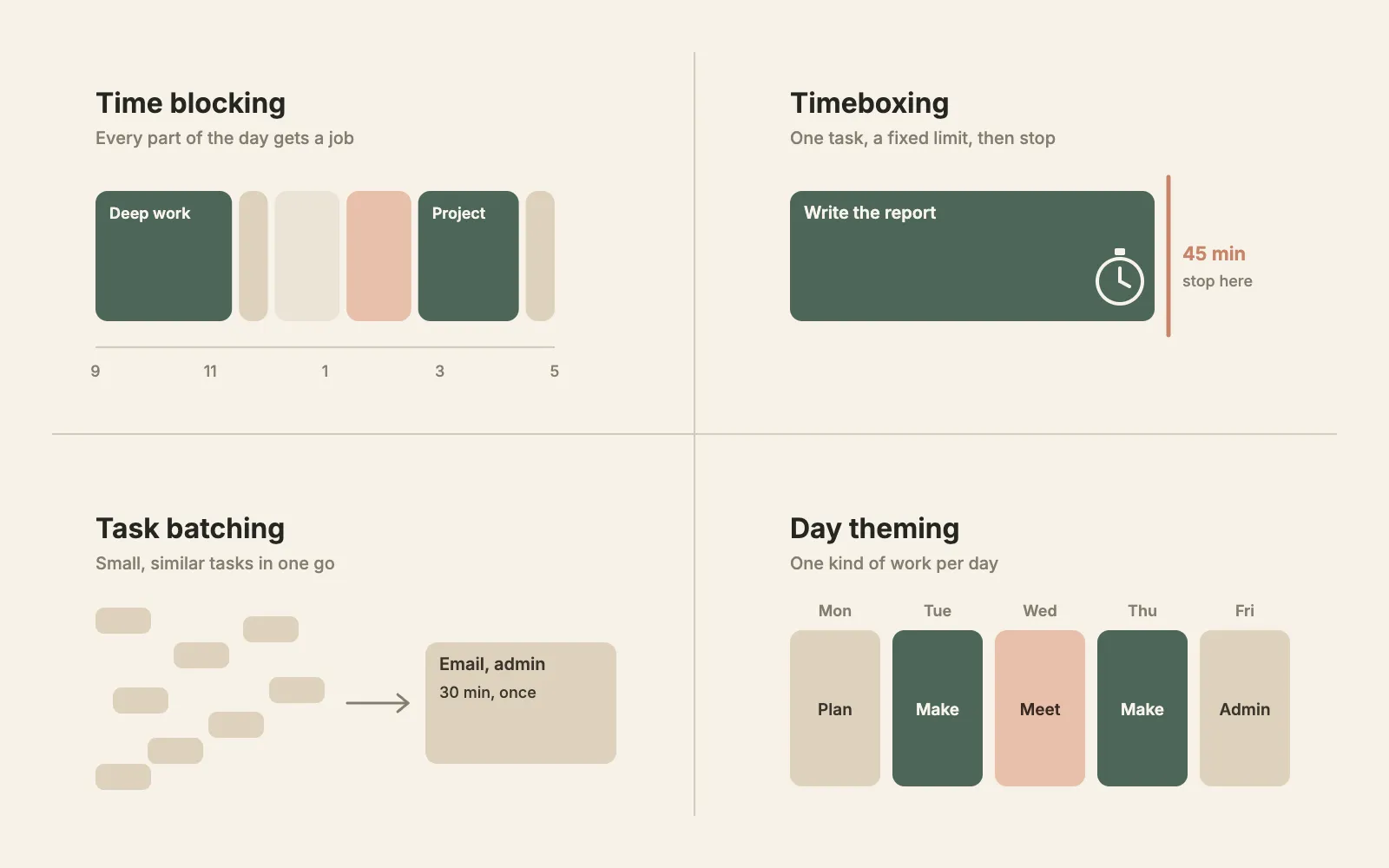
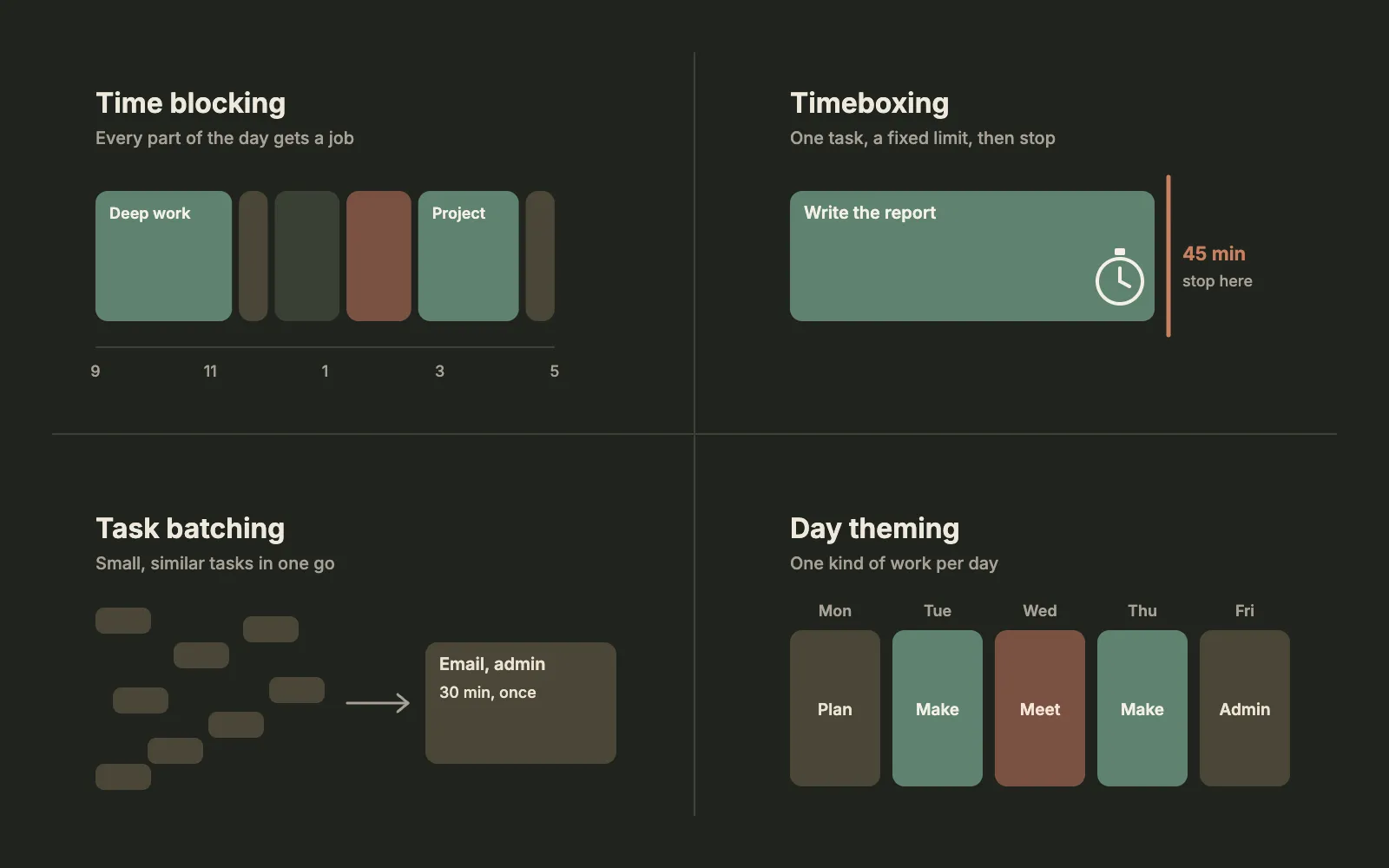
| Time blocking | You plan the whole day as blocks on a timeline, each with a job. |
| Timeboxing | You give one task a fixed limit, say 45 minutes, and stop when it’s up, finished or not. |
| Task batching | You collect small, similar tasks, like email, calls or forms, and do them together in one block. |
| Day theming | You give each day one kind of work: planning on Monday, deep work on Tuesday, meetings on Wednesday. |
Timeboxing comes from software development: the Agile Alliance traces the timebox to Scott Schultz’s rapid prototyping work at a DuPont spin-off in 1988, and James Martin wrote about it at length in 1991. In practice the four work together: a time-blocked day usually has a timeboxed hard task, a batch of email and a theme.
Does time blocking work?
There’s no controlled study of time blocking itself. Its parts are well studied, though, and they point the same way:
- A specific time makes you more likely to do the thing. In a study of workplace flu shots by Katherine Milkman and colleagues, employees prompted to write down the date and time they’d go got vaccinated 4.2 percentage points more often than a control group; writing down only the date made no significant difference. A meta-analysis by Peter Gollwitzer and Paschal Sheeran of 94 tests found that plans of the form “when X happens, I’ll do Y” have a medium-to-large effect on reaching goals.
- A plan quiets unfinished tasks. In six studies by E. J. Masicampo and Roy Baumeister, unfinished goals kept intruding on people’s thoughts and hurt their performance on other tasks, and making a specific plan for them made those effects go away.
- Fewer switches cost less. Switching between tasks has a measurable cost in time, which grows with the complexity of the tasks (Joshua Rubinstein, David Meyer and Jeffrey Evans). Sophie Leroy found that attention lingers on the task you just left, which she called attention residue, and hurts performance on the next one. Blocks and batches mean fewer switches.
Two honest caveats. A 2021 meta-analysis of 158 studies by Brad Aeon, Aïda Faber and Alexandra Panaccio found that time management is moderately related to job performance and more strongly to wellbeing, especially life satisfaction: the bigger payoff may be a calmer day rather than a more productive one. And Newport’s often-quoted line that a 40-hour time-blocked week matches a 60-hour unstructured one is his own estimate, not a measurement.
How to time block your day in 7 steps
1. Plan the night before, in 10 to 20 minutes
Newport plans the next day each evening, in 10 to 20 minutes. Evening planning also closes the loop on today’s unfinished tasks, which is exactly what Masicampo and Baumeister’s studies say a plan does. Our guide to planning your day the night before has the full routine.
2. Choose three must-dos
Write the three things that would make tomorrow a good day, at most. Everything else fits around them. If you can’t choose, the brain dump helps: get everything out of your head first, then pick.
3. Put the fixed things in first
Meetings, appointments, school pickup, the train: anything with a time you don’t control goes on the timeline first. What’s left between them is the time you can actually plan.
4. Block your hardest work in your best hours
Give each must-do a block, in the part of the day when you think best, usually the morning. One to two hours is a good size for deep work. As a ceiling, the experts in K. Anders Ericsson’s famous study of violinists and pianists did about four hours of deliberate practice a day, in sessions of 80 to 90 minutes. Most days won’t hold more than three or four hours of really hard focus, so don’t plan eight.
5. Batch the shallow work
Email, messages, forms, scheduling: give them one or two blocks a day, for example at 11:00 and 16:00, instead of answering as they come. Small tasks are where batching pays off, because each one costs a switch.
6. Add buffer, especially after long tasks
People underestimate how long longer tasks take. In Roger Buehler, Dale Griffin and Michael Ross’s study of students writing an honors thesis, the average best guess was 33.9 days and the actual time was 55.5 days; only 29.7% finished by their own estimate. Make long blocks longer than feels necessary and leave a free half hour after them. (Very short tasks are the exception: in a later study by Michael Roy and Nicholas Christenfeld, tasks under two minutes were overestimated, which is one more reason to batch them.)
7. End the workday with a shutdown block
The last 20 to 30 minutes of the workday are for closing it: write down everything that’s still open, check tomorrow’s calendar, and set tomorrow’s first block. Newport calls this a shutdown ritual. It’s also when you plan the next day, so step 1 becomes part of the day rather than a chore at 10 p.m.
Time blocking example: a filled-in day
Here’s the template filled in for an ordinary Tuesday at a desk job: deep work before lunch, meetings after it, one batch of email in the middle and a shutdown at 16:30.
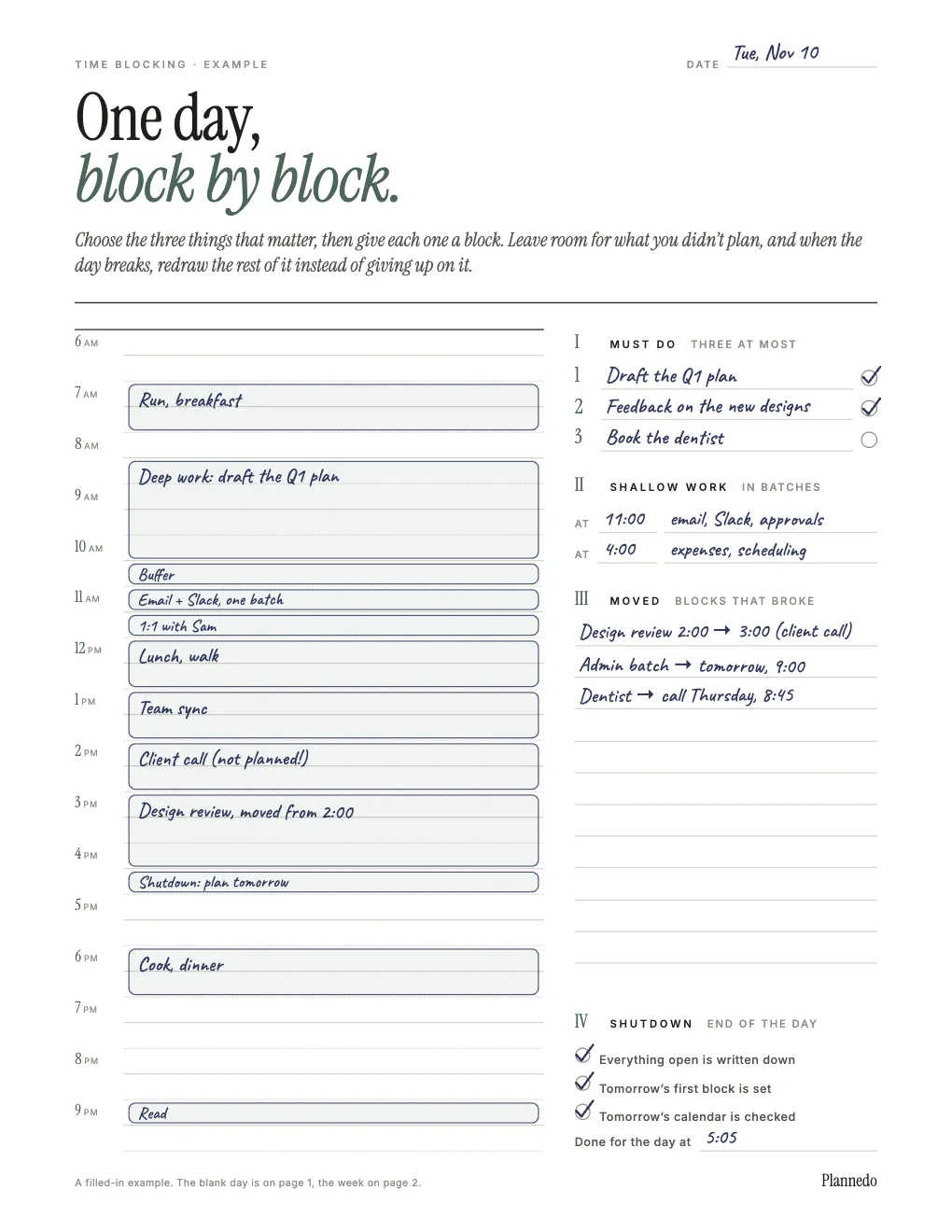
Notice what’s not on it: every minute. There’s a buffer after the long morning block, lunch is a real hour, and the evening has only two light blocks. Notice also the client call at 2 p.m. that wasn’t in the plan.
What to do when the plan breaks
It will break, usually by lunchtime. A call runs long, a colleague needs something now, a task turns out to be twice the size. The plan still did its job: it told you what you were giving up. Newport’s advice is simple: when the schedule breaks, make a new plan for the rest of the day.
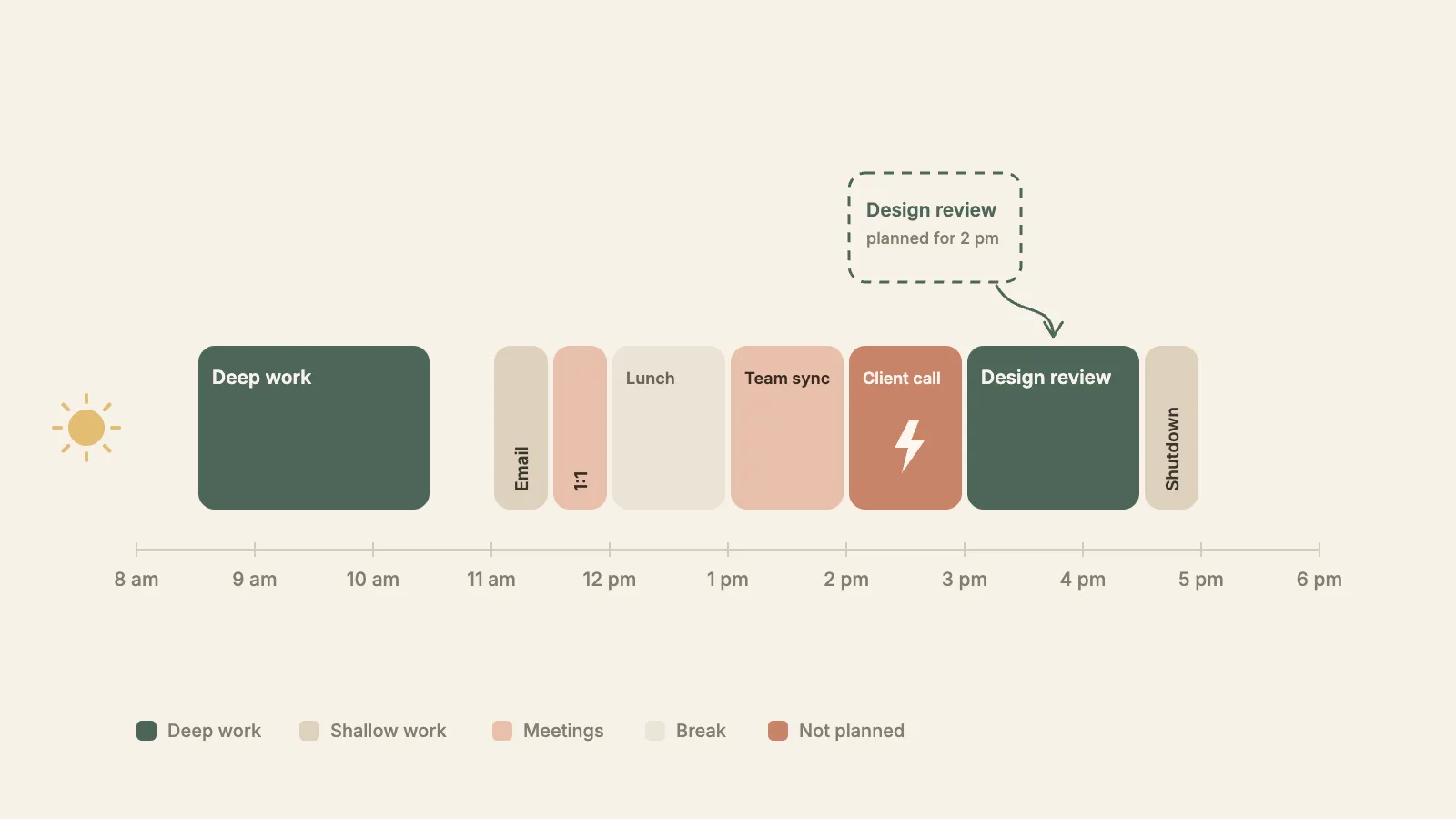
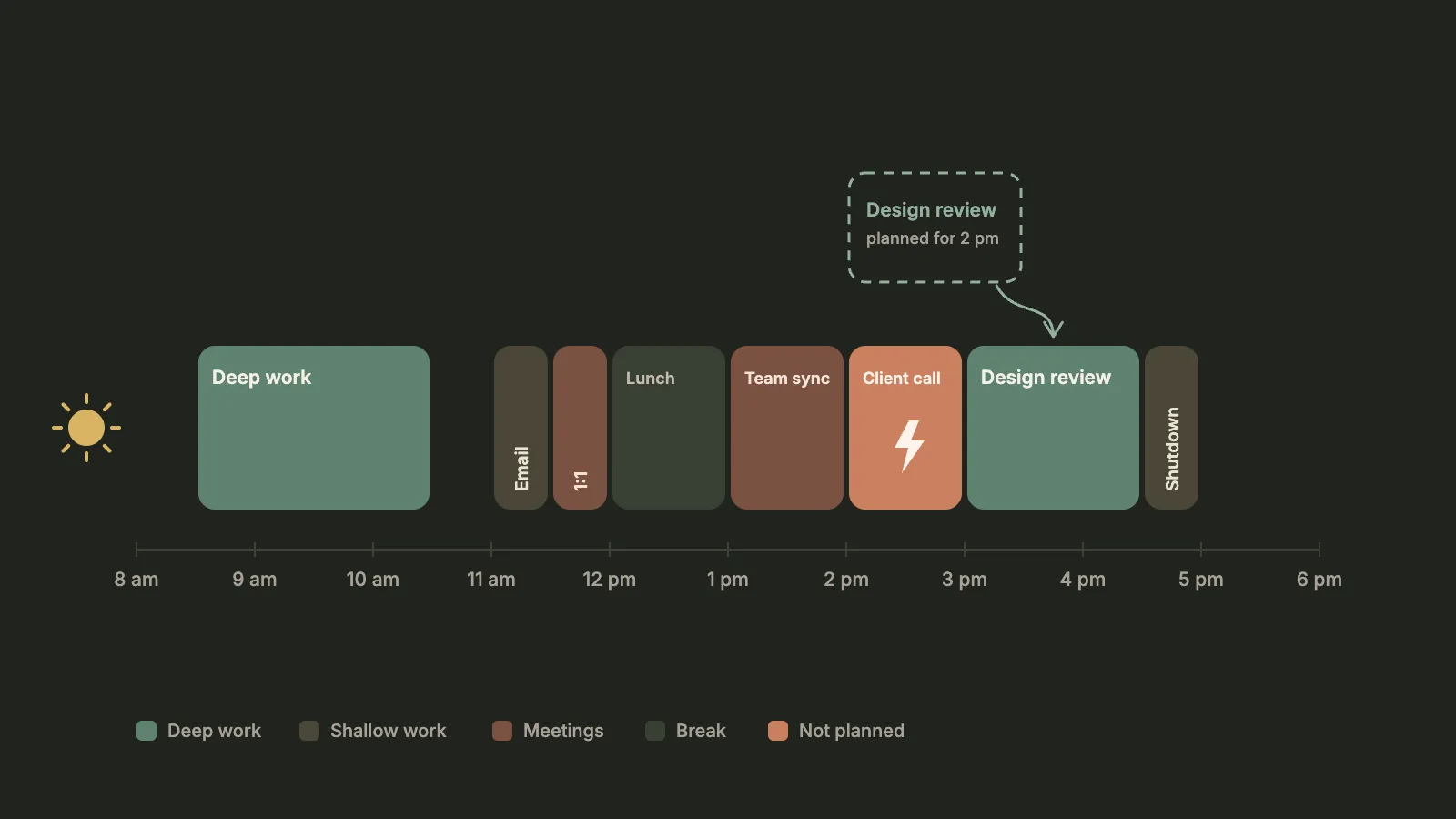
A few rules that make redrawing quick:
- Move the flexible block, not the fixed one. Meetings stay; your own work moves. That’s why it helps to know which blocks are which.
- Eat the buffer first. If something overruns by less than the buffer after it, you don’t need to move anything.
- Push the shallow work, protect the must-dos. When something has to go to tomorrow, let it be the admin batch, not the task that makes the day count.
- Write down what moved. The template has a column for it. It’s your to-do list for tomorrow’s plan, and it shows over a few weeks which kinds of blocks always break.
- Catch interruptions, don’t follow them. When something new comes up mid-block, write it down and get back to the block. Gloria Mark and colleagues found that people who were interrupted actually worked faster, but at the cost of more stress, frustration and effort.
The often-quoted “it takes 23 minutes to refocus after an interruption” isn’t quite what the research says. The number comes from Mark’s observations of office workers, quoted in a 2006 interview: interrupted work was picked up again, on average, 23 minutes and 15 seconds later, often after other tasks in between. It’s how long the detour lasted, not how long refocusing takes.
How to time block your week
The weekly template works at a different scale. Before the week starts, ideally on Sunday evening or Monday morning:
- Write the week’s big three. The three results that would make it a good week.
- Give each day a theme, if your work allows it, so that similar work lands on the same day.
- Block the big three first, in your best hours, then fill in the rest.
A sample week with themes:
| Day and theme | Example blocks |
|---|---|
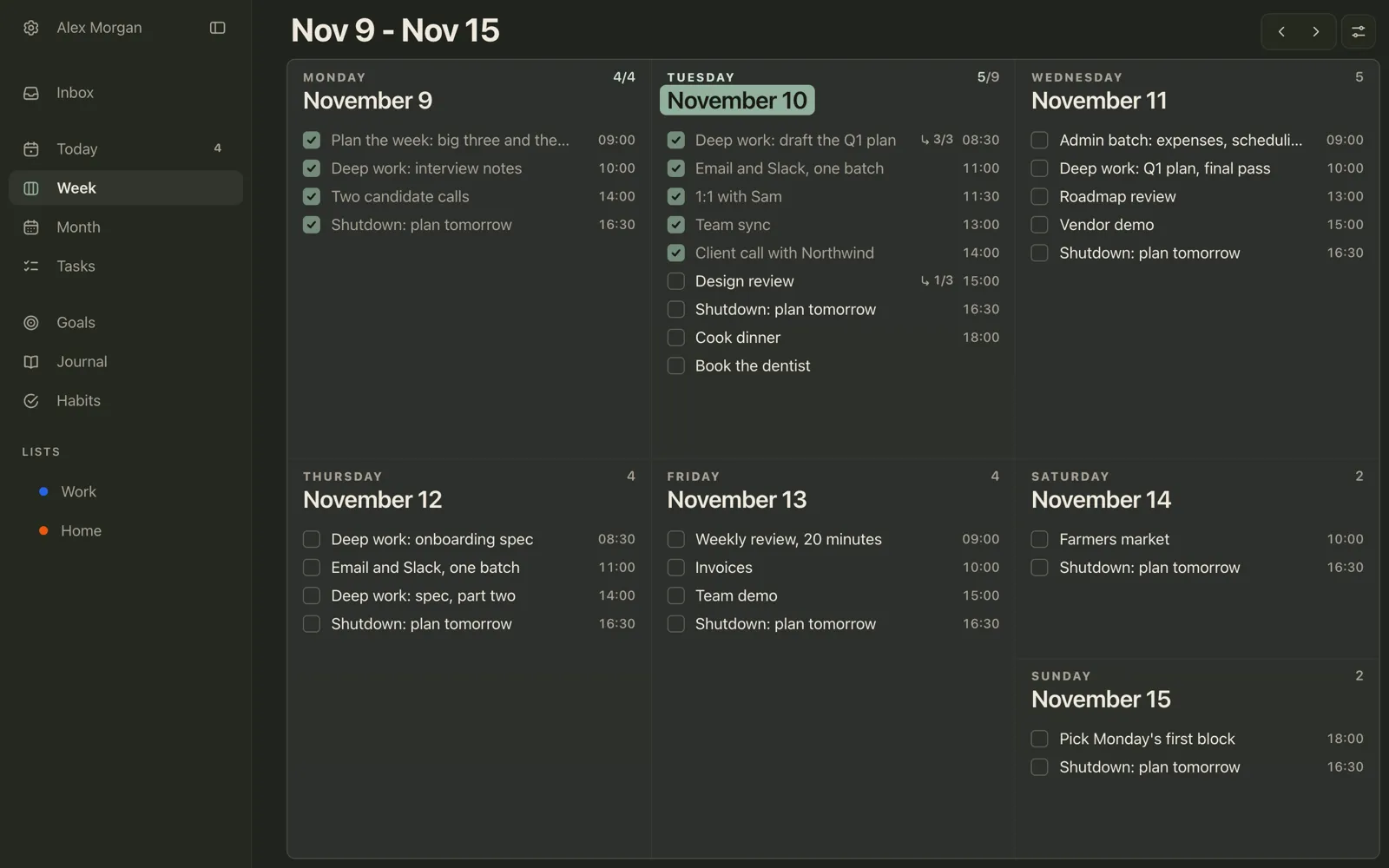
| Monday: plan and admin | Weekly plan at 9:00, interview notes, two candidate calls |
| Tuesday: deep work | Draft the Q1 plan at 8:30, meetings after lunch |
| Wednesday: meetings | Roadmap review, vendor demo |
| Thursday: deep work | Onboarding spec at 8:30 and 14:00 |
| Friday: review and wrap-up | Weekly review at 9:00, invoices, team demo |
There’s more on planning a week in how to plan your week.
A lighter version: start times and reminders
You don’t need a full calendar of blocks to time block. A lighter version keeps most of the benefit: give each block a start time and a reminder, and let the next start time be the end of the previous one. “Deep work: draft the Q1 plan, 8:30” and “Email and Slack, 11:00” already say that the morning belongs to the plan. It’s also easier to redraw: when something breaks, you change one start time instead of dragging a dozen rectangles.
Time blocking in Plannedo
Plannedo works exactly that way: every block is a task with a start time on its day. Week shows the whole plan at once, each task with its time on the right, so you can see which days are full and which have room.
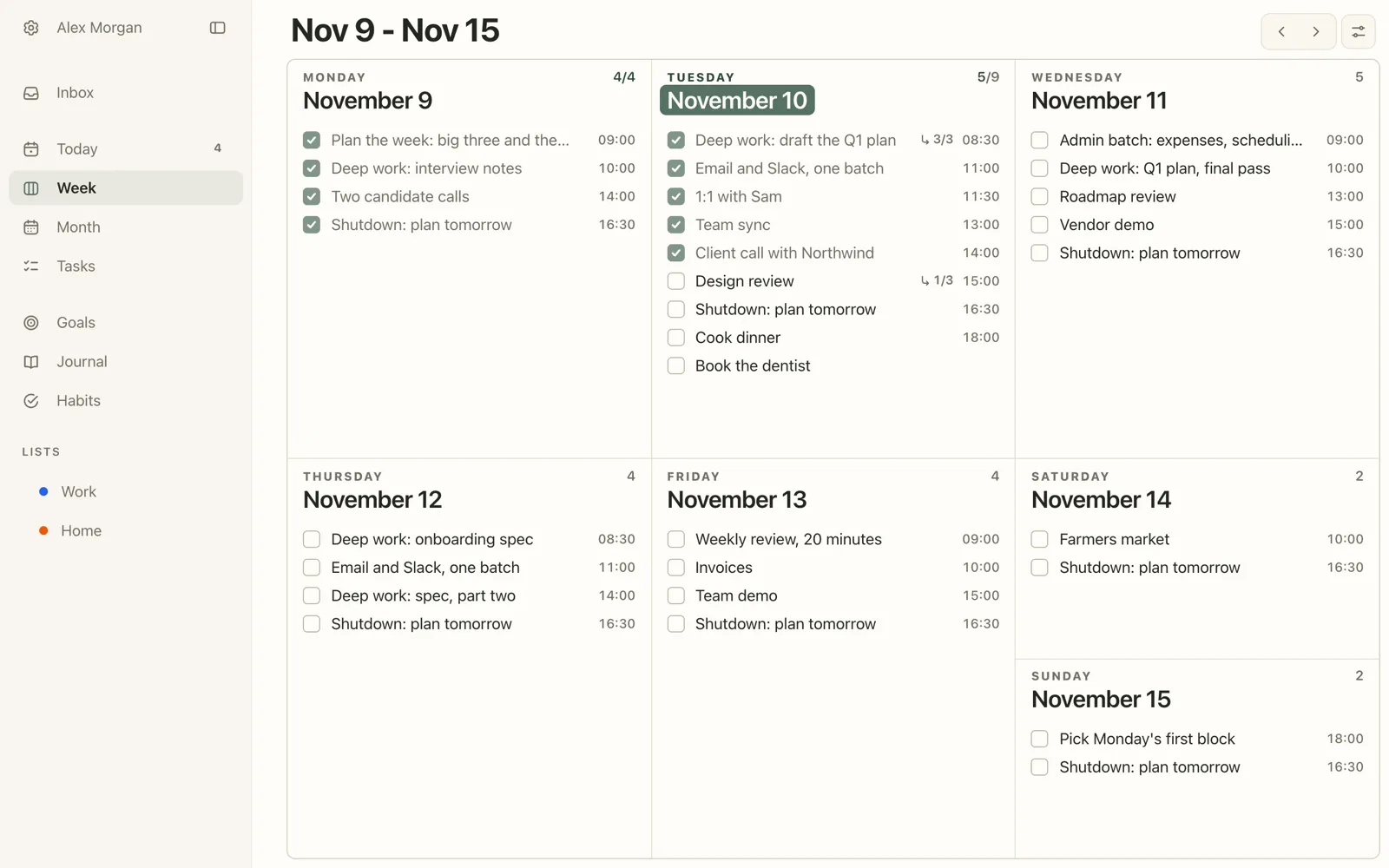
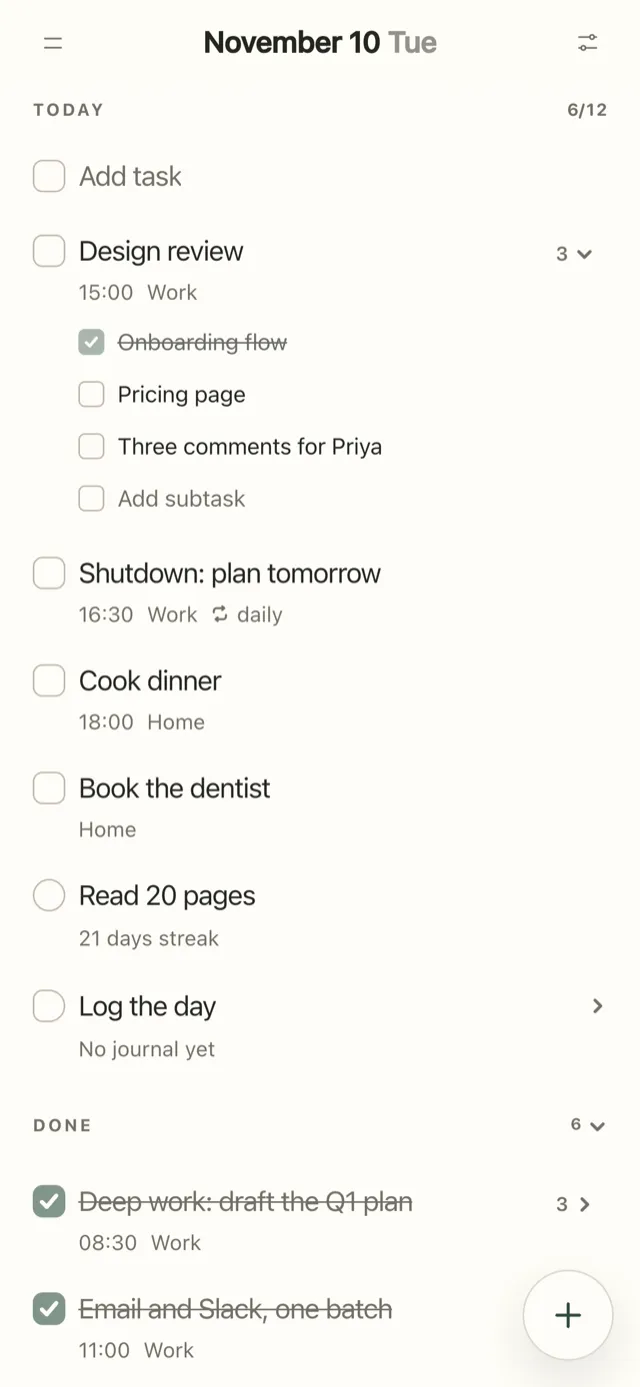
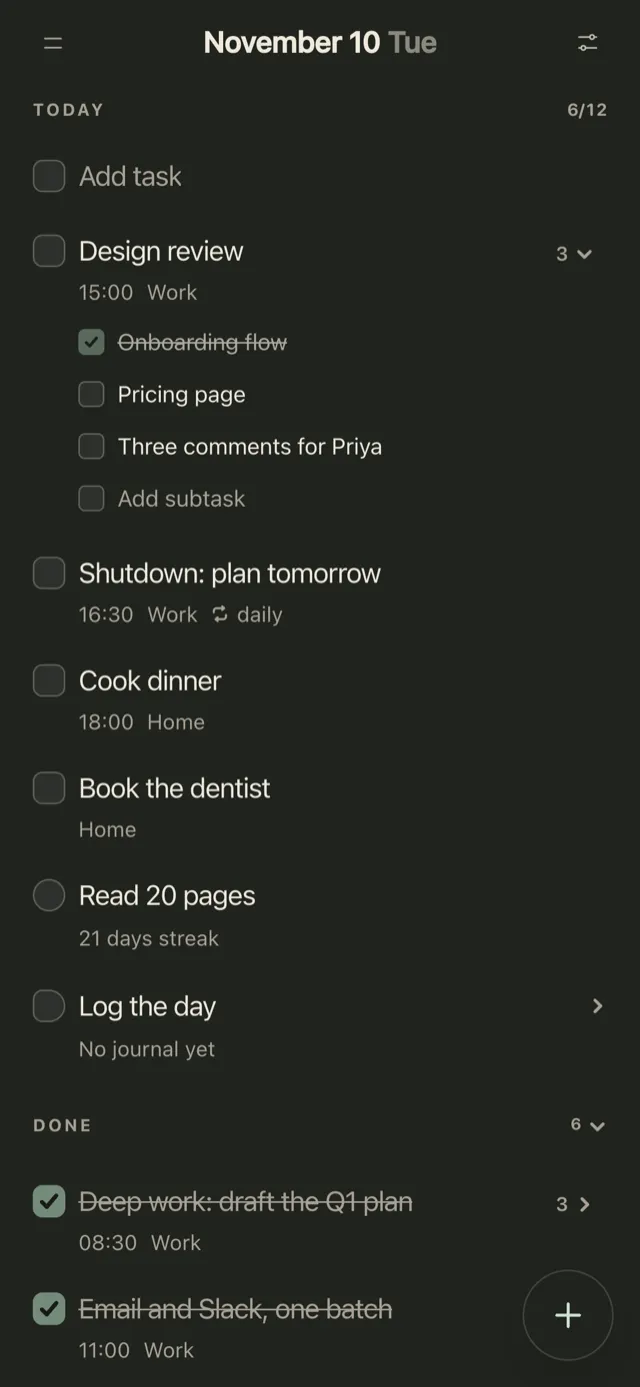
On Today, a block can hold its own steps as subtasks, so “Design review” carries the three things to get through. A task can repeat daily, weekly or monthly, which suits the shutdown block. And a reminder, a Pro feature, can fire at time or 5 minutes, 15 minutes, an hour or a day before the block starts.
When a block breaks, change its start time, or drag the task to another day on Week to push it to tomorrow. More in the help centre: adding a time and subtasks, Week and Month, repeating tasks and reminders.
Free time blocking template (PDF)
Three pages: a daily template with a timeline from 6 a.m. to 10 p.m. in half-hour lines, a weekly template with day themes and an hourly grid, and the daily page filled in with the example above. Print it, or type straight into the fillable PDF on an iPad or a computer.
FAQ
What is time blocking?
A way of planning in which you divide the day into blocks on a timeline and give each block one job, such as deep work, email, a meeting or lunch, before the day starts. You then work from the timeline instead of from a to-do list.
Does time blocking actually work?
There’s no controlled study of the method as a whole, but its parts have good evidence: setting a specific time makes people more likely to follow through, planning quiets thoughts about unfinished tasks, and fewer task switches cost less time and attention. A meta-analysis of 158 studies found that time management is linked to better job performance and, even more, to wellbeing.
What’s the difference between time blocking and timeboxing?
Time blocking plans the whole day as blocks with jobs. Timeboxing puts a fixed limit on one task, such as 45 minutes for a report, and you stop when the time is up. You can timebox inside a time-blocked day.
How long should a time block be?
One to two hours for deep work, 30 minutes for a batch of email or admin, and 15 to 30 minutes of buffer after long or uncertain blocks. Few people can do more than three or four hours of really hard focus a day, so plan the rest of the day for lighter work.
What if my day is full of interruptions or meetings?
Put the meetings in first and block the gaps between them, even if they’re short. Keep a buffer after the most likely interruptions, write new requests down instead of switching to them, and redraw the rest of the day when the plan breaks. If your job is mostly reactive, block just one or two protected hours and leave the rest open.
Is time blocking good for ADHD?
Many people with ADHD find a visible plan for the day helpful, especially with shorter blocks, more buffer and a reminder at the start of each block. Start with one or two blocks a day rather than a full schedule. Our ADHD planner guide covers the rest of the setup.
Does Elon Musk plan his day in 5-minute blocks?
There’s no first-hand source for it. The claim circulates in business articles without a citation, and the same goes for similar stories about Bill Gates. Five-minute blocks aren’t a good model for most people anyway: they leave no room for anything to take longer than planned.
Is it better to time block on paper or in an app?
Use paper if you like to see the whole day drawn out and redraw it by hand, as Newport does. Use an app if you want reminders when a block starts and the plan on your phone. Many people combine them: a paper plan on the desk and the start times in an app.
Studies mentioned
- Milkman, K. L., Beshears, J., Choi, J. J., Laibson, D., & Madrian, B. C. (2011). Using implementation intentions prompts to enhance influenza vaccination rates. Proceedings of the National Academy of Sciences, 108(26), 10415-10420.
- Gollwitzer, P. M., & Sheeran, P. (2006). Implementation intentions and goal achievement: A meta-analysis of effects and processes. Advances in Experimental Social Psychology, 38, 69-119.
- Masicampo, E. J., & Baumeister, R. F. (2011). Consider it done! Plan making can eliminate the cognitive effects of unfulfilled goals. Journal of Personality and Social Psychology, 101(4), 667-683.
- Rubinstein, J. S., Meyer, D. E., & Evans, J. E. (2001). Executive control of cognitive processes in task switching. Journal of Experimental Psychology: Human Perception and Performance, 27(4), 763-797.
- Leroy, S. (2009). Why is it so hard to do my work? The challenge of attention residue when switching between work tasks. Organizational Behavior and Human Decision Processes, 109(2), 168-181.
- Aeon, B., Faber, A., & Panaccio, A. (2021). Does time management work? A meta-analysis. PLOS ONE, 16(1), e0245066.
- Ericsson, K. A., Krampe, R. T., & Tesch-Römer, C. (1993). The role of deliberate practice in the acquisition of expert performance. Psychological Review, 100(3), 363-406.
- Buehler, R., Griffin, D., & Ross, M. (1994). Exploring the “planning fallacy”: Why people underestimate their task completion times. Journal of Personality and Social Psychology, 67(3), 366-381.
- Roy, M. M., & Christenfeld, N. J. S. (2008). Effect of task length on remembered and predicted duration. Psychonomic Bulletin & Review, 15(1), 202-207.
- Mark, G., Gudith, D., & Klocke, U. (2008). The cost of interrupted work: More speed and stress. Proceedings of CHI 2008, 107-110.
- Gallup Business Journal (2006). Too many interruptions at work? Interview with Gloria Mark, June 8, 2006.
- Newport, C. (2013). Deep habits: The importance of planning every minute of your work day. And (2009) Drastically reduce stress with a work shutdown ritual.
- Agile Alliance. Timebox.
Photo credits
The cover photo is by Avtar Singh on Unsplash.