To-Do List Template: Free Printable Daily and Weekly PDF
A free to-do list template to print or fill in (PDF, A4 and US Letter): a simple daily list, the same day on the 1-3-5 rule with minutes for every task, a weekly list, an urgent-or-important page, and how to write a list you actually finish.
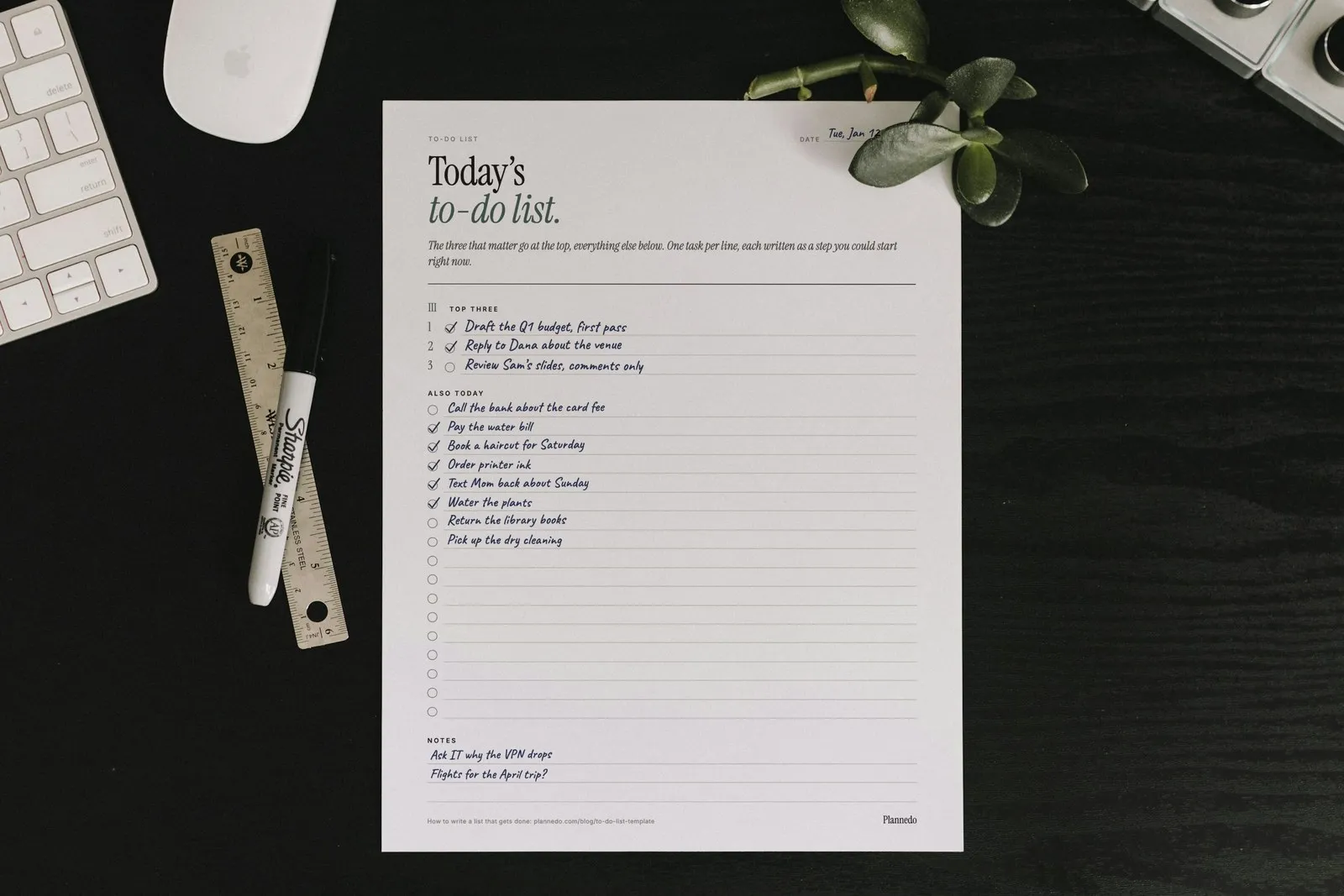
The free to-do list template below starts simple: a page for today with the three tasks that matter at the top and plain lines with boxes to tick below. If your lists usually end the day half done, the second page is the same day on the 1-3-5 rule: one task that matters most, three that matter, five small ones, and a box next to each for the minutes it will take, so you can see before 9 a.m. whether the day adds up.
It comes as a fillable PDF in A4 and US Letter, with a weekly page, a page for sorting a long list by urgent and important, and a filled-in example as well. No email, no sign-up. Below the download is how to use it: six steps for writing a list you actually finish, and what the research says about each of them.
Free to-do list template (PDF)
The template has five pages. Most days, page 1 is all you need.
- Page 1, a simple list: the date, a top three, plain lines with a box to tick for everything else, and a few lines for notes.
- Page 2, the day on the 1-3-5 rule: one task that matters most, three that matter and five small ones, a box for each task’s minutes, a total against the free time the day has, and Not today for what comes up.
- Page 3, the week: the week’s three that matter, then a box for each day from Monday to Sunday and one for next week or what you’re waiting on.
- Page 4, the sort: four boxes for a list that’s too long to finish: do today, give it a date, hand off or shrink, let it go.
- Page 5, an example: page 2 filled in by hand for a Tuesday in January, with a task that didn’t happen and where it went.
Every line is a form field, so you can type into it on an iPad or a computer, or print it and use a pen.
How to write a to-do list that gets done
1. Empty your head onto a master list first
Today’s list is not where every task you have should live. Before you pick anything, write everything down in one place: work, errands, calls, the thing you promised a friend. A master list can be long because nobody has to finish it today. Our guide to a brain dump walks through a full one.
Writing things down does more than help you remember them. In a series of experiments, E. J. Masicampo and Roy Baumeister left people with a goal they hadn’t finished and found that it kept intruding: more stray thoughts about it during an unrelated reading task, and worse scores on an unrelated word puzzle. When people made a specific plan for the goal, those effects went away, even though the goal itself was still unfinished. The key word is specific: a plan, not just a note that the task exists. Steps 3 to 5 are how you turn one into the other.
2. Pick the three that matter
From the master list, choose what goes on today’s, starting with the three tasks that would make the day count even if nothing else got done. They go at the top of page 1, in order. Everything else for today goes below them, one task per line.
If your lists usually end the day half done, use page 2 instead. It follows the 1-3-5 rule, popularized by The Muse, the careers site co-founded by Alex Cavoulacos: one big task, three medium ones and five small ones. No study found that nine is the magic number, and it’s a ceiling, not a quota; on a day full of meetings, one and three is plenty. The value of the rule is that it forces a choice: once the five small slots are full, the sixth small task waits, and the one big slot holds only one thing.
3. Write each task as a step you could start right now
“Taxes” isn’t a task, it’s a topic. You can’t start a topic, so it sits on the list for weeks and makes you feel bad every time you see it. David Allen’s Getting Things Done calls the fix the next action: the very next physical thing you’d do, written with a verb.
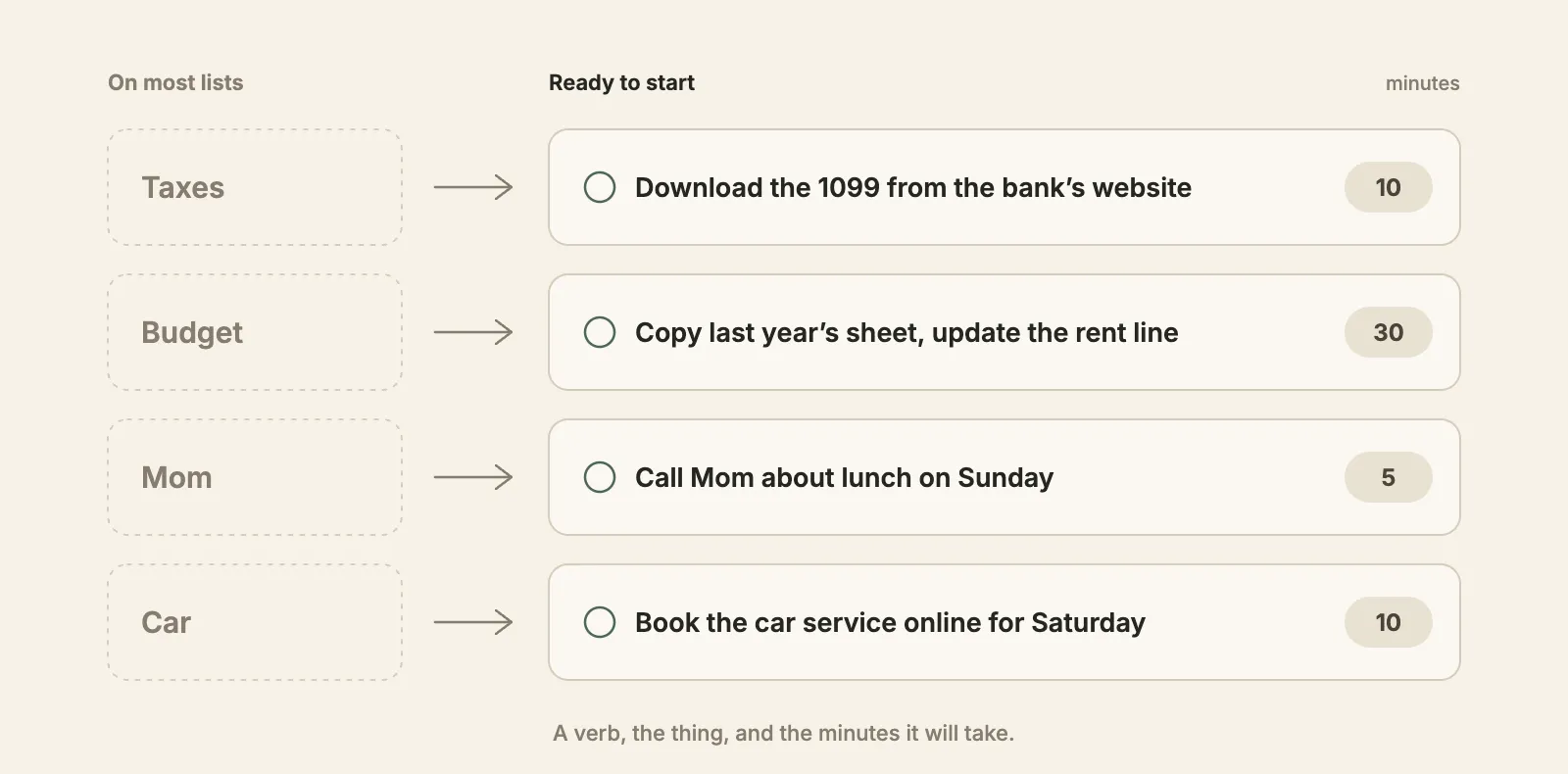
A good test: could you start it in the next two minutes without deciding anything first? If you’d first have to work out what “the budget” means today, the task isn’t written yet. Big tasks need this most: write down the first step, not the whole project.
4. Put the minutes next to each task, then add them up
This is the step almost every template leaves out, and the one that changes the most. People are bad at estimating how long their own work takes, and they’re bad in one direction. In a classic 1994 study, Roger Buehler, Dale Griffin and Michael Ross asked 37 university students when they’d finish their honours thesis. Their best guesses averaged 33.9 days; the actual average was 55.5. Only 29.7% finished by the date they had predicted, and fewer than half finished even by their own worst-case estimate. Psychologists call this the planning fallacy, a term Daniel Kahneman and Amos Tversky coined in 1979.
You won’t fix the bias by trying harder, but you can see it coming. Write the minutes next to each task, add them up, and compare the total with the free time the day really has, after meetings, commuting and lunch. Page 2 has a box for each task’s minutes and a line for the total; on the simple list, jot them at the end of the line.
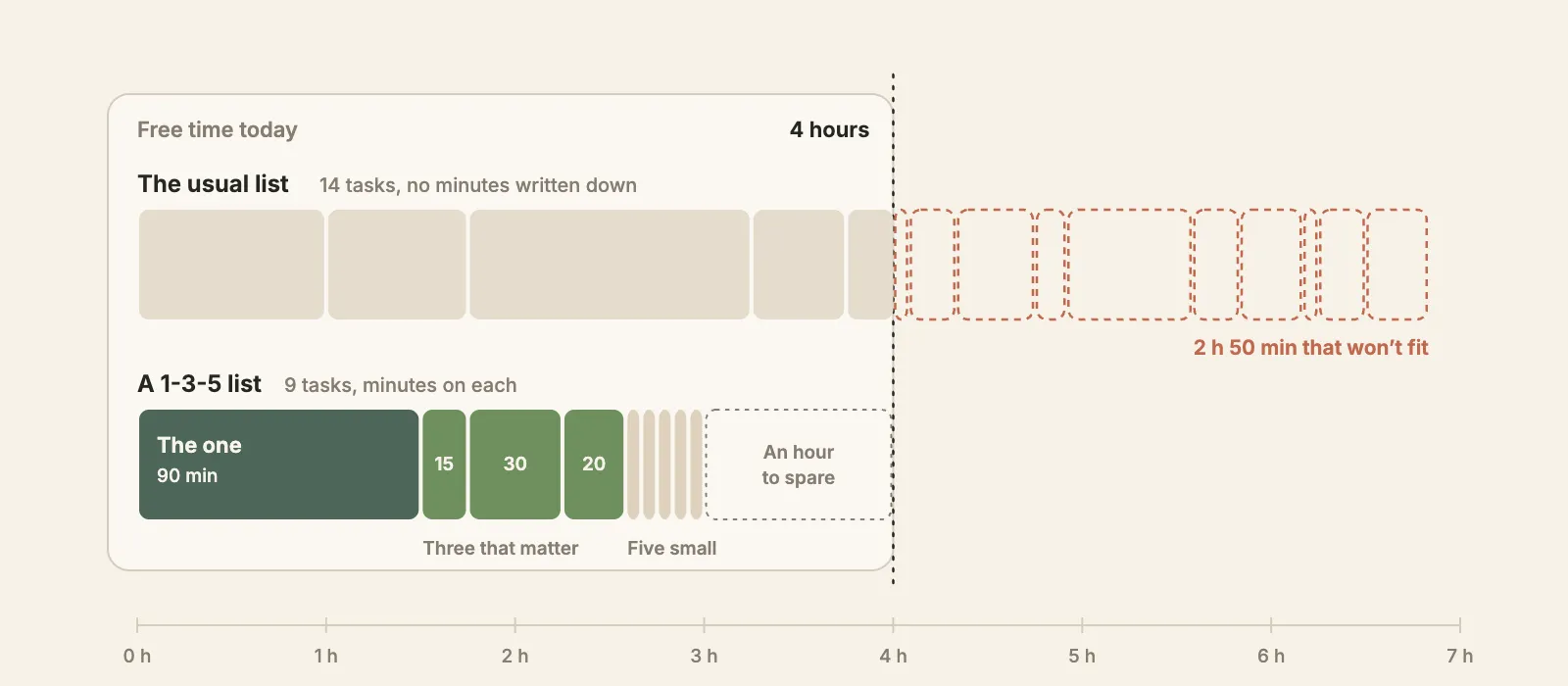
Plan no more than about three quarters of your free time. The rest goes to the things that will come up, and something always does. If the total is over, move tasks back to the master list now, at 8:45, instead of at 6 p.m. when they’re simply undone.
5. Do the most important task first, at a set time
A list tells you what; a time tells you when. Psychologists call a plan in the form “when X happens, I’ll do Y” an implementation intention, and it’s one of the better-tested ideas in the field: Peter Gollwitzer and Paschal Sheeran’s 2006 meta-analysis of 94 tests found a medium-to-large effect on reaching goals. A 2024 update covering 642 tests found the effect varies with the kind of outcome, from small to medium-to-large. “Draft the Q1 budget at 9:00, starting by copying last year’s sheet” is an implementation intention. “Budget” is not.
Doing the big task first also protects it from the day. Brian Tracy’s Eat That Frog! made that advice famous, with a line usually credited to Mark Twain. Quote Investigator found no evidence that Twain said it; the earliest version it traced is the French writer Nicolas Chamfort’s advice to swallow a toad every morning. The advice holds up better than the attribution: we collected the evidence for it, and for a dozen other habits, in how to be productive.
6. Park what comes up, and close the day on purpose
New tasks will arrive while you work: a request in a meeting, an idea in the shower, a bill in the mail. Write each one down the moment it shows up, but under Not today (or Notes on the simple list), not on today’s list. The list you made at 8:45 was the plan; adding to it every hour turns it back into a pile.
You may have read that we remember unfinished tasks better than finished ones, the so-called Zeigarnik effect. A 2025 meta-analysis of 59 publications by Romain Ghibellini and Beat Meier found no such memory advantage. What did hold up is that interrupted tasks pull us back: people returned to them about two times in three. That’s why a stray task left in your head keeps tugging at you, and why a line on paper lets it go until you have time.
At the end of the day, look at what’s left. Every open task gets one of three things: a new day, a smaller version, or a line through it. Then pick tomorrow’s most important task. Without this step, unfinished tasks roll over by default, and a list you carry for a week turns into wallpaper.
Doing it in the evening can help you sleep, too. In a 2018 sleep-lab study, Michael Scullin and colleagues had 57 young adults write for five minutes before lights out. Those who wrote a to-do list for the coming days fell asleep about nine minutes faster than those who wrote about tasks they had already finished, and among the list writers, the ones who listed more tasks fell asleep faster still. The full evening routine is in how to plan your day the night before.
If the same task gets carried over three times, stop carrying it. Break it into a first step you’d actually do, give it a time, or admit you aren’t going to do it and cross it out.
Daily or weekly to-do list?
Use both, for different jobs. The weekly list decides which day each task belongs to; the daily list decides what happens today and in what order.
| Page | When to use it |
|---|---|
| The week (page 3) | Sunday evening or Monday morning: write the week’s three that matter, then give every task a day, a light one when the day is full of meetings |
| The day (page 1 or 2) | Each evening for the next day, or first thing in the morning: copy that day’s tasks from the week and pick the three that matter; on page 2, add the minutes |
| The sort (page 4) | When the master list is too long to look at: sort it before you pick |
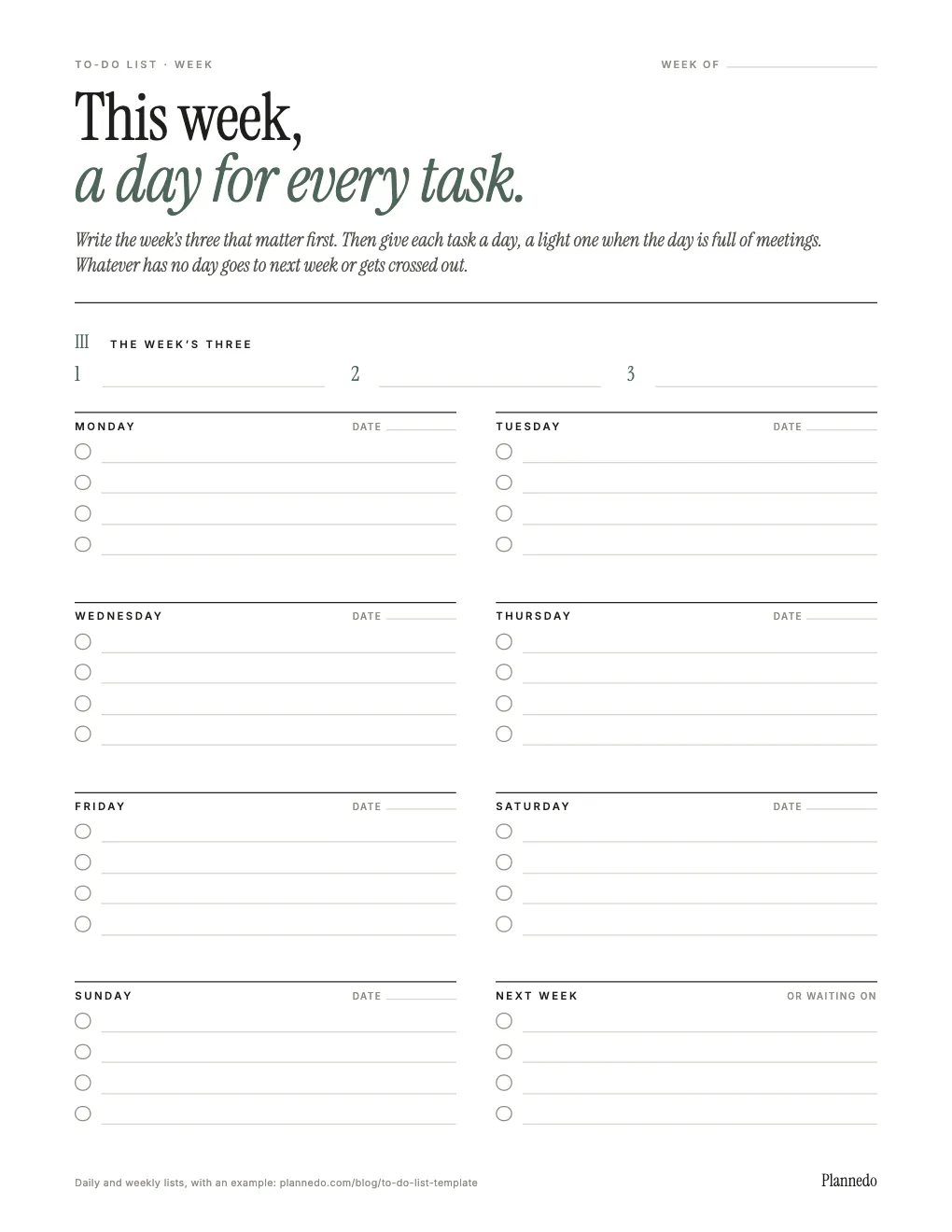
If a task on the weekly page has no day by Wednesday, it either goes under Next week or gets crossed out. For a full weekly routine, see how to plan your week, and if you’d rather lay out the week by hour, there’s a free weekly planner as well. On days full of fixed times, a daily planner template puts the hours and the list on one page.
Too much to do? Sort it by urgent and important
When the master list is so long that picking from it feels hopeless, sort it first. The idea goes back to Dwight Eisenhower, who said in a 1954 speech: “I have two kinds of problems, the urgent and the important. The urgent are not important, and the important are never urgent.” He credited the line to a former college president. The four-box grid, now called the Eisenhower matrix, came later; Stephen Covey made it popular in The 7 Habits of Highly Effective People in 1989.
Why bother? Because urgency wins by default. In five experiments, Meng Zhu, Yang Yang and Christopher Hsee found that people chose tasks that only looked urgent, because they would expire soon, over tasks with a clearly bigger payoff. The effect was stronger in people who saw themselves as busy, and it shrank when people were reminded of the payoffs at the moment they chose. A sorting page is that reminder on paper.
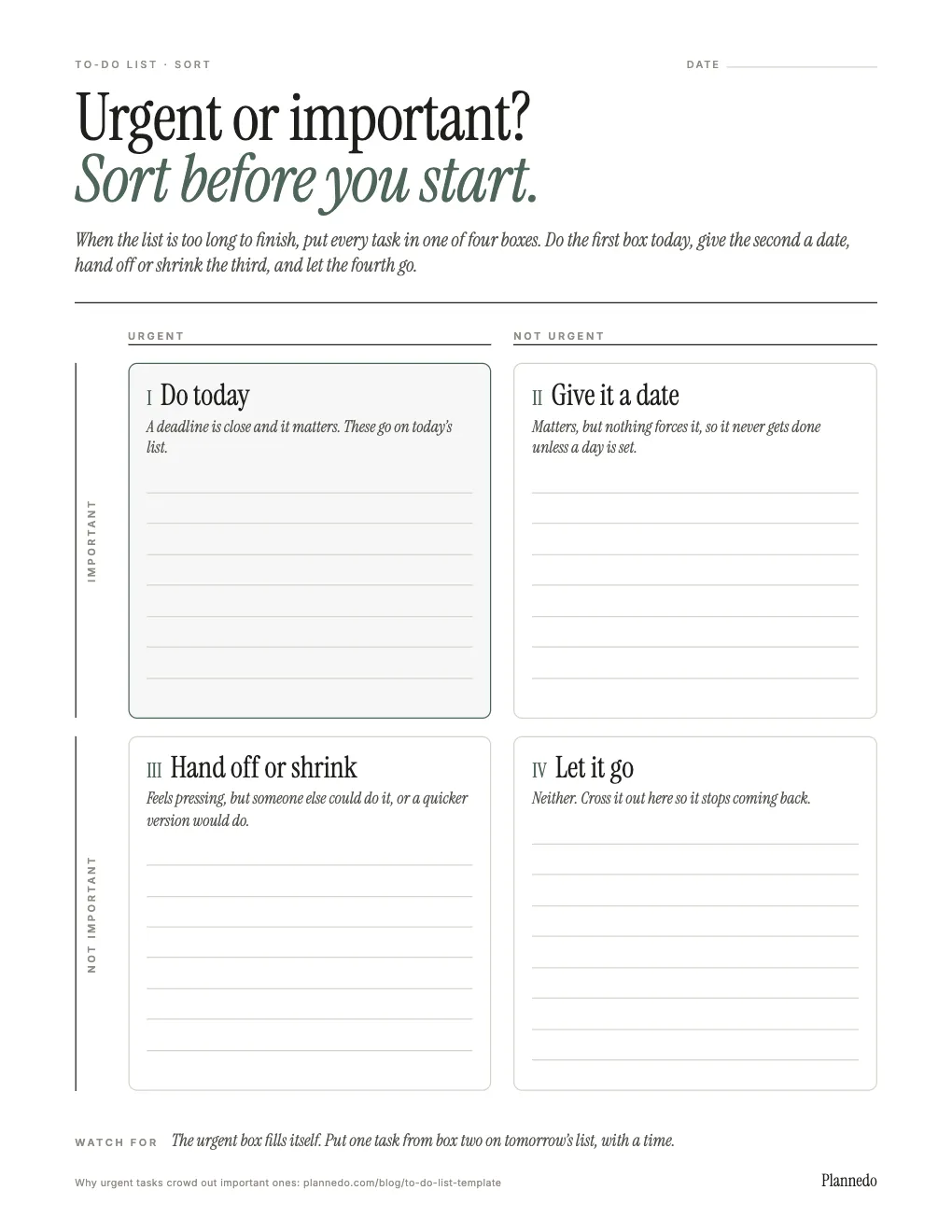
The box that matters most is the second: important, not urgent. Exercise, the overdue conversation, the project that would make next quarter easier. Nothing forces those, so they never happen unless you give them a day. Every time you sort, move at least one task from box two onto tomorrow’s list with a time.
To-do list methods compared
The template uses 1-3-5 for the day, but the other well-known methods fit into it too.
| Method | How it works, and who it suits |
|---|---|
| 1-3-5 rule | One big task, three medium, five small. Suits days with a mix of deep work and errands. |
| Ivy Lee method | The evening before, write at most six tasks in order of importance, then work strictly in order and carry over the rest. Suits people who lose the morning deciding where to start. |
| Eat the frog | Do the hardest task first. Suits procrastinators; it’s what The one on page 2 is for. |
| Eisenhower matrix | Sort a long list by urgent and important. Suits weeks when everything feels on fire. Page 4. |
| Time blocking | Give each task a slot in the calendar. Suits days with long stretches of focus; see our time blocking template. |
| Ta-da list | Write down what you did, not just what’s left. Suits anyone who ends the day feeling they got nothing done; see the ta-da list. |
The Ivy Lee method comes with a famous story: the consultant Ivy Lee is said to have taught it to the steel executive Charles Schwab, who later sent him a check for $25,000. Retellings disagree on the year and the amount, and no record from the time has turned up, so treat it as a legend. The method doesn’t need the story to work.
If you have ADHD, the template’s limits help more than most advice does, and our ADHD planner guide covers the rest of the setup.
An example day
Page 5 of the template is page 2 filled in for a Tuesday in January.
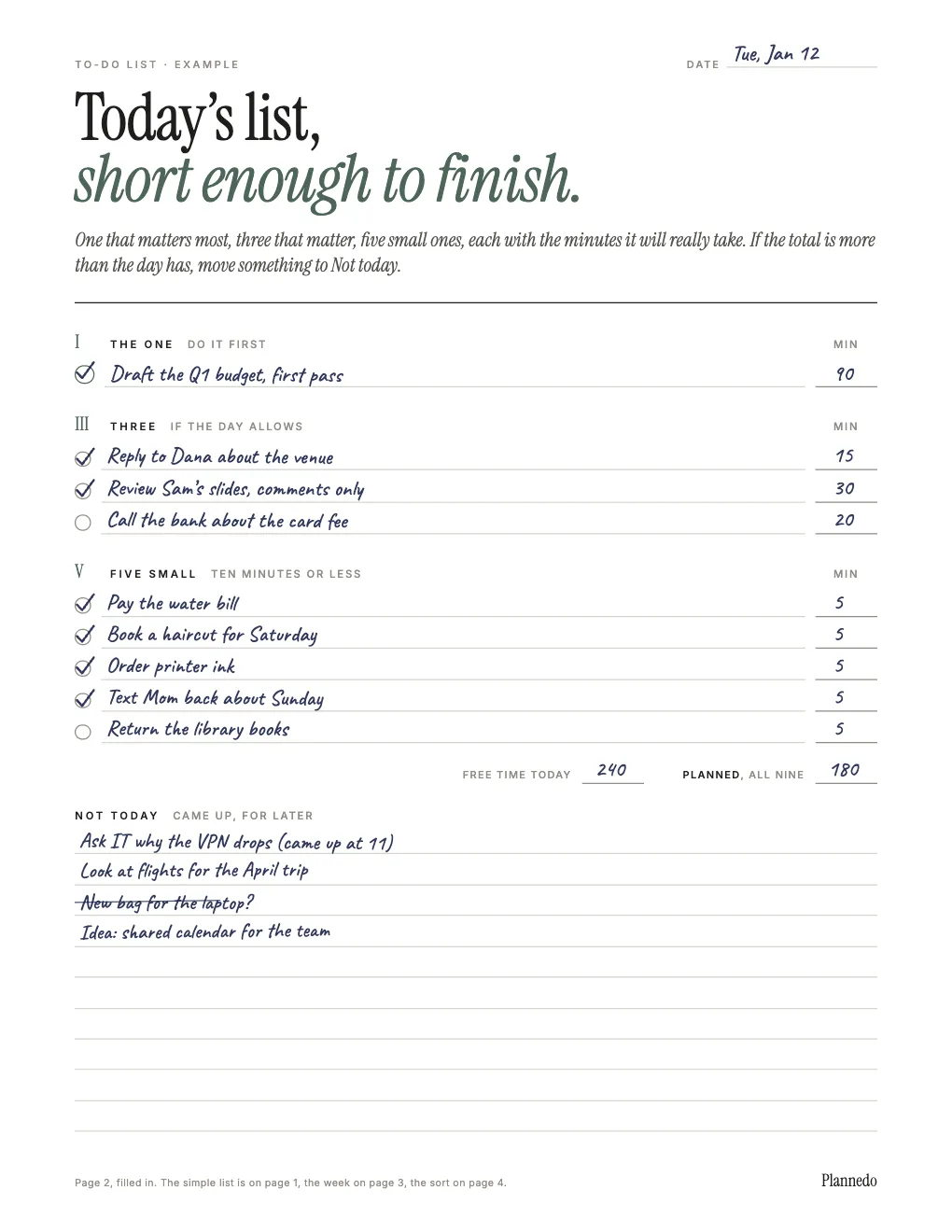
The day had four free hours between meetings, so the plan used three: 90 minutes for the budget draft, done first thing, 65 for the three, 25 for the five small ones. The bank call didn’t happen, so it became tomorrow’s most important task, first thing in the morning. The library books moved to Thursday. Four things came up and went under Not today, and one of them, a new laptop bag, didn’t survive the end-of-day look.
A to-do list in Plannedo
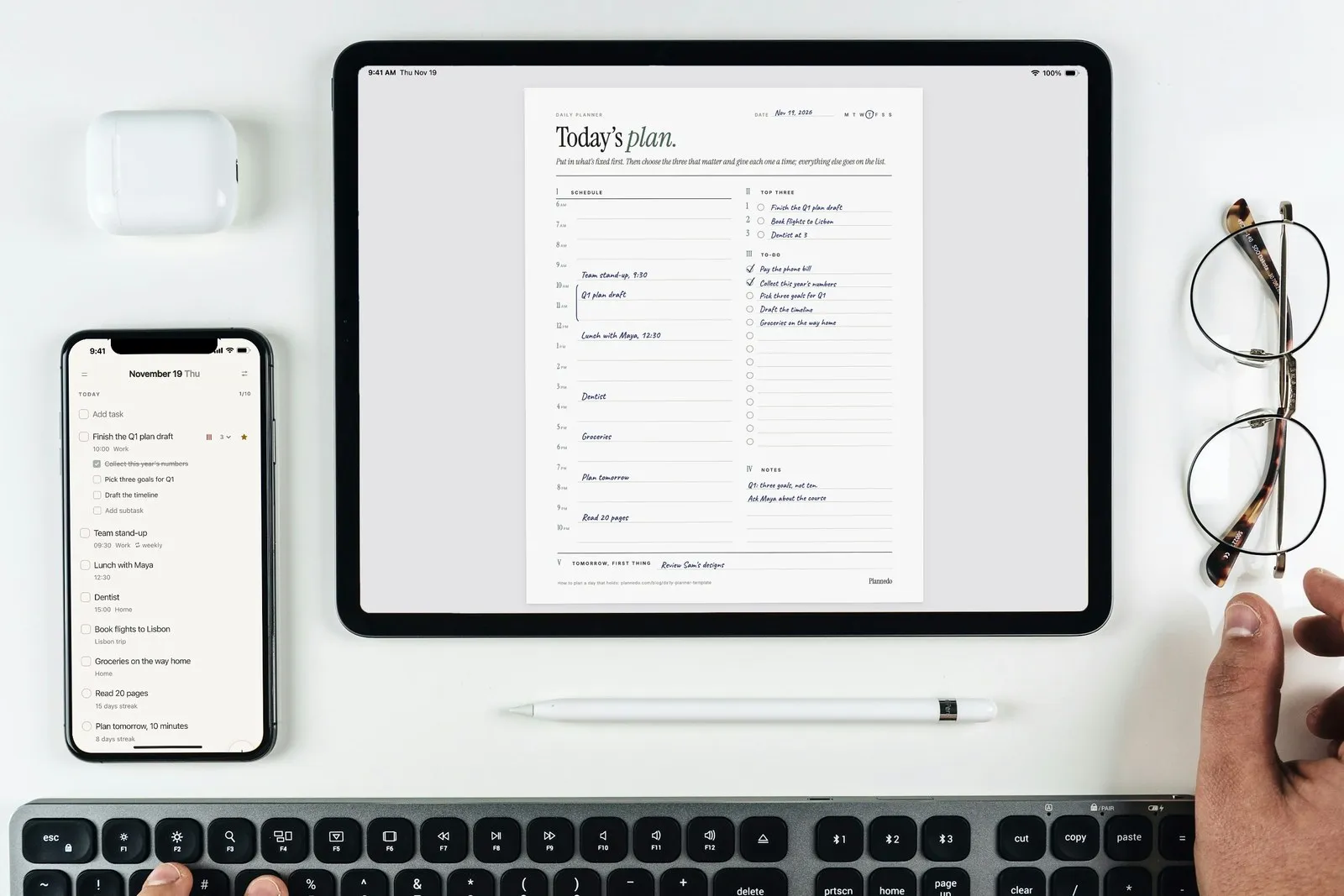
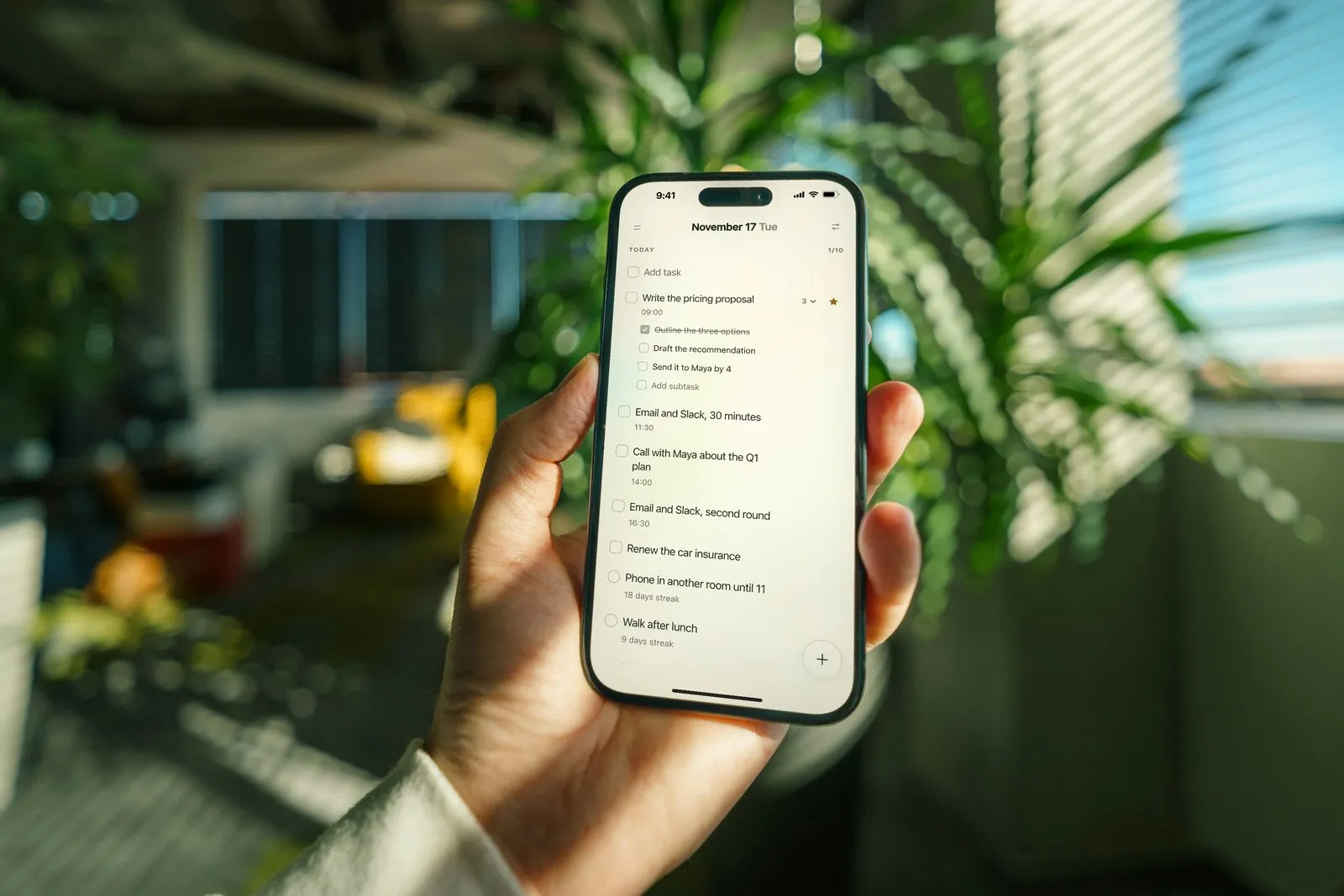
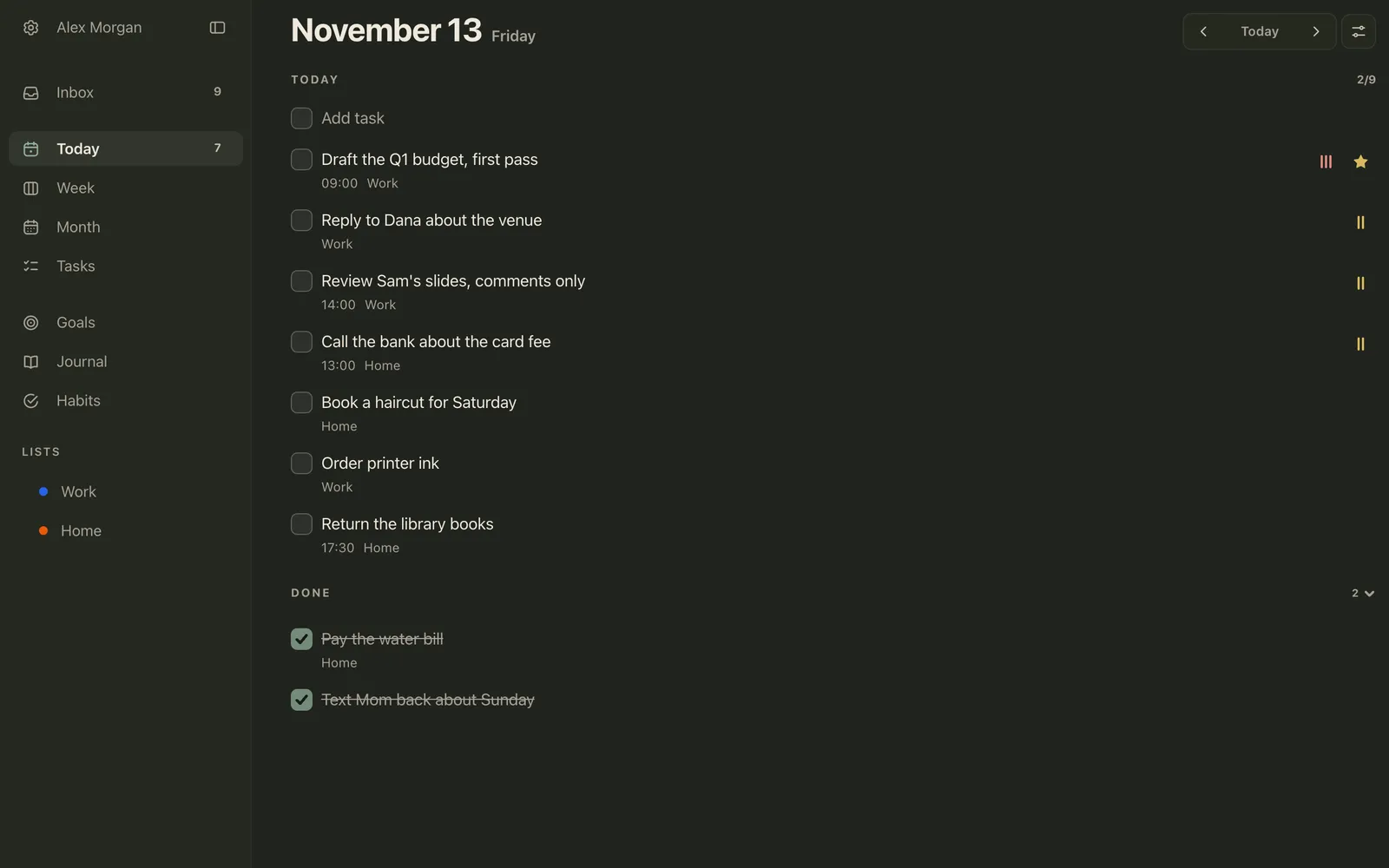
If you’d rather keep the list on your phone and computer, Plannedo’s Today page is a daily to-do list that works the same way. Type the day’s tasks into Add task: pressing Enter saves each one and opens a new line, so you can write the whole list in one go. Star the one: favorite tasks are listed first within their day. Give it a time, and mark the three with a priority, which shows as bars on the right. The counter at the top shows how much is done, like 2/9, and finished tasks move into Done.
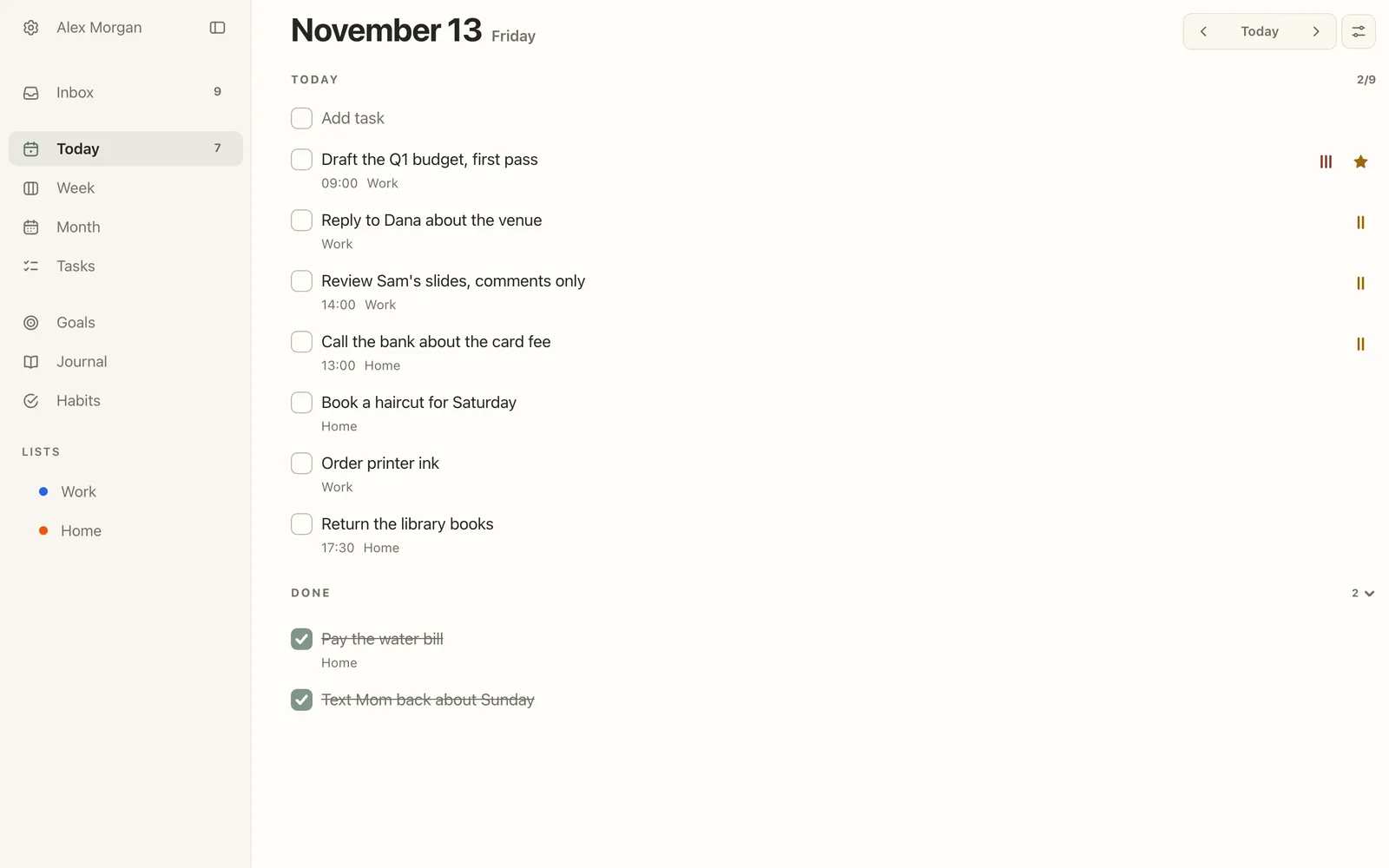
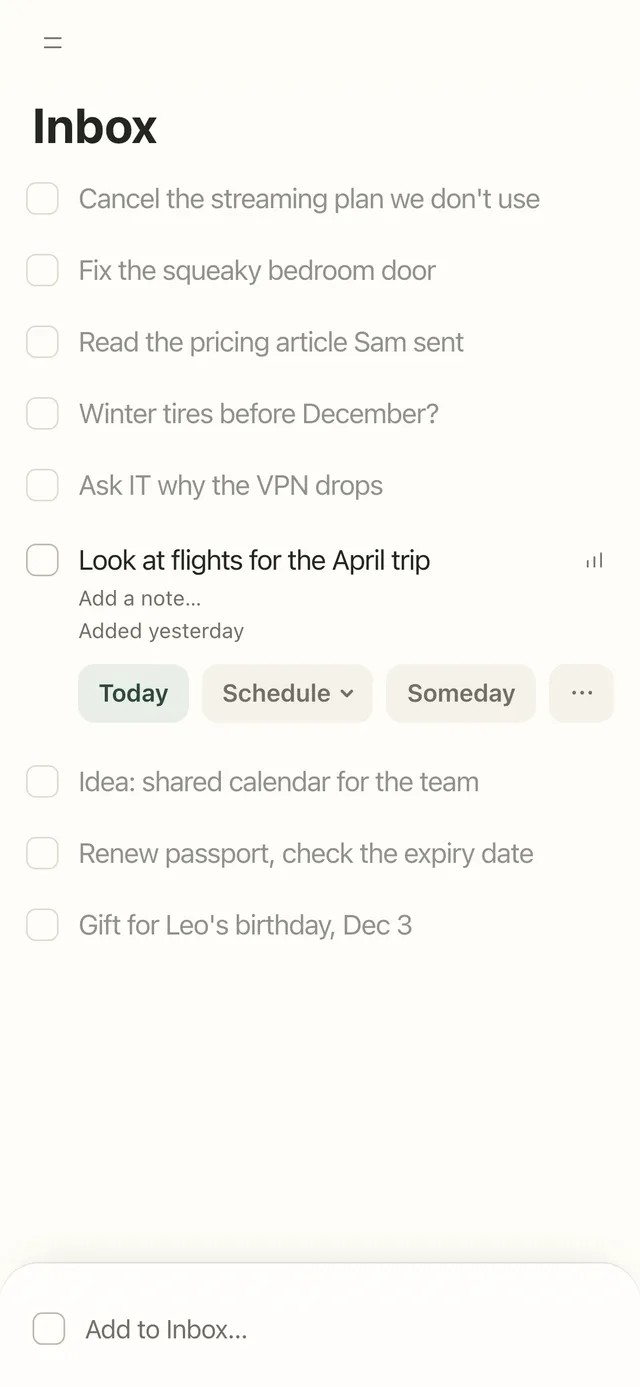
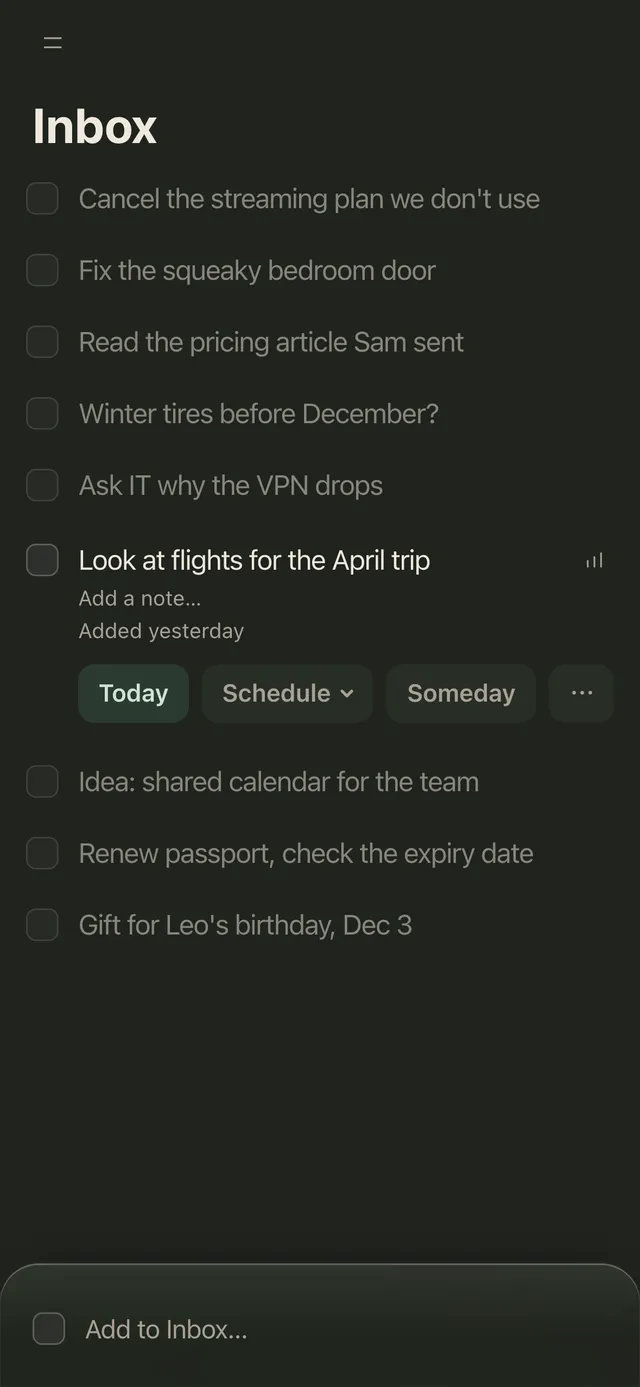
Not today has a home too. Anything you type into the Inbox stays out of today’s list until you decide: Today, Schedule for another day, or Someday if it has no date yet.
Unfinished tasks from earlier days wait under Overdue at the top of Today, with their original dates, until you give them a new one. On a computer you can drag tasks between days on Week, which is the weekly page of the template. Tasks are unlimited on the Free plan. More in the help centre: the Today page, the Inbox and Week and Month.
FAQ
What should a to-do list include?
Each task written as a next step with a verb (“Call the bank about the card fee”, not “Bank”), the minutes it will take, and a box to tick. A good daily list also marks the one task that matters most and gives it a start time, and has a separate place for things that come up during the day, so they don’t land on today’s list.
How many tasks should be on a daily to-do list?
No study gives a magic number, but the 1-3-5 rule’s nine (one big, three medium, five small) is a sensible ceiling for a full day. A better test is time: add up the minutes and keep the total to about three quarters of your free time. On a day full of meetings, that might be three tasks.
What is the 1-3-5 rule?
A way to build a daily to-do list from one big task, three medium tasks and five small ones. It was popularized by The Muse, the careers site co-founded by Alex Cavoulacos. The point is the limit: once the slots are full, anything else waits for another day.
What is the Ivy Lee method?
At the end of each day, write down at most six tasks for tomorrow, in order of importance. The next day, work on the first until it’s finished, then the second, and so on; anything left over goes onto the next day’s list. It’s named after the publicity consultant Ivy Lee, though the famous story of a $25,000 check from Charles Schwab has no record from the time.
Should I write my to-do list the night before?
It helps, for two reasons: you start the morning with the decision already made, and in a 2018 sleep-lab study, people who wrote a to-do list for the coming days before bed fell asleep about nine minutes faster than people who wrote about what they’d already done. Five or ten minutes is enough.
How do I prioritize a long to-do list?
Sort it into four boxes by urgent and important (the Eisenhower matrix): do today, give it a date, hand off or shrink, and let it go. Then pick one task from the important but not urgent box and put it on tomorrow’s list with a time, because nothing else will make it happen.
What should I do with tasks I keep carrying over?
If a task has moved three days in a row, it needs a decision instead of another move. Break it into a first step you’d actually do, give it a fixed time, or cross it out. Often the reason it keeps moving is that it’s written as a topic (“Taxes”) rather than a step (“Download the 1099 from the bank’s website”).
Can I fill in the to-do list template on my computer or iPad?
Yes. Every line in the PDF is a form field, so you can type into it in any PDF app, including on an iPad, then save or print it. It comes in A4 and US Letter, with a simple list on page 1 and the 1-3-5 version on page 2. To keep it with the rest of your pages in Goodnotes or Notability, see our guide to digital planners.
Studies and sources
- Masicampo, E. J., & Baumeister, R. F. (2011). Consider it done! Plan making can eliminate the cognitive effects of unfulfilled goals. Journal of Personality and Social Psychology, 101(4), 667-683.
- Buehler, R., Griffin, D., & Ross, M. (1994). Exploring the “planning fallacy”: Why people underestimate their task completion times. Journal of Personality and Social Psychology, 67(3), 366-381. The term comes from Kahneman, D., & Tversky, A. (1979). Intuitive prediction: Biases and corrective procedures. TIMS Studies in Management Science, 12, 313-327.
- Gollwitzer, P. M., & Sheeran, P. (2006). Implementation intentions and goal achievement: A meta-analysis of effects and processes. Advances in Experimental Social Psychology, 38, 69-119. And Sheeran, P., Listrom, O., & Gollwitzer, P. M. (2024). The when and how of planning: Meta-analysis of the scope and components of implementation intentions in 642 tests. European Review of Social Psychology, 36(1), 162-194.
- Ghibellini, R., & Meier, B. (2025). Interruption, recall and resumption: A meta-analysis of the Zeigarnik and Ovsiankina effects. Humanities and Social Sciences Communications, 12, 962.
- Scullin, M. K., Krueger, M. L., Ballard, H. K., Pruett, N., & Bliwise, D. L. (2018). The effects of bedtime writing on difficulty falling asleep: A polysomnographic study comparing to-do lists and completed activity lists. Journal of Experimental Psychology: General, 147(1), 139-146.
- Zhu, M., Yang, Y., & Hsee, C. K. (2018). The mere urgency effect. Journal of Consumer Research, 45(3), 673-690.
- Quote Investigator (2014). “I have two kinds of problems, the urgent and the important”, on Eisenhower’s 1954 address in Evanston, Illinois. And Quote Investigator (2013), “Eat a live frog first thing in the morning”, on the Twain attribution.
- Allen, D. (2001). Getting Things Done: The Art of Stress-Free Productivity. Viking. Tracy, B. (2001). Eat That Frog! Berrett-Koehler. Covey, S. R. (1989). The 7 Habits of Highly Effective People. Free Press.
- The Muse. “A Better To-Do List: The 1-3-5 Rule,” by Alex Cavoulacos, on the origin of the 1-3-5 rule.
Photo credits
The cover photo is by Kelly Sikkema on Unsplash.