Start here
How Plannedo works
The idea behind Plannedo — a day made of tasks, habits, a journal and goals — and how the four parts feed each other.
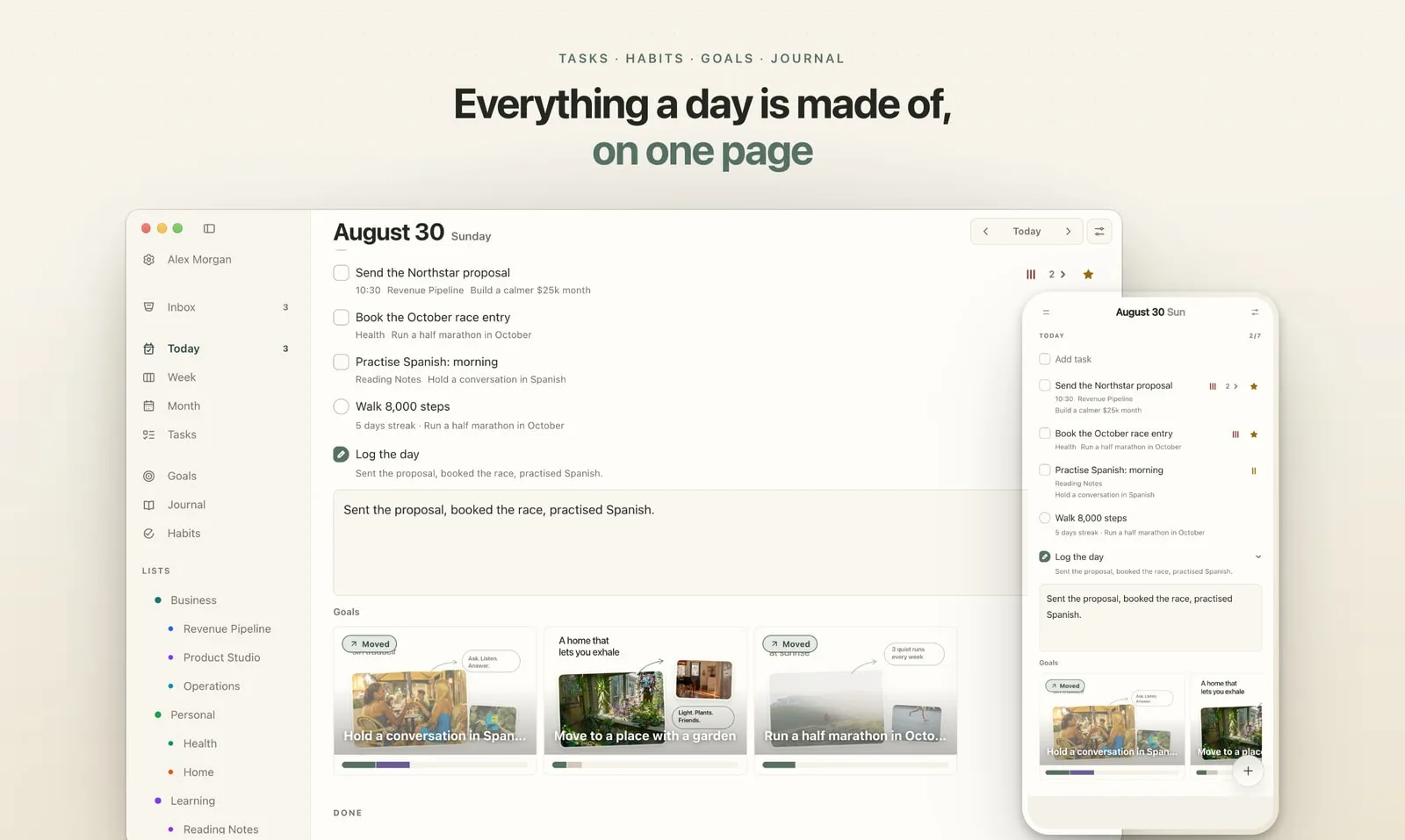
Plannedo is built on one sentence: big things are just a stack of ordinary days. It keeps both ends in view — the goal you’re chasing, and today’s list that’s supposed to get you there — and checks once a day whether they touched.
A day has four parts
Section titled “A day has four parts”| Tasks | What needs doing — today and ahead. |
| Habits | What you repeat, day after day. |
| Journal | How each day actually went. |
| Goals | What it’s all building toward. |
Most people keep these in four different apps that know nothing about each other. In Plannedo they share one page, Today, and they’re wired together.
How the parts connect
Section titled “How the parts connect”- A goal is a board, not a line. You fill it with photos, words, shapes and arrows, give it a deadline and one line about why it matters. → Goal boards
- Tasks and habits can belong to a goal. The run on Tuesday belongs to “Run a half marathon in October”; the daily twenty minutes of Spanish to “Hold a conversation in Spanish”. → Connect tasks and habits
- Doing them moves the goal. Tick off a linked task or habit, and the goal is marked as moved for that day.
- Every evening, one question. In Log the day you write a line about the day and answer each goal: Moved, Thought or Not today. → The evening check-in
- After a few weeks, you can see what’s moving. Under each board: when you last moved it, and a ribbon of the last four weeks. → See which goals are moving
There are no scores and no streaks for goals. A day you skip just stays empty.
The ordinary parts
Section titled “The ordinary parts”Underneath, Plannedo is a regular planner:
- one task, three zoom levels: Today, Week and Month;
- repeating tasks, reminders, subtasks, priorities and lists;
- an Inbox for half-formed thoughts;
- habits with streaks, and a journal;
- seven themes.
Every part of the Today page can be switched off, so you can start with a plain daily planner and add goals when something matters longer than a week.
Where it runs
Section titled “Where it runs”In any browser at plannedo.com, and as an app for iPhone and Mac. It’s one account: a task added on your phone is there on your computer. → Web, iPhone, iPad and Mac